
TL;DR
- Claim your Ashen Corsair set from the Mailbox station in Sainte-Anne settlement
- Navigate to ‘Manage Ship’ at any dock to equip the 11 cosmetic items individually or as a set
- Reach Brigand Infamy Rank to unlock the exclusive Ashen Corsair Investigation quest
- Check your Journal’s Investigation tab after receiving the newspaper from your mailbox
- The set features distinctive black sails, red hull coloring, and thematic bone decorations
The Ashen Corsair set represents one of several exclusive preorder incentives available in Skull and Bones, providing players with immediate visual customization options for their naval vessels. This premium cosmetic collection includes eleven distinct appearance items that transform your ship’s aesthetics, enabling you to establish a unique presence across the game’s maritime environments.
Many players encounter confusion when attempting to locate and activate their preorder benefits, as the game’s interface doesn’t explicitly highlight the redemption process. Our comprehensive walkthrough eliminates this frustration by detailing every step from claim to customization.
Understanding the value of these cosmetics is crucial – they offer both immediate visual distinction and practical benefits for players wanting to establish their pirate identity early in their naval career.
To access your Ashen Corsair set or any additional preorder content, navigate to the designated Mailbox station within the central hub of Sainte-Anne. This settlement serves as your primary operational base following the introductory missions and tutorial sequences.
The Mailbox facility positions itself along the starboard side of the docking area, easily identifiable by its distinctive envelope symbol interface marker. Reference the visual guide below for precise location confirmation:
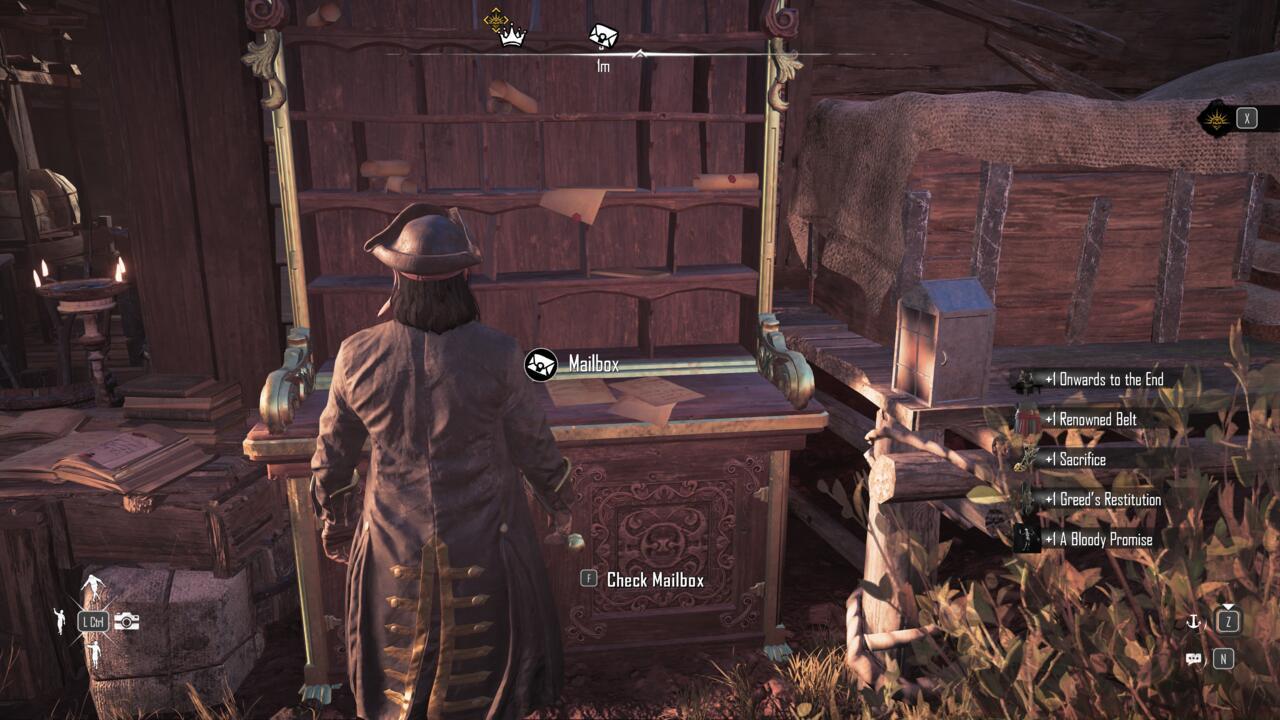
Within the Mailbox interface, you’ll discover multiple unclaimed correspondence from the mysterious “A Son of Liberty” sender. Your preorder benefits specifically identify themselves with “Premium Edition” labeling on the message headers. Continue selecting unopened letters until you locate the specific message listing “Ashen Corsair” within the “Ready to claim” section tab.
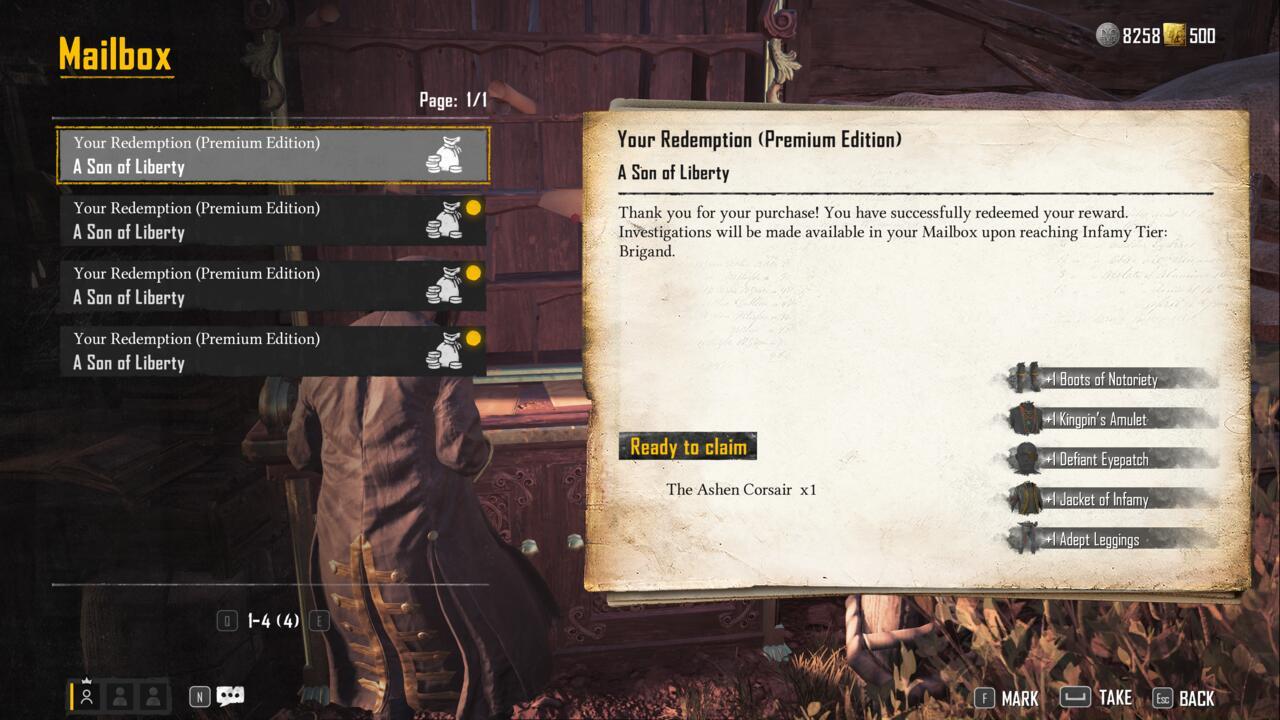
Pro Tip: If you don’t immediately see your rewards, complete a few initial missions first, as some content requires minor progression triggers. Also, ensure you’re checking the correct mailbox category tabs, as the interface separates different reward types.
After successfully claiming your Ashen Corsair set, proceed to any available docking station and activate the “Disembark” command. This transitions you to the port management interface where you can select the “Manage Ship” functionality option.
Within the ship management panel, navigate to the cosmetics customization section where all your newly acquired Ashen Corsair appearance items reside. You maintain flexibility to apply the complete collection as a unified theme or mix and match individual components according to your aesthetic preferences.
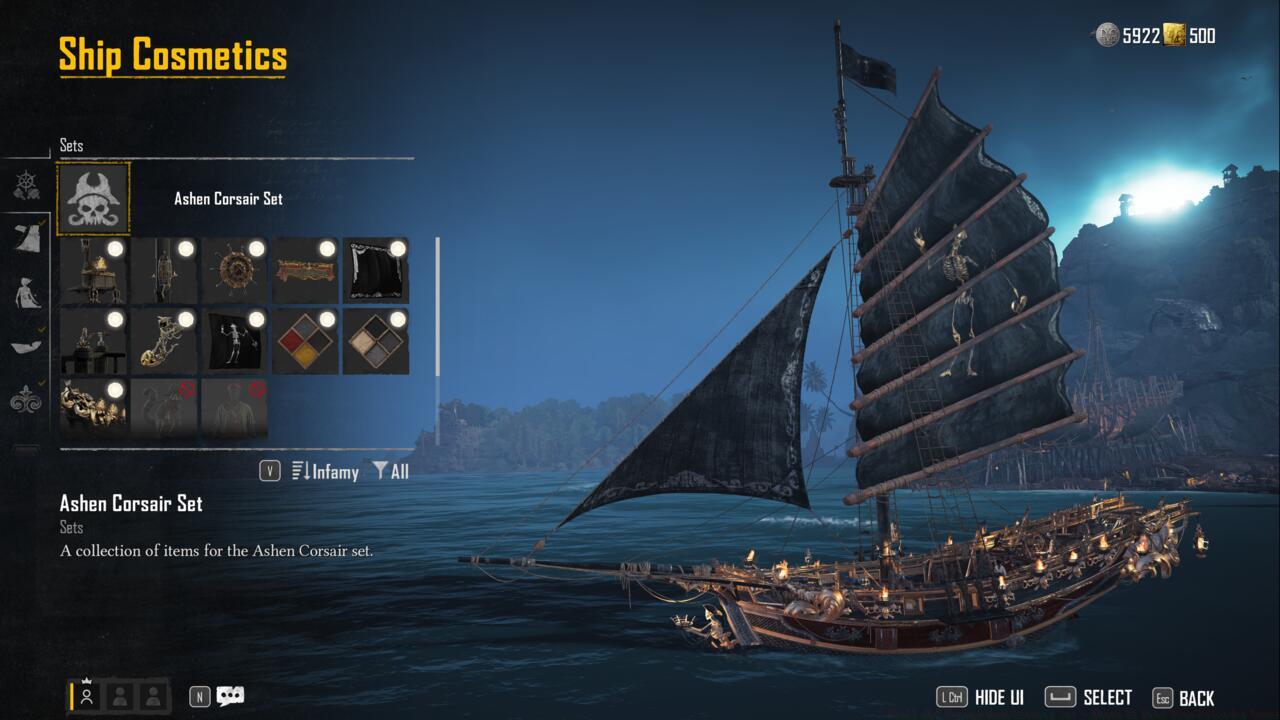
The Ashen Corsair set showcases illuminated torch fixtures, darkened sail fabrics, crimson hull pigmentation, and skeletal motif decorations distributed throughout your vessel’s structure.
Advanced Customization: Consider combining specific Ashen Corsair elements with other cosmetic collections for truly unique ship appearances. The black sails particularly complement darker themed customizations, while the red accents work well with fiery or aggressive visual themes.
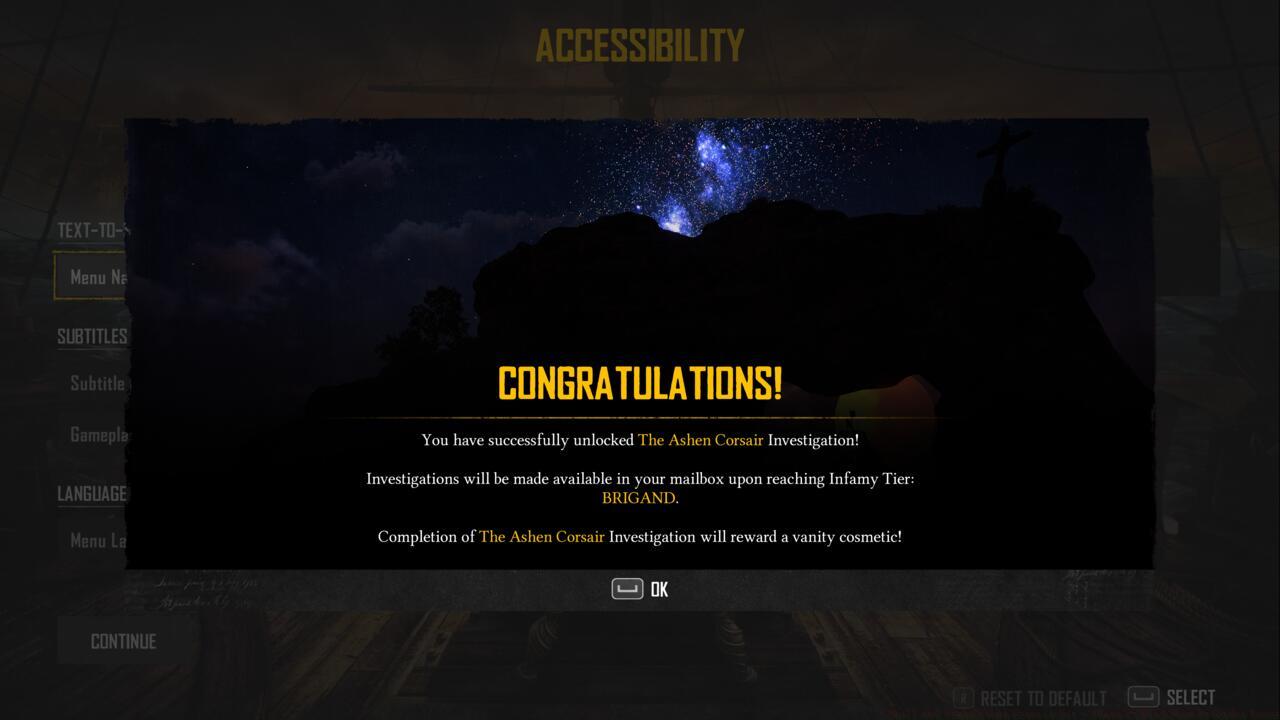
Beyond the core cosmetic collection, your preorder package incorporates the exclusive Ashen Corsair investigation mission chain. This specialized questline delivers additional vanity rewards upon successful completion.
However, accessing this content requires meeting specific progression milestones. The Investigations system functionality becomes available only after achieving the Brigand Infamy Rank threshold within the game’s reputation hierarchy.
Once you’ve attained the necessary rank qualification, revisit your Mailbox to collect a special periodical publication that initiates the Ashen Corsair Investigation narrative. Simultaneously, your Journal interface gains the Investigations management tab, accessible through your map screen by pressing G (PC), X (Xbox), or Square (PlayStation).
Strategic Insight: Focus on completing main story missions and engaging in naval combat to accelerate your Infamy Rank progression. Most players typically reach Brigand rank within 4-6 hours of focused gameplay, depending on their mission selection efficiency and combat performance.
For comprehensive guidance on maximizing your progression through Skull and Bones’ various systems, consult our Complete Guide covering all essential mechanics and strategies.
Action Checklist
- Travel to Sainte-Anne settlement and locate the Mailbox station on the right side of docks
- Open Mailbox and claim all Premium Edition letters from ‘A Son of Liberty’
- Navigate to any dock, disembark, and access ‘Manage Ship’ customization
- Equip Ashen Corsair set entirely or select individual components
- Progress to Brigand Infamy Rank to unlock Investigations system access
- Check Mailbox for newspaper to begin Ashen Corsair Investigation quest
No reproduction without permission:SeeYouSoon Game Club » Skull And Bones Ashen Corsair Set – Where To Find Your Preorder Bonus Complete guide to claiming, equipping, and unlocking the exclusive Ashen Corsair ship cosmetics in Skull and Bones