
TL;DR
- InZoi requires modern hardware with RTX 2060/RX 5600 XT minimum for playable performance
- Visual differences are most noticeable between minimum and medium settings tiers
- Storage requirements scale from 40GB to 75GB depending on graphics quality
- CPU demands increase significantly from minimum to high-end specifications
- Performance optimization focuses on balancing visual quality with smooth gameplay
Discover what your computer needs to handle this visually stunning life simulation experience.
InZoi represents a significant leap forward in life simulation gaming, featuring cutting-edge graphics and immersive environments that push modern hardware to its limits. The game’s photorealistic visual approach means system requirements are substantially higher than traditional life sim titles.
With limited competition in the life simulation genre and The Sims’ most recent major release dating back years, InZoi introduces unprecedented graphical fidelity that demands careful hardware consideration. Understanding these requirements before purchase ensures your gaming experience meets expectations without frustrating performance issues.
This comprehensive guide details the InZoi system requirements across multiple performance tiers, complete with visual examples demonstrating how each setting affects your gameplay experience.
Developer Krafton initially published basic minimum and recommended specifications on Steam, but has since provided detailed requirements covering four distinct performance tiers to help players optimize their experience.
|
PC Specs |
Minimum |
Medium |
Recommended |
High |
|---|---|---|---|---|
|
OS |
Windows 10/11 64-bit |
Windows 10/11 64-bit |
Windows 10/11 64-bit |
Windows 10/11 64-bit |
|
Processor |
Intel i5 10400 | AMD Ryzen 5 3600 |
Intel i7 11700 | AMD Ryzen 7 5800X3D |
Intel i7 12700K | AMD Ryzen 7 7800X3D |
Intel i7 14700K | AMD Ryzen 7 9800X3D |
|
Memory |
12 GB RAM |
16 GB RAM |
16 GB RAM |
32 GB RAM |
|
Graphics |
NVIDIA RTX 2060 (6G VRAM) | AMD Radeon RX 5600 XT (6G VRAM) |
NVIDIA RTX 3060 (8G VRAM) | AMD Radeon RX 6600 (8G VRAM) |
NVIDIA RTX 3070 (8G VRAM) | AMD Radeon RX 6800 XT (16G VRAM) |
NVIDIA RTX 4080 (16G VRAM) | AMD Radeon RX7900 XTX (24G VRAM) |
|
DirectX |
Version 12 |
Version 12 |
Version 12 |
Version 12 |
|
Network |
Internet connection required |
Internet connection required |
Internet connection required |
Internet connection required |
|
Storage |
40 GB |
50 GB |
60 GB |
75 GB |
Key Performance Insights: The minimum specifications target 1080p resolution at 30-45 FPS with reduced visual settings, while medium settings aim for 1080p/60 FPS with improved texture quality. Recommended specs deliver 1440p smooth gameplay, and high settings unlock 4K potential with maximum visual fidelity.
Storage Considerations: Note the significant storage increase from minimum to high settings—nearly doubling from 40GB to 75GB. This reflects higher resolution textures and additional content that loads at superior quality levels.
Krafton has released extensive visual documentation showcasing the tangible differences between each graphics tier, helping players make informed decisions about their preferred balance of performance and visual quality.
The official comparison materials demonstrate various gameplay scenarios including character interactions, environmental details, and aerial perspectives of the game world. These visual examples provide crucial context for understanding how each settings tier affects your immersion.
While the differences between high and recommended settings may be subtle to untrained eyes, the jump from minimum to medium settings represents the most significant visual improvement according to most players. This tier transition affects the largest portion of gamers based on current Steam hardware survey data.
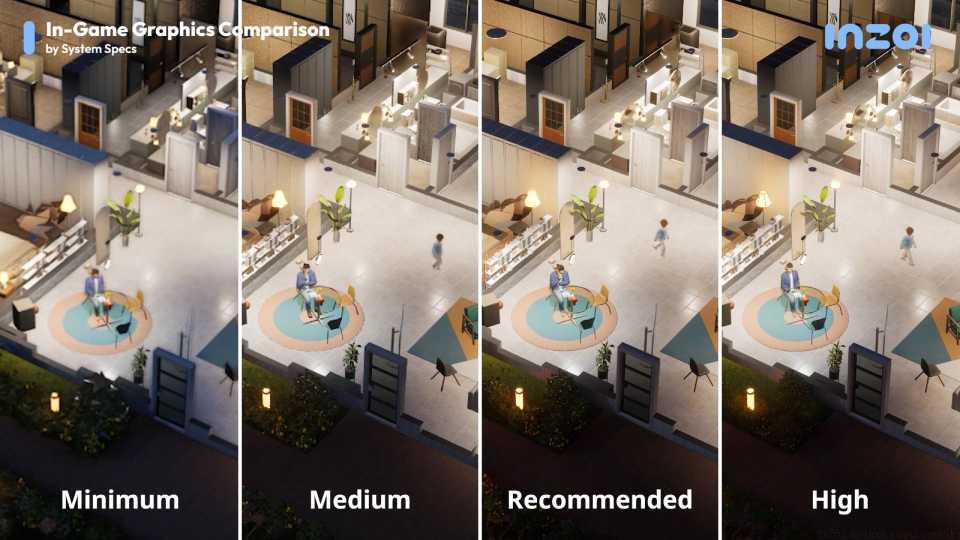 Image: Krafton
 Image: Krafton
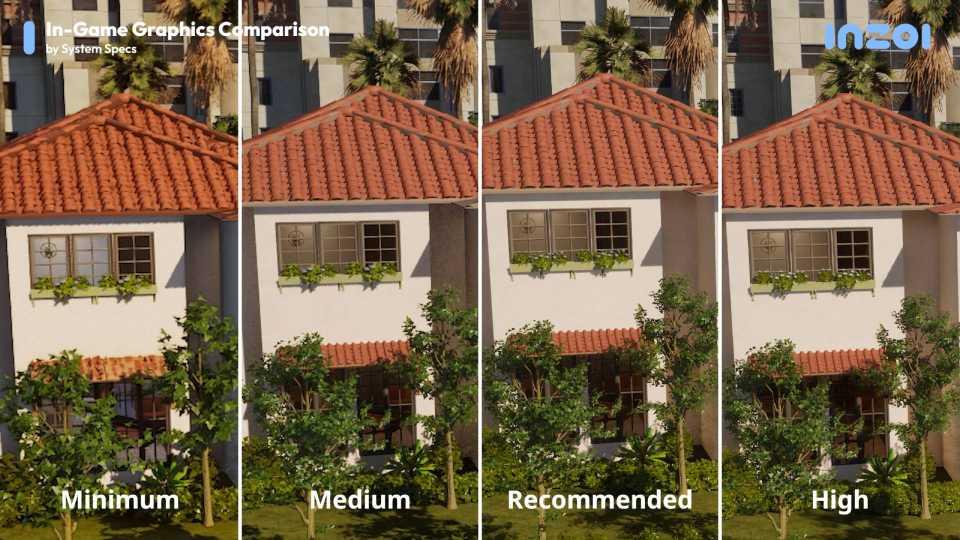 Image: Krafton
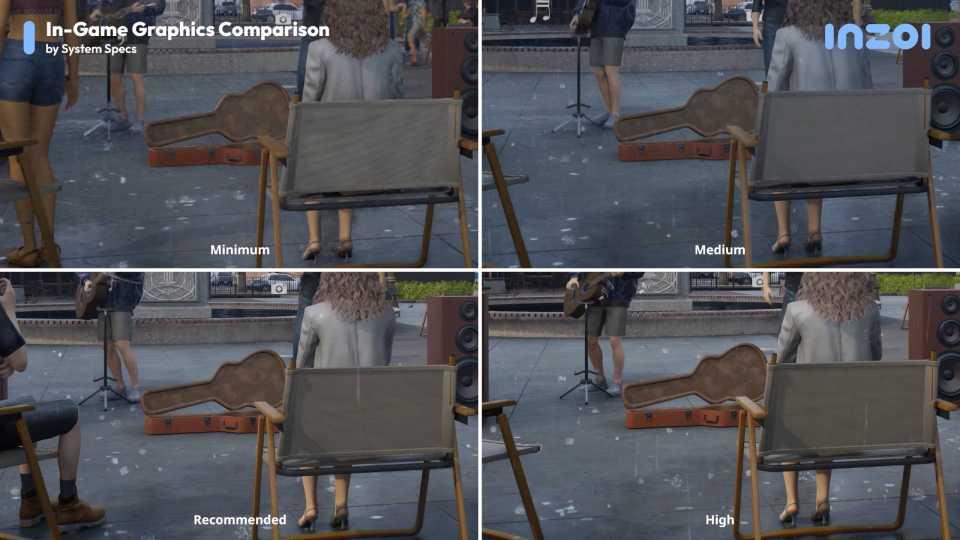 Image: Krafton
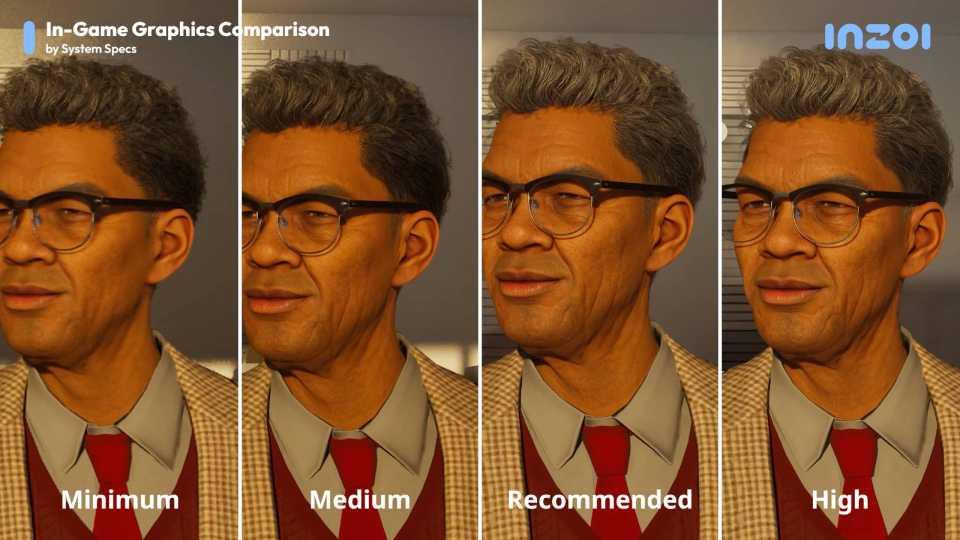 Image: Krafton
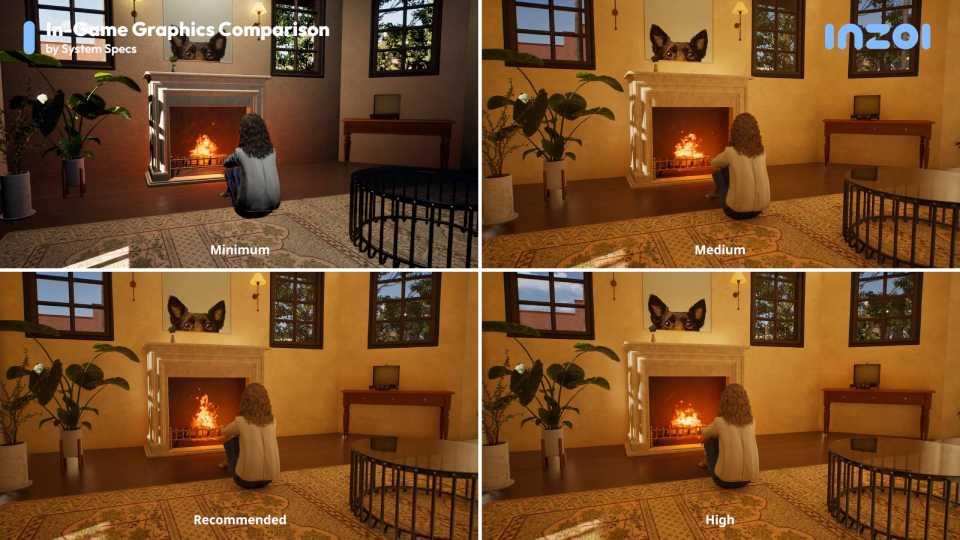 Image: Krafton
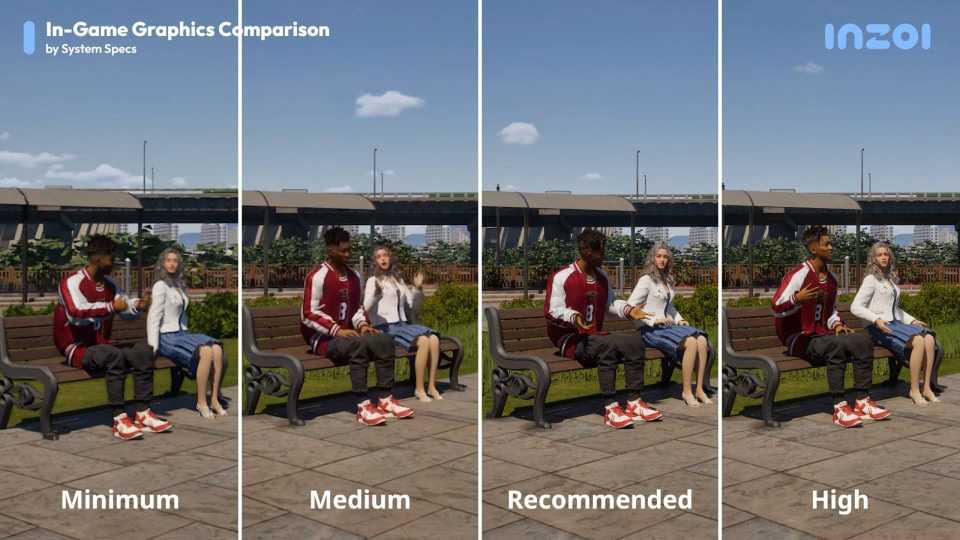 Image: Krafton
Visual Priority Areas: The most noticeable improvements occur in texture resolution, shadow quality, ambient occlusion, and draw distances. Character models show significant detail enhancement between minimum and medium settings, while environmental lighting sees the biggest jump at recommended and high tiers.
Maximizing your InZoi experience requires strategic hardware decisions and settings adjustments. Here’s how to achieve the best balance for your system configuration.
GPU Priority: Graphics card capabilities have the most significant impact on InZoi performance. The jump from minimum to recommended specifications represents approximately 150% increased GPU power, directly translating to higher resolutions and smoother frame rates.
CPU Considerations: While InZoi benefits from strong single-core performance, the game also utilizes multiple cores effectively for AI calculations and world simulation. The X3D processors from AMD provide exceptional value due to their large cache sizes benefiting simulation-heavy games.
Memory Management: The RAM requirements reflect InZoi’s detailed world streaming and asset loading. 16GB represents the sweet spot for most players, while 32GB provides headroom for background applications and future content updates.
Storage Strategy: Solid-state drives (SSDs) are strongly recommended across all specification tiers. The faster loading times significantly improve the gameplay experience, especially during world transitions and when loading new areas.
As we approach InZoi’s March 28 release date, these system requirements provide a clear roadmap for players to optimize their hardware investment and ensure the best possible experience with this visually ambitious life simulation.
Action Checklist
- Benchmark your current system against minimum requirements
- Clear 75GB of SSD storage space for optimal installation
- Update graphics drivers to latest stable version
- Test performance at medium settings before adjusting higher
- Monitor system temperatures during extended gameplay sessions
No reproduction without permission:SeeYouSoon Game Club » InZoi system requirements Complete InZoi PC requirements guide with optimization tips and performance comparisons for all hardware tiers