
Master Mii customization in Nintendo Switch Sports with step-by-step guides, expert tips, and advanced techniques
Introduction to Miis in Nintendo Switch Sports
Nintendo Switch Sports brilliantly bridges generations by incorporating the beloved Mii characters that defined the Wii Sports experience while introducing modern avatar customization. This comprehensive guide reveals how to maximize both nostalgia and personalization in your gameplay sessions.
Gamers have two distinct avatar options: the contemporary Sports avatars with detailed customization or the classic Mii characters carrying Wii-era charm. Understanding both systems enhances your overall Nintendo Switch Sports experience significantly.
The evolutionary connection between Wii Sports and Nintendo Switch Sports extends beyond gameplay mechanics to character representation. While new players encounter sophisticated avatar creation tools, veterans can resurrect their original Miis through multiple import methods. This dual approach accommodates diverse player preferences while maintaining the series’ signature accessibility. The strategic decision between using a Mii versus Sports avatar involves considering visual preference, customization depth, and nostalgic value rather than functional differences.
Complete Mii Creation Process
While Mii creation appears straightforward initially, mastering the navigation sequence ensures efficient character development. Follow this optimized pathway to avoid common menu confusion:
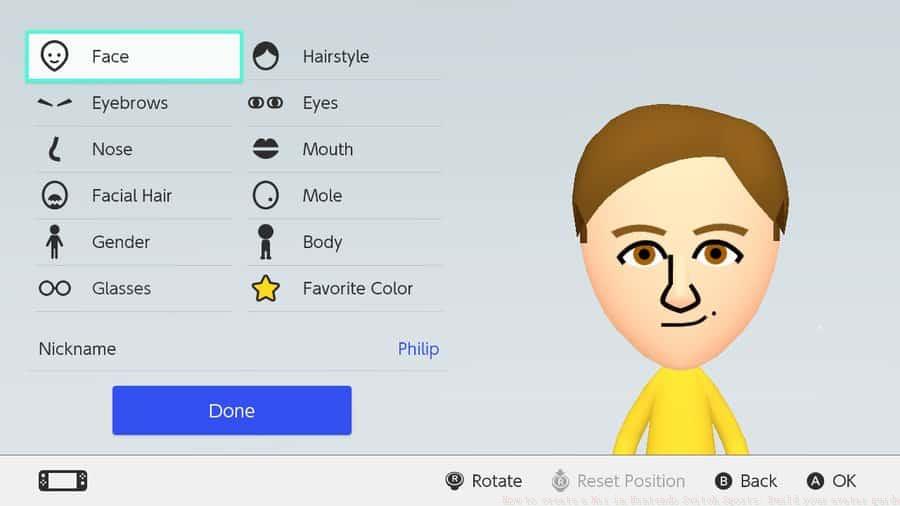 Nintendo
The Mii customization interface within Nintendo Switch System Settings offers extensive personalization tools. Selecting ‘Start from Scratch’ unlocks comprehensive character shaping capabilities. Beyond basic gender selection, you can meticulously adjust facial structure, hairstyle options, body height proportions, and weight characteristics. Advanced customization includes eyebrow shape, eye color variants, nose dimensions, and mouth expressions for truly unique creations.
Importing historical Miis via Amiibo requires preparatory steps many players overlook. Ensure your legacy Mii data resides on a compatible Amiibo figure from Nintendo 3DS or Wii U systems beforehand. The transfer process preserves original customization while adapting character data for Switch Sports compatibility standards.
Integrating Miis into Gameplay
Once your Mii creation completes, implementing it within Nintendo Switch Sports requires specific in-game activation. Follow this integration sequence carefully:
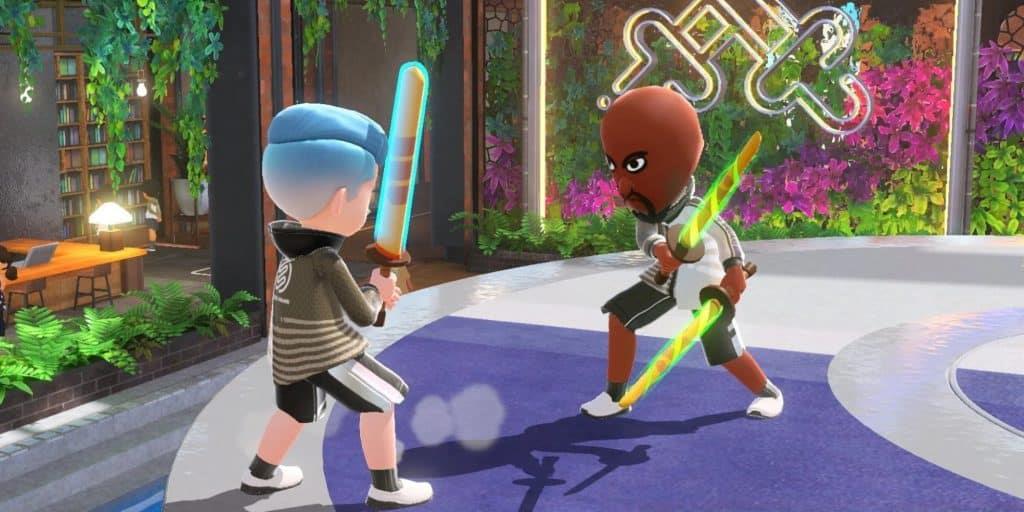 Visual comparison demonstrating Mii characters alongside modern Sports avatars during gameplay. While functional parity exists between Mii and Sports avatar usage, the nostalgic resonance of competing with classic characters enhances the social gaming experience. This flexibility allows players to maintain consistency across Nintendo ecosystems while enjoying contemporary sports simulations. The strategic advantage lies in creating multiple Miis for different sports personas, enabling quick character switching based on gameplay mood or opponent preferences.
Advanced Mii Strategies
Beyond basic creation, several professional techniques elevate your Mii implementation. Understanding these advanced concepts separates casual users from customization experts.
Pro Customization Techniques: Create sport-specific Miis by adjusting facial expressions and accessories to match activity personalities. Design aggressive-looking characters for competitive sports like volleyball or soccer, while crafting cheerful Miis for recreational activities like bowling. This psychological alignment enhances immersion.
Common Creation Mistakes: Players frequently overlook the ‘Save Mii’ confirmation step after customization, losing detailed adjustments. Another prevalent error involves attempting Amiibo imports without verifying data compatibility across Nintendo generations. Always test imported Miis in gameplay before finalizing your selection.
Performance Optimization: For players creating multiple family member Miis, utilize the random generation feature first, then refine results rather than building completely from scratch. This time-saving approach maintains uniqueness while reducing creation fatigue. Additionally, periodically back up your favorite Mii designs to prevent accidental loss during system updates.
Legacy Integration: Veteran Wii owners can maximize nostalgia by recreating their original Miis through the detailed customization tools. Take reference photos of old Mii designs before beginning the recreation process to maintain authenticity across gaming generations.
No reproduction without permission:SeeYouSoon Game Club » How to create a Mii in Nintendo Switch Sports: Build your avatar guide Master Mii customization in Nintendo Switch Sports with step-by-step guides, expert tips, and advanced techniques