
TL;DR
- Access clothing creation through the Craft button in character studio with modular design options
- Use build mode furniture tools to design custom pieces with material and texture control
- Leverage the 3D printer for advanced item creation beyond standard customization
- Apply custom patterns and textures to nearly any object using native mod tools
- Save time by focusing on structural design first, then applying colors later
Krafton’s innovative life simulation title pushes customization boundaries to unprecedented levels, offering players creative freedom rarely seen in the genre.
inZoi, Krafton’s ambitious life simulator positioned as a serious competitor to established franchises, launches its early access phase on March 27, but creative enthusiasts can dive in immediately through the newly released inZoi Creative Studio. This standalone toolset provides comprehensive access to character creation and building mechanics before committing to the full simulated world experience.
While veteran life sim players will recognize familiar interface elements when designing their characters (called “Zois”), inZoi distinguishes itself through exceptionally deep personalization capabilities for possessions and environments. Many of these advanced features remain easily overlooked during initial gameplay sessions, requiring dedicated exploration to master.
This guide focuses on three transformative features: custom clothing fabrication, personalized furniture design, and universal texture application. Essentially, inZoi integrates modding tools directly into its core interface, eliminating the need for external applications to create unique content.
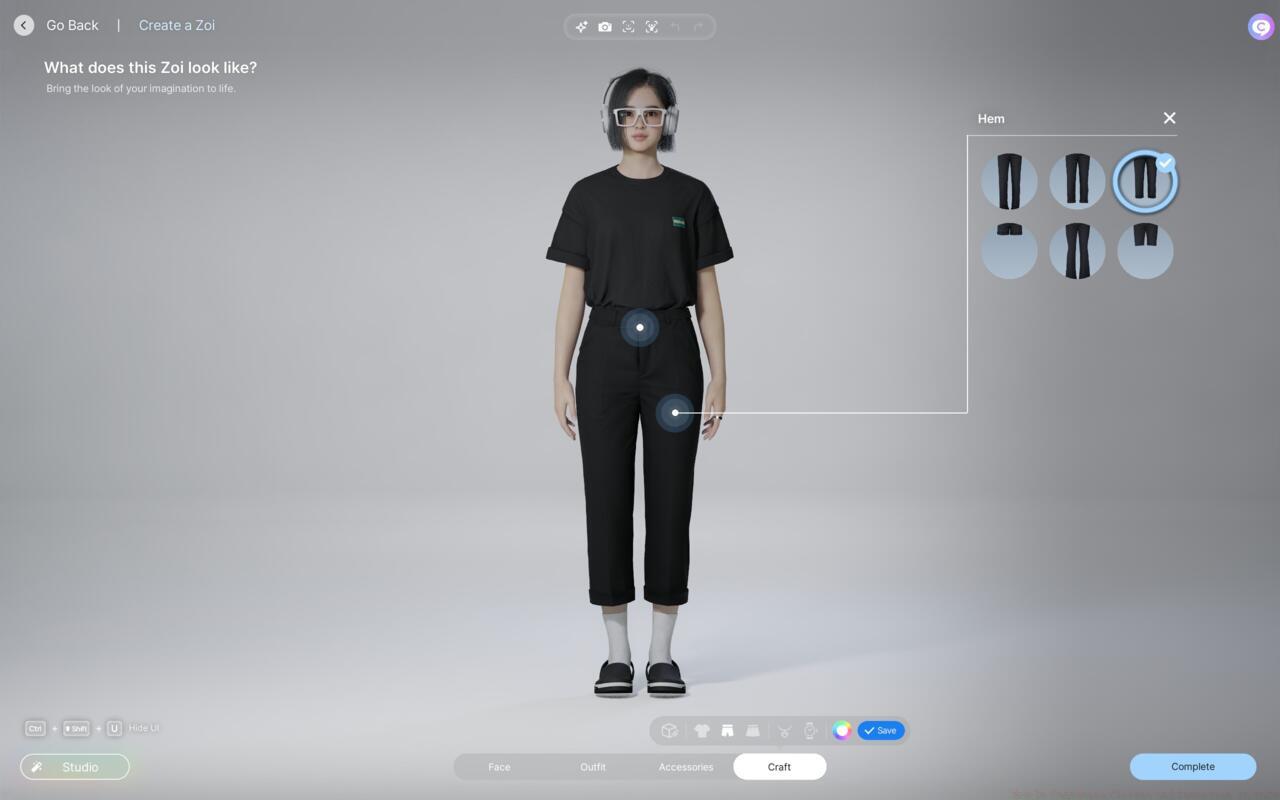
InZoi’s clothing crafting screen
Within the character customization interface, locate the bottom-screen menu listing modification categories for your Zoi’s facial features, physique, wardrobe, and accessories. Immediately adjacent sits the crucial “Craft” button—your gateway to designing completely original garments and accessories from scratch.
The clothing creation system operates through modular component selection. For upper body garments, you can independently customize sleeve styles, neckline designs, tucking options, and fit proportions. Color customization remains available throughout the crafting process, though this particular aspect can be adjusted later during outfit selection, allowing designers to focus initially on structural elements.
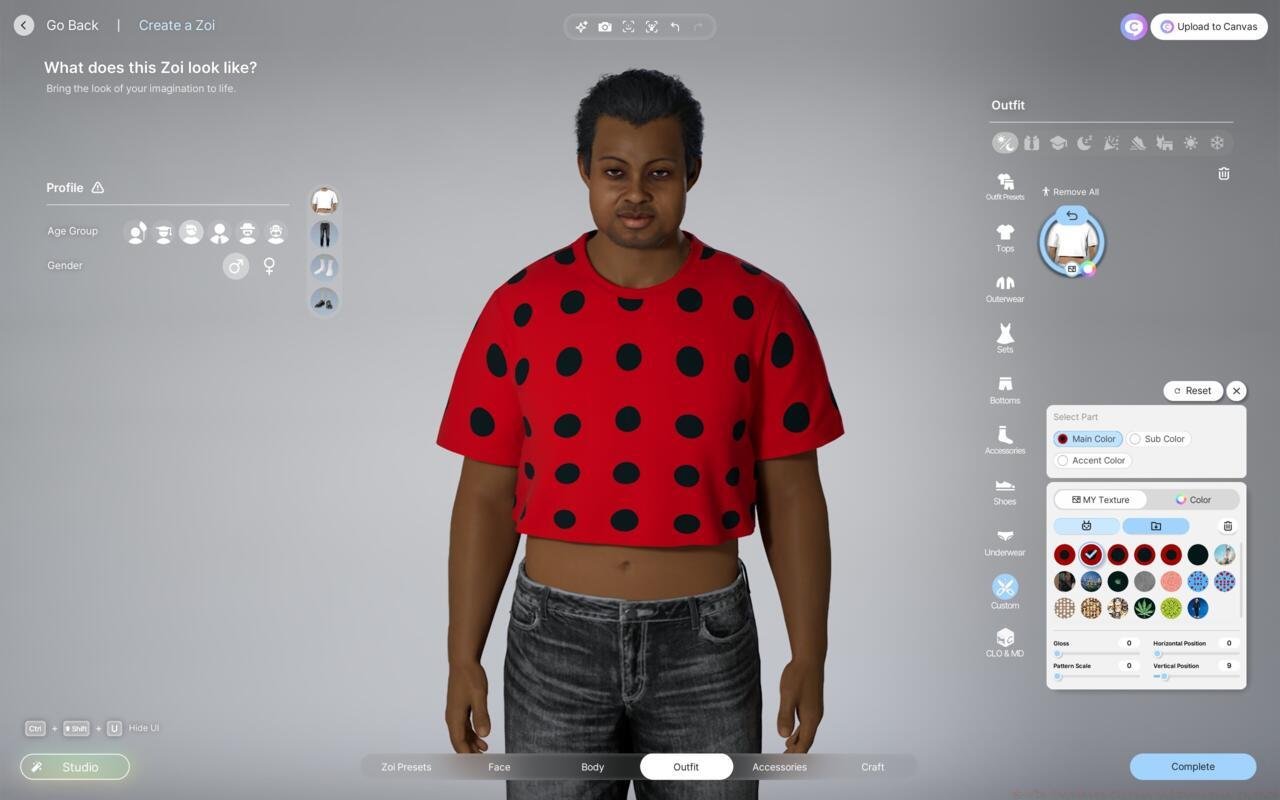
A polka dotted shirt made using inZoi’s custom texture tools
Current crafting capabilities include shirts, trousers, skirts, neckwear, and timepieces. Pro tip: Start with basic silhouettes before experimenting with advanced texture applications, as foundation shapes determine how patterns will wrap around your creations.
Avoid the common mistake of over-customizing early designs. Instead, create versatile base items that can be adapted later through the color and texture tools, saving significant design time.
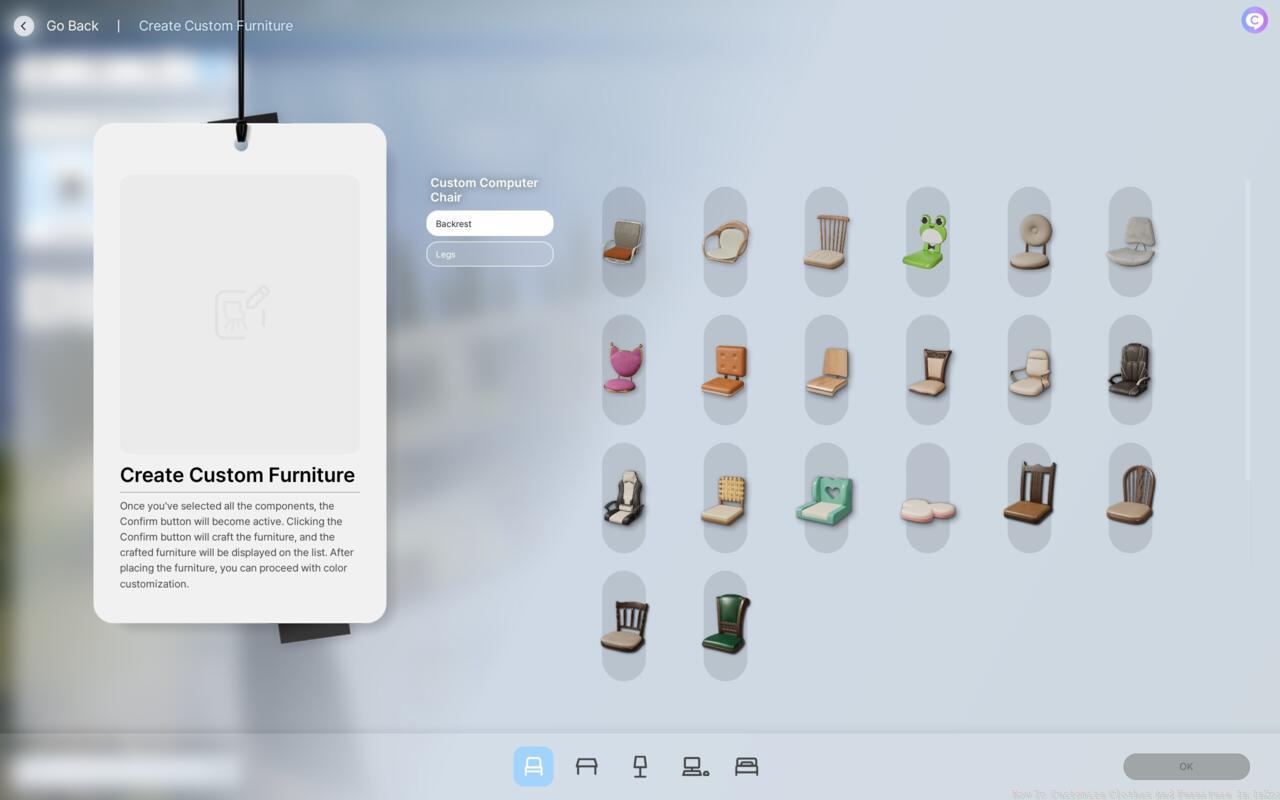
You can design your own furniture in inZoi’s build mode.
inZoi’s build mode extends customization beyond characters to environmental elements, with furniture design representing one of its most powerful applications. Access these tools through the construction interface rather than character studio.
The furniture creation system provides control over dimensions, materials, and structural components. Unlike pre-made items, custom furniture can be scaled to fit unique spaces and styled to match specific aesthetic preferences unavailable in standard catalogs.
Advanced users should focus on creating multi-functional pieces that serve both practical and decorative purposes. A custom bookshelf might incorporate seating, while a unique table could include built-in storage solutions.
Optimization tip: Design furniture with your Zoi’s personality traits in mind, as certain styles may provide mood bonuses when used by compatible characters.
The 3D printer represents inZoi’s most advanced customization tool, functioning as an in-game fabrication system for creating items beyond standard customization parameters.
This advanced feature requires resource gathering and preparation before activation. Unlike the instant creation of custom clothing and furniture, the 3D printer introduces time-based crafting with material requirements.
Strategic use involves planning printer projects during downtime periods when your Zoi is occupied with other activities. Advanced players can queue multiple creations to maximize efficiency.
Common pitfall: Attempting complex prints without sufficient resources, resulting in failed creations and wasted materials. Always verify resource requirements before initiating print jobs.
For players seeking comprehensive gameplay strategies, our Complete Guide offers additional optimization techniques applicable across multiple game systems.
Action Checklist
- Access Creative Studio and locate the Craft button in character customization
- Design basic clothing templates using modular components before adding colors
- Experiment with custom textures on existing items to understand pattern application
- Create multi-functional furniture pieces in build mode that complement your Zoi’s traits
- Master the 3D printer by gathering resources and planning prints during character downtime
No reproduction without permission:SeeYouSoon Game Club » How To Customize Clothes And Furniture In InZoi Master inZoi's advanced customization tools to create unique clothing, furniture, and textures beyond standard options