
TL;DR
- Cross-play requires Larian accounts for all players and specific lobby setup procedures
- Mod functionality is severely limited across platforms due to synchronization and compatibility constraints
- Network stability and save management require additional planning for seamless cross-platform sessions
- Platform-specific limitations may affect gameplay features and progression synchronization
- Proper troubleshooting protocols can resolve most common cross-play connectivity issues
The cross-platform multiplayer functionality has now been fully deployed across all Baldur’s Gate 3 gaming systems, providing comprehensive guidance on leveraging this groundbreaking connectivity feature.
With the arrival of Patch 8, the definitive content expansion for Baldur’s Gate 3, players gain access to extensive new gameplay elements. Cross-play stands out as the most significant enhancement, transitioning from limited early access in 2025 to universal availability. This breakthrough enables seamless cooperative adventures uniting players regardless of their chosen gaming platform, eliminating previous platform segregation barriers.
Our detailed examination reveals the operational mechanics of cross-platform connectivity and practical implementation strategies for uniting with gaming companions across different systems.
While cross-play functionality streamlines multiplayer sessions, proper configuration remains essential for optimal performance. Understanding the prerequisite setup requirements prevents connectivity complications.
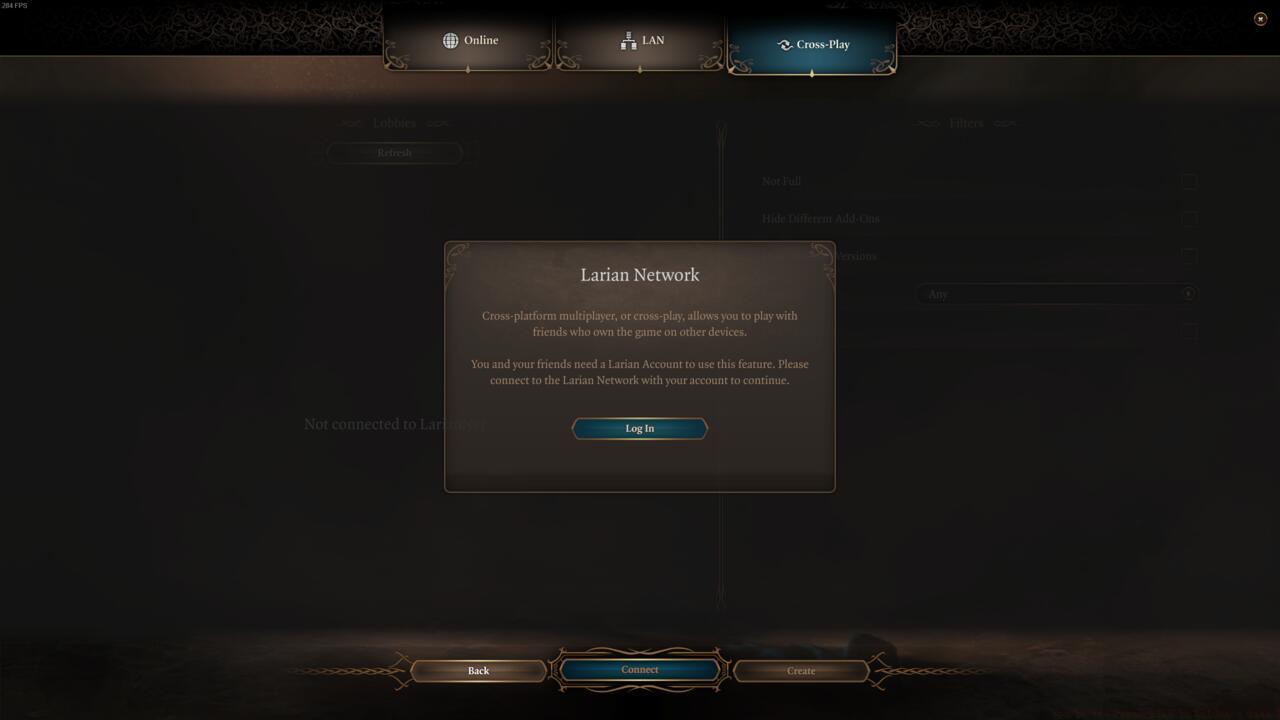
A Larian account is required to use cross-play
Primary requirements mandate active Larian account registration and authentication to utilize cross-platform capabilities. Your Larian credentials serve as the universal identifier for adding, inviting, and joining players across disparate gaming ecosystems. Crucially, every participant in cross-platform sessions must maintain valid Larian account credentials.
Utilizing your Larian username enables friend connectivity through mutual invitation systems. Cross-platform player integration exclusively occurs within specially designated cross-play lobbies in Baldur’s Gate 3. These dedicated spaces facilitate friend management and session initiation across platform boundaries.
Follow these essential configuration steps to establish successful cross-platform sessions:
- Access the primary navigation interface in Baldur’s Gate 3 and select the “Multiplayer” option from the available menu choices
- Navigate to the “Cross-play” interface tab positioned at the screen’s upper section
- Complete Larian account authentication if not previously established
- Exchange Larian usernames with intended cross-platform companions
- Initiate or accept lobby invitations through the cross-play interface
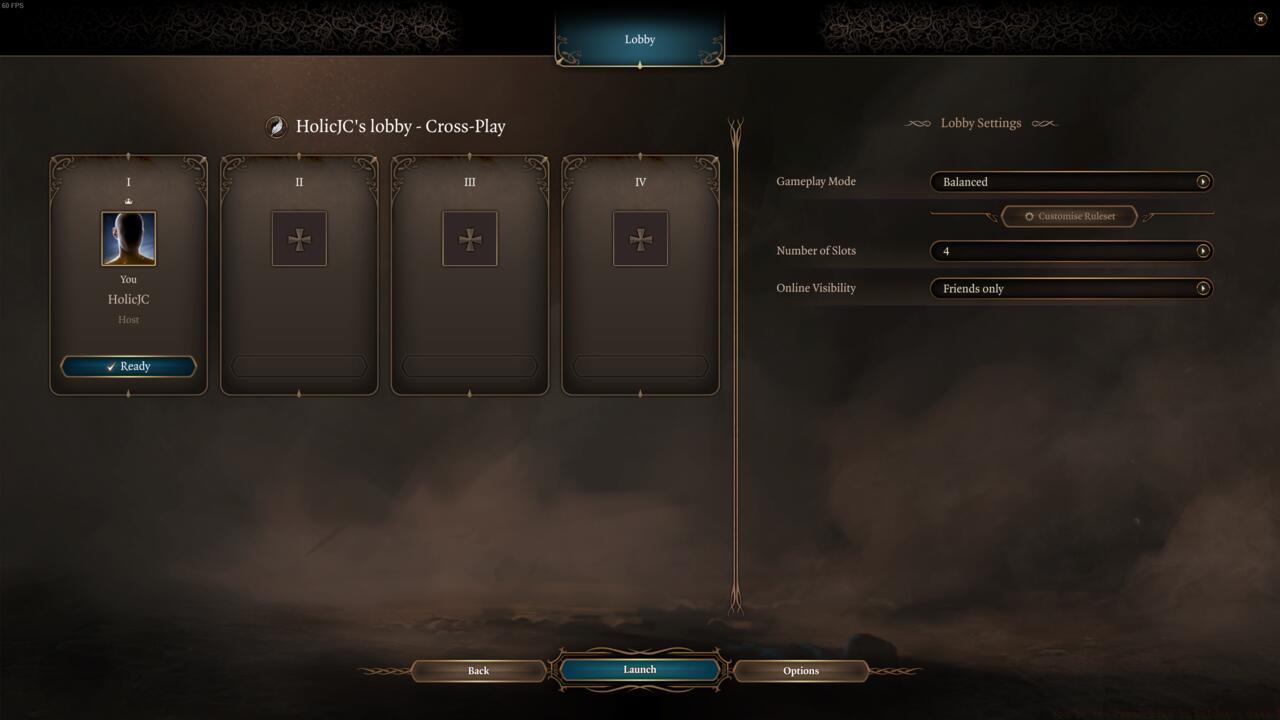
The cross-play lobby screen in Baldur’s Gate 3
Pro Tip: Ensure all participants verify their Larian account status before attempting cross-play sessions. Account synchronization delays can cause invitation failures and connectivity timeouts.
Modification integration presents significant challenges within cross-platform environments. The architectural differences between gaming systems create inherent compatibility barriers that current technology cannot fully overcome.
Critical Limitation: Custom modifications rarely function consistently across PlayStation, Xbox, and PC platforms. The synchronization requirements for cross-play sessions typically mandate identical game builds, which mod installations frequently disrupt.
Platform-specific certification processes further complicate mod distribution. Console manufacturers enforce strict content validation that prevents many PC-originated modifications from functioning on their systems.
For players determined to incorporate modifications, consider these workaround strategies:
- Establish session hosting from the most mod-compatible platform (typically PC)
- Standardize mod load orders among all participants when possible
- Utilize only officially sanctioned modifications with cross-platform certification
- Prepare for potential instability and implement regular save game backups
Understanding these limitations beforehand prevents frustration during cross-play sessions. While the Weapons Unlock systems in other games might offer more flexibility, Baldur’s Gate 3 maintains stricter integrity controls.
Network performance optimization significantly enhances cross-play session quality. Implement these advanced techniques for superior connectivity:
- Designate the player with the most stable internet connection as the session host
- Configure router quality-of-service settings to prioritize gaming traffic
- Monitor bandwidth utilization during peak gaming hours
- Establish wired connections whenever possible to reduce latency
Save game management requires special consideration in cross-platform environments. Progress synchronization mechanisms vary between platforms, potentially creating progression discrepancies.
Common Pitfall: Assuming all platform features translate perfectly across systems. Some interface elements and control schemes may behave differently depending on the hosting platform.
For comprehensive multiplayer strategy similar to Class Guide principles, understanding platform-specific limitations proves essential. The Complete Guide to cooperative gameplay emphasizes these cross-platform considerations.
Performance considerations extend beyond mere connectivity. Frame rate synchronization, input lag compensation, and rendering consistency all impact the cross-play experience. Unlike the structured Conquest modes in tactical shooters, Baldur’s Gate 3 requires more sophisticated synchronization for turn-based combat mechanics.
Action Checklist
- Create and verify Larian account credentials for all participants
- Exchange Larian usernames with cross-platform gaming companions
- Navigate to Cross-play lobby and initiate connection sequence
- Configure network settings and verify platform compatibility
- Test connectivity with brief session and implement troubleshooting if needed
No reproduction without permission:SeeYouSoon Game Club » How To Use Cross-Play In Baldur’s Gate 3 Master cross-platform multiplayer in Baldur's Gate 3 with essential setup steps and troubleshooting solutions