
TL;DR
- Choose DirectX12 as primary renderer with Vulkan as performance backup option
- Match window resolution to monitor native specs and disable dynamic resolution scaling
- Utilize GPU-specific upscaling: FSR for AMD, DLSS for Nvidia graphics cards
- Controller gameplay offers fluid movement while keyboard/mouse provides precision targeting
- Regularly benchmark settings after major game updates to maintain optimal performance
While Path of Exile 2 presents a streamlined settings interface, strategic customization significantly enhances gameplay fluidity and visual clarity. Proper configuration ensures your hardware delivers maximum frames-per-second during intense combat scenarios.
Navigating Path of Exile 2’s PC settings menu reveals essential customization categories including graphics rendering, display options, and input device preferences. Although the interface appears minimalist, each setting carries substantial performance implications that directly impact your gaming experience. Our comprehensive analysis provides actionable recommendations to optimize every aspect of your configuration.
Graphics optimization begins with understanding your specific hardware capabilities. Modern gaming PCs vary dramatically in component configurations, requiring tailored approaches to balance visual fidelity with smooth performance. Key considerations include GPU architecture, VRAM capacity, and processor single-core performance.
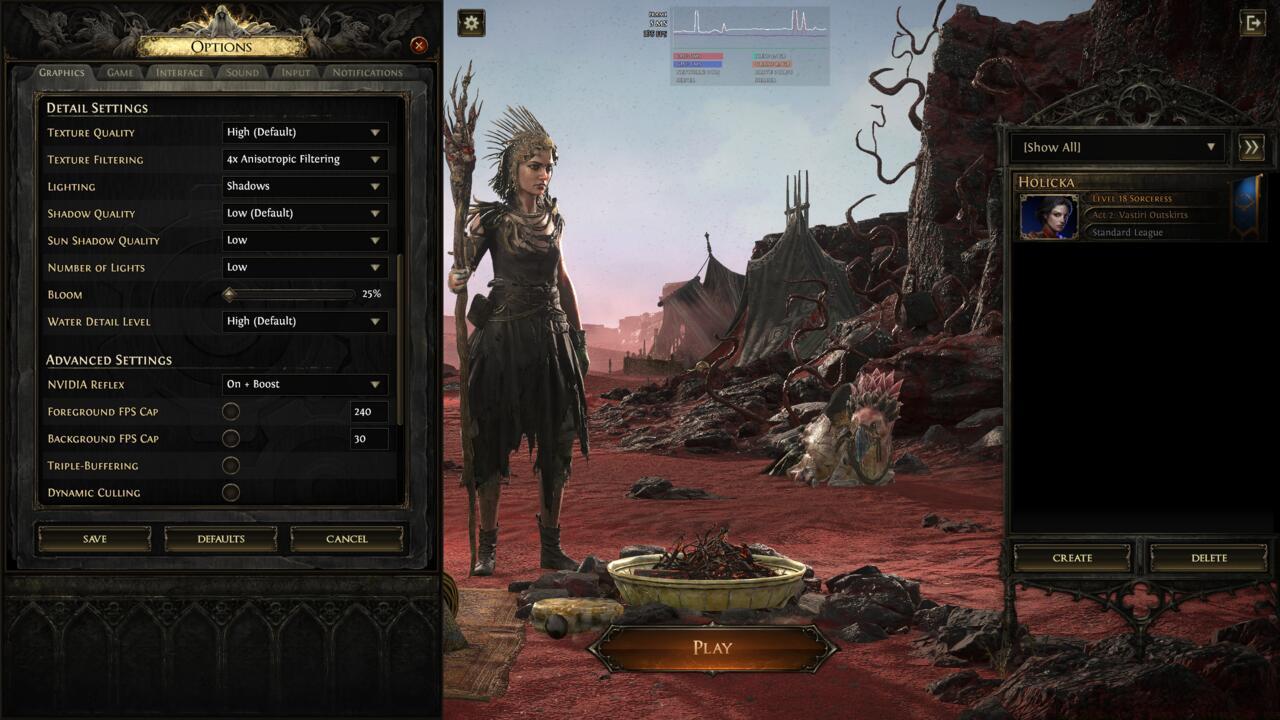
The PC graphics menu in Path of Exile 2.
Path of Exile 2 demonstrates remarkable hardware efficiency, operating smoothly on components several generations old. However, players with aging systems or those targeting high refresh rates should implement our proven configuration strategy:
- AMD GPU owners seeking performance gains should activate FSR upscaling
- Nvidia GPU users benefit significantly from DLSS upscaling technology
- Systems maintaining target framerates should select “No Upscaling” for pristine image quality
Input device selection fundamentally shapes your Path of Exile 2 experience, with controller and keyboard/mouse each offering distinct advantages. Understanding these differences enables informed decisions matching your playstyle preferences.
The controller interface provides exceptional movement fluidity and skill activation comfort, particularly beneficial for extended gaming sessions. Keyboard and mouse configurations deliver superior inventory management efficiency and precise targeting capabilities. Many advanced players utilize hybrid approaches depending on gameplay context.
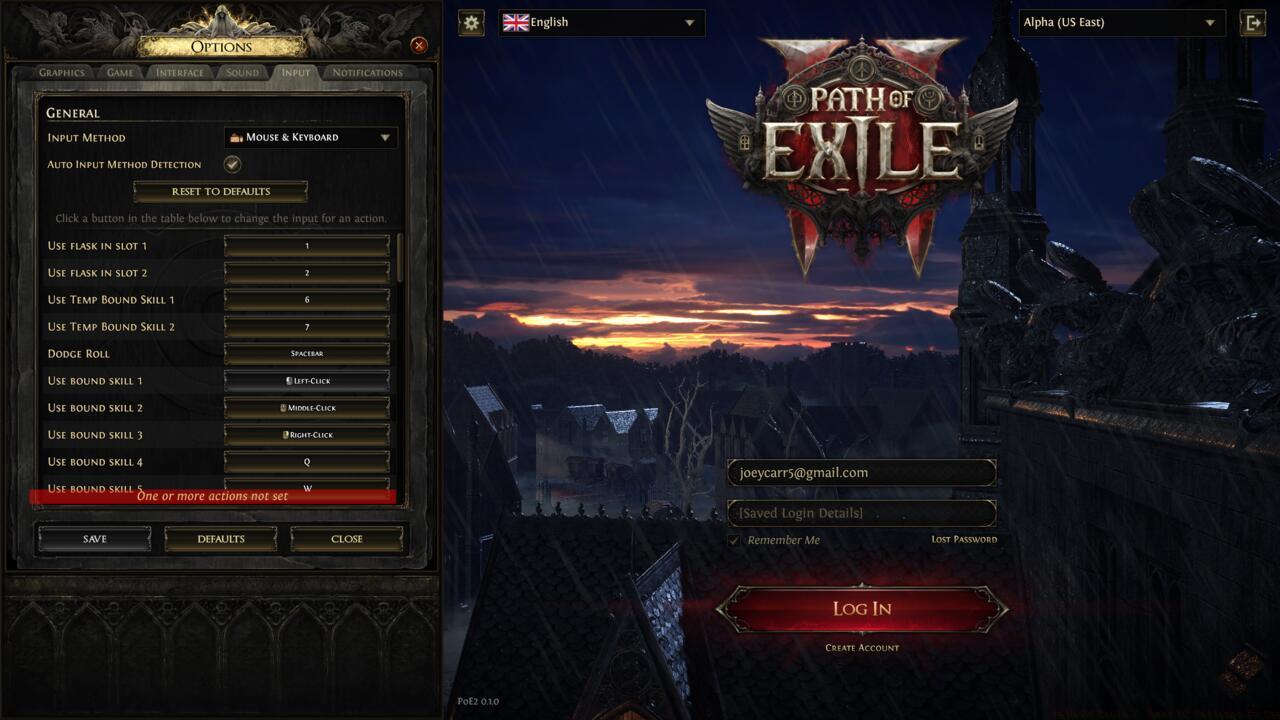
The different input options in Path of Exile 2.
Optimizing input responsiveness requires attention to polling rates, dead zone configurations, and key binding optimizations. High-performance gaming mice typically offer 1000Hz polling rates, while controllers benefit from reduced analog stick dead zones. Strategic key binding minimizes finger travel distance during combat.
Advanced input customization includes:
Action Checklist
- Set renderer to DirectX12 and test Vulkan alternative for performance comparison
- Configure display settings to match monitor native resolution and refresh rate
- Enable GPU-specific upscaling (FSR/DLSS) if performance requires improvement
- Calibrate input device settings including dead zones and key bindings
- Benchmark performance in high-density combat areas and adjust settings accordingly
No reproduction without permission:SeeYouSoon Game Club » Path Of Exile 2: Best PC Settings To Use Optimize Path of Exile 2 performance with expert PC graphics and input device configuration strategies