
TL;DR
- GameShare enables local multiplayer streaming between Switch 2 and original Switch consoles
- GameChat allows online streaming exclusively between Switch 2 systems with free trial until 2026
- Only multiplayer modes are shareable – single-player campaigns remain inaccessible to guests
- Host requires Switch 2 and compatible game, guests join via standard multiplayer menus
- Connection quality depends on network stability and proximity for local sessions
Experience multiplayer gaming with friends regardless of game ownership through Nintendo’s innovative sharing systems
Nintendo Switch 2 introduces GameShare and GameChat as revolutionary approaches to multiplayer gaming that eliminate the barrier of game ownership. These systems allow you to invite friends into multiplayer sessions even when they haven’t purchased the game themselves. To initiate either feature, at least one participant must possess a Switch 2 console along with a compatible game title. The specific functionality, compatible games, and connection methods vary significantly between GameShare and GameChat, making understanding their distinctions crucial for optimal use.
This comprehensive guide breaks down both sharing methods in detail, covering setup procedures, compatible titles, and practical strategies for maximizing your multiplayer experience.
GameShare represents Nintendo’s terminology for local game streaming functionality that operates between consoles in close proximity. This system supports two configurations: direct sharing between two Switch 2 units, or streaming from a Switch 2 host to an original Switch console. Despite the “sharing” nomenclature, this feature exclusively facilitates multiplayer gameplay rather than full game access.
Contrary to what the name might suggest, GameShare doesn’t permit lending Virtual Game Cards for solo play sessions. The system is specifically engineered for selected multiplayer titles played over local network connections. For instance, you could enjoy Super Mario Odyssey cooperatively with one player controlling Mario while another operates Cappy through the GameShare functionality.
GameShare functionality remains strictly limited to local connections – online streaming isn’t supported. Additionally, when the host terminates the streaming session, the receiving player immediately loses access to the game with no option to continue playing independently.
GameChat operates on similar principles by enabling multiplayer sessions between players when one lacks game ownership. However, this system exclusively functions between Switch 2 consoles. Unlike GameShare, it cannot bridge between Switch 2 and original Switch models. GameChat also features a small selection of games that only work with its specific sharing protocol.
GameChat distinguishes itself by supporting online connections without geographical restrictions for participants receiving streams. Nintendo currently provides complimentary access to GameChat through March 26, 2026, after which a Switch Online subscription becomes mandatory for continued use.
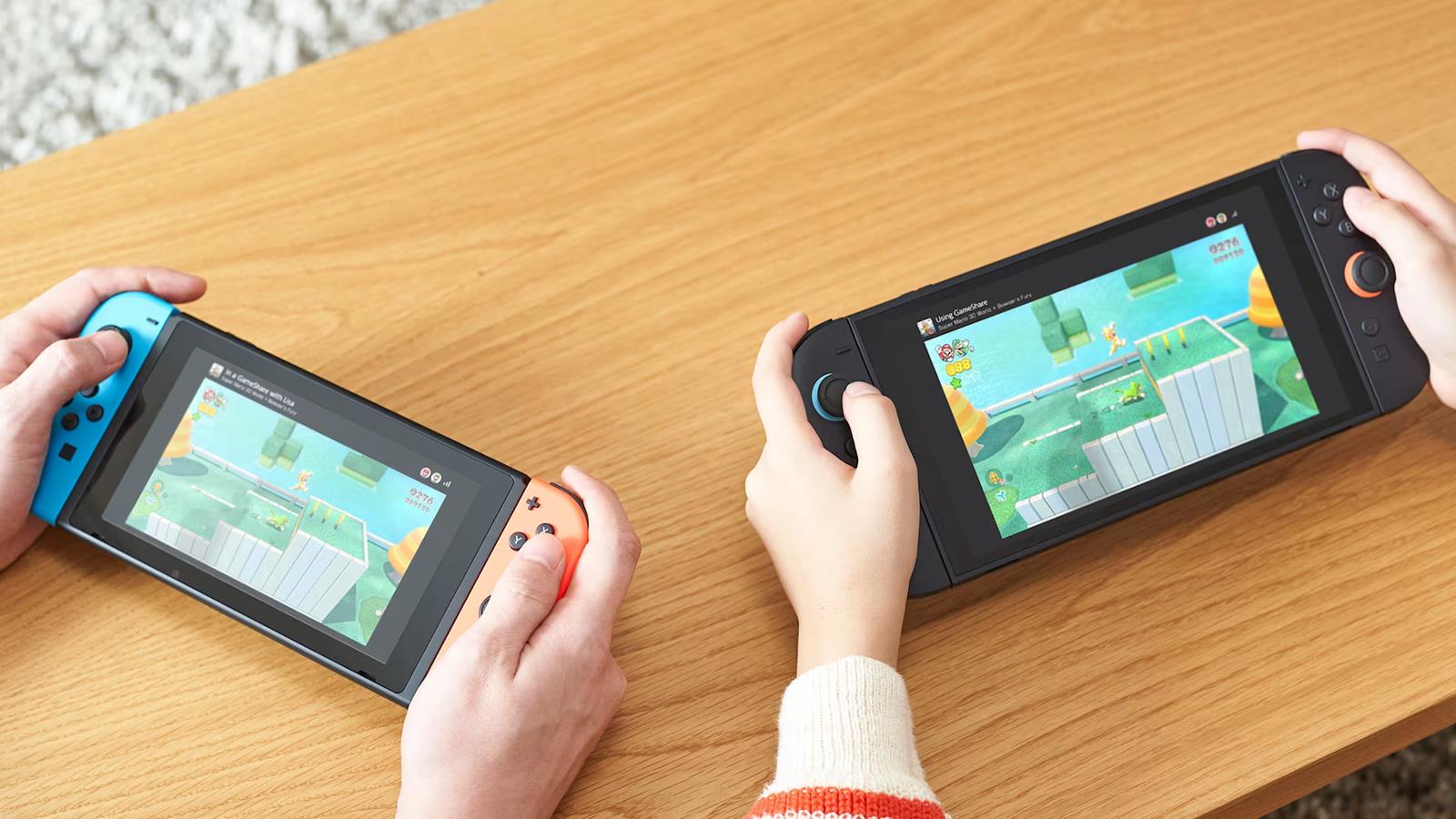
The hosting player – exclusively using a Switch 2 console – must first launch the intended shared game. Subsequently, navigate through the standard multiplayer initiation process specific to that title. Different games implement varying access methods: Mario 3D World + Bowser’s Fury requires pressing the “R” button to access online menus where you select GameShare or GameChat options, whereas Mario Odyssey provides direct two-player mode selection from the main interface.
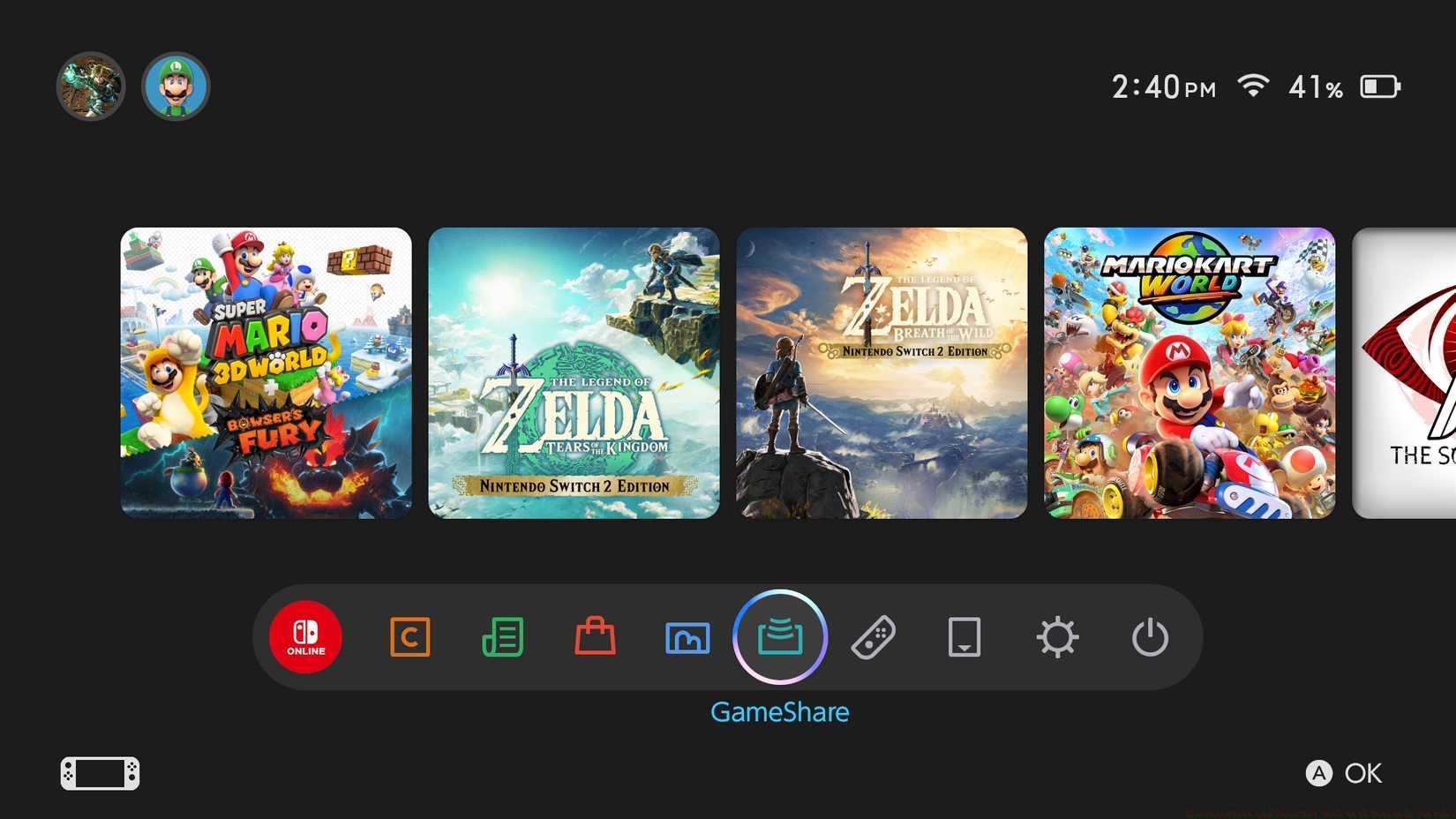
Image: Nintendo via Polygon
For participants joining as streaming recipients:
Ensure your console meets the connectivity requirements – stable local WiFi for GameShare or internet connection for GameChat. Access the multiplayer section through the game’s main menu or dedicated online hub. Select the appropriate sharing option based on your host’s setup. Accept the connection invitation when prompted. Position yourself within optimal range if using GameShare’s local streaming functionality.
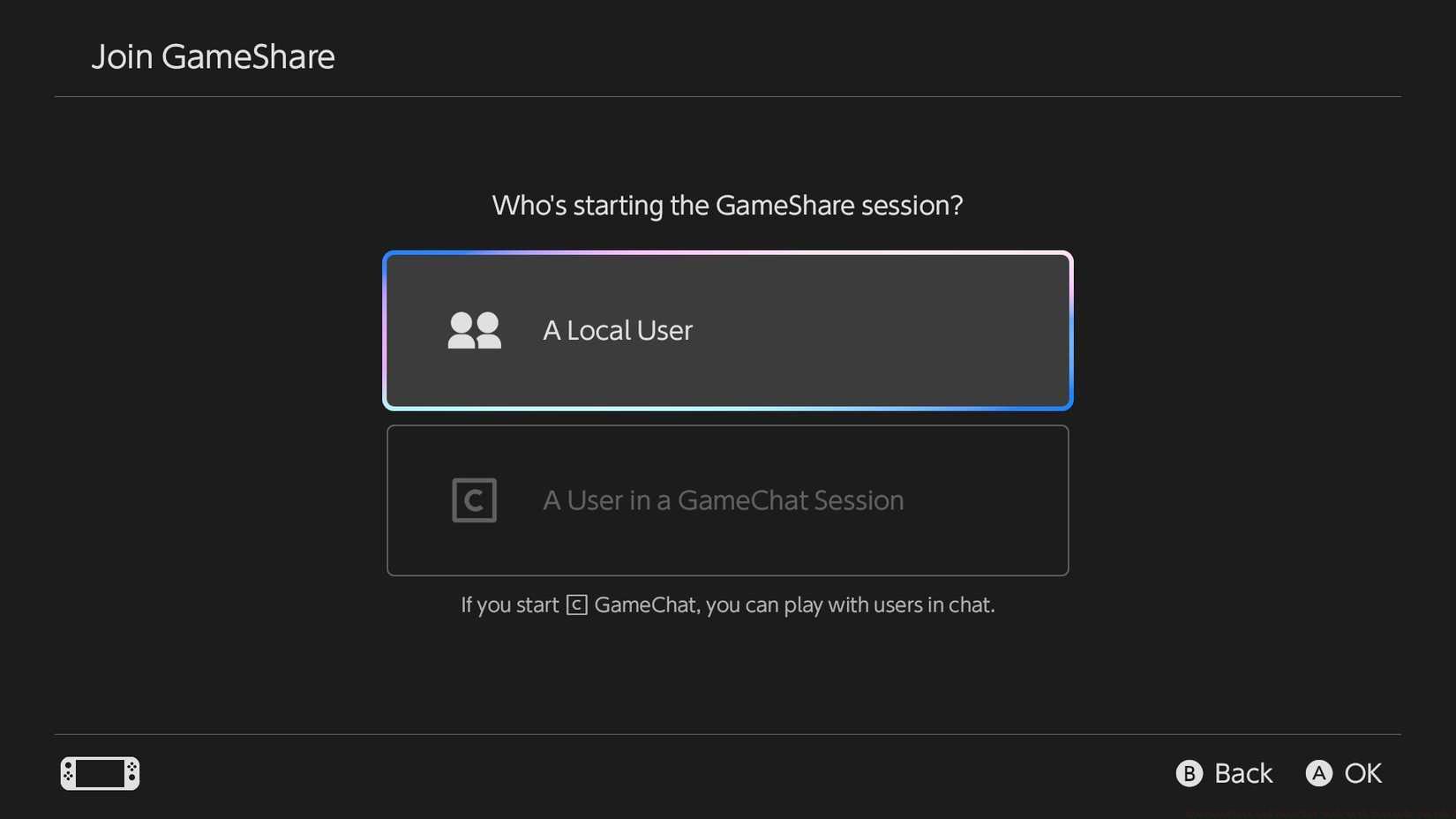
Image: Nintendo via Polygon
Pro Tip: For optimal GameShare performance, ensure both consoles are connected to the same 5GHz WiFi network when possible. The 2.4GHz band may introduce latency issues during local streaming sessions. For GameChat, verify your internet upload speed exceeds 5Mbps as the host to maintain smooth streaming quality.
Common Mistake: Many users mistakenly attempt to share single-player campaign modes. Remember that only specific multiplayer-compatible games and modes work with these sharing systems. Always check the game’s official compatibility listing before attempting to host a session.
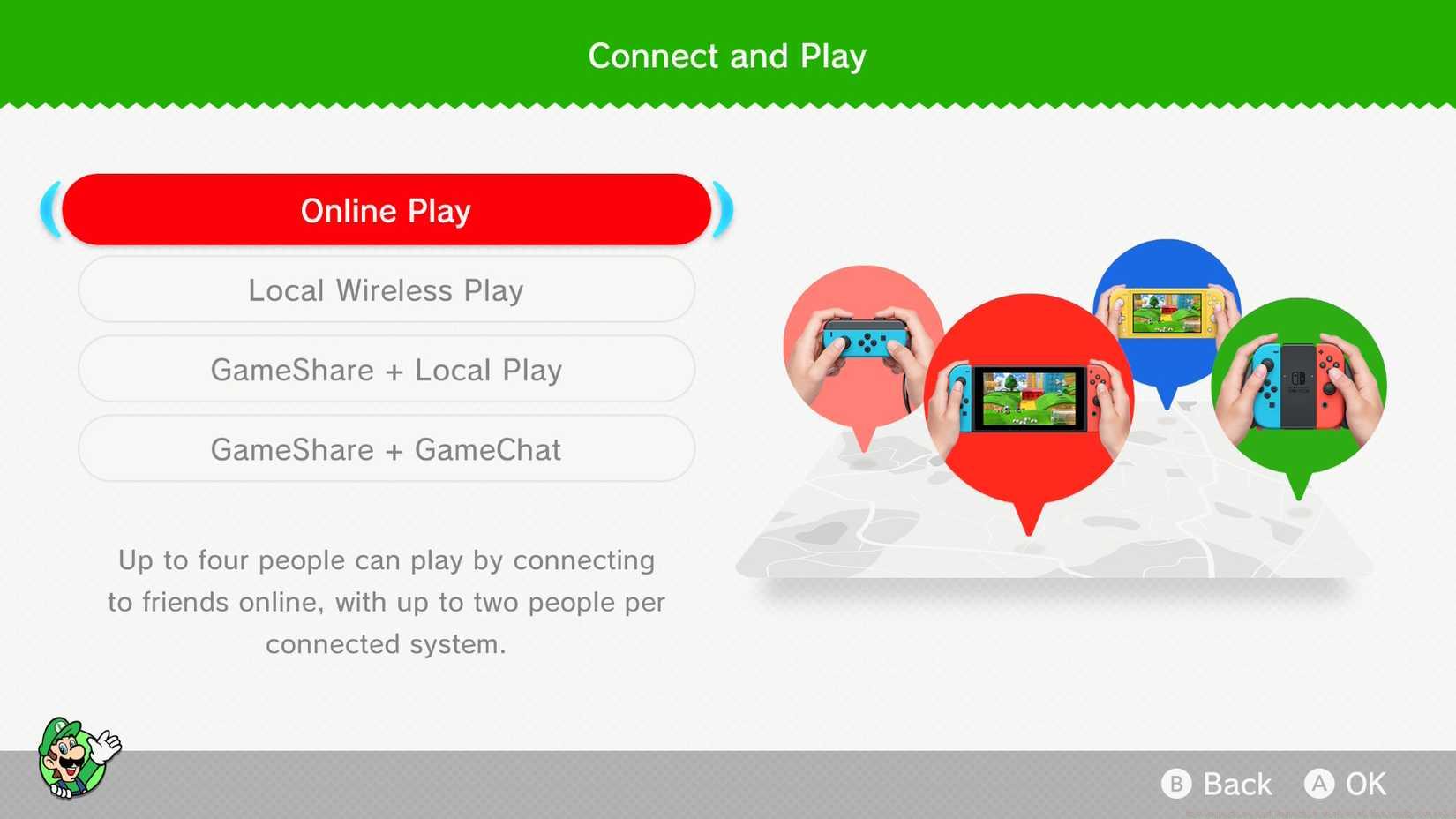
Image: Nintendo via Polygon
GameShare supports an expanding library of multiplayer-focused titles optimized for local streaming. Compatible games include major first-party Nintendo releases with cooperative or competitive multiplayer components. The system works with popular titles like Mario Kart 9, Splatoon 4, and Super Smash Bros. Ultimate 2, though specific mode availability varies by game.
GameChat features its own exclusive compatibility list with several titles designed specifically for its online streaming architecture. These include Nintendo’s newer online-focused games that leverage the Switch 2’s enhanced networking capabilities. The selection continues to expand through regular system updates and developer support.
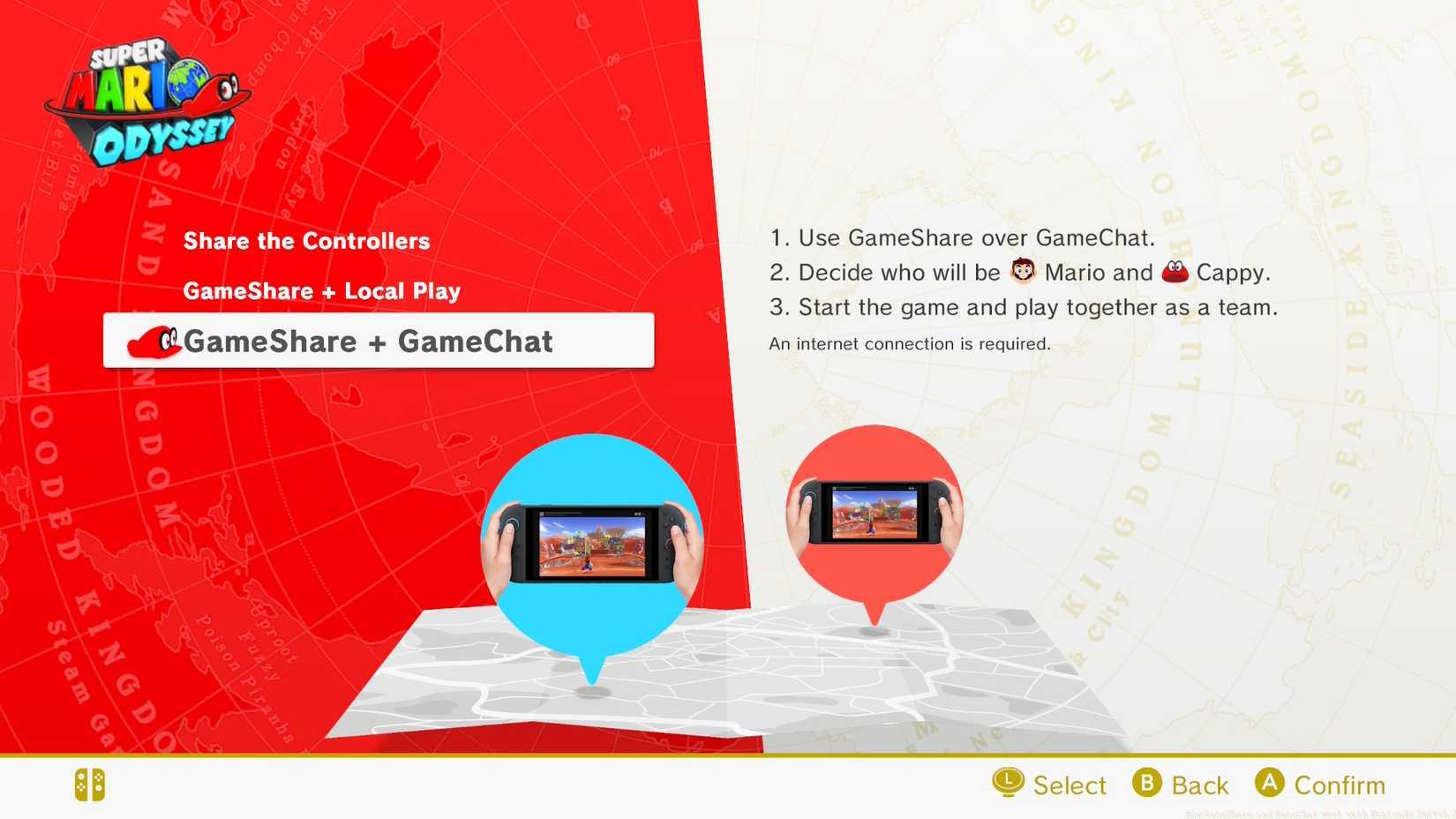
Image: Nintendo via Polygon
Critical Limitation: Neither system permits streaming of single-player campaign content or full game access. Shared sessions automatically terminate when the host exits the game or loses connection. GameShare imposes additional geographical constraints requiring participants to remain within local network range.
For players interested in similar strategic multiplayer experiences, our Complete Guide covers advanced tactics for team-based gameplay across different titles.
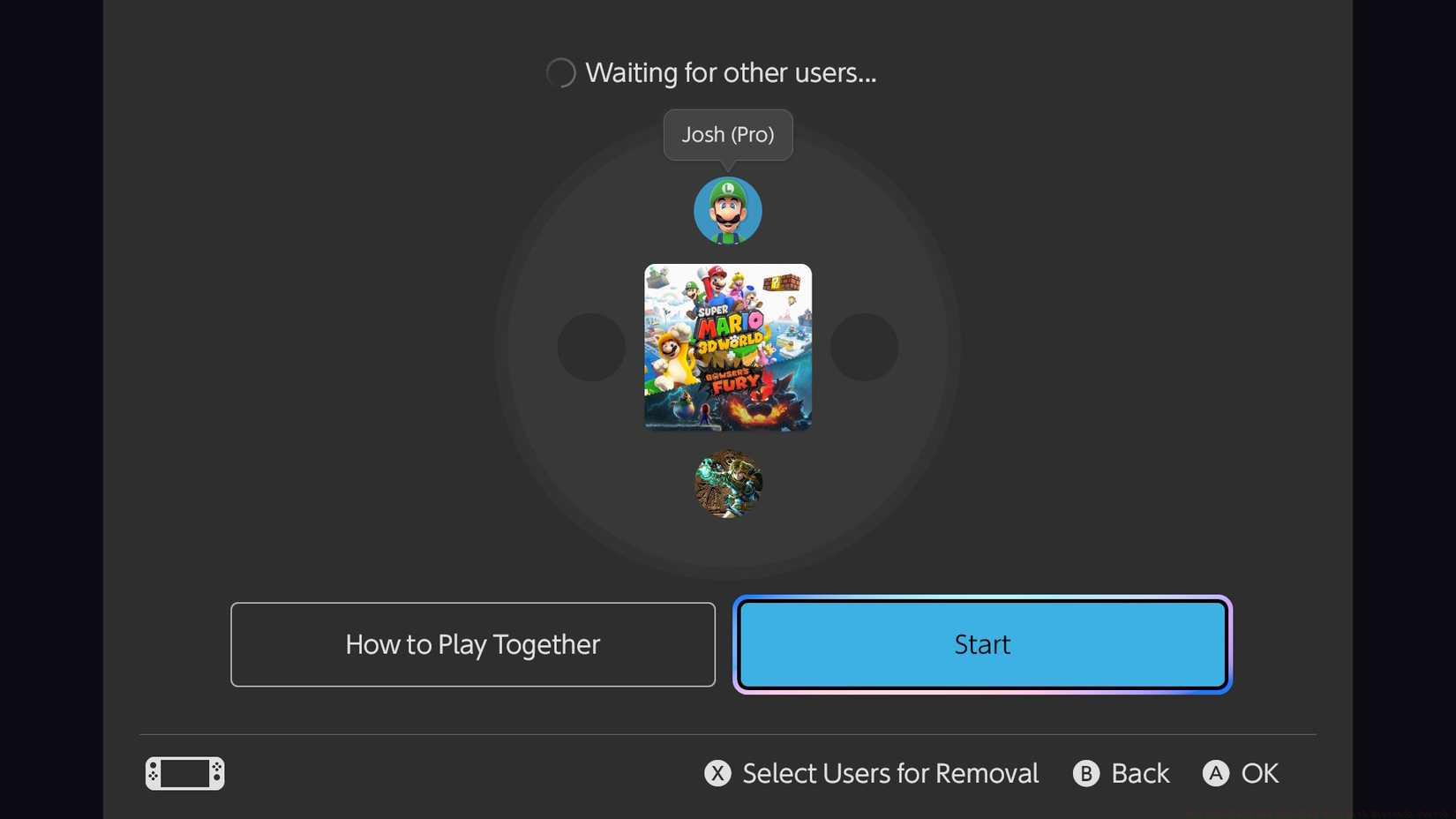
Image: Nintendo via Polygon
Optimization Strategy: Schedule gaming sessions during off-peak internet hours if using GameChat to reduce latency. For GameShare, minimize interference by avoiding crowded WiFi channels and positioning consoles in the same room when possible.
Avoid This Error: Don’t assume all multiplayer modes work identically. Some games restrict certain modes during shared sessions. Always test specific game modes before inviting multiple friends to join.
Advanced Tip: As the host, close background applications and downloads to allocate maximum bandwidth to the streaming session. For consistent performance, hardwire your Switch 2 via Ethernet adapter when hosting GameChat sessions.
Understanding character roles and loadouts significantly enhances shared gaming experiences. Explore our Class Guide for insights into effective team composition strategies that translate well to various multiplayer titles.
Weapon selection and progression systems also impact shared gameplay dynamics. Check our Weapons Unlock guide for understanding how to maximize your combat effectiveness in multiplayer sessions.
Time Management: Typical GameShare setup requires 2-3 minutes for initial configuration, while GameChat sessions initialize slightly faster at 1-2 minutes. Plan accordingly when organizing multiplayer gatherings.
Action Checklist
- Verify game compatibility and ensure host has Switch 2 console
- Connect consoles to stable 5GHz WiFi (GameShare) or internet (GameChat)
- Host launches game and navigates to multiplayer menu section
- Guests join via game’s online menu using appropriate sharing option
- Optimize network settings and close background apps for performance
No reproduction without permission:SeeYouSoon Game Club » How GameShare and GameChat work with Nintendo Switch 2 Master Nintendo Switch 2's GameShare and GameChat features to play multiplayer games with friends who don't own them