
TL;DR
- Original Switch Joy-Cons work wirelessly but lack magnetic attachment and new features
- Switch Pro Controller offers seamless wireless connectivity with full charging support
- Switch 2 Pro Controller adds C button, programmable grips, and headphone jack
- Retro controllers (NES, SNES, N64) maintain wireless compatibility with Switch 2
- Third-party controllers generally work but require individual compatibility verification
Hold onto your original Switch controllers—they’re not obsolete yet! The arrival of Nintendo Switch 2 doesn’t mean your carefully curated controller collection needs retirement.
As a dedicated Nintendo enthusiast with extensive hardware testing experience, I’ve thoroughly evaluated controller compatibility using multiple Switch 2 units. The overwhelming conclusion: most original Switch controllers maintain excellent functionality with the new system, though with specific limitations you should understand.
This comprehensive guide addresses the most pressing questions about cross-generational controller support, helping you decide whether upgrading to Switch 2-specific controllers represents necessity or luxury for your gaming setup.
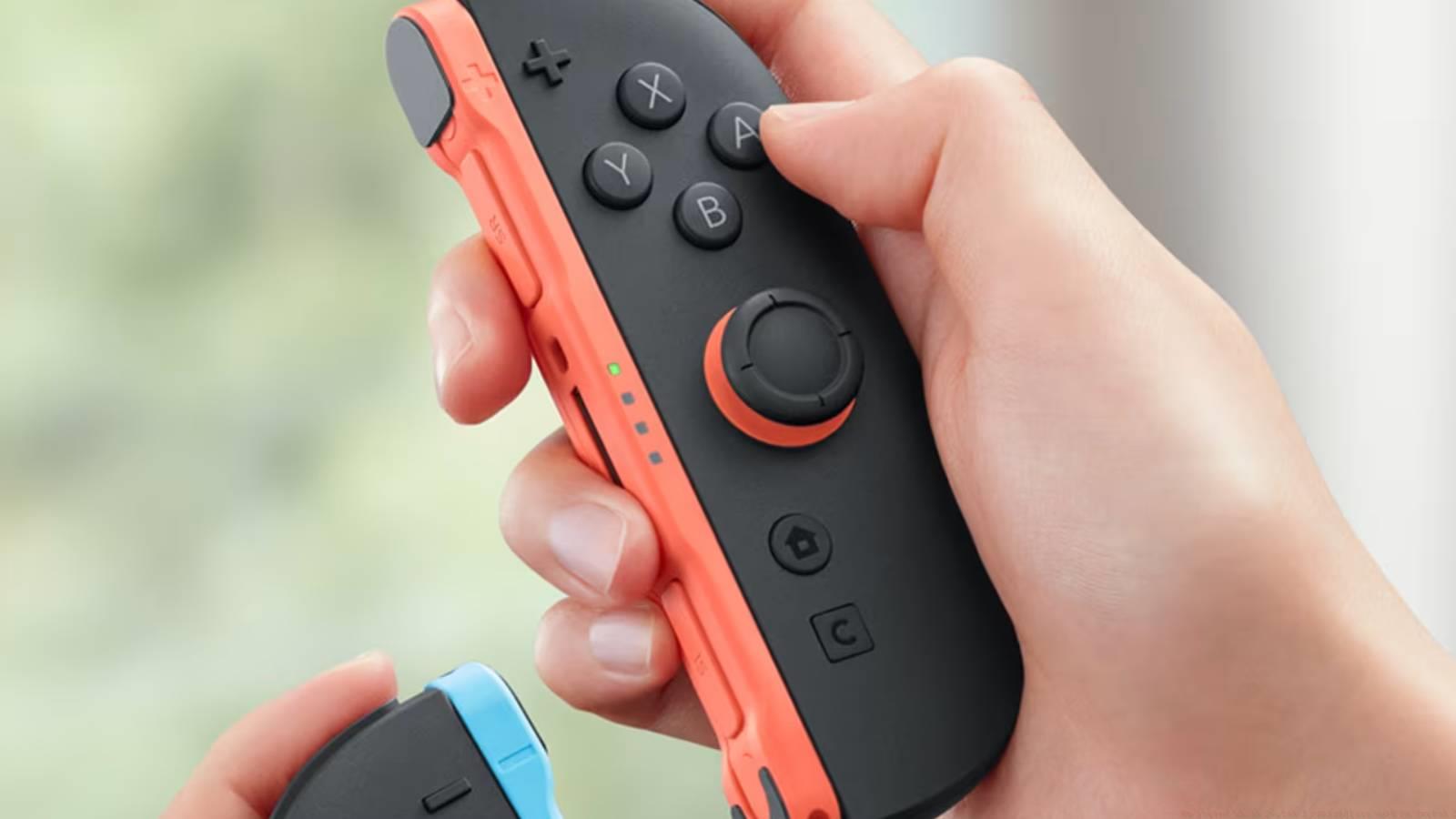
Original Switch Joy-Cons maintain full wireless functionality with Switch 2, as confirmed through extensive connectivity testing. The pairing process proves straightforward: access the controller settings menu, select “Change Grip/Order,” then simultaneously press the SL and SR buttons on each Joy-Con until pairing indicators activate.
However, physical attachment represents the primary compatibility limitation. Switch 2 implements magnetic controller connections rather than the original rail system, preventing direct physical connection of older Joy-Cons to the new console body. This design change necessitates wireless-only usage for legacy controllers.
Charging original Joy-Cons requires specific solutions since they cannot charge directly from the Switch 2 unit. You’ll need either an original Switch console, Joy-Con charging grip accessory, or dedicated charging station to maintain power. Plan charging sessions accordingly to avoid controller depletion during extended gaming.
Functionally, original Joy-Cons lack the enhanced features of their Switch 2 counterparts. Most notably absent are mouse pointer control capabilities and the dedicated C button that facilitates GameChat communication features. These omissions may impact gameplay in titles specifically designed around Switch 2’s expanded input options.
The original Switch Pro Controller delivers exceptional compatibility with Switch 2, functioning nearly identically to its performance on original hardware. Connection establishes effortlessly through the controllers menu—simply press the sync button located near the USB-C port until the indicator lights begin cycling.
Charging convenience represents a significant advantage for Pro Controller users. Unlike Joy-Cons, the Pro Controller charges directly through the Switch 2 dock using standard USB-C cables, eliminating the need for additional charging accessories. This streamlined power solution ensures your controller remains ready for extended gaming sessions.
Performance testing reveals minimal latency differences between original Switch and Switch 2 usage. The controller’s robust connection stability and responsive input translation make it an excellent choice for precision gaming genres where timing proves critical. For competitive gameplay, the Pro Controller maintains its reputation as a reliable peripheral.
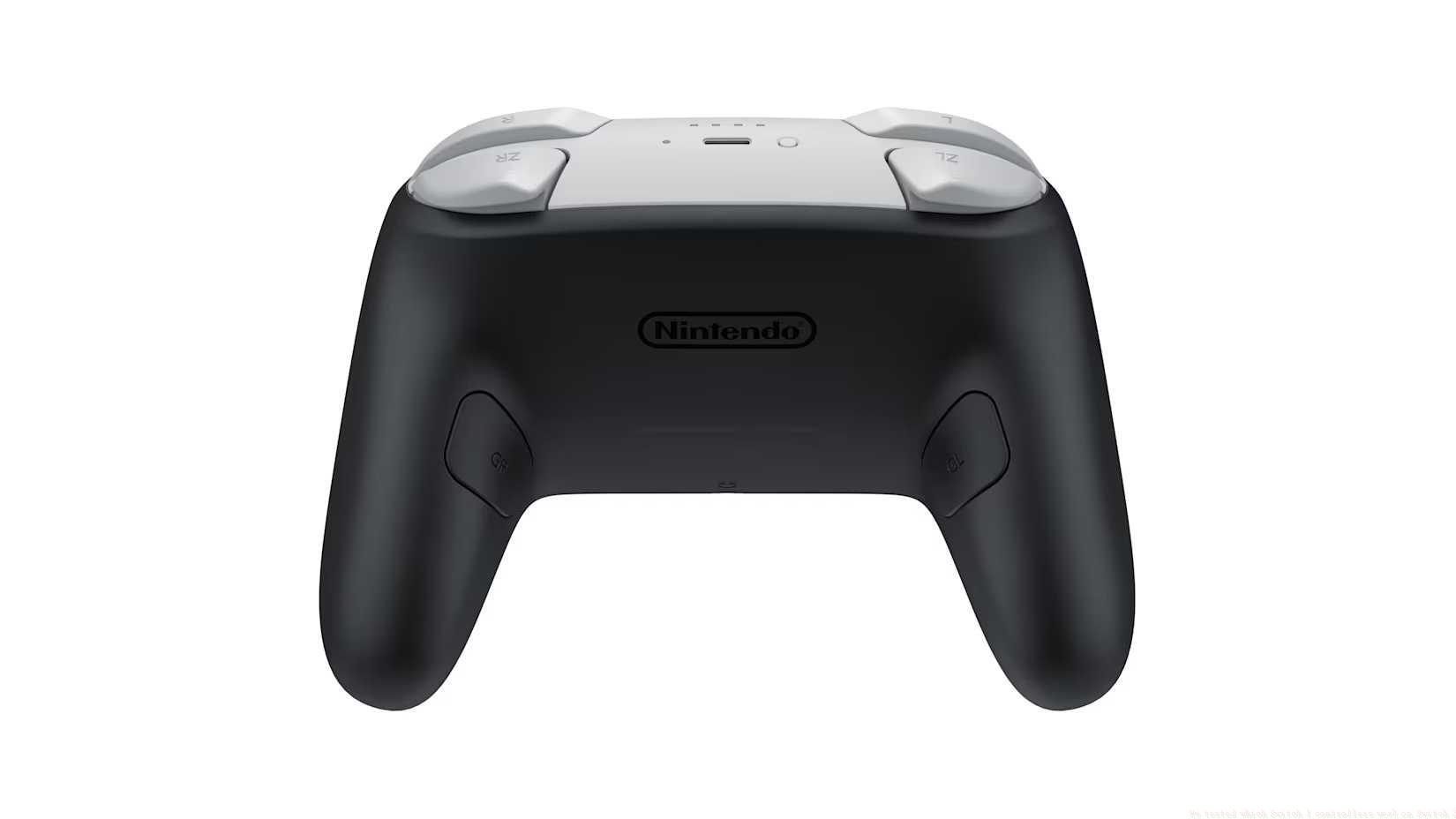
Image: Nintendo
Nintendo’s Switch 2 Pro Controller introduces thoughtful enhancements while maintaining the familiar form factor appreciated by veteran players. The most visible addition is the C button, strategically positioned for quick access to context-sensitive actions and menu navigation without interrupting gameplay flow.
The controller’s rear grip design incorporates two programmable buttons (designated GL and GR) that provide customization options for complex control schemes. These additional inputs prove particularly valuable for simulation games and titles with extensive command sets, allowing players to map frequently used functions for ergonomic access.
Audio connectivity receives significant improvement through the inclusion of a 3.5mm headphone jack positioned conveniently below the C button. This addition enables private listening sessions without requiring wireless headphones or adapter accessories, enhancing gameplay immersion in shared environments.
While the core button layout and ergonomic design remain consistent with the original Pro Controller, these strategic enhancements position the Switch 2 version as the premium choice for dedicated players seeking maximum functionality and convenience in their gaming sessions.
Nintendo’s commitment to backward compatibility extends to their retro controller lineup, with NES, Super NES, Nintendo 64, and Sega Genesis controllers all maintaining wireless functionality with Switch 2. These specialized controllers connect through the same pairing process as other wireless peripherals, preserving access to classic gaming libraries.
Third-party controller compatibility proves more variable, requiring individual verification for specific models and manufacturers. Generally, controllers officially licensed by Nintendo demonstrate reliable performance, while unlicensed alternatives may exhibit connection instability or feature limitations. Research specific model compatibility before purchase or attempted use.
Testing reveals that most major third-party brands with established Switch compatibility maintain similar performance levels with Switch 2. However, controllers dependent on specific original Switch hardware features (such as specific attachment mechanisms) may experience reduced functionality or complete incompatibility.
For optimal third-party controller performance, ensure firmware updates are applied before connection attempts. Many manufacturers release compatibility patches following new console launches, addressing initial connectivity issues and enhancing performance stability with updated systems.
Action Checklist
- Test Joy-Con wireless pairing through Controller Settings menu
- Establish Pro Controller connection using sync button near USB-C port
- Verify third-party controller firmware updates for optimal compatibility
- Set up charging solution for original Joy-Cons (charging grip or station)
- Test controller functionality in both docked and handheld modes
No reproduction without permission:SeeYouSoon Game Club » We tested which Switch 1 controllers work on Switch 2 Complete guide to Switch controller compatibility with Switch 2 - what works, what doesn't, and practical setup tips