
Master the Nintendo Switch 2 USB-C camera compatibility, setup process, and optimization for enhanced gaming experiences
Understanding the Switch 2 USB-C Camera Revolution
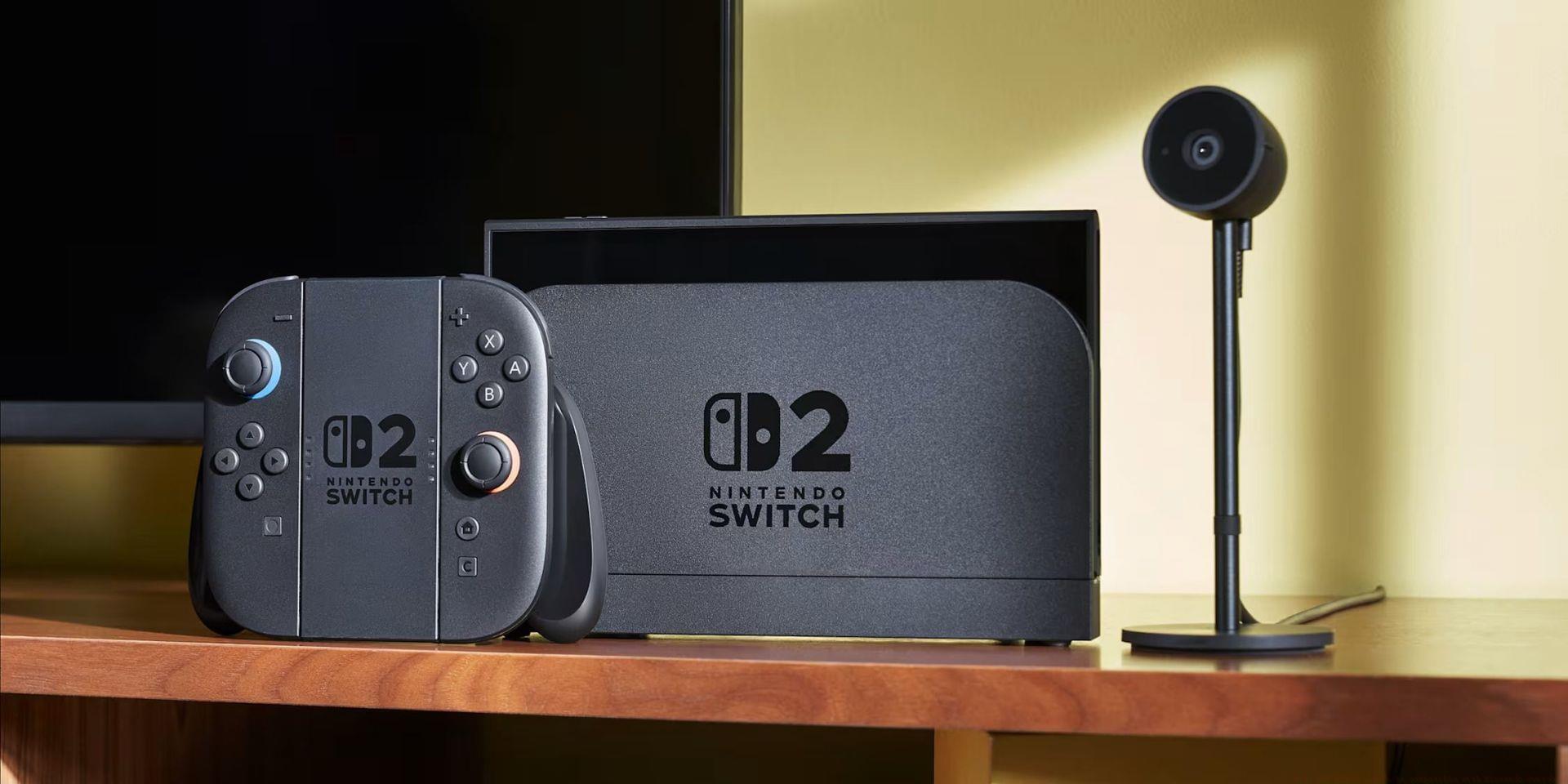
Nintendo’s next-generation console, the Nintendo Switch 2, launches globally on June 5, 2025, introducing groundbreaking accessory integration that significantly enhances social gaming experiences. The recently showcased USB-C camera accessory represents Nintendo’s strategic move toward more immersive multiplayer interactions, joining an impressive lineup of enhanced Pro Controllers and redesigned Joy-Cons. This camera functionality transforms how players connect, moving beyond traditional voice chat to full video integration during gameplay sessions.
Gaming communities have eagerly anticipated these hardware advancements, recognizing the potential for richer social interactions. The USB-C camera accessory specifically addresses the growing demand for seamless streaming capabilities and visual communication within Nintendo’s ecosystem. Unlike previous Nintendo consoles that relied on external apps for video features, this represents the first native camera integration designed specifically for gaming scenarios.
The strategic implementation of USB-C connectivity ensures broad compatibility potential while maintaining Nintendo’s signature plug-and-play simplicity. This approach balances technical sophistication with user-friendly design, allowing both casual and dedicated gamers to quickly establish video connections without complex setup procedures. The camera’s integration demonstrates Nintendo’s commitment to evolving social gaming beyond traditional boundaries.
Compatibility Challenges and Solutions
A significant consideration for prospective buyers involves compatibility verification, as not all third-party USB-C cameras will function optimally with the Switch 2’s specialized software framework. Nintendo’s official documentation emphasizes this limitation, highlighting potential functionality gaps with uncertified accessories. While first-party accessories guarantee seamless integration, they command premium pricing that may exceed some gamers’ budgets.
The extensive accessory collection for Nintendo’s upcoming console represents a considerable investment, making cost-effective alternatives appealing for budget-conscious players. Official Nintendo accessories deliver optimal performance and reliability, but numerous third-party manufacturers produce compatible equipment that provides satisfactory functionality at reduced prices. Understanding the balance between cost savings and performance reliability becomes crucial when building your accessory collection.
Also read: Difference between Nintendo Switch game key-card and game cartridges
Numerous reputable third-party options exist in the marketplace, offering varying levels of quality and compatibility assurance. While selecting first-party or officially licensed products eliminates compatibility concerns, these premium options significantly impact your gaming budget allocation. Strategic accessory selection requires careful consideration of your specific usage patterns and performance requirements.
Follow this systematic verification process to determine whether your existing third-party USB-C camera maintains compatibility with the Switch 2 platform:
This testing protocol provides immediate feedback regarding camera functionality, saving potential frustration from incompatible accessory purchases. The verification process typically completes within seconds, offering clear compatibility confirmation before committing to gameplay sessions requiring camera functionality.
Practical Setup and Optimization Guide
Nintendo engineered the Switch 2 as a substantial evolution beyond the original console, refining both hardware capabilities and software integration. While the system maintains versatile docking capabilities and portable functionality, the development team recognized that many players would continue enjoying gaming experiences from their home environments. This understanding informed the camera integration strategy, prioritizing seamless online interaction enhancements.
Also read: Gamers slam Nintendo over pricey games after Switch 2 Direct: “Maybe Game Pass isn’t a bad deal at all”
The enhanced Game Chat infrastructure now supports bidirectional video communication, allowing visual connections with gaming partners during online sessions. This USB-C camera implementation enables real-time video chatting with your entire friends list, while simultaneously broadcasting your gameplay perspective to other participants. This dual-stream capability proves particularly valuable for social gaming titles such as Mario Kart World and Super Mario Party Jamboree, establishing visual connections that enhance cooperative and competitive experiences alike.
Critical awareness: camera functionality availability varies significantly across game titles. The USB-C camera excels in party-style and social gaming environments but offers limited utility in narrative-driven single-player adventures like The Legend of Zelda: Breath of the Wild or Tears of the Kingdom. Understanding these application boundaries helps manage expectations and optimize accessory utilization.
Positioning flexibility represents a key advantage of the USB-C camera design, allowing placement optimization based on your gaming environment and streaming requirements. The sophisticated lens system provides expansive room coverage through wide-angle capabilities, while the compact form factor enables quick repositioning for optimal framing. This adaptability ensures consistent video quality across diverse gaming setups and room configurations.
The integrated high-sensitivity imaging sensor automatically adjusts exposure parameters and implements advanced face detection algorithms, ensuring optimal streaming quality across varying lighting conditions. This intelligent processing enhances video clarity and stability, maintaining professional-grade streaming performance even in challenging visual environments.
Advanced Usage Scenarios and Pro Tips
Maximizing your USB-C camera investment requires strategic implementation across different gaming scenarios. For competitive multiplayer sessions, position the camera at eye level to maintain natural engagement with teammates. Ensure adequate lighting from the front to prevent facial shadows that might obscure expressions during intense gameplay moments. The camera’s automatic brightness adjustment performs optimally with consistent ambient lighting conditions.
Avoid common configuration mistakes such as placing the camera too close to your display, which creates awkward viewing angles for other participants. Similarly, positioning directly under bright light sources causes overexposure and visual distortion. Test various placements during your initial setup phase to identify the optimal positioning for your specific gaming environment.
For streaming enthusiasts, consider integrating external microphone support to enhance audio quality beyond the camera’s built-in capabilities. While the visual component significantly improves engagement, crystal-clear audio remains equally important for professional streaming presentations. Balance your investment between visual and audio enhancements for comprehensive content creation capabilities.
Future-proof your accessory collection by selecting USB-C cameras with firmware update capabilities, ensuring ongoing compatibility with system software enhancements. As Nintendo continues refining the Switch 2 ecosystem, firmware-updatable accessories maintain functionality across system updates and new feature implementations.
For more related news, check these out:
No reproduction without permission:SeeYouSoon Game Club » Will any USB-C camera be compatible with Nintendo Switch 2? Master the Nintendo Switch 2 USB-C camera compatibility, setup process, and optimization for enhanced gaming experiences