
TL;DR
- Trigger Returning Champ after 12+ days absence for exclusive 10-day rewards
- Manually claim daily Roll Call rewards with strategic timing to maximize gains
- Complete Return Missions for friend-gifting options and premium cosmetics
- Optimize login schedule to avoid missing limited-time event windows
- Use XP boosts strategically during double XP events for maximum progression
If you’ve taken an extended break from Apex Legends Mobile, the developers have crafted an exclusive incentive program specifically designed to welcome you back into the action. This strategic retention system rewards players who temporarily step away with valuable in-game assets unavailable through regular gameplay.
Apex Legends Mobile generated significant momentum upon its May launch, attracting over 15 million pre-registered players eager to experience Respawn Entertainment’s acclaimed battle royale on mobile platforms. The title generated $5 million in revenue and claimed the top download spot across 60 countries during its debut week. While maintaining strong engagement among dedicated mobile shooter enthusiasts, many initial adopters have naturally reduced their play frequency over time.
For those who fit this description, Respawn has implemented a specialized event targeting players with recent inactivity. Continue reading for comprehensive insights into the Returning Champ event mechanics, including all obtainable rewards through participation—some of which can be shared with your squadmates.
The exact inactivity threshold remains unspecified, though testing confirmed activation after approximately 12 days without gameplay sessions. Returning after this absence period triggers a personalized welcome message from Mirage, initiating the 10-day Returning Champ event that provides structured challenges and daily login incentives.
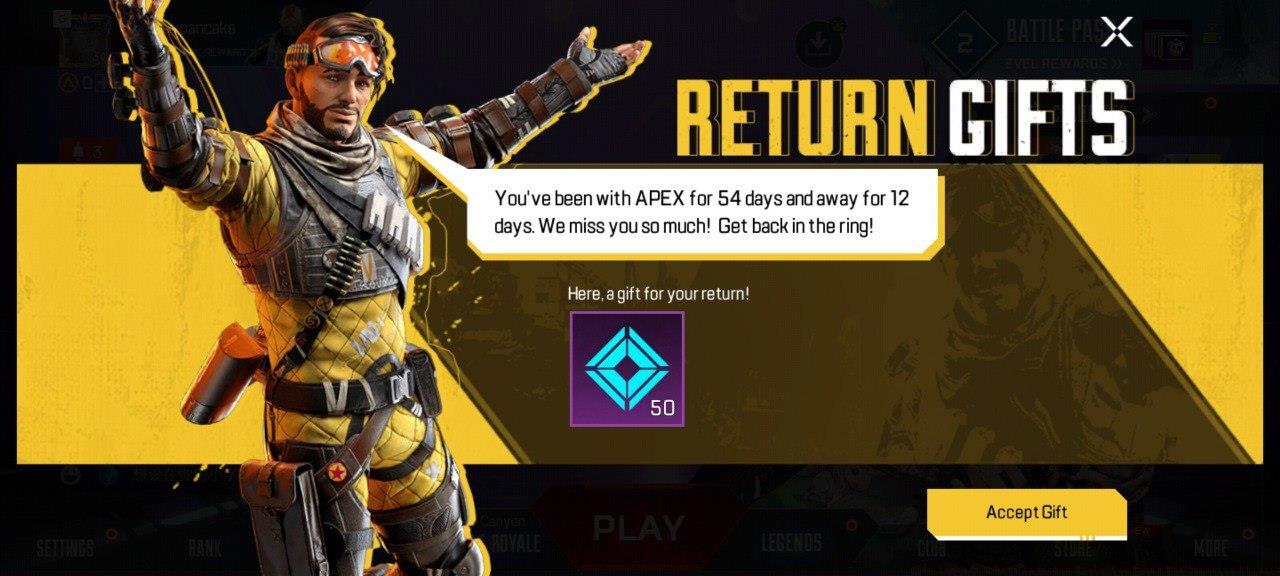
Mirage’s personalized greeting signals your eligibility for exclusive returning player benefits.
Immediate event activation grants 50 Flux as an initial check-in bonus. The system provides rewards across eight of the ten event days (permitting two missed days), though all bonuses require manual collection through the event interface.
To access Roll Call Rewards, navigate to the Returning Champ event hub and locate the distinctive yellow promotional banner positioned beneath the “Season Event” display on the main lobby’s right side. (Important: This advertisement only appears for accounts that have activated the Returning Champ event—consistent daily players won’t see this option in their interface.)
After entering the event hub, select the “Roll Call” tab at the screen’s top. This interface displays the sequential daily rewards available throughout the event duration. Every reward requires manual claiming through the Roll Call tab—automatic distribution doesn’t occur. The Returning Champ Roll Call progression includes:
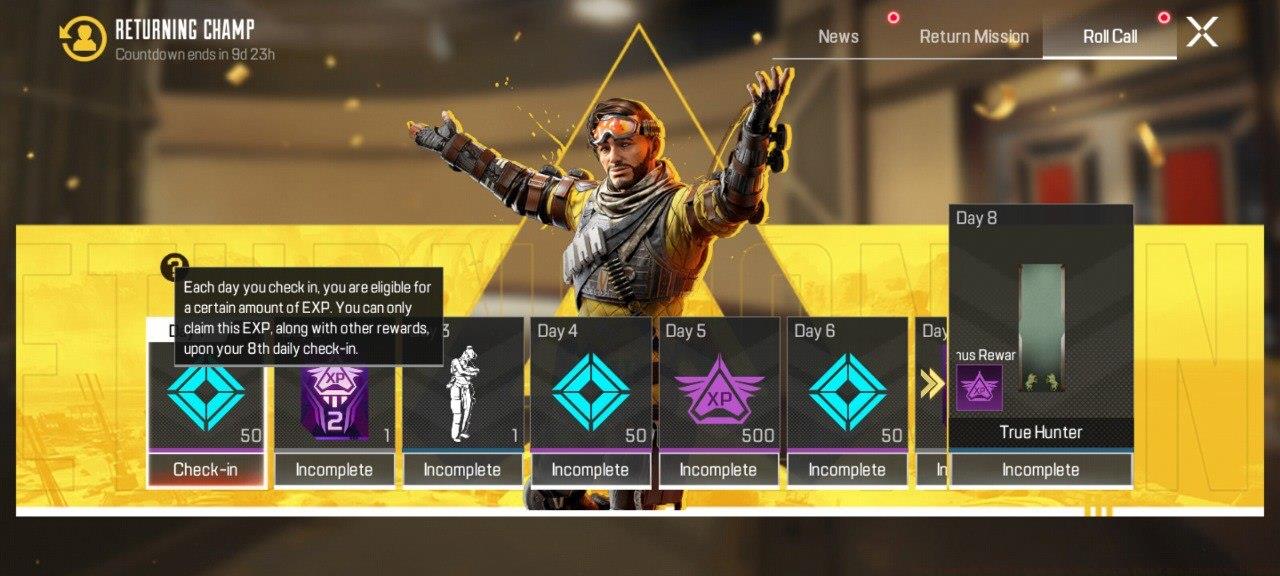
Complete visual guide to all available Roll Call login rewards throughout the event period.
Pro Tip: Schedule your return during weekday evenings when player counts typically peak—this maximizes matchmaking efficiency while completing event challenges.
Many players mistakenly assume rewards automatically distribute to their inventory. This common error causes missed opportunities, particularly with time-limited items. Always verify successful claim confirmation messages after clicking each reward.
The Return Mission component provides additional progression tracks beyond daily logins, featuring specialized objectives tailored for returning players. These missions often include combat challenges, character-specific tasks, and team-based objectives that encourage re-engagement with core gameplay mechanics.
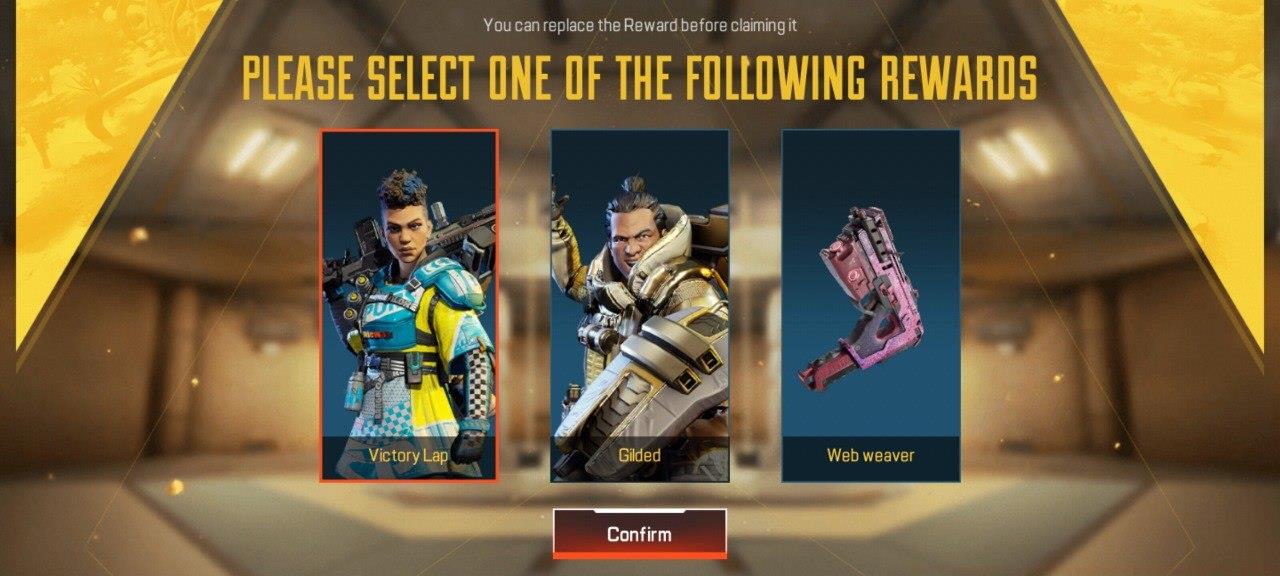
Strategic selection interface for final Return Mission rewards—choose based on your current gameplay needs.
Mission completion typically requires 3-5 hours of gameplay spread across the event duration. Advanced players recommend focusing on objective-based modes like Team Deathmatch for efficient challenge completion rather than battle royale matches with variable outcomes.
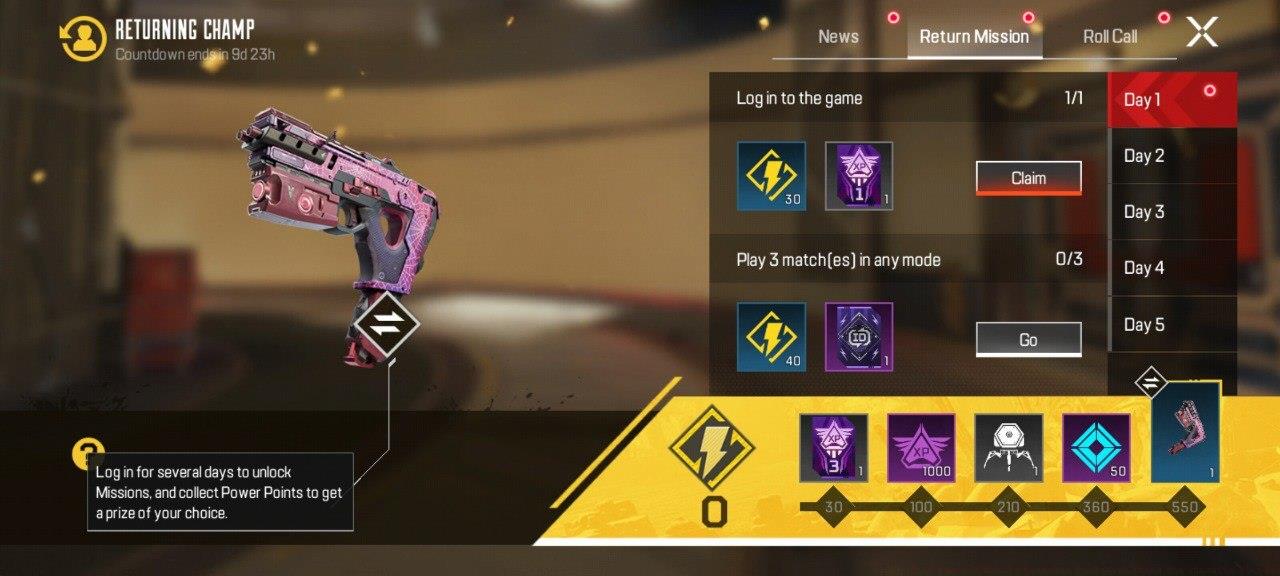
Visual representation of the Return Mission free reward progression, highlighting the shareable Double XP Boost Card available upon event activation.
Friend Gifting Strategy: The social reward component allows transferring certain items to squad members—coordinate with regular players who can benefit from your returning status bonuses.
Many returning players overlook the strategic value of friend-gifting options. These transferable rewards can strengthen squad coordination when distributed strategically among regular teammates.
Common Pitfalls to Avoid:
• Assuming automatic reward distribution—always manually claim
• Missing the two-day grace period—plan login schedule strategically
• Overlooking friend-gifting options—coordinate with squadmates
• Wasting XP boosts on non-optimal sessions—save for double XP events
Optimization Techniques:
Coordinate your return during seasonal events when additional bonus structures may stack with returning player rewards. The Weapons Unlock guide provides complementary strategies for efficiently rebuilding your arsenal after extended breaks.
For players returning after substantial absences, the Complete Guide offers comprehensive reorientation to current meta strategies and gameplay changes.
Progression Planning: The Class Guide becomes particularly valuable when combined with returning player bonuses, enabling rapid character development catch-up.
Advanced timing: Consider returning just before major updates drop—this positions you to capitalize on both returning rewards and new content bonuses simultaneously.
Action Checklist
- Verify 12+ days inactivity to trigger event eligibility
- Claim initial 50 Flux reward immediately upon login
- Navigate to event hub daily to manually collect Roll Call rewards
- Complete Return Mission challenges within 10-day window
- Coordinate with friends for optimal reward gifting strategy
No reproduction without permission:SeeYouSoon Game Club » Apex Legends Mobile Launches Exclusive Event For Inactive Players Maximize Apex Legends Mobile return rewards with strategic login timing and mission optimization