
Expert guide to choosing between Ray Tracing and Frame Rate modes for optimal Gran Turismo 7 performance
Introduction: The PS5 Graphics Dilemma
Gran Turismo 7 represents a pinnacle of racing simulation visuals, presenting players with a critical decision between two distinct graphical approaches that significantly impact the gaming experience.
As a visual showcase for PlayStation 5 capabilities, Gran Turismo 7 demands careful consideration of its Frame Rate and Ray Tracing modes. This comprehensive analysis breaks down both options to help you optimize your racing experience based on your display hardware and gameplay preferences.
Contemporary gaming hardware introduces advanced rendering technologies that transform visual fidelity. Ray tracing simulation revolutionizes how light interacts with surfaces, creating unprecedented realism in reflections and environmental lighting. However, this computational intensity typically requires sacrificing the consistent 60 frames-per-second performance that competitive racing demands. Modern AAA titles increasingly provide multiple graphical configurations, and Polyphony Digital’s masterpiece continues this trend with two carefully optimized presets. Understanding the technical trade-offs enables informed decisions about which mode aligns with your racing objectives and display capabilities.
Ray Tracing Mode: Visual Immersion Explained
Ray tracing technology in Gran Turismo 7 simulates realistic light behavior as it interacts with vehicle surfaces and track environments. This advanced rendering creates authentic reflections that dynamically change based on your car’s position, surrounding objects, and lighting conditions. The technology becomes particularly impactful in cockpit view, where interior surfaces accurately reflect environmental details, significantly enhancing immersion during replays and cinematic moments.
Developer Polyphony Digital implements strategic restrictions: “Ray Tracing activates during race replays and specific 3D scenes but deactivates during actual racing where input responsiveness takes priority.” This intelligent implementation ensures competitive gameplay isn’t compromised while still delivering stunning visual showcases during moments where frame rate consistency matters less. The technology excels at capturing subtle lighting nuances on complex vehicle geometries, making it particularly rewarding for automotive enthusiasts who appreciate meticulous visual detail.
Pro Tip: For maximum Ray Tracing impact, prioritize cockpit camera during replays and utilize photo mode extensively. The technology creates particularly impressive results on highly reflective surfaces like polished carbon fiber and chrome details, making it ideal for screenshot enthusiasts and those who value visual authenticity over competitive edge.
Frame Rate Mode: Competitive Advantage
Frame Rate mode represents the performance-focused option that prioritizes fluid gameplay above visual enhancements. This configuration maintains a consistent 60 frames-per-second throughout all gameplay phases, including actual racing where input responsiveness becomes critical. The stable performance eliminates visual stuttering and input lag that can compromise precision driving during competitive events and license tests.
According to Polyphony Digital’s technical specifications: “This mode utilizes the highest achievable frame rate consistently across all gameplay segments. Resource-intensive effects including Ray Tracing become disabled or substantially simplified during active racing, though limited Ray Tracing functionality remains accessible in specific 3D environments and Photo Mode applications.”
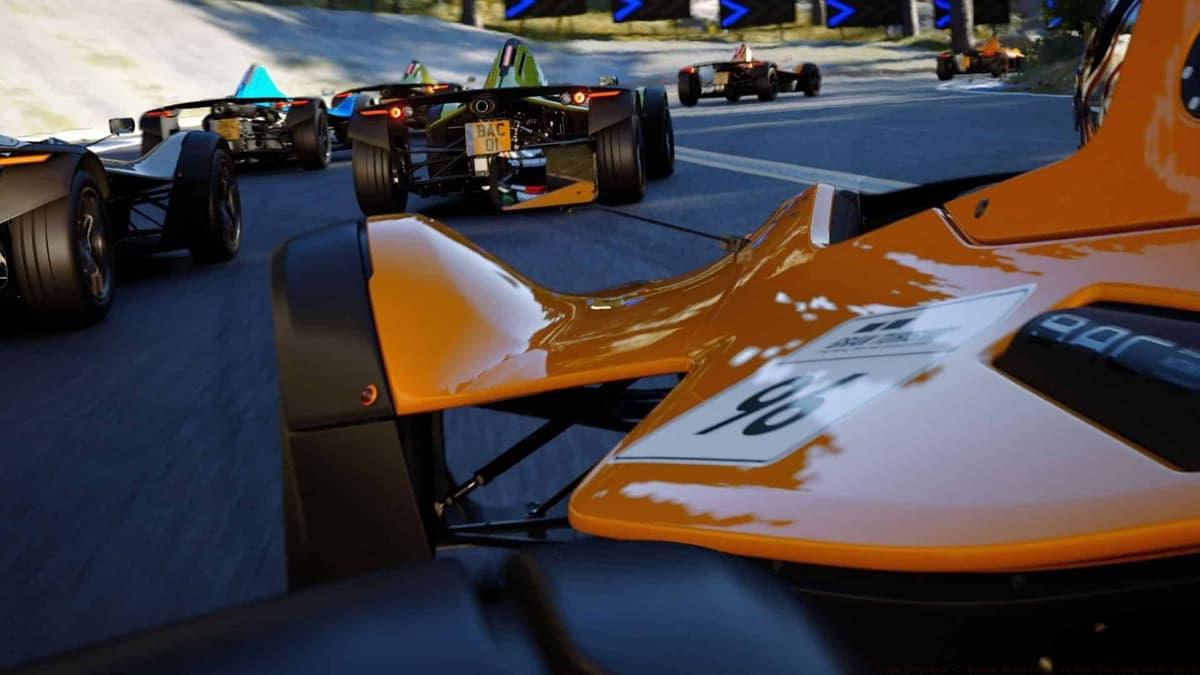 Polyphony Digital
Leverage replay features and multiple camera perspectives to fully appreciate the game’s visual craftsmanship regardless of your selected mode.
Common Mistake to Avoid: Many players mistakenly believe Frame Rate mode significantly reduces visual quality. While certain lighting effects are simplified, the core visual presentation remains exceptionally detailed and is more than sufficient for competitive racing. The performance benefits significantly outweigh the visual compromises for players focused on improving lap times and race results.
Choosing Your Mode: Decision Framework
Based on extensive testing across Gran Turismo 7’s diverse gameplay scenarios and features, our recommendation leans toward selecting Ray Tracing mode for most players. This preference stems from the intelligent implementation that preserves performance during critical racing moments while delivering spectacular visual enhancements during replays and cinematic sequences.
Our evaluation utilized PlayStation 5 hardware connected to a premium 4K HDR television, providing optimal conditions to assess both modes’ capabilities. During testing, we observed minimal frame rate degradation while experiencing the remarkable visual depth and realism that Ray Tracing introduces across the game’s various elements. Players utilizing displays that cannot fully leverage the PS5’s capabilities might find Frame Rate mode more appropriate, as the visual benefits of Ray Tracing diminish significantly on lower-quality screens.
Display Quality Assessment: If your television supports 4K resolution with HDR capabilities and maintains strong gaming performance features, Ray Tracing mode delivers exceptional value. For 1080p displays or televisions with limited HDR implementation, Frame Rate mode typically provides better overall experience by ensuring consistently smooth performance without significant visual compromise.
Advanced Optimization Strategies
Beyond the basic mode selection, several advanced techniques can optimize your Gran Turismo 7 visual experience. Display calibration proves crucial – ensure your television’s game mode is activated to minimize input lag, and properly configure HDR settings to maximize color depth and contrast ratio. These adjustments significantly enhance both modes’ effectiveness.
Performance Monitoring: Utilize the game’s replay features to compare both modes on your specific setup. Pay attention to frame rate consistency during intense racing scenes with multiple vehicles. If you notice stuttering or input delay in Ray Tracing mode during actual gameplay, this indicates your display may not optimally support the feature, making Frame Rate mode the better choice.
Hybrid Approach: Competitive players can leverage both modes strategically – use Ray Tracing for casual driving, photography, and enjoying replays, then switch to Frame Rate mode for serious license tests, online competitions, and time trials where every millisecond of responsiveness matters. This approach maximizes enjoyment across all gameplay aspects.
Best Warzone console settings for graphics and FPS
Ex-Rockstar dev warns GTA 6 could sacrifice smoother gameplay for enhanced graphics
Best Rocket League settings guide: Camera, controller, & graphics
No reproduction without permission:SeeYouSoon Game Club » Gran Turismo 7: Frame Rate mode vs Ray Tracing mode guide Expert guide to choosing between Ray Tracing and Frame Rate modes for optimal Gran Turismo 7 performance