
TL;DR
- Smart Steering prevents track edge collisions but blocks access to most shortcuts and grind rails
- Toggle the feature quickly by pressing X during races or on kart selection screens
- Ideal for beginners learning basic controls but limits advanced racing strategies
- Disabling Smart Steering is essential for accessing alternate routes and speed boosts
- Master track layouts first with Smart Steering, then disable for competitive racing
While automated assistance seems convenient, Smart Steering demands strategic consideration for optimal Mario Kart World performance.
Mario Kart World’s intelligent steering system represents one of the Nintendo Switch 2’s most debated accessibility features. This automated guidance mechanism serves as a temporary training tool rather than a permanent racing solution. While invaluable during initial gameplay sessions, experienced drivers will find it actively hinders their ability to explore course intricacies and discover hidden pathways.
This comprehensive guide examines Smart Steering’s operational principles, configuration methods, and strategic applications to enhance your racing proficiency.
Smart Steering functions as an automated collision prevention system that maintains your vehicle on the primary racing surface. When your kart approaches track boundaries, the system automatically adjusts your trajectory away from edges to prevent wall collisions and maintain momentum. This safety net operates regardless of your intentional navigation choices, preventing exploration of off-track areas even when beneficial shortcuts exist.
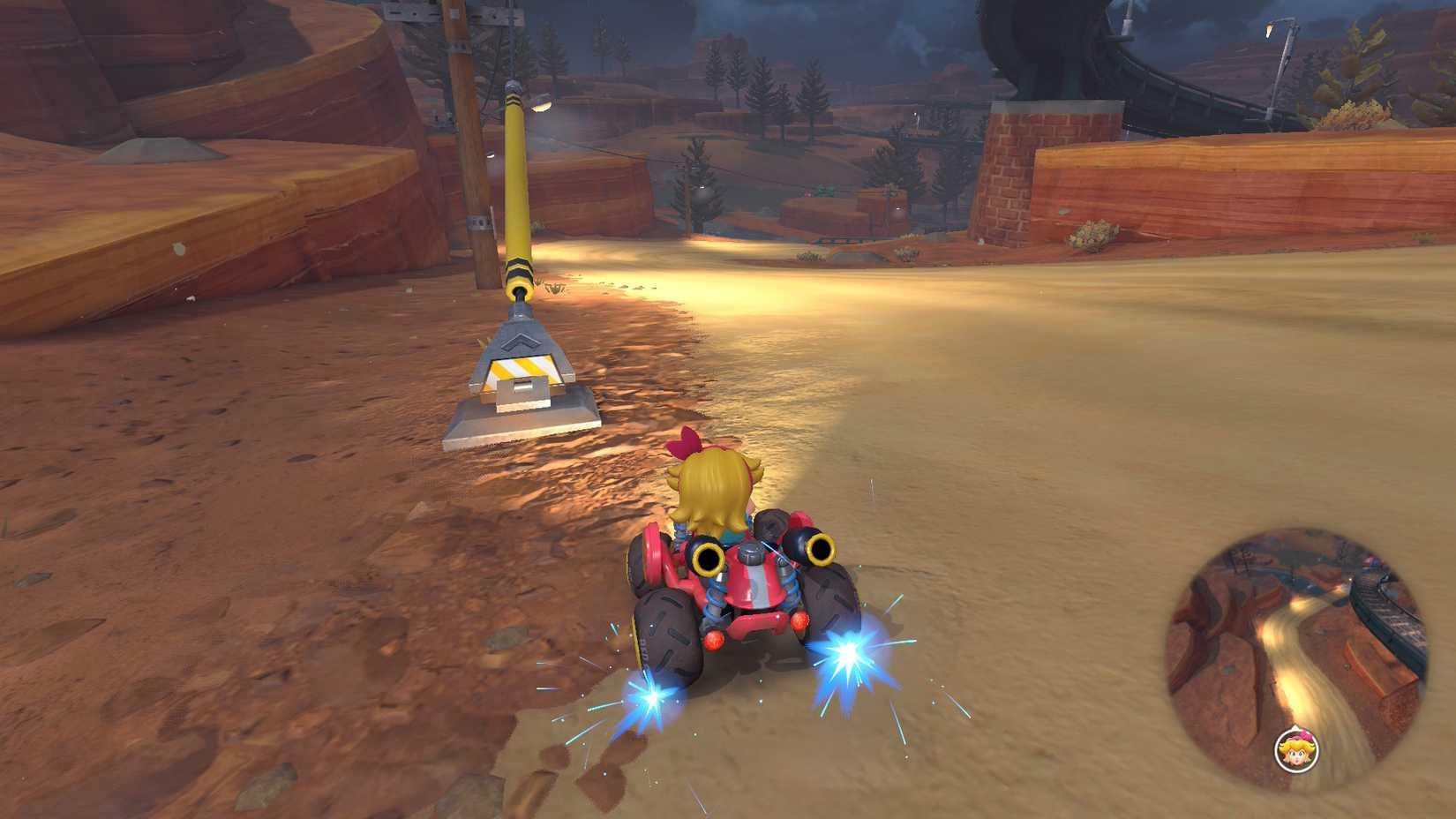
Image: Nintendo via Polygon
Visual indicators provide immediate feedback when Smart Steering activates. The system generates distinctive blue guidance lines and subtle controller vibrations when intervening to correct your course. Learning to recognize these signals helps drivers understand when they’re relying on automated assistance versus executing precise manual control.
Configuring Smart Steering requires minimal effort with multiple access points throughout your Mario Kart World experience.
You can activate or deactivate Smart Steering during any solo race or exploration session by pausing gameplay and selecting the X button, then adjusting the Smart Steering toggle. Alternatively, modify this setting from the vehicle selection interface before races commence using the same button prompt. This dual-access system ensures you’re never locked into a configuration that doesn’t match your current skill level or racing objectives.
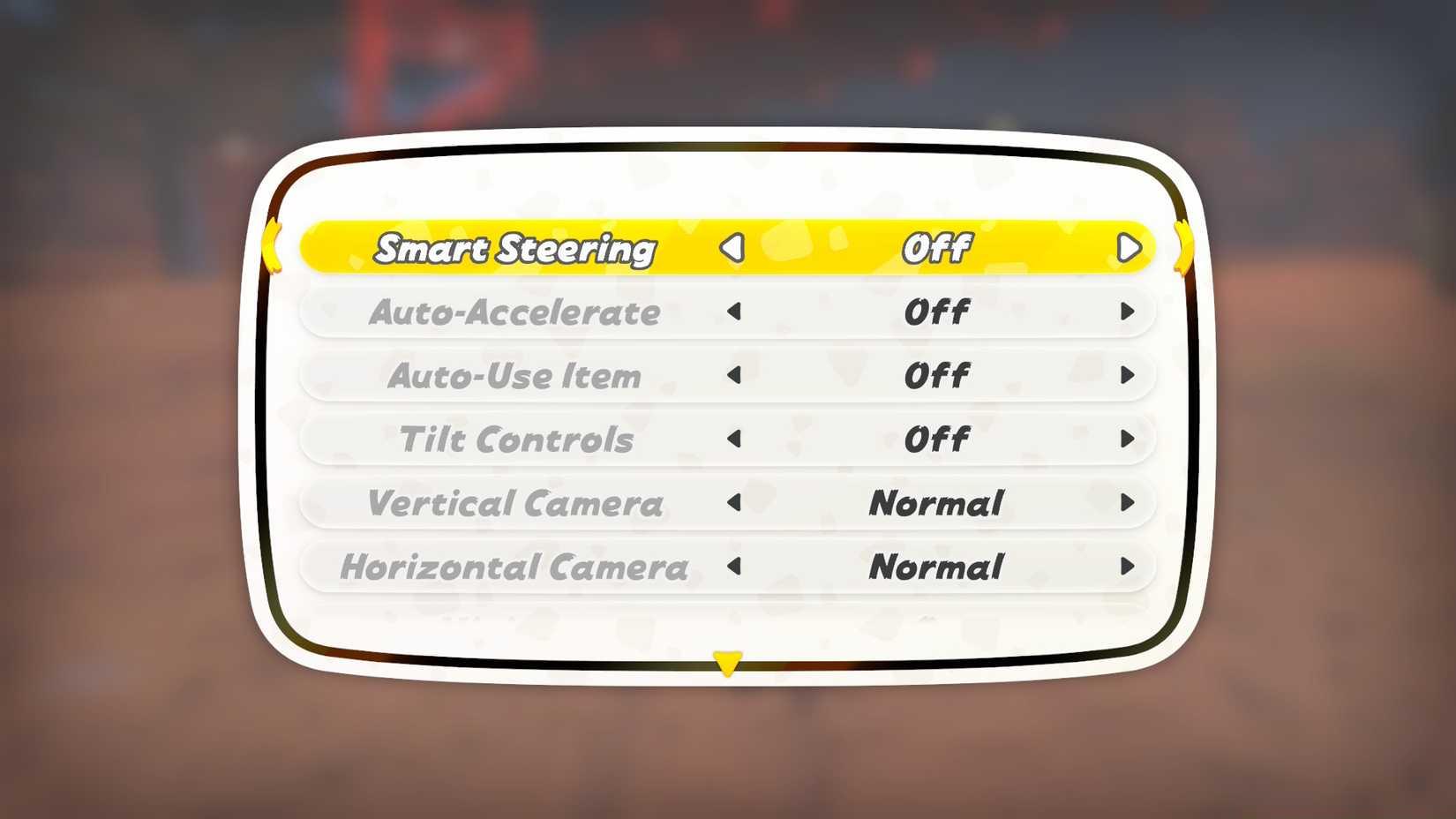
Image: Nintendo via Polygon
For competitive multiplayer sessions, remember that Smart Steering settings persist between matches unless manually adjusted. Develop the habit of verifying your configuration during vehicle selection to avoid unexpected limitations during crucial races. Many experienced players create pre-race checklists that include Smart Steering status confirmation among other critical preparations.
When introducing new players to Mario Kart World, consider enabling Smart Steering during their initial races to build confidence. The system significantly reduces frustration for gamers unfamiliar with racing mechanics or those struggling with precise analog stick control. This approach mirrors the progressive skill development methodology used in our comprehensive Class Guide for other gaming systems.
Understanding when to employ Smart Steering determines your racing efficiency and course mastery progression.
If you’re inexperienced with racing titles, seeking low-pressure skill development, or consistently struggling with specific challenging corners, Smart Steering provides an excellent acclimation tool. The system creates a safety net that allows focus on fundamental mechanics like item usage and speed maintenance without constant course boundary concerns.
However, once you develop basic cornering competence, disabling Smart Steering becomes essential for competitive advancement. The overwhelming majority of Mario Kart World’s time-saving shortcuts exist beyond the primary racing line. Smart Steering’s protective algorithms frequently prevent utilization of grind rails positioned along track edges—with rare exceptions for courses featuring central railroad or minecart tracks.
This restriction means you’re missing critical speed-boosting opportunities and alternative route options that separate intermediate and advanced competitors. The most significant limitation emerges on courses like Rainbow Road and Cheese Land where boundary-adjacent shortcuts provide substantial lap time advantages. Similar strategic considerations apply when optimizing loadouts in our Weapons Unlock guide for other gaming platforms.
Common beginner mistakes include maintaining Smart Steering too long, creating dependency on automated correction. Transition away from the feature once you can consistently navigate medium-difficulty courses without wall collisions. Practice specific challenging corners repeatedly with the feature disabled to build muscle memory for precise input timing.
Maximizing your Mario Kart World performance requires understanding how Smart Steering influences racing strategy beyond basic navigation.
The system’s sensitivity calibration means it frequently interrupts intentional drifts toward track edges, disrupting optimal racing lines and momentum conservation. Advanced techniques like ultra mini-turbos and strategic off-road shortcuts become impossible with the feature active. This limitation becomes particularly noticeable on technical courses requiring precise trajectory control through complex corner sequences.
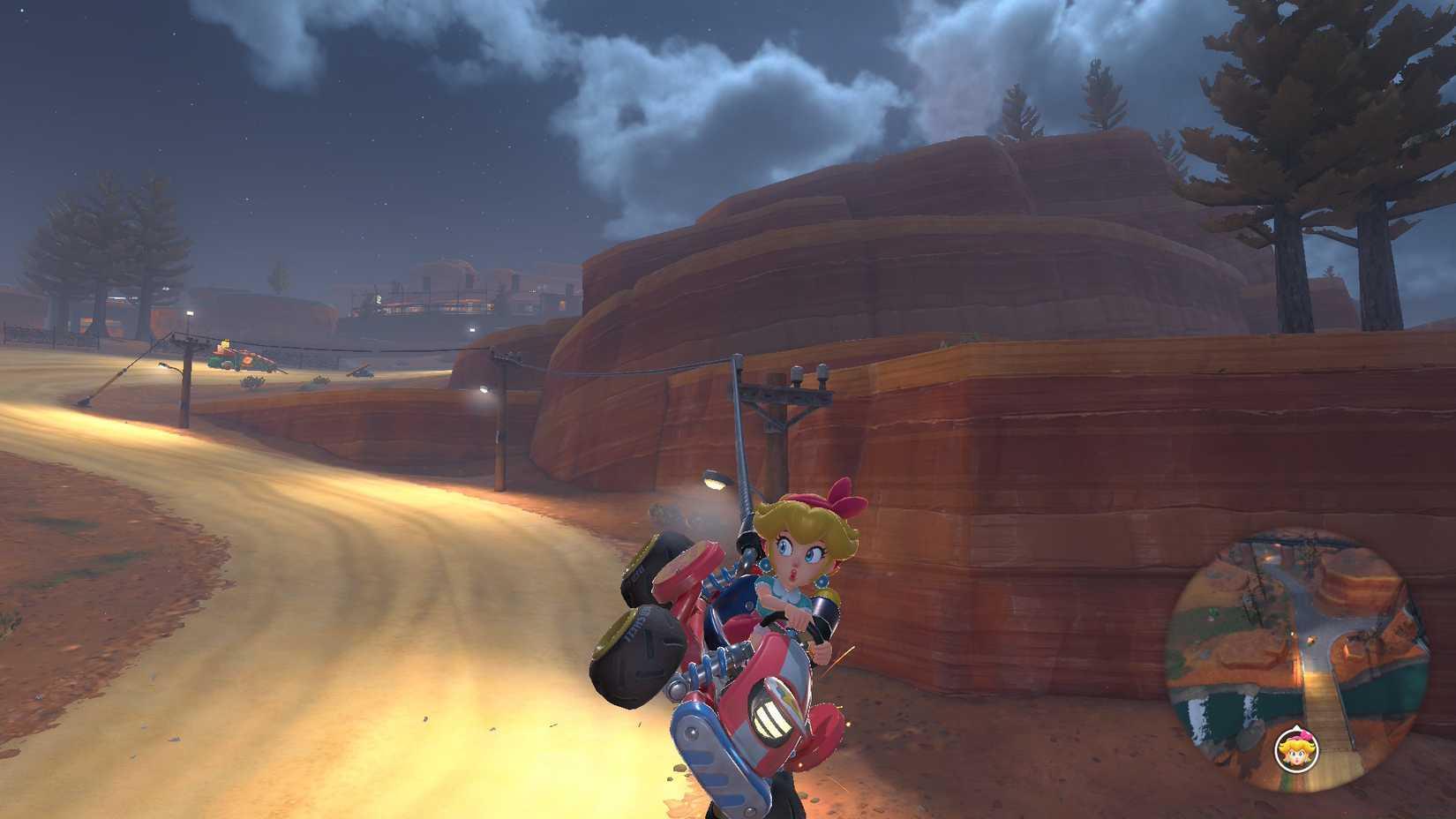
Image: Nintendo via Polygon
For players transitioning away from Smart Steering, implement a structured practice regimen: begin with familiar courses to build confidence, gradually introducing more technically demanding tracks. Focus on maintaining inner racing lines through corners and practice intentional off-track excursions to understand shortcut activation points. This methodical approach mirrors the progressive learning curves discussed in our Complete Guide to other gaming systems.
Seasoned competitors should completely disable Smart Steering except when learning fundamentally new course layouts. The temporary speed reduction from brief off-track excursions typically proves less detrimental than the permanent accessibility limitations imposed by the automated system. Mastering manual course correction provides greater overall race consistency and access to the game’s full strategic depth.
Did you recently acquire a Nintendo Switch 2? Are you working toward unlocking all characters and customization options in Mario Kart World? Perhaps you’re experiencing The Legend of Zelda: The Wind Waker for the first time and require assistance with those challenging Forsaken Fortress navigation sequences? Regardless of your gaming objectives, our comprehensive resources provide the guidance necessary for mastering these experiences.
We offer detailed tutorials covering console configuration (including data migration from original Switch systems) along with peripheral setup guides for external storage solutions and accessory optimization.
Action Checklist
- Enable Smart Steering during first 5-10 races to learn basic controls
- {‘step’: ‘2’, ‘practice’: ‘Navigate 3 different courses without wall collisions using Smart Steering’, ‘difficulty’: ‘Beginner’, ‘time_estimate’: ’20 minutes’}
- Disable Smart Steering on familiar courses and practice manual cornering
- Identify and practice 2-3 key shortcuts on each course with Smart Steering disabled
- Master advanced techniques like drift boosting and grind rail usage without assistance
No reproduction without permission:SeeYouSoon Game Club » What is Smart Steering in Mario Kart World? Master Mario Kart World's Smart Steering feature to improve racing performance and discover hidden shortcuts