
TL;DR
- Roblox Parties enable cross-platform multiplayer sessions without third-party apps
- Party hosts control game selection and member management with safety features
- Current text-only chat will expand to voice communication in future updates
- Safety controls allow disabling party chat and managing participant access
- Persistent parties remain available between gaming sessions for convenience
Roblox’s integrated Party system transforms how players connect and enjoy multiplayer experiences together. This built-in feature eliminates the need for external communication platforms like Discord, providing a seamless way to gather friends across different devices into shared gaming sessions.
The platform’s cross-platform compatibility means iOS, Android, PC, and Xbox users can all participate in the same Party without compatibility issues. Whether you’re coordinating strategies or simply hanging out, Parties create persistent social hubs that remain active between your gaming sessions.
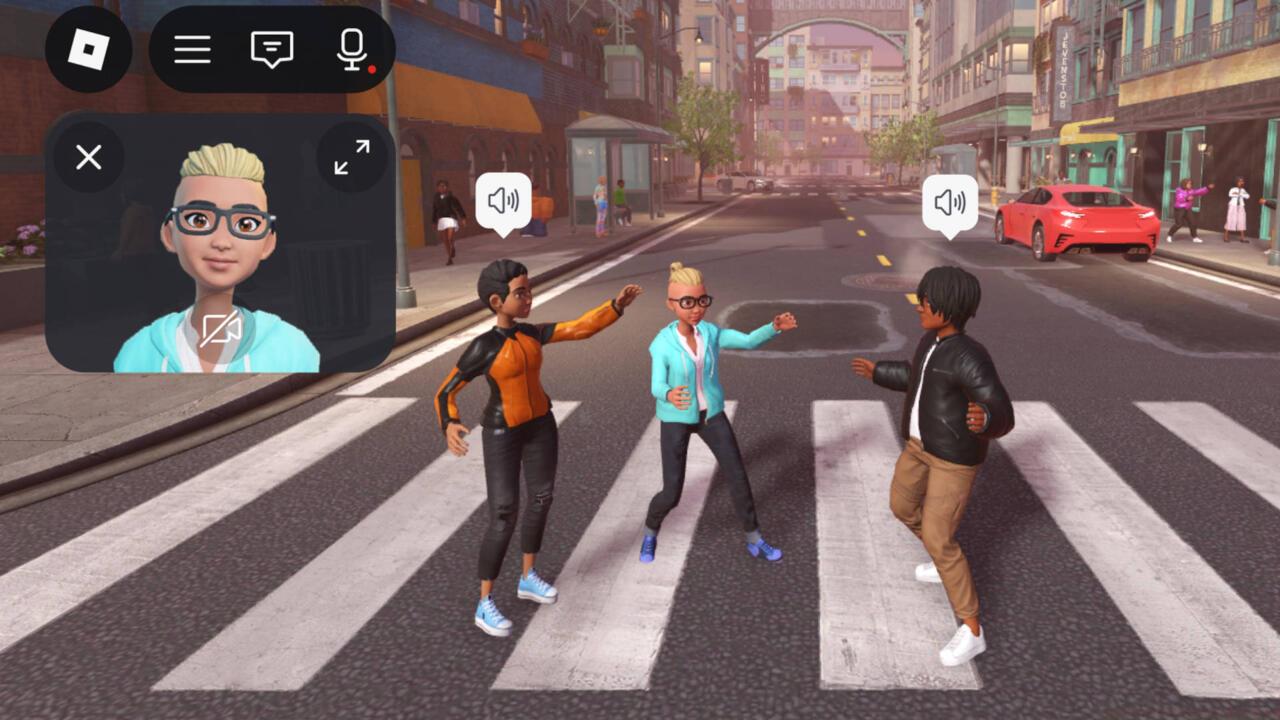
Roblox has confirmed voice chat functionality is in development, expanding beyond the current text-based communication system. This upcoming feature will enhance real-time coordination during intense gaming moments.
Parties currently support up to 50 members, though optimal performance typically occurs with groups of 10-15 players depending on the game’s requirements. Understanding these limitations helps plan successful gaming sessions without performance degradation.
Initiating a Roblox Party begins by launching the application on your preferred device and navigating to the dedicated Party tab. Look for the prominent plus symbol to begin assembling your guest list from existing friends. After curating your participant roster, activate the Join command to distribute invitations across the platform.
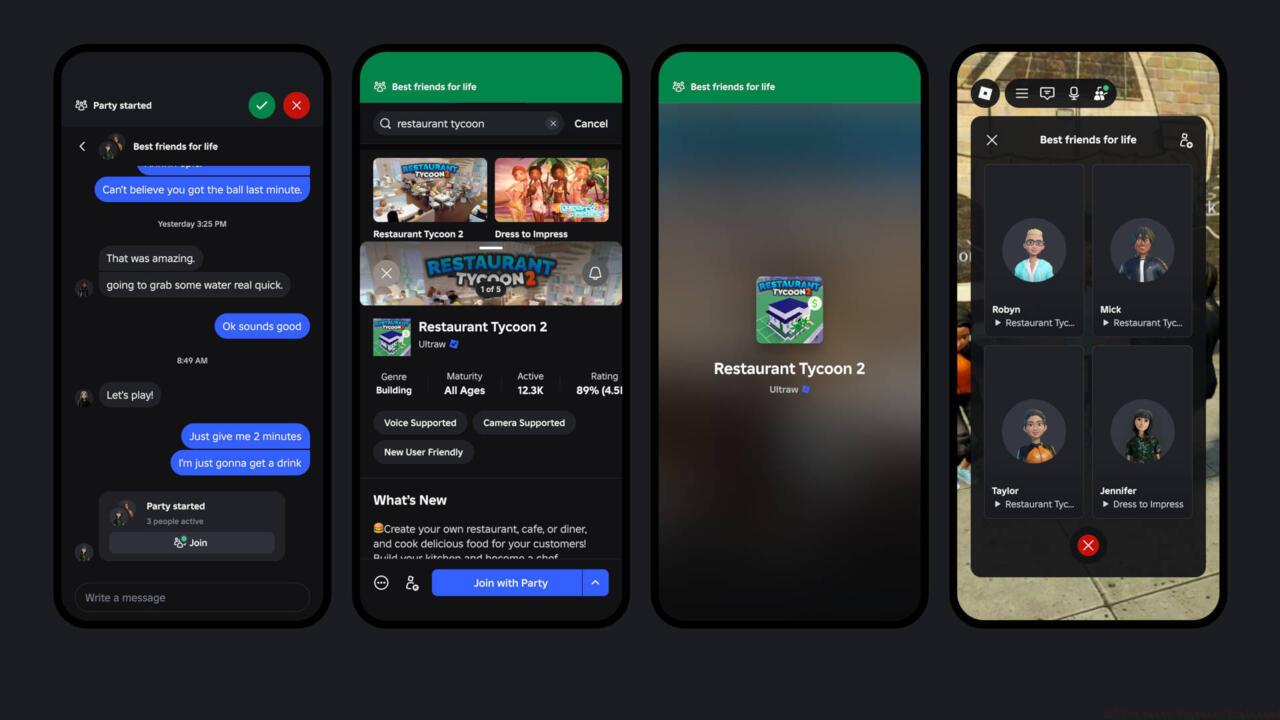
Party hosts maintain administrative control over game selection and participant management, with interface consistency across mobile and desktop platforms.
Once all invited players have assembled in your Party lobby, you gain access to the experience selection interface. This centralized menu lets you browse and choose games that accommodate your entire group, then send unified join requests that synchronize everyone’s entry into the selected experience.
To incorporate additional players into an established Party, access the group management panel via the three-dot menu in the upper right corner. Select the ‘Add Connections’ option, input the desired username, and confirm with the Add button to expand your social circle.
Pro Tip: Create themed Parties for specific game genres, allowing friends with shared interests to easily find and join appropriate sessions. Naming your Parties descriptively (like ‘Friday Night Obby Crew’ or ‘Builder’s Club Session’) helps members identify relevant gaming opportunities.
Roblox implements several protective measures within the Party system to maintain secure gaming environments. Age verification and privacy settings automatically restrict feature availability based on account configurations, with additional manual controls accessible to party organizers.
Hosts can disable Party Chat entirely if conversations become disruptive or inappropriate. This nuclear option immediately converts the Party into a game-only grouping while maintaining all other collaborative functions. The setting is reversible at any time through the same control panel.
Member management tools allow hosts to remove participants who violate community standards or create negative experiences. Ejected players cannot rejoin without a new invitation, providing effective moderation capabilities.
Common Mistake: Many hosts overlook the ‘Add Connections’ feature when trying to expand their Parties, instead attempting to create entirely new groups. This unnecessary duplication fragments friend networks and complicates coordination.
Privacy configurations let you determine whether your Party appears in public searches or remains invitation-only. For younger players or sensitive gaming sessions, setting Parties to private ensures only approved participants can locate and join your group.
Regularly review your Party’s participant list and remove inactive members to maintain an engaged community. This practice also helps identify potential security concerns from unknown participants who may have joined through shared invitations.
Certain Roblox experiences particularly shine when enjoyed with organized Parties. Tower of Hell represents an excellent choice for competitive groups, challenging participants to race through obstacle courses while tracking individual progress rankings.
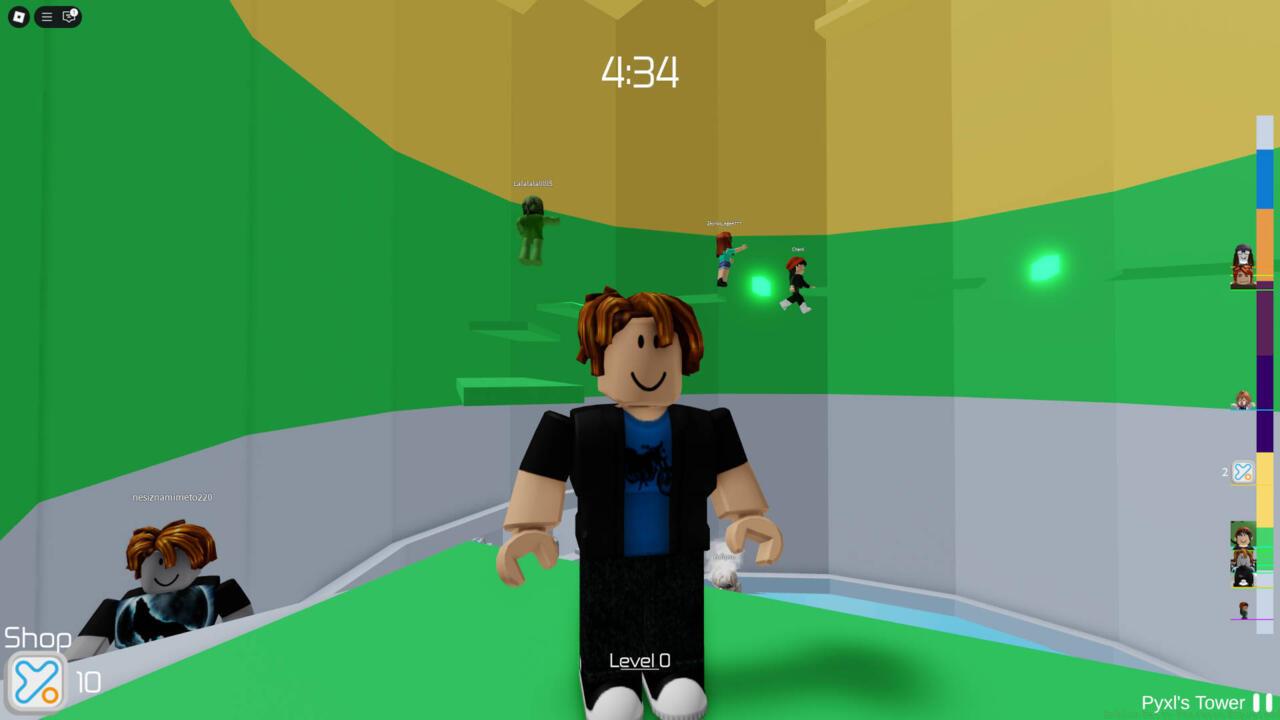
Tower of Hell exemplifies the competitive party dynamic, where friends can compare climbing speeds and achievement milestones in real-time.
Adventure titles like Natural Disaster Survival create shared memorable moments as your group collaboratively navigates environmental challenges. These experiences strengthen social bonds through cooperative problem-solving.
For strategic teams, military simulation games provide complex coordination challenges that benefit from Party organization. These experiences often feature role assignment and tactical planning that align well with structured groups.
Game Selection Strategy: Evaluate potential games based on their maximum player capacity, stability with large groups, and communication requirements. Games with built-in voice chat compatibility will transition seamlessly when Roblox introduces native voice features.
Consider creating a rotation of 3-5 preferred Party games to maintain variety and accommodate different playstyles within your friend group. This approach prevents gaming fatigue and keeps participation engagement high across multiple sessions.
Action Checklist
- Navigate to Party tab and use plus icon to create new Party
- Select friends from your list and send Join invitations
- Configure privacy settings based on participant age and sensitivity
- Choose appropriate games from Party interface and coordinate entry
- Establish communication guidelines and moderation rules for your Party
No reproduction without permission:SeeYouSoon Game Club » Roblox Party Features Explained Master Roblox Party features for seamless multiplayer gaming with enhanced safety controls and friend management