
TL;DR
- Master touchscreen controls or use Bluetooth controllers for better precision
- Enable Auto-Run and Auto-Pickup to streamline movement and looting mechanics
- Understand inventory limitations and prioritize essential items over unnecessary gear
- Optimize loadouts automatically during late-game scenarios for competitive advantage
- Balance auto-features with manual oversight to avoid critical inventory mistakes
Begin your journey toward securing victory royales with these fundamental PUBG Mobile strategies designed specifically for newcomers.
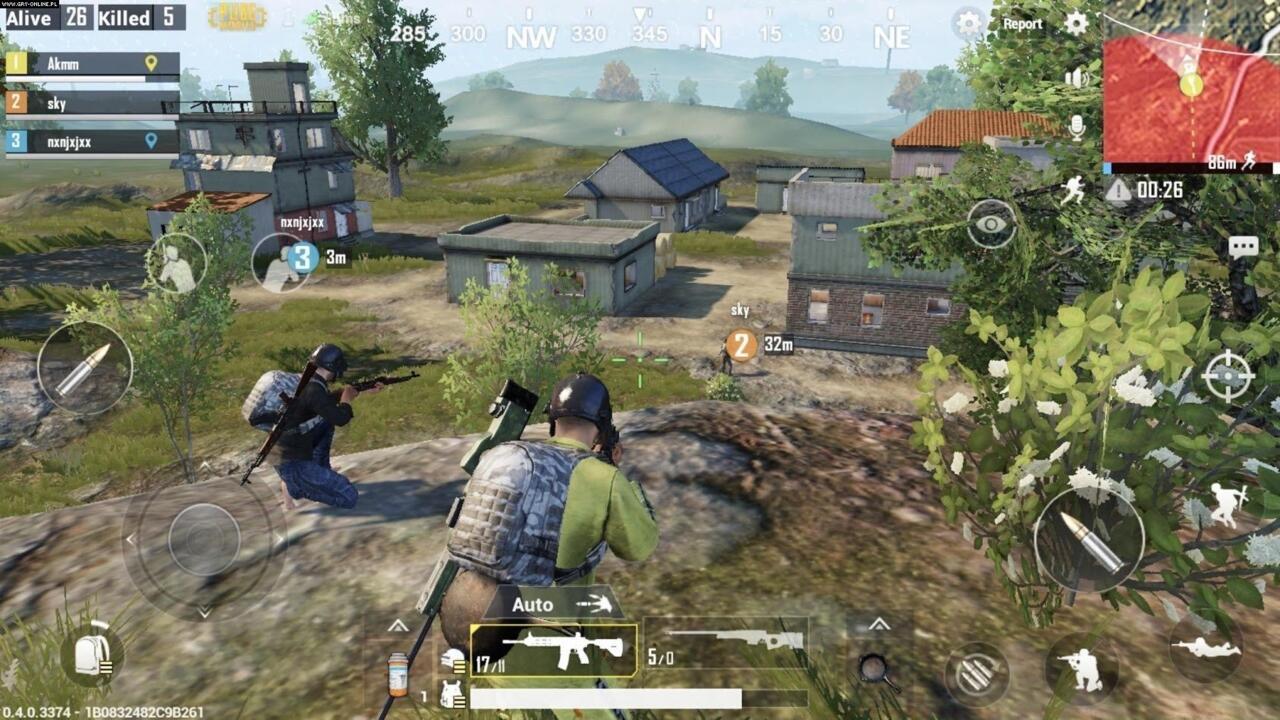
Maximize your early game performance with these essential PUBG Mobile techniques.
The battle royale phenomenon fundamentally transformed gaming landscapes during the late 2010s, with Fortnite eventually dominating mainstream popularity. However, PlayerUnknown’s Battlegrounds (PUBG) maintains its historical significance as the genre’s pioneering title that established core gameplay mechanics.
While PUBG maintains strong presence on consoles and PC platforms, its mobile adaptation has dramatically expanded accessibility. PUBG Mobile delivers the complete battle royale experience optimized for iOS and Android devices. Whether you’re a seasoned veteran or completely new to the genre, these strategic insights will significantly improve your chances of achieving that coveted chicken dinner victory.
“Practice the controls” represents more than obvious advice—it’s the foundation of mobile gaming proficiency. Since PUBG Mobile operates exclusively through touchscreen interfaces, players accustomed to traditional controllers face substantial adaptation challenges that require deliberate practice.
Dedicate your initial matches exclusively to familiarization with the control layout, noting the strategic placement of dual Fire buttons on opposite screen edges and various gesture-based commands. If after several sessions the touch interface remains frustrating, consider connecting a Bluetooth-compatible controller to your mobile device for more familiar input methods.
Many professional mobile gamers actually prefer touch controls for their customizable layouts and direct input response, though this requires significant muscle memory development. Controller users gain immediate comfort but may sacrifice some customization options available in the touch interface.
For players committed to touchscreen gameplay, activating Auto-Run and Auto-Pickup functions dramatically improves quality of life. These automated systems eliminate the need for constant manual input during movement and looting sequences, allowing better focus on tactical decisions.
Auto-Run functionality enables sustained sprinting without continuous screen pressure, conserving both physical effort and mental attention. Similarly, Auto-Pickup streamlines equipment collection by automatically gathering items until inventory capacity reaches maximum limits.
The Auto-Pickup feature proves particularly valuable during mid-to-late game scenarios by intelligently upgrading your arsenal when superior weapons become available. This automation extends to post-engagement looting, where the system efficiently filters through eliminated opponents’ gear to selectively acquire only the most beneficial items for your current loadout.
Advanced players should note that Auto-Pickup includes customizable priority settings—you can configure whether the system prioritizes medkits over boost items, specific weapon types, or attachment compatibility. This weapons optimization approach mirrors strategic loadout management found in other tactical shooters.
While we strongly recommend Auto-Pickup for novice players, exercise strategic caution regarding inventory constraints. Initial carrying capacity remains severely limited before acquiring expanded backpacks scattered throughout the game world.
Until securing larger storage containers, consciously prioritize essential equipment over situational items. More critically, maintain constant awareness of your inventory limitations to avoid critical mistakes during combat situations.
The most common inventory error involves standing motionless over desirable loot while struggling with capacity issues, creating vulnerable targets for opportunistic enemies. This fundamental mistake often leads to premature elimination before implementing more advanced strategies.
Strategic inventory management shares principles with comprehensive military shooter guides, where loadout efficiency determines engagement outcomes. Always pre-plan your ideal equipment composition before engaging in looting activities.
For players transitioning from other tactical games, understanding PUBG’s unique class-specific loadout principles can accelerate adaptation, though the mechanics differ significantly between titles.
Action Checklist
- Complete 3 training matches focusing exclusively on control familiarization
- Configure Auto-Run and Auto-Pickup settings in the game options menu
- Practice inventory management in safe zones before engaging in combat
- Test Bluetooth controller connectivity if touch controls feel uncomfortable
- Develop personalized loot priority list based on your preferred playstyle
No reproduction without permission:SeeYouSoon Game Club » PUBG Mobile Beginner’s Guide: 10 Tips To Help You When You Drop Into The Fray Master PUBG Mobile with essential control tips, auto-settings optimization, and inventory management strategies