
TL;DR
- Use Social menu (default J key) with username#tag format for cross-platform friend adding
- Create six-player parties through invitation system with flexible member management options
- Enable couch co-op by connecting additional controllers for local multiplayer sessions
- Cross-play is enabled by default but can be disabled for platform-specific matchmaking
- Guild integration provides additional social connectivity and party formation shortcuts
Path of Exile 2 delivers a robust cooperative experience that transforms the traditional ARPG journey into a shared adventure. The game’s architecture supports seamless multiplayer integration across its extensive three-act campaign and diverse endgame systems, allowing players to choose between solitary exploration or collaborative gameplay.
Unlike many action RPGs that limit cooperative play, Path of Exile 2 embraces social interaction as a core component. You can venture through Wraeclast alone, relying solely on your character’s capabilities, or assemble a formidable six-player squad to conquer challenges together. The system accommodates any party size up to the maximum capacity, providing flexibility for different playstyles and group compositions.
The transition from solo to group play introduces unique logistical considerations that require understanding the game’s social mechanics. This guide breaks down every essential aspect of connecting with other players and establishing functional multiplayer sessions.
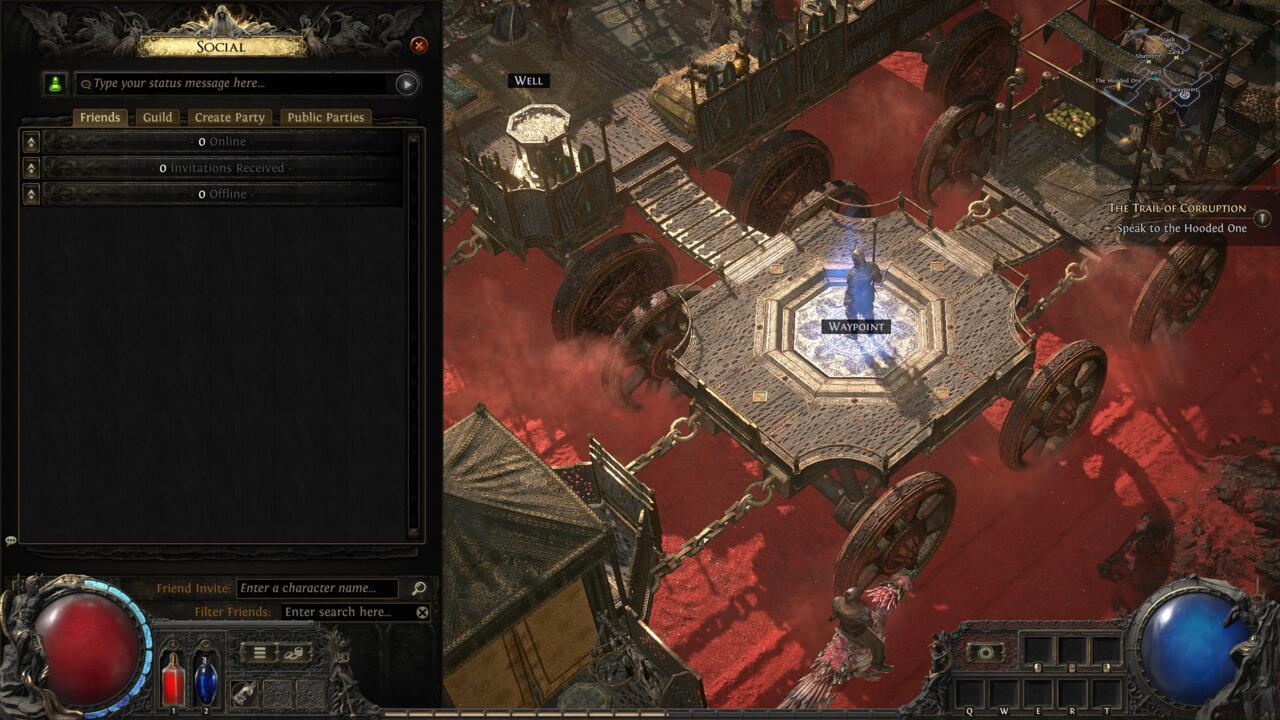
The Social menu in Path of Exile 2.
Path of Exile 2 simplifies the friend connection process through a universal identification system that works identically across all supported platforms. Each player possesses a unique combination of display name and numerical tag, similar to modern gaming platforms like Discord or Battle.net, ensuring precise targeting regardless of hardware differences.
To initiate a friend connection, access the Social interface by pressing the default J key, then navigate to the Friends section. Locate the Friend Invite input field and carefully enter your companion’s complete identifier—both their chosen username and the numerical value following the # symbol. Accuracy is crucial here, as even minor typographical errors will prevent successful connection.
Beyond direct invitations, the Social panel serves as your central hub for managing all interpersonal connections. The Invitations Received subsection displays pending friend requests, while additional sections categorize your contacts by online status and recent activity. This organizational structure helps you quickly identify available gaming partners.
The interface maintains functional consistency between control schemes, though visual presentation differs between keyboard/mouse and controller layouts. Both input methods require identical information for establishing connections, ensuring no player is disadvantaged by their preferred control method.
Guild membership unlocks supplementary social features that streamline party formation. By accessing the Guild tab within the Social menu, you can view your organization’s roster, identify online members, and extend party invitations directly. This integration creates efficient pathways for organized group play and simplifies coordination among regular teammates.
Establishing a multiplayer session in Path of Exile 2 involves a straightforward invitation workflow that builds upon established friend connections. Once you’ve populated your friends list with potential companions, initiating group play requires just a few additional steps beyond the basic connection process.
Party Formation Process: Navigate to the party management section within the Social interface, typically accessible through a dedicated tab or submenu. From here, you can view your current party status, extend invitations to specific friends, or join existing groups through received requests.
Member Management: Successful party leaders understand how to balance group composition for optimal performance. The game allows dynamic member adjustments during sessions, enabling you to adapt to changing availability or strategic requirements without disrupting ongoing gameplay.
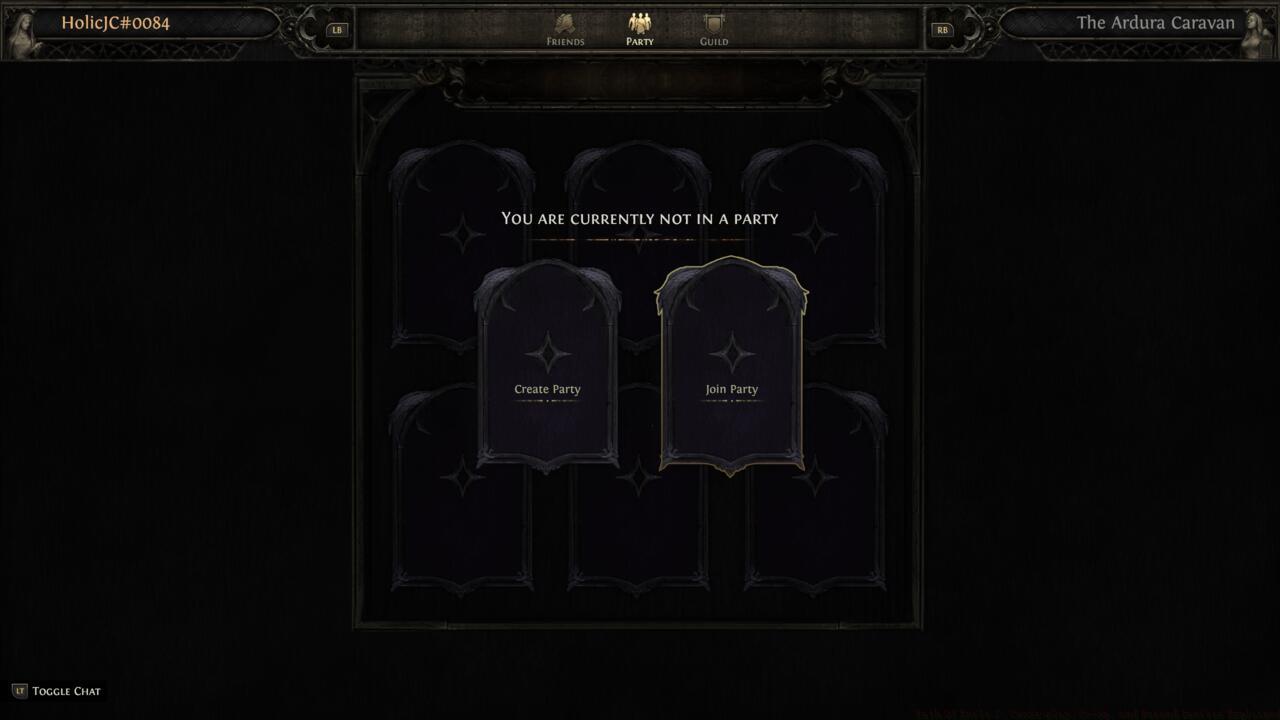
Creating or making a party in the Social menu.
Advanced Party Features: Beyond basic grouping, Path of Exile 2 incorporates sophisticated party mechanics including shared loot distribution options, experience scaling calculations, and difficulty adjustments based on group size. Understanding these systems ensures all participants benefit equally from cooperative play.
Common party management mistakes include failing to establish loot rules beforehand, neglecting to balance character roles, or attempting content beyond the group’s collective capability. These issues can be mitigated through clear communication and proper preparation before embarking on challenging encounters.
Path of Exile 2 extends its multiplayer capabilities to local cooperative play through an intuitive couch co-op system. This feature enables multiple players to share a single gaming session on one device, perfect for households with multiple interested players or social gaming situations.
Local Multiplayer Setup: Activating couch co-op requires minimal technical knowledge. Simply connect additional controllers to your gaming system—the game automatically detects new input devices and provides prompts for character selection and joining.
Connecting a second controller will let you play in couch co-op.
Controller Configuration: Each participating player can customize their control scheme independently, ensuring personal preference doesn’t compromise gameplay comfort. The system supports various controller types and configurations across different platforms.
Shared Screen Experience: Unlike online multiplayer where players can explore separately, couch co-op maintains a unified camera perspective. This design encourages cooperative positioning and strategic coordination, as all participants must remain within proximity during gameplay.
Optimization tips for local co-op include adjusting UI scaling for better split-screen visibility, coordinating skill selections to complement rather than conflict, and establishing communication protocols for resource management and tactical decisions.
Path of Exile 2’s cross-platform functionality represents one of its most significant social features, eliminating traditional barriers between gaming ecosystems. This system operates transparently in the background, allowing seamless connections regardless of whether your friends play on PC, PlayStation, or Xbox.
Cross-Platform Functionality: The game’s architecture ensures compatibility across all supported systems without requiring additional configuration from players. Friend connections and party formations work identically regardless of platform combinations.
Performance Considerations: While cross-play enhances connectivity, it introduces unique technical considerations. Network performance may vary between platforms due to different infrastructure capabilities, though the game implements sophisticated synchronization to minimize disparities.
Network Optimization: For the best cross-platform experience, ensure your internet connection meets recommended specifications. Wired connections typically provide more stable performance than wireless, particularly during intense combat sequences with multiple players and complex visual effects.
Advanced players should consider platform-specific performance characteristics when forming mixed groups. Understanding these nuances helps anticipate potential technical challenges and implement appropriate solutions before they impact gameplay.
If desired, cross-play functionality can be disabled through game settings, restricting matchmaking and social features to your specific platform. This option may appeal to players seeking more consistent performance or platform-specific community interactions.
Action Checklist
- Access Social menu using J key and navigate to Friends section
- Collect friend usernames with #tag numbers for accurate identification
- Send friend invitations and monitor Invitations Received for responses
- Form party by inviting connected friends through Social interface
- Configure loot rules and party settings before embarking on content
- For couch co-op, connect additional controllers and follow on-screen prompts
No reproduction without permission:SeeYouSoon Game Club » Path Of Exile 2: Cross-play, Co-op, and Friend Invites Explained Master Path of Exile 2 multiplayer with comprehensive friend adding, party creation, and co-op strategies