
TL;DR
- Configure SOS Flare settings through Alma at camp to control multiplayer preferences
- Access SOS Flare via radial wheel Actions tab with strategic timing considerations
- Three specialized AI companions provide distinct combat roles and tactical advantages
- Remove companions strategically during capture missions to prevent accidental kills
- Balance AI support with player recruitment for optimal hunting efficiency
Venture through the treacherous Forbidden Lands with reliable backup by mastering the Support Hunter system in Monster Hunter Wilds. While your loyal Palico remains a constant companion, the game introduces AI-controlled adventurers who can dramatically shift battle dynamics. These NPC allies provide tactical advantages that can mean the difference between victory and defeat against formidable monsters.
Support Hunters represent a sophisticated AI companion system designed to assist solo players or supplement multiplayer sessions. Understanding when and how to deploy these allies transforms your hunting strategy, offering both combat support and specialized abilities that complement your playstyle.
Before activating the SOS Flare, configure your preferences by speaking with Alma at your base camp. The settings panel offers comprehensive control over your multiplayer experience with these key options:
- Max Members: Adjust squad size from 1 to 4 hunters total
- Multiplayer Settings: Choose between Players and Support Hunters, Only Players, or Only Support Hunters
- Automatic SOS Flare: Enable automatic activation at quest start or maintain manual control
- Quest Join Settings: Automatically accept joining hunters or manually approve each request
- Platform Permissions: Enable crossplay across all platforms or restrict to your specific platform
The SOS Flare Quest settings provide additional filtering capabilities, allowing you to specify monster types, difficulty levels, quest categories, and platform preferences. Use the SOS Flare Search function to locate other hunters undertaking specific missions.


You can choose from various settings related to joining or inviting for quests (left) and searching for SOS Flare quests (right).
Activate the SOS Flare during quests by accessing the radial wheel and selecting the Actions tab. The SOS Flare icon appears among available options, but requires careful timing for optimal effectiveness.
Your configured Multiplayer Settings determine who responds to your distress signal. With the default Players and Support Hunters setting active:
- During offline or online single-player sessions, AI-controlled Support Hunters will join your hunt, traveling from the nearest base to your position
- Human players searching for cooperative opportunities may spot your SOS request and replace AI companions in your squad
Pro Tip: Fire your SOS Flare before engaging hostile monsters since the activation animation requires significant time. Strategic placement ensures allies arrive before critical combat phases begin.
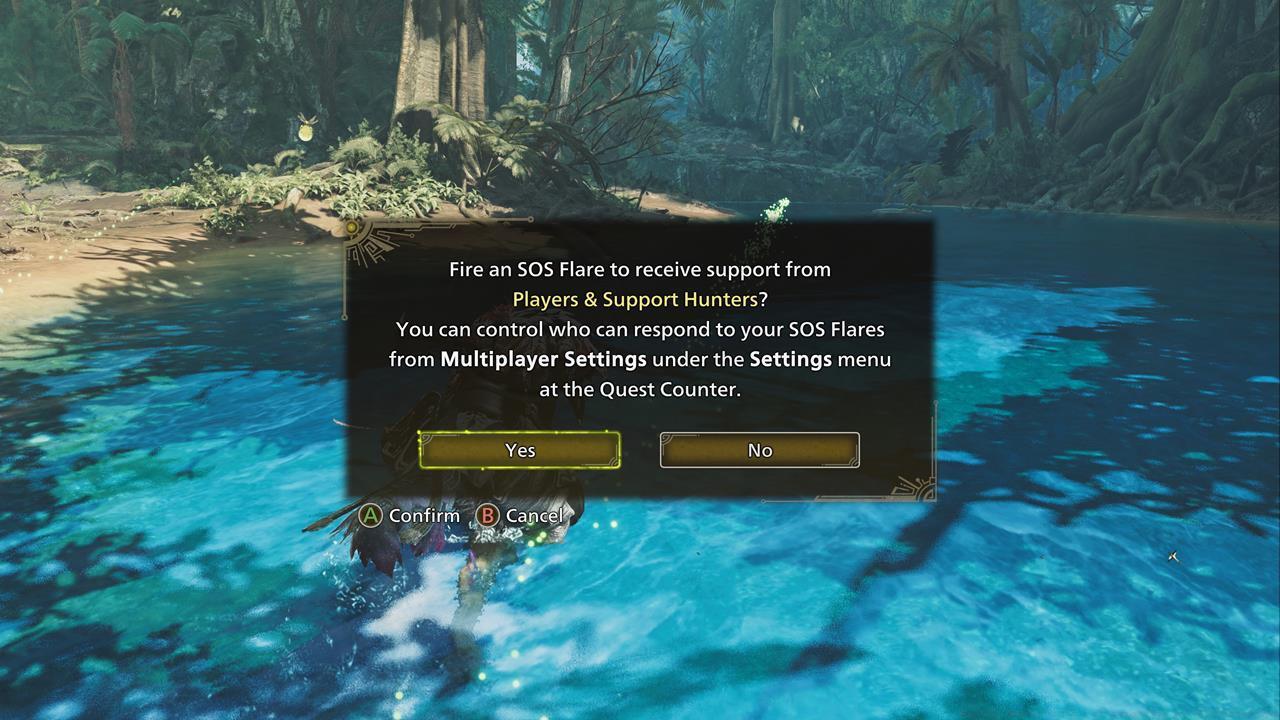
Be sure to fire your SOS Flare prior to engaging a hostile since it has a long animation time.
Monster Hunter Wilds features three distinct AI companions, each mastering specific weapon types that create unique combat synergies:
- Alessa: Lance specialist providing defensive capabilities and aggro management
- Olivia: Hammer expert delivering stunning blows and knockout potential
- Rosso: Heavy Bowgun user offering ranged support and elemental damage
These companions demonstrate advanced combat intelligence, including healing you and themselves during critical moments, focusing attacks on wounded monster parts for increased damage, deploying traps strategically, and displaying contextual reactions to battle developments.
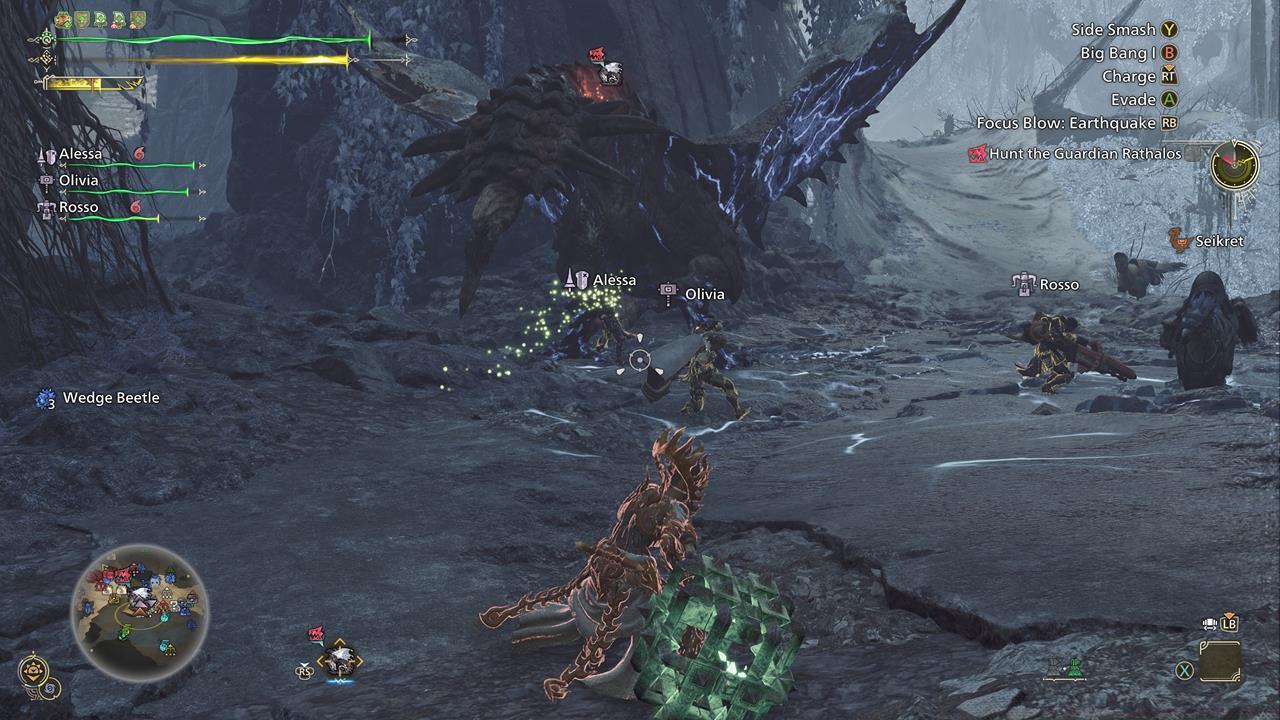
Your three AI companions should be more than a match against tough foes. However, once you summon them, your Palico will return to the nearest base.
While AI companions provide substantial combat advantages, strategic removal becomes necessary during specific scenarios, particularly capture missions. Since successful captures require weakening monsters without delivering fatal blows, companion dismissal prevents accidental kills that would ruin capture opportunities.
Remove companions through the Start menu by navigating to Missions & Quests -> Support Hunter Info. Alternatively, reselect the SOS Flare action via the radial menu, though this method occasionally experiences bugs where companions fail to depart automatically.
Common Mistake: Many hunters forget to dismiss AI allies before attempting captures, resulting in failed missions and wasted resources. Establish a pre-capture checklist that includes companion dismissal as a mandatory step.
Seasoned hunters can maximize the SOS Flare system by understanding these advanced mechanics:
- Companion weapon specializations create elemental advantage opportunities against specific monster types
- AI behavior patterns include environmental interaction beyond basic combat functions
- Strategic timing of companion dismissal and recruitment can create windows for specialized tactics
- Different multiplayer settings combinations work best for specific hunt types and player skill levels
Action Checklist
Executable step checklist for mastering AI companions and SOS Flare system
No reproduction without permission:SeeYouSoon Game Club » Monster Hunter Wilds – AI Companions And SOS Flare Guide Master AI companions and SOS Flare mechanics to optimize your Monster Hunter Wilds multiplayer experience