
TL;DR
- Complete Picking Up the Slack quest to access Eufaula Salvage ruins
- Manage stamina and inventory space for efficient ruin exploration
- Use Scanner effectively to identify camera piece locations among 11 floors
- Collect three camera pieces for relic restoration machine assembly
- Master photo mode’s poses, filters, and camera controls for perfect shots
Capture stunning moments throughout your Sandrock adventure by mastering the game’s photography system. While many contemporary titles include instant photo features, My Time at Sandrock requires dedicated exploration to unlock this functionality. You’ll need to venture deep into hazardous ruins to gather specialized components before assembling your photographic equipment.
Before embarking on your camera component quest, ensure you’ve met these critical requirements:
The Eufaula Salvage Abandoned Ruins present a multi-level excavation challenge spanning 11 distinct floors. Navigation proves difficult as progression paths frequently remain concealed behind destructible walls and debris. Fortunately, your Scanner tool (activated by pressing “F” on keyboard) reveals critical environmental markers when properly utilized.
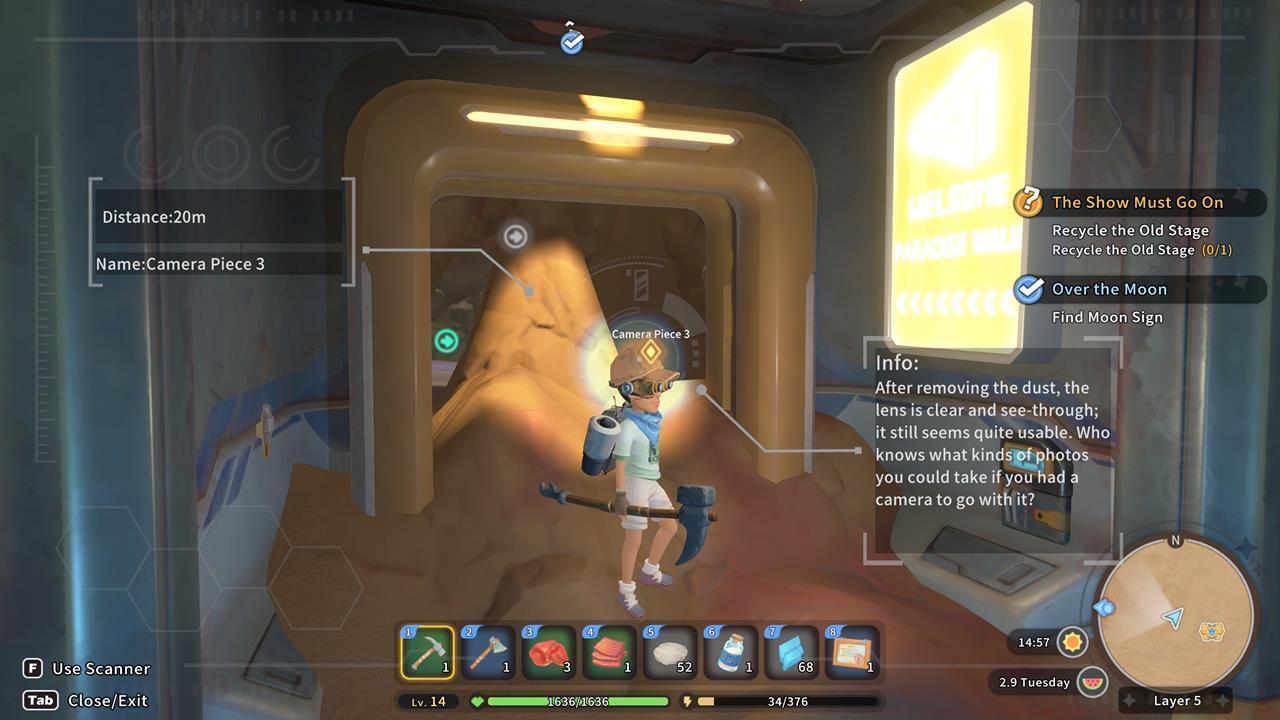
Scanner enhancements that display item identification dramatically improve excavation efficiency and target acquisition.
Understanding Scanner iconography is essential for efficient exploration:
Pro tip: Camera pieces typically spawn on middle to lower floors (5-9), so prioritize reaching these levels quickly. Avoid exhausting stamina on upper floor excavation unless necessary for progression. Consider bringing stamina-restoring foods like Salted Fish or Dried Meat for extended digging sessions. Many players waste time on fully clearing each floor—focus instead on locating the green passageway markers to descend efficiently.
After successfully retrieving all three camera components, head to your workshop’s Relic Restoration Machine. This specialized equipment requires all pieces to be in your inventory simultaneously. The assembly process consumes no additional resources beyond the collected fragments themselves.
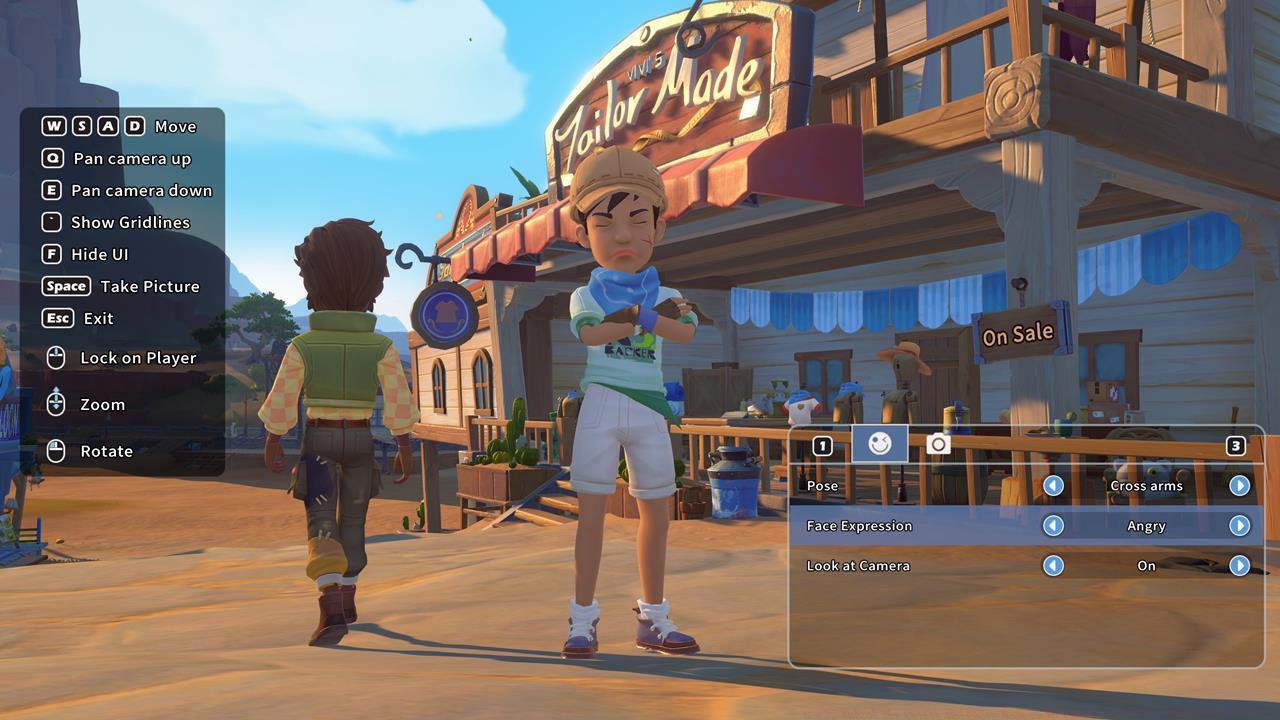
Photo Mode offers diverse character expressions and dynamic posing options alongside comprehensive camera control systems.
Once activated, Photo Mode provides extensive creative control:
Advanced photography tip: Time your shots during golden hour (early morning or late afternoon) for naturally enhanced lighting. Experiment with different weather conditions—rainy days create unique reflective surfaces while sandstorms add dramatic atmospheric effects. For group photos, position NPCs using conversation interactions before activating photo mode.
If you’re enjoying the progression systems in My Time at Sandrock, you might appreciate our Class Guide for optimizing character builds in other games.
Action Checklist
- Complete Picking Up the Slack quest and construct the crane
- Upgrade inventory capacity and gather stamina restoration items
- Navigate Eufaula Salvage ruins using Scanner to locate three camera pieces
- Assemble camera at Relic Restoration Machine
- Experiment with photo mode poses, filters, and camera controls
No reproduction without permission:SeeYouSoon Game Club » How To Unlock The Camera And Photo Mode In My Time At Sandrock – Camera Pieces Guide Complete guide to finding camera parts and activating photo mode in My Time at Sandrock with expert strategies