
TL;DR
- SteamVR’s Room-Scale and Standing Only modes both support seated play with different space requirements
- Proper height calibration is crucial for seated gameplay – calibrate while sitting with headset on
- Switching between standing and seated play requires recalibration each time for optimal tracking
- Accessibility features include one-handed mode, comfort settings, and motion sickness reduction options
- Seated play extends VR accessibility to players with limited mobility or space constraints
Configuring SteamVR and adjusting in-game settings enables comfortable seated gameplay for Half-Life: Alyx, making extended VR sessions more accessible.
Valve’s flagship VR title incorporates extensive accessibility options catering to diverse player needs, including those with physical limitations, VR newcomers, and individuals susceptible to motion discomfort. The seated play functionality stands out as particularly valuable for extended gameplay sessions.
While many contemporary VR titles support seated configurations, Half-Life: Alyx’s status as a full-length, VR-exclusive narrative experience makes this feature especially important. Unlike hybrid games that offer flat-screen alternatives, this title demands VR immersion, thus requiring robust accessibility solutions.
This guide focuses specifically on seated play configuration. For comprehensive coverage of difficulty adjustments, motion sickness mitigation, one-handed control schemes, and additional accessibility parameters, consult our detailed Complete Guide to VR accessibility features.
Before diving into Half-Life: Alyx, completing SteamVR’s room configuration is essential. The initial setup presents a choice between Room-Scale and Standing Only configurations – terminology that often causes confusion among new VR users.
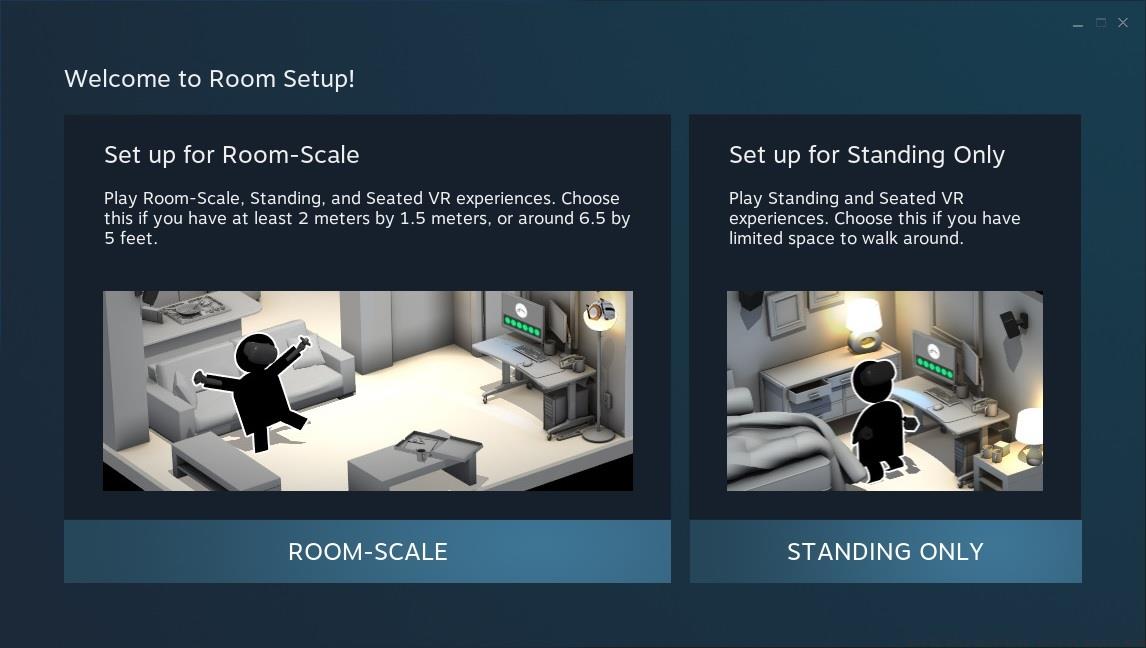
The Room Setup window in SteamVR.
Contrary to what the labels suggest, both Room-Scale and Standing Only modes accommodate seated VR experiences. The Room-Scale option requires approximately 6.5 x 5 feet of clear space but supports standing and seated play interchangeably. Standing Only mode, designed for confined spaces, similarly enables seated gameplay regardless of your physical position during sessions.
Selection should align with your available physical space, but note that switching between standing and seated configurations necessitates recalibration, especially important for shared VR setups where multiple users might employ different play styles. Understanding these distinctions early prevents frustration and ensures optimal tracking performance.
VR veterans typically understand their preferred configuration settings, but newcomers should anticipate several calibration attempts to achieve ideal positioning. Floor height calibration demands particular attention during this process.
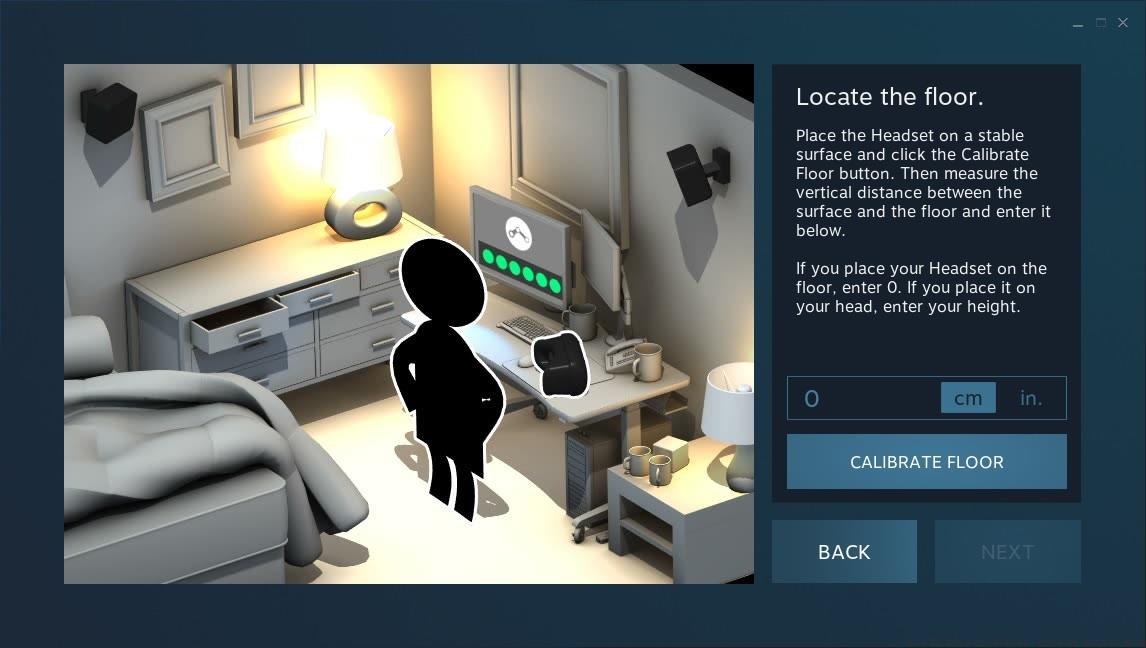
Height calibration in SteamVR setup.
For seated gameplay, the most effective approach involves wearing your headset while seated during the calibration process, establishing your eye level from a sitting position rather than measuring floor distance. This technique ensures accurate interaction height for in-game objects and prevents unnatural arm positioning that can cause fatigue during extended sessions.
Many users overlook that switching between standing and seated modes requires complete recalibration each time. The system needs to recalculate your center of mass and interaction zone, which differs significantly between these positions. Consistent calibration prevents tracking issues and maintains immersion throughout your gameplay experience.
Beyond basic setup, several optimization techniques enhance seated Half-Life: Alyx sessions. Adjusting the in-game seated height offset fine-tunes your perspective, while modifying comfort settings like snap turning reduces motion sickness triggers.
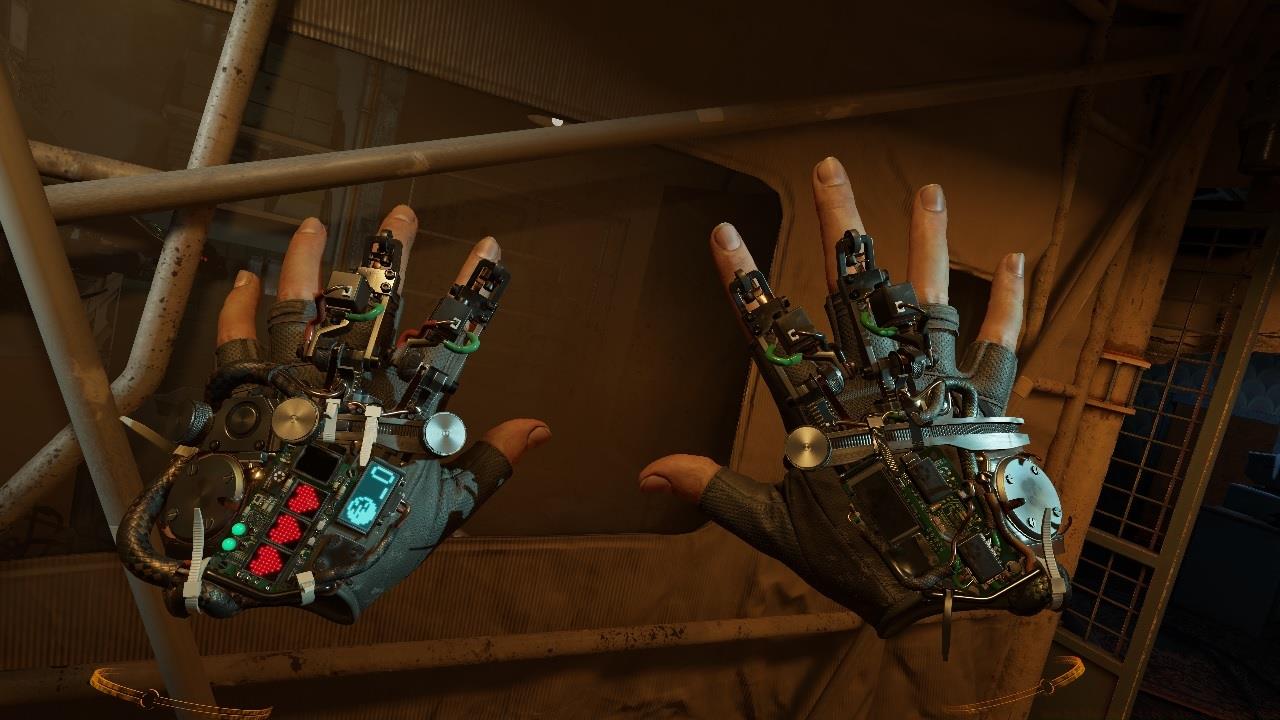
Alyx’s gravity gloves. It is possible to play Half-Life: Alyx with one hand.
Common mistakes include improper chair selection – avoid swivel chairs that can disrupt tracking, and ensure your play space remains consistent between sessions. For weapon handling optimization in seated mode, consult our Weapons Unlock guide for analogous control schemes.
Performance considerations for seated play include adjusting render resolution for clearer distant objects when you cannot physically lean closer. Additionally, configuring controller bindings for seated comfort, similar to optimization strategies discussed in our Class Guide, can significantly improve your comfort during extended gameplay sessions.
Advanced users should experiment with the accessibility menu’s advanced settings, including one-handed mode configurations that remap controls for single-handed operation, ideal for seated play with limited mobility.
Action Checklist
- Complete SteamVR room setup selecting either Room-Scale or Standing Only based on available space
- Calibrate height while seated with headset on to establish proper eye level
- Configure in-game seated height offset and comfort settings
- Test tracking and adjust play space to eliminate obstructions
- Experiment with accessibility features like one-handed mode and snap turning
No reproduction without permission:SeeYouSoon Game Club » How To Play Half-Life: Alyx In Seated Mode Master seated VR gaming with comprehensive SteamVR setup and accessibility optimization for Half-Life: Alyx