
TL;DR
- Access Avatar Editor through different navigation paths depending on your device platform
- Build your inventory strategically with free items before investing Robux in premium cosmetics
- Master emote and animation combinations to create unique character expressions
- Utilize advanced skin color customization for truly personalized avatar appearances
- Optimize your avatar’s performance by managing complexity across different devices
Personalizing your digital representation in Roblox begins with mastering the Avatar Editor, the central hub for all appearance modifications. This powerful tool allows you to transform your character’s look across thousands of gaming experiences, ensuring your avatar stands out in any virtual environment.
While the default Roblox character has its classic appeal, most players quickly seek to establish their unique identity through customization. The Avatar Editor serves as your primary workspace, though it’s important to note that some specialized games may override these settings with experience-specific avatars during gameplay sessions.
Beyond basic outfit coordination, the editor provides extensive control over your character’s movement style and emotional expressions. You can configure everything from casual walking animations to elaborate dance routines and combat stances, giving your avatar distinctive personality traits that enhance social interactions.
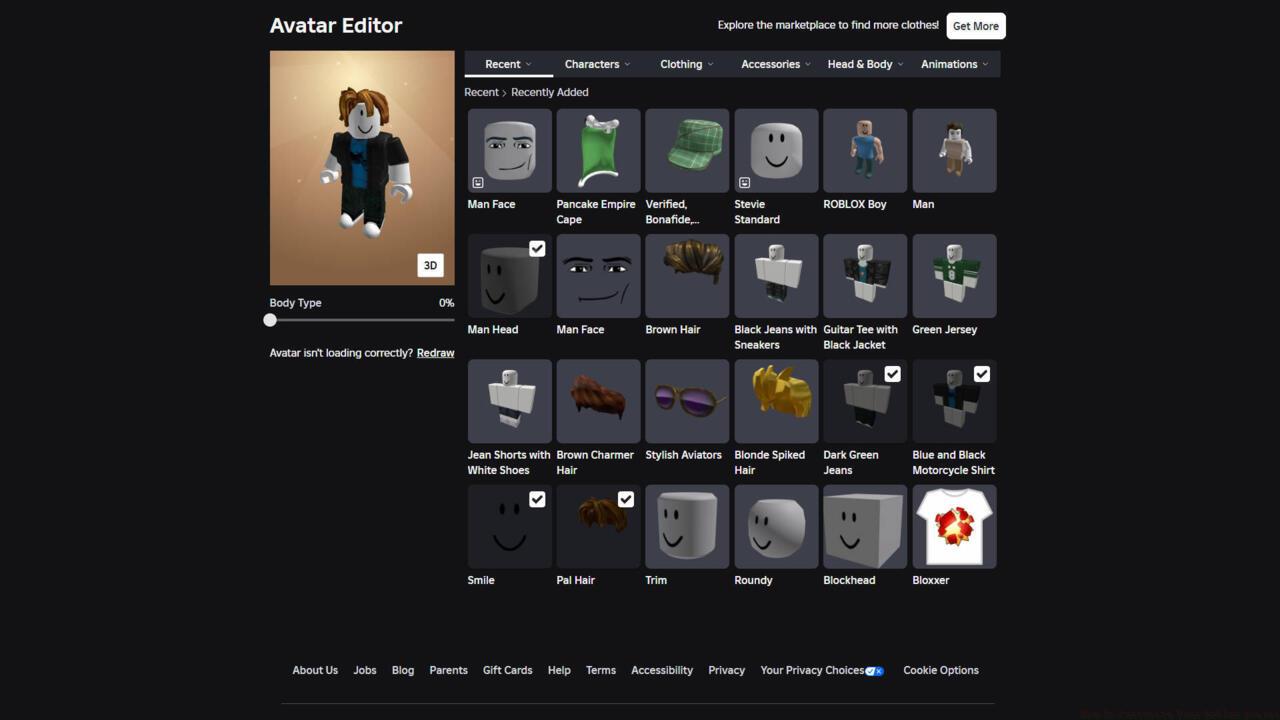
The Avatar Editor dashboard displays your recently obtained inventory items for quick access and equipping.
New players should prioritize avatar customization early in their Roblox journey, as it significantly impacts first impressions within the community. For those seeking additional guidance, we offer comprehensive beginner tutorials covering essential platform navigation and safety features that parents should review.
Roblox provides tailored customization experiences across desktop, mobile, and tablet devices, each with optimized interfaces for their respective platforms. Understanding these differences ensures efficient avatar management regardless of your preferred access method.
Desktop users will find the most comprehensive editing tools through the web interface. Navigate to the Avatar section in the left sidebar to launch the full-featured editor, where you can browse categories, preview items, and create sophisticated layered outfits with precision control.
Mobile and tablet players access customization through the dedicated Avatar tab at the screen’s bottom. The touch-optimized interface simplifies the process with larger buttons and swipe-friendly category navigation, though some advanced features may be streamlined for smaller screens.
Building your inventory strategically is crucial for effective customization. While premium items require Robux currency investments, numerous free alternatives exist through promotional events, creator giveaways, and seasonal offerings. Prioritize acquiring versatile base items before specializing in niche cosmetic collections.
Common Mistake: Many new players overlook the ‘Recently Acquired’ filter, which highlights new additions to your collection. This oversight leads to forgotten items and inefficient wardrobe management that limits customization potential.
When equipping items, the interface uses a simple toggle system—select any wearable to equip it, then select again to remove. This consistent interaction pattern works identically across all platform versions, reducing the learning curve when switching devices.
Emotes and animations represent the next level of avatar personalization, transforming static appearances into dynamic characters with unique behaviors. These movement packages range from simple gestures to complex action sequences that redefine how your avatar interacts with the virtual world.
The animation system categorizes movements into functional groups including idle poses, walking styles, jumping animations, and specialized emotes for social communication. Strategic combination of these elements creates signature character behaviors that become recognizable to other players.
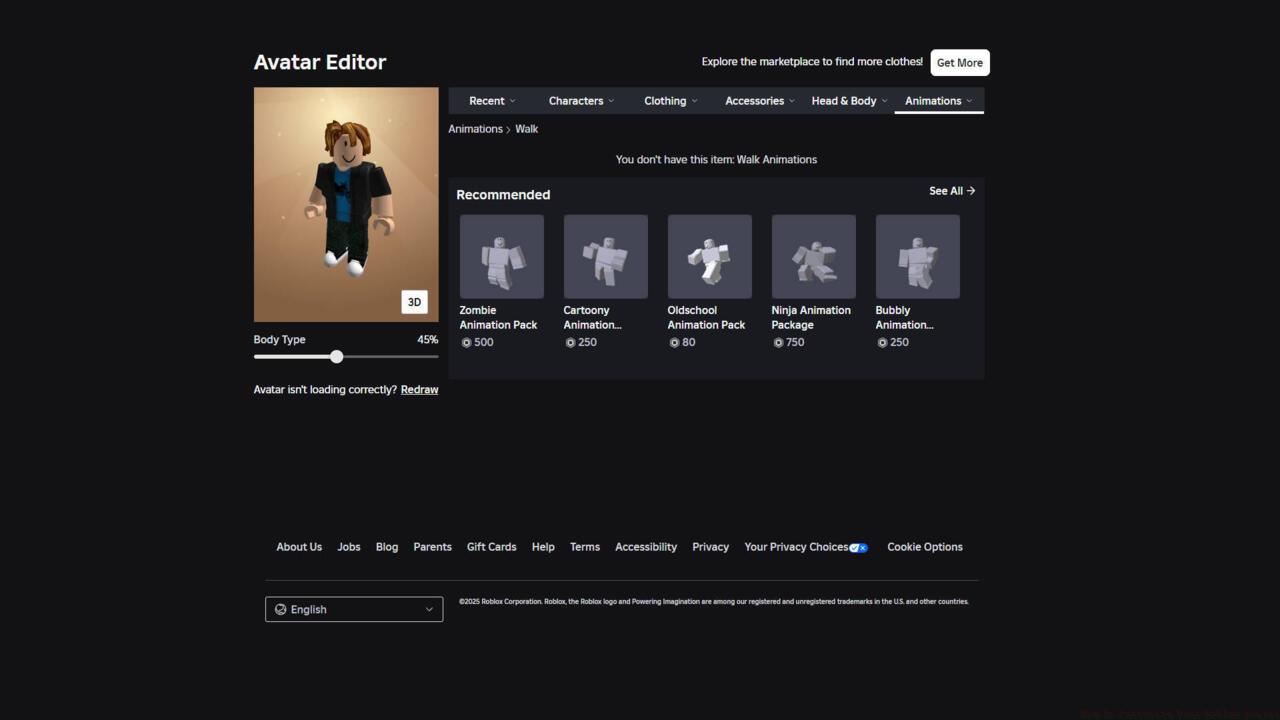
Empty animation slots display curated marketplace recommendations to help you discover new movement packages for your avatar.
Advanced players should consider animation bundle packages that provide coordinated movement sets rather than individual emotes. These bundles often offer better value and ensure visual consistency across different animation states and transitions.
Performance Tip: Complex animations with extensive particle effects may impact game performance on lower-end devices. Test new emotes in different gaming environments to ensure smooth performance before committing to expensive animation packages.
Emote slots function similarly to clothing items—access the Animation section in your Avatar Editor, browse available packages, and select to equip. Most avatars support multiple emote slots that can be activated through quick menus or keyboard shortcuts during gameplay.
Skin color customization represents one of the most personal aspects of avatar creation, allowing players to craft representations that closely match their real-world appearance or creative vision. The color palette offers extensive range from natural tones to fantasy hues for complete creative freedom.
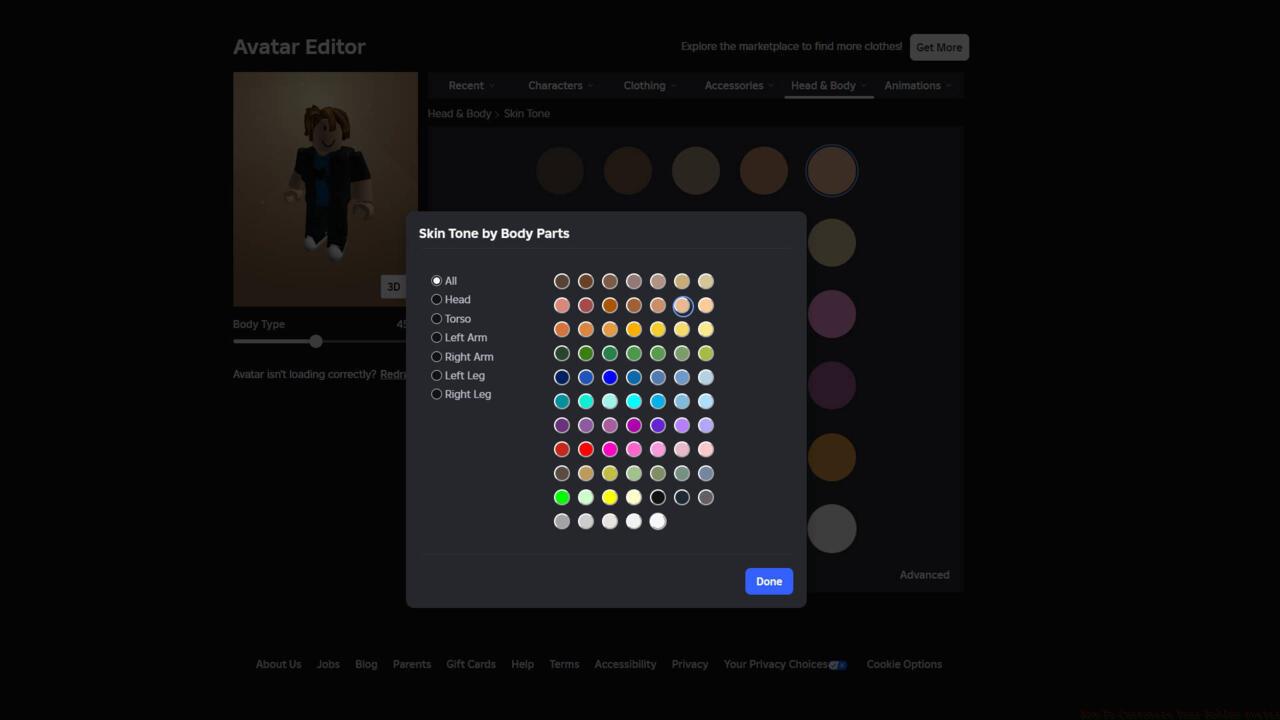
The skin color selector provides a comprehensive spectrum of tones and shades for precise avatar personalization.
The color selection interface varies slightly between platforms, with desktop offering precise hexadecimal input for exact color matching and mobile utilizing touch-friendly color wheels for intuitive selection.
For players seeking realistic skin tones, the advanced color mixer enables subtle adjustments to achieve perfect matches. Consider testing colors in different lighting environments within games, as some experiences may render colors differently based on their visual style and engine capabilities.
Pro Strategy: Create multiple avatar presets with different skin tones and outfits for role-playing various characters without maintaining separate accounts.
Platform limitations exist for certain advanced skin features—complex texture patterns and gradient effects may display differently on mobile versus desktop. Always preview changes across devices if you frequently switch between platforms.
Skin color changes apply universally across all equipped clothing items, though some specialized costumes may include built-in skin elements that override these settings in specific gaming scenarios.
Seasoned Roblox players develop systematic approaches to avatar management that maximize visual impact while minimizing resource consumption. These strategies ensure optimal performance across diverse gaming experiences and device capabilities.
Inventory organization dramatically impacts customization efficiency. Create thematic folders for different character concepts—casual wear, formal outfits, role-playing costumes, and seasonal themes for quick switching between personas.
Cost optimization involves strategic acquisition timing—many premium items go on sale during seasonal events, and limited-time offers often provide unique cosmetics at reduced prices. Monitor the marketplace rotation patterns to identify optimal purchasing opportunities.
Advanced Technique: Layer multiple accessory items creatively to achieve unique looks not possible with single pieces. Combine hats with hair items, layer shirts with jackets, and experiment with unusual color combinations for truly distinctive avatars.
Performance management becomes crucial for players accessing Roblox across multiple devices. High-complexity avatars with numerous accessories and detailed textures may cause performance issues on older smartphones and tablets.
Cross-platform consistency requires occasional manual synchronization, as some highly detailed items may automatically simplify on mobile devices to maintain smooth gameplay performance.
Regularly backup your favorite avatar configurations using the ‘Save Outfit’ feature. This protects against accidental changes and allows quick restoration of preferred looks after experimental customization sessions.
Action Checklist
- Access Avatar Editor through platform-specific navigation and familiarize yourself with the interface layout
- Collect free inventory items from promotions and giveaways before purchasing premium cosmetics
- Experiment with skin color customization using both natural tones and creative colors
- Equip and test animations/emotes across different gaming environments
- Create and save multiple outfit presets for different gaming scenarios and role-playing situations
No reproduction without permission:SeeYouSoon Game Club » How To Customize Your Roblox Avatar Complete guide to customizing your Roblox avatar across all devices with pro tips and optimization strategies