
TL;DR
- Friends and Best Friends have different tool permissions and communication capabilities
- You must play online with someone before adding them to your in-game friends list
- Nintendo Switch Online subscription is mandatory for all multiplayer features
- Dodo Codes provide temporary access for non-friends while maintaining security
- Best Friends can use destructive tools and send messages through the NookPhone app
Transform your Animal Crossing: New Horizons experience by mastering the social mechanics that distinguish regular friends from Best Friends. Understanding these differences will significantly enhance your multiplayer sessions and island management strategies.
The game maintains two distinct friend categories that serve different purposes. Regular friends represent your Nintendo Switch console friends list, while Best Friends are specifically designated within the game through the NookPhone application. This separation creates layered permission systems that protect your island while enabling meaningful social interactions.
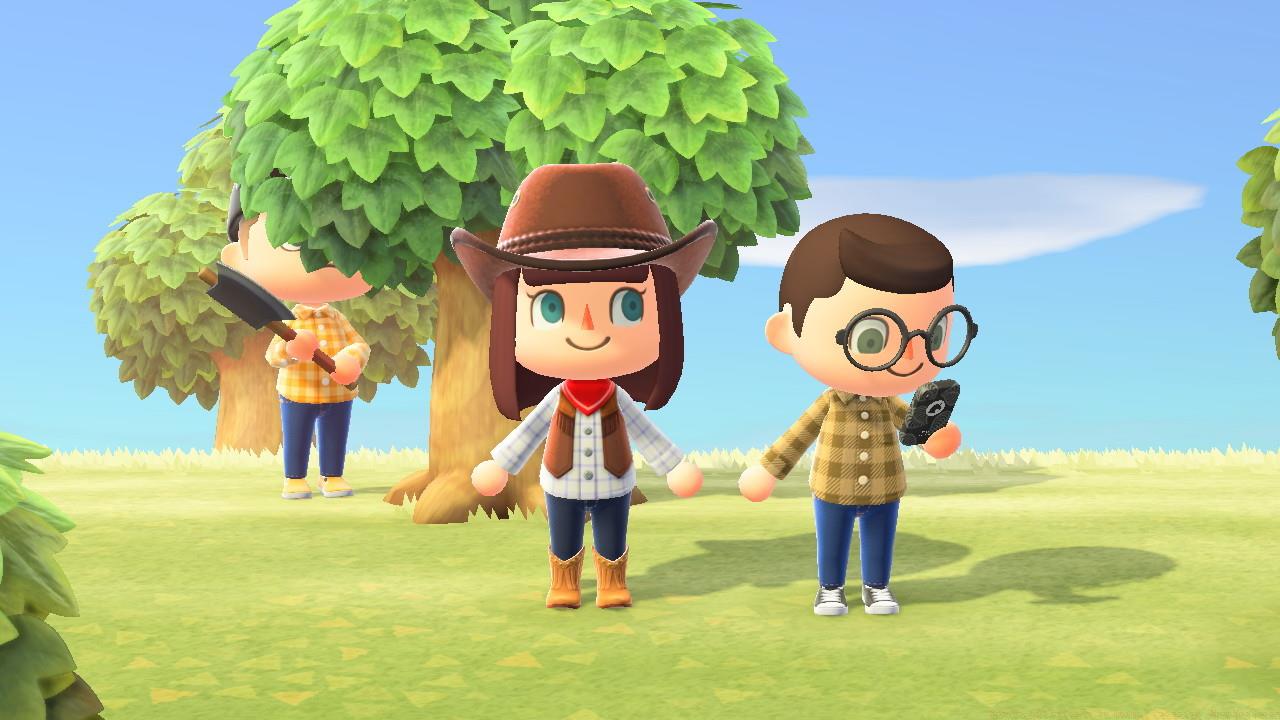
Permission levels vary dramatically between these friend types. Best Friends enjoy comprehensive access to all tools including shovels and axes, allowing them to help with terraforming, tree removal, and flower transplantation. Regular friends, however, cannot use destructive implements, which safeguards your carefully curated island landscape from accidental modifications.
Communication capabilities also differ substantially. Through the Best Friends List application, you can monitor your Best Friends’ online status and exchange in-game messages when they’re active. Regular friends appear in the same app but lack online indicators and messaging functions, requiring external communication methods for coordination.
Building your Animal Crossing social network requires following specific progression steps. Begin by establishing your island infrastructure—you must wait approximately 24 hours after starting your game until the airport becomes operational. This waiting period ensures you have basic island management skills before engaging in multiplayer activities.
Subscription verification is crucial: Nintendo Switch Online membership serves as the gateway to all online multiplayer features. Without this subscription, you’ll be limited to local wireless play with players in immediate physical proximity.
The Best Friends List application unlocks after your first online multiplayer session. This specialized friend management tool doesn’t automatically synchronize with your Nintendo Switch friends list, requiring manual addition of each contact through gameplay interactions.
To initiate the friend addition process, you must first engage in online play with potential friends. This can involve either visiting their islands or hosting them on yours. After these initial interactions, players automatically populate your in-game friends list within the Best Friends App.
Best Friend designation operates as a mutual agreement system. You can either send requests to players you’ve previously interacted with or accept incoming requests from others. This two-way confirmation process ensures both parties consent to the elevated permission levels.
Mastering visitor management begins at your island’s airport, where you’ll consult with Orville about gate operations. You have multiple configuration options: choose between local wireless connectivity for nearby players or online access for global connections. Access permissions can be set to allow all friends or restricted exclusively to Best Friends based on your current objectives.
Dodo Codes represent the most flexible invitation system available. These randomly generated five-character codes provide temporary access to your island for players not on your friends list. This method offers superior control over visitor traffic while maintaining security through expiration when gates close.
Strategic gate management involves careful timing considerations. Open your gates during planned play sessions and close them when you need uninterrupted solo time for terraforming, decorating, or completing specific tasks. This prevents unexpected interruptions while maintaining social availability when desired.
Common multiplayer mistakes include leaving gates open indefinitely, which can lead to unwanted visitors during crucial moments. Another frequent error involves misunderstanding tool permissions—remember that only Best Friends can assist with major landscaping projects using shovels and axes.
Advanced optimization involves coordinating time zones with international friends and establishing clear communication protocols for island visits. Consider creating designated “open island” hours when you’re available for social interactions and collaborative activities.
Action Checklist
- Wait 24 hours for airport activation and ensure Nintendo Switch Online subscription is active
- Complete one online multiplayer session to unlock the Best Friends List app
- Visit a friend’s island or host visitors to populate your in-game friends list
- Designate trusted players as Best Friends for collaborative terraforming and messaging capabilities
- Implement security measures by using Dodo Codes for temporary access and closing gates during solo activities
No reproduction without permission:SeeYouSoon Game Club » How To Add Friends In Animal Crossing: New Horizons Master Animal Crossing's social system with practical tips for friend management and multiplayer optimization