
TL;DR
- Configure network settings before attempting multiplayer sessions
- Use Tarnished Furled Finger for targeted friend summons
- Activate Small Gold Effigy for broader co-op opportunities
- Master summoning pool mechanics for efficient matchmaking
- Understand region settings and performance optimization for stable connections
Navigating the treacherous landscapes of The Lands Between becomes significantly more approachable when you bring companions along for the journey.
While many adventurers find cooperative play to be the optimal Elden Ring experience, From Software’s implementation follows their signature complex design philosophy. The multiplayer system demands careful setup and understanding of specific mechanics. This comprehensive guide provides detailed instructions for establishing successful co-op sessions, whether you’re tackling formidable bosses or exploring hidden regions together.
The Shadow of the Erdtree expansion has introduced additional challenges that benefit greatly from cooperative strategies. Our extensive guide collection covers everything from complete world mapping to specialized weapon recommendations and boss tactics for both the base game and DLC content.
Upon entering The Lands Between, your default gameplay mode is single-player. Transitioning to multiplayer requires utilizing specific items acquired after completing the initial tutorial section.
Begin by thoroughly examining your network configuration within the system menu. You’ll encounter settings controlling cross-region matchmaking, voice communication, text chat, and additional connectivity options. Adjust these according to your preferences—you might even disable co-op entirely by selecting offline mode as your preferred launch setting. Since you’re reading this guide, you’re likely interested in enabling multiplayer functionality, so let’s explore the essential components.
Within the in-game interface—technically not a pause menu since Elden Ring doesn’t support traditional pausing—you’ll discover three distinctive items when accessing the multiplayer tab: Finger Severer, Tarnished Furled Finger, and Small Gold Effigy. Each serves unique purposes within the multiplayer ecosystem.
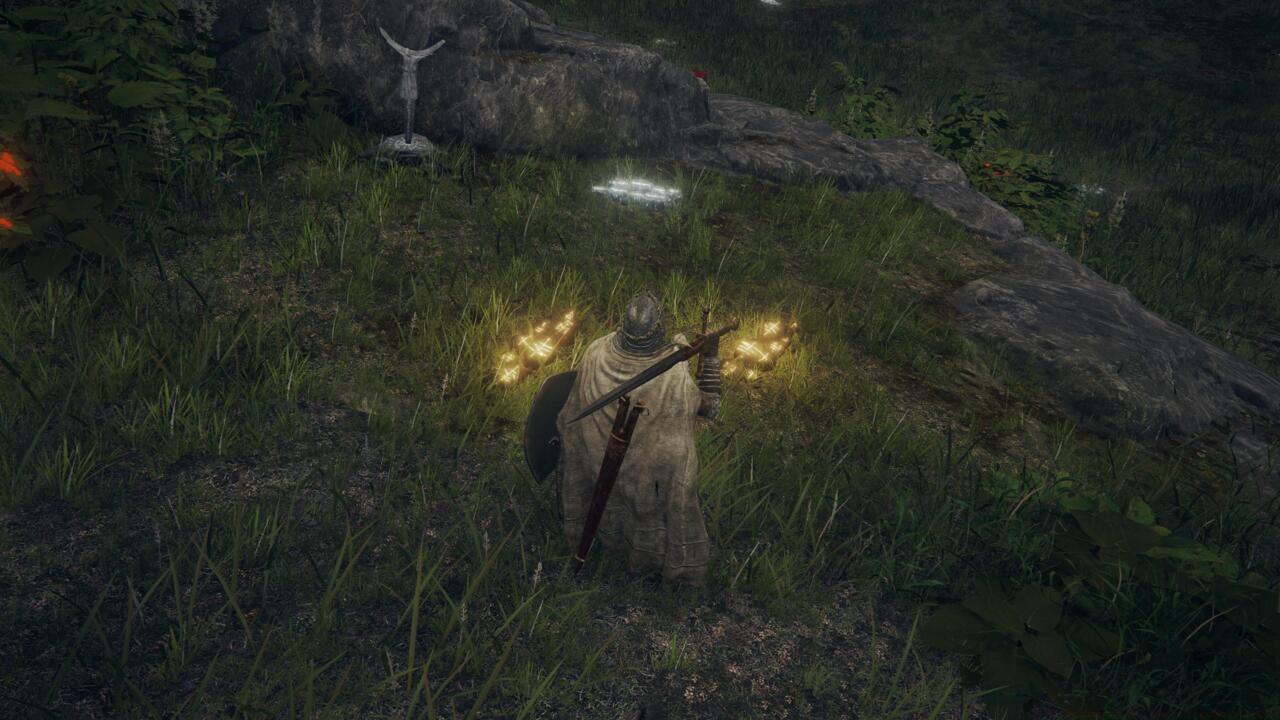
These gold summoning signs are essentially invitations to join co-op with other players.
Tarnished Furled Finger: This tool creates a golden summoning sign that enables cooperative multiplayer sessions. You’re limited to a single active summon sign at any time—placing a new one automatically removes your previous marker. Other players exploring their worlds may encounter your golden summon sign, and upon interaction, they’ll summon you directly into their gameplay session.
Small Gold Effigy: This device transmits cooperative summon signs to multiple adjacent summoning pools (only those you’ve previously activated). Essentially, this communicates your availability for multiplayer participation, potentially resulting in your inclusion in another player’s world shortly after activation.
Finger Severer: This item enables termination of active co-op sessions with allies, removing them from your multiplayer instance and restoring both participants to solo gameplay.
Advanced Summoning Strategy: Position your summon signs near challenging boss arenas or difficult exploration areas where players most need assistance. Avoid placing signs in obscure locations where they’re unlikely to be discovered. For maximum visibility, consider areas just before fog gates or near Site of Grace locations.
Common Co-op Mistakes: Many players forget to activate nearby summoning pools, severely limiting their matchmaking potential. Others attempt to summon in areas where bosses have already been defeated, which prevents multiplayer functionality. Always ensure you’re in an eligible zone before attempting to summon allies.
Summoning Pool Mastery: Activate every summoning pool you encounter throughout your journey. These pools function as matchmaking hubs that significantly expand your co-op opportunities. The Small Gold Effigy automatically sends your availability to all activated pools within your current region.
Cross-Region Play Optimization: Enabling cross-region matchmaking increases potential co-op partners but may introduce latency issues. For optimal performance with specific friends, consider coordinating region settings to ensure stable connections.
Performance Enhancement Tips: Coordinate with your co-op partners to ensure everyone has stable internet connections. Position yourselves strategically during boss fights—having one player draw aggression while others attack from range often proves effective. Share resources and healing items to maximize group survivability during extended sessions.
Connection Stability: Elden Ring’s multiplayer can experience connectivity issues during peak hours. If you encounter frequent disconnections, try restarting your game or adjusting your network settings. Wired connections typically provide more stable performance than wireless options.
Progression Considerations: Remember that only the host world’s progress advances during co-op sessions. Defeating bosses in another player’s world won’t mark them as defeated in your own game. Plan your co-op activities accordingly to ensure both players benefit from the session.
For comprehensive gaming strategies beyond Elden Ring, explore our Complete Guide to master other challenging titles. If you’re interested in weapon systems, our Weapons Unlock guide provides detailed progression paths, while the Class Guide helps optimize your character builds across different game genres.
Action Checklist
- Configure network settings in system menu, enabling cross-region play if desired
- Activate summoning pools throughout The Lands Between
- Use Tarnished Furled Finger for specific friend summons near challenging areas
- Enable Small Gold Effigy for broad co-op matchmaking
- Coordinate region settings and connection types with co-op partners
No reproduction without permission:SeeYouSoon Game Club » Elden Ring Co-Op: How To Play Multiplayer Master Elden Ring co-op multiplayer with essential tools, network settings, and advanced summoning strategies