
TL;DR
- Dune: Awakening currently supports PC-only multiplayer via Steam integration with future console releases planned
- Access the Social Hub through the Skills menu to manage Steam friends and send direct game invitations
- Use character names or Funcom IDs to add friends directly within the game’s search system
- Hover over friend names in your list and click invite icons for seamless party formation
- Server selection and proper friend list synchronization are crucial for successful multiplayer sessions
Dune: Awakening offers cooperative gameplay through structured party systems, though establishing multiplayer connections on Arrakis requires understanding specific platform limitations and setup procedures.
This survival MMO provides flexible playstyles ranging from complete solo adventures to coordinated group expeditions. If you plan to confront Arrakis’s dangers alongside companions, mastering the multiplayer infrastructure becomes essential for successful desert operations.
Our comprehensive guide delivers complete multiplayer mastery, covering friend addition protocols, party formation mechanics, and cooperative strategy optimization for the harsh desert environment.
- Platform Availability and Cross-Play Status
- Comprehensive Friend Management System
- Advanced Party Formation and Coordination
- Common Connection Issues and Solutions
Currently, Dune: Awakening exclusively operates on PC through Steam distribution. While developers have confirmed eventual console releases, current multiplayer sessions remain restricted to PC-based comrades using the Steam network.
The Steam integration significantly streamlines friend invitation processes, as simply adding companions through Steam automatically populates your in-game friends list. Existing Steam connections immediately appear within the Social Hub interface, accessible via the Skills menu where you’ll find the Social menu icon for navigation.
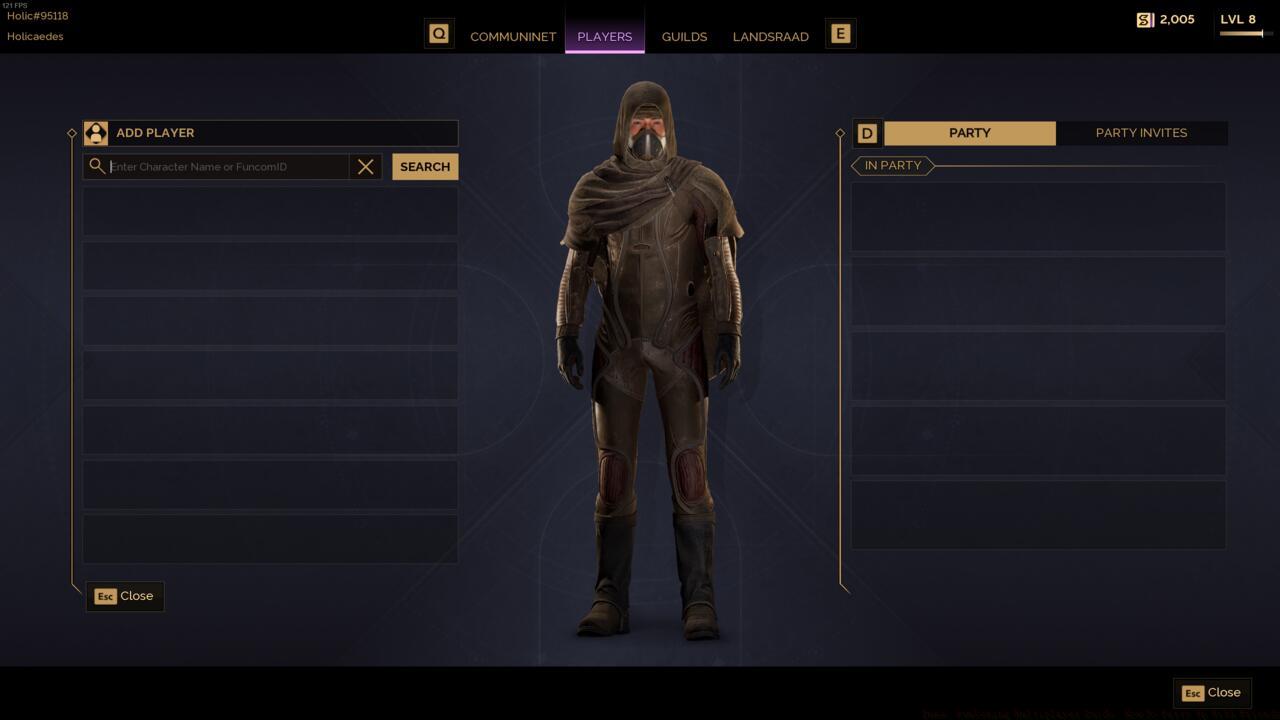
The Social menu in Dune: Awakening provides centralized friend management and party coordination tools
For managing established Steam connections, simply hover over friend names within your list and select the invitation icon adjacent to their profile. Alternatively, you can directly join their active party by choosing the complementary join option icon.
When needing to establish new connections directly through Dune: Awakening’s native systems, utilize the integrated Steam search functionality. Navigate to the Social menu and activate the “Search Players” feature, where you can locate players using either their character designation or unique Funcom identification code. Each participant receives a distinctive Funcom ID during character creation, though searching by familiar in-game names typically proves more efficient.
Successful party formation relies on understanding invitation hierarchies and response protocols. The system provides multiple pathways for group assembly, each with distinct advantages depending on your current multiplayer objectives and team composition preferences.
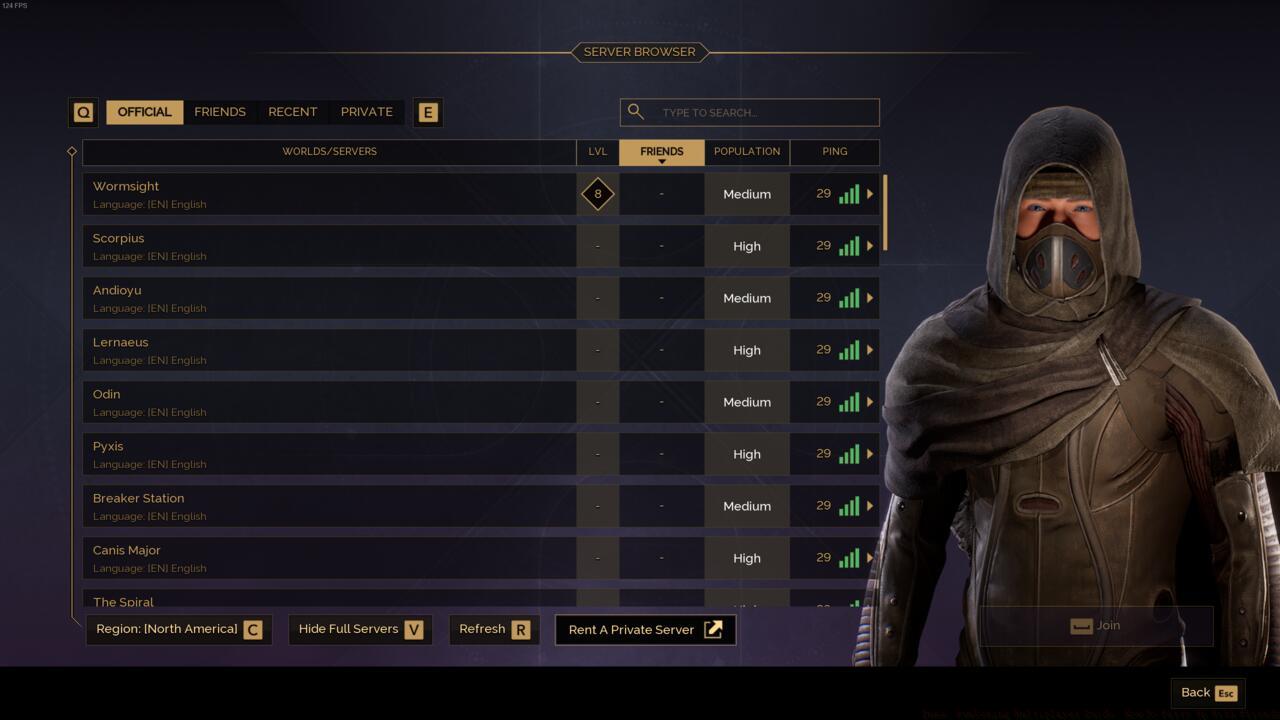
The server selection interface in Dune: Awakening impacts party connectivity and should be coordinated among group members
Mastering the dual-icon interaction system—invite versus join—enables efficient party management. Strategic use of these options allows for flexible group dynamics, whether initiating new cooperative sessions or integrating into existing team operations.
Advanced coordination techniques include establishing communication protocols before sending invitations, verifying all members are on compatible servers, and designating party roles based on specialized class abilities to maximize survival chances in Arrakis’s dangerous environments.
Multiplayer connectivity challenges often stem from platform synchronization delays or server selection mismatches. Understanding these common pitfalls can significantly reduce frustration when assembling your desert survival team.
Friend list synchronization issues typically resolve by restarting both Steam and Dune: Awakening, ensuring proper credential validation between platforms. Persistent synchronization failures may require verifying Steam privacy settings permit game access to friend information.
Invitation failures frequently relate to target players being offline, occupying different server instances, or having full parties. Comprehensive multiplayer guides often provide additional troubleshooting context for persistent connection problems.
Server selection critically impacts party functionality, as players on different server instances cannot directly interact. Coordinate server choices with intended party members before character creation to ensure seamless future cooperation, similar to considerations in weapon selection strategies where preparation determines effectiveness.
Action Checklist
- Verify all party members are on compatible servers before attempting connections
- Access Social Hub via Skills menu and check Steam friend synchronization
- Use Search Players function with character names or Funcom IDs for new connections
- Hover over friend names and select appropriate invite or join icons
- Establish communication channels and role assignments before embarking on cooperative missions
No reproduction without permission:SeeYouSoon Game Club » Dune: Awakening Multiplayer Guide: How To Party Up With Friends Master multiplayer connectivity in Dune: Awakening with comprehensive friend systems and party coordination strategies