
TL;DR
- Start with 5/5 sensitivity then adjust ADS multiplier to 0.90 for precision
- Choose Tactical layout for improved melee and crouch control during engagements
- Disable custom sensitivity per zoom to maintain consistent aiming muscle memory
- Configure vehicle sensitivity at 1.00 for stable air and ground combat performance
- Combine visual clarity settings with strategic audio for competitive advantage
Optimizing your controller setup provides a critical competitive edge in Call of Duty: Vanguard’s fast-paced multiplayer arenas. Proper configuration transforms your gameplay experience, enabling faster target acquisition and smoother movement execution across all 16 standard maps and four Champions Hill exclusive battlegrounds.
The foundation of elite performance begins with sensitivity calibration. Most professional players recommend starting with balanced horizontal and vertical stick settings at 5, then fine-tuning based on your playstyle. This baseline allows for responsive turning while maintaining target tracking accuracy during intense firefights.
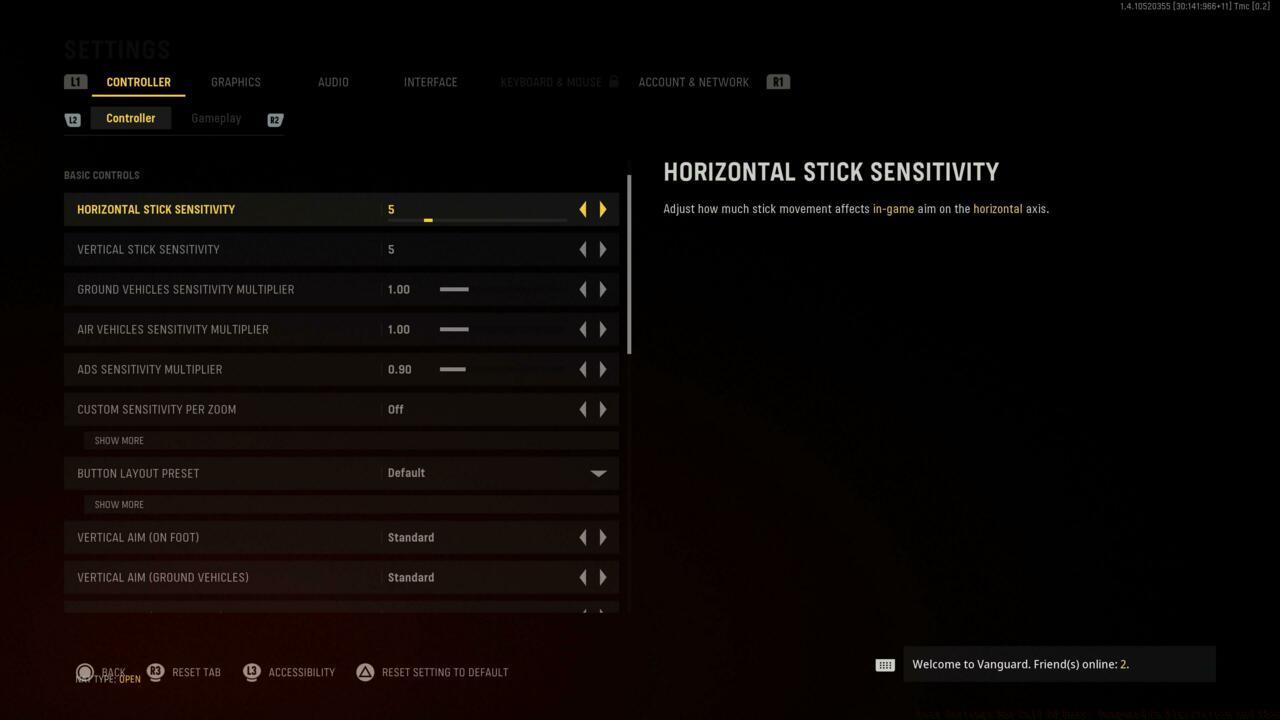
Basic Controls Interface
Console competitors on PlayStation and Xbox platforms should implement these core sensitivity parameters:
- Horizontal Stick Sensitivity: 5 (enables 180-degree turns with minimal stick movement)
- Vertical Stick Sensitivity: 5 (maintains vertical control parity with horizontal movement)
- ADS Sensitivity Multiplier: 0.90 (reduces sensitivity when aiming for precision shooting)
- Button Layout Preset: Default or Tactical (Tactical swaps crouch/slide to right stick for easier drop-shotting)
Common Mistake: Many players set sensitivity too high initially, causing over-aiming and missed shots. Begin conservative, then gradually increase as your muscle memory develops.
Beyond basic sensitivity, Vanguard offers granular control options that separate casual players from competitive contenders. These advanced settings require understanding of how different multipliers affect your combat effectiveness across various engagement scenarios.
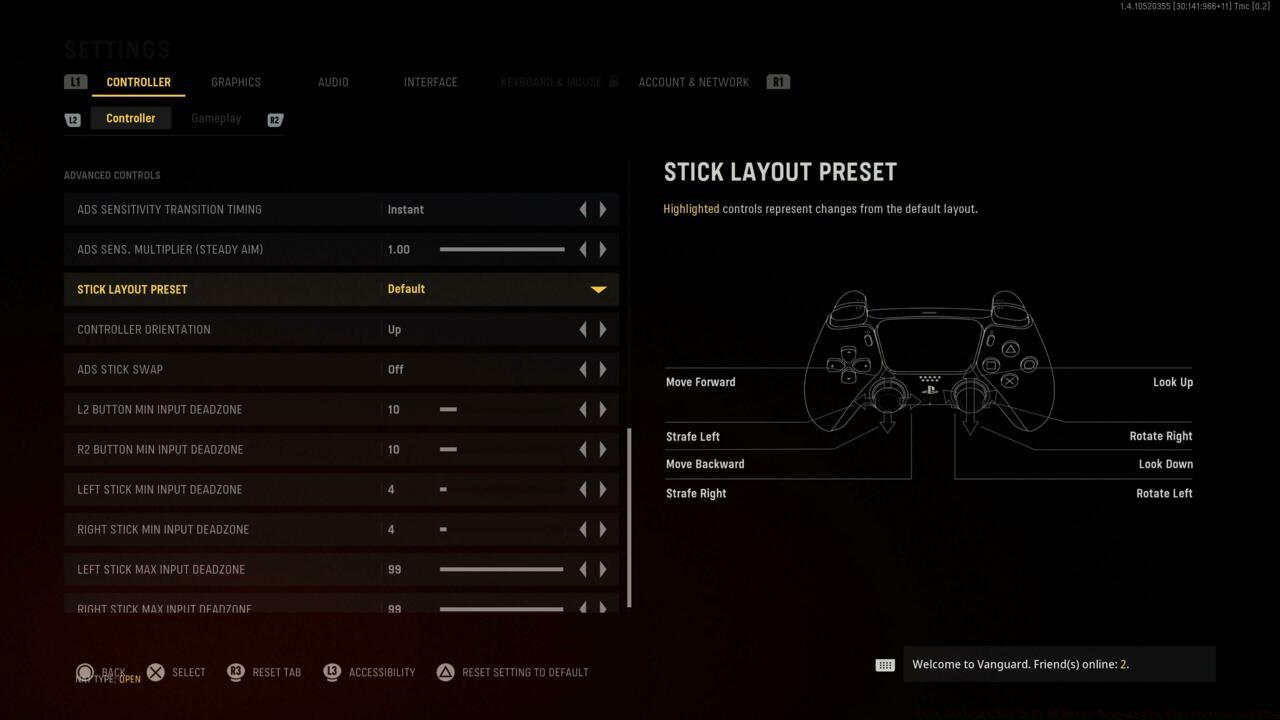
Advanced Controls Panel
Vehicle sensitivity multipliers maintain consistency between ground and air combat. Keeping both ground and air vehicle multipliers at 1.00 ensures your muscle memory translates seamlessly when transitioning between infantry and vehicle gameplay, similar to mechanics found in our Complete Guide to combined arms warfare.
- Ground Vehicles Sensitivity Multiplier: 1.00 (preserves turret rotation consistency with infantry aiming)
- Air Vehicles Sensitivity Multiplier: 1.00 (maintains aircraft control familiarity across all vehicle types)
- Custom Sensitivity Per Zoom: Off (recommended for developing consistent aim rather than per-scope adjustments)
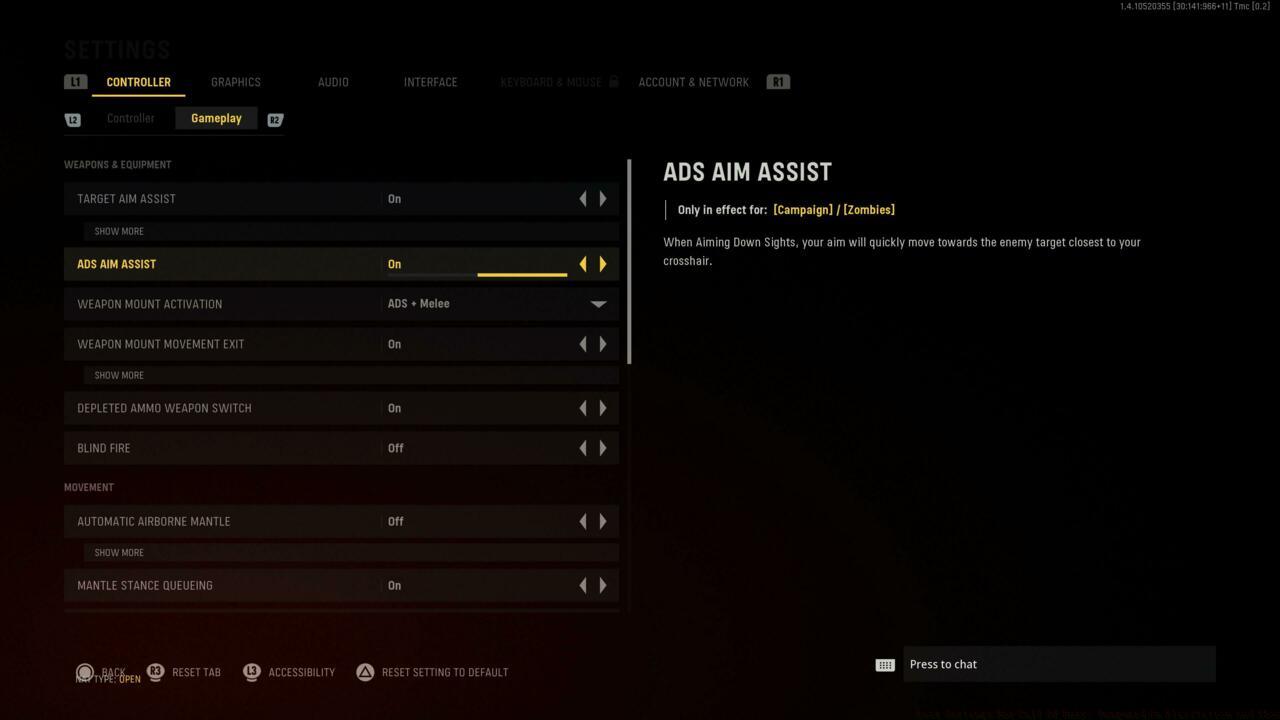
Weapons and Equipment Configuration
Pro Tip: Disabling custom sensitivity per zoom forces your brain to develop universal aiming muscle memory. While some advanced players create scope-specific sensitivities, most competitors benefit from consistency across all optical attachments, much like mastering different weapon types in our Weapons Unlock strategies.
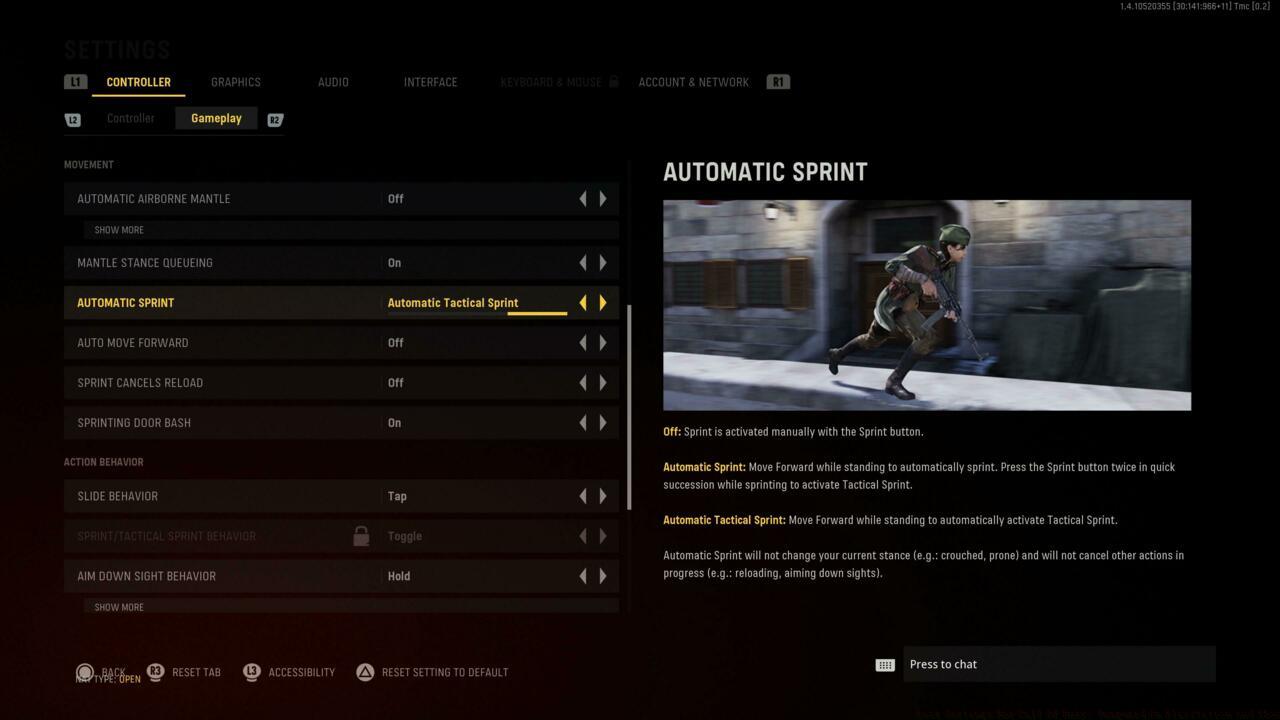
Movement Settings
Movement configuration directly impacts your survivability. Proper slide and crouch settings enable advanced movement techniques that make you harder to hit while maintaining shooting accuracy.
Visual and interface configurations complete your competitive setup, providing the clarity needed to spot enemies quickly and react decisively. These settings work in tandem with your controller configuration to create a unified performance package.
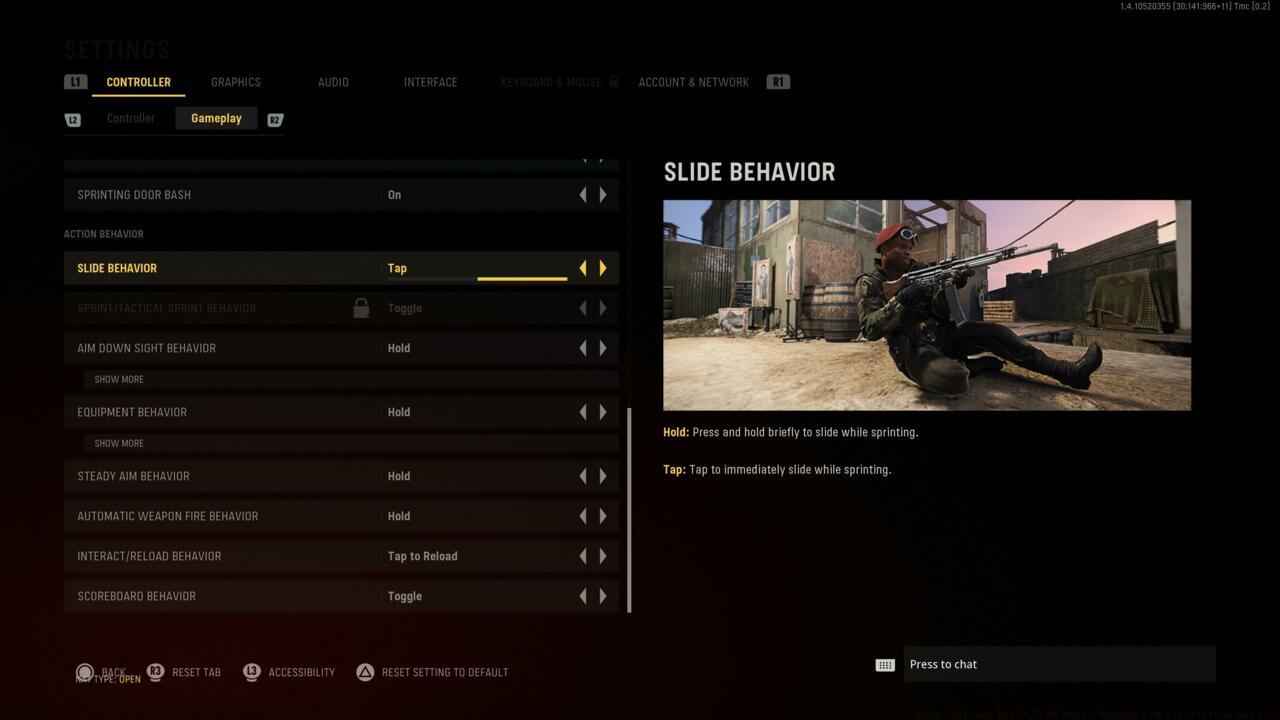
Action Behavior Options
Action behavior settings determine how your character responds to button inputs. Configuring these properly ensures your movements match your intentions during high-pressure situations, similar to the tactical decision-making required in our Class Guide for specialized roles.
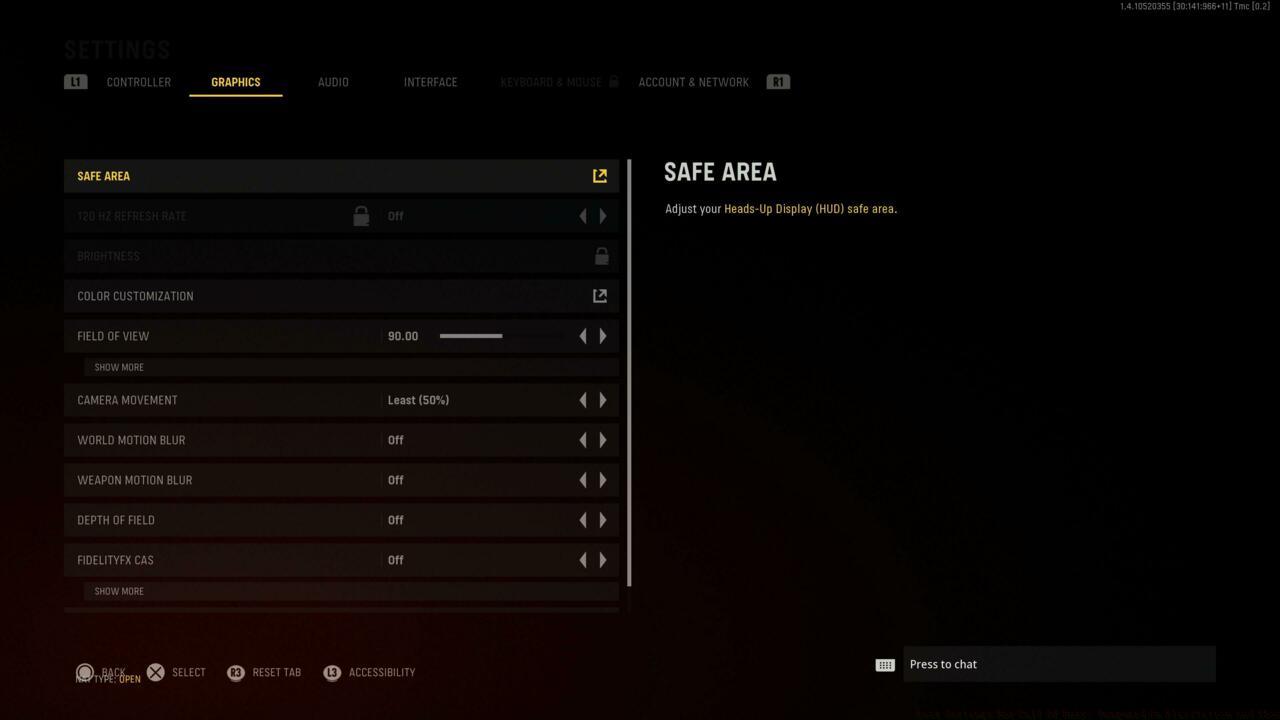
Graphics Settings Interface
Optimization Strategy: Balance visual fidelity with performance. Higher frame rates typically provide more competitive advantage than detailed textures. Prioritize settings that reduce visual clutter and improve enemy visibility.
Audio configuration represents another critical competitive dimension. Proper sound settings allow you to hear enemy movements, reloads, and ability activations that provide tactical information beyond visual cues.
Advanced Technique: Combine these controller settings with strategic map knowledge and spawn prediction. The best sensitivity configuration cannot compensate for poor positioning, but combined they create an unstoppable competitive package.
Remember that these settings serve as starting points. Professional players typically spend 15-30 minutes in private matches fine-tuning their configurations before competitive sessions. Your ideal settings may differ based on controller model, thumbstick tension preferences, and individual reaction times.
Action Checklist
- Set horizontal and vertical sensitivity to 5 as baseline, then adjust in 0.5 increments
- Configure ADS multiplier to 0.90 for improved precision during aimed shots
- Switch to Tactical button layout for enhanced crouch and melee control
- Test vehicle sensitivity at 1.00 in combined arms modes
- Fine-tune all settings in private matches before competitive play
No reproduction without permission:SeeYouSoon Game Club » Best Settings For Call Of Duty: Vanguard On PlayStation And Xbox Master Call of Duty: Vanguard settings with expert controller configurations and gameplay optimization strategies