
TL;DR
- Clans provide 10% XP bonus when playing with members and exclusive cosmetic rewards
- Create clans through Social menu with custom tags, emblems, and four privacy settings
- Advanced setup includes search labels and descriptions for better recruitment
- Join clans using filters for casual, competitive, or Zombies-focused gameplay
- Strategic clan management significantly enhances progression speed and social experience
Call of Duty: Vanguard’s enhanced social framework enables coordinated team play with substantial reward incentives. This comprehensive guide covers everything about maximizing clan advantages.
With Vanguard now active, establishing reliable squads through the clan system becomes essential for both casual and competitive players. This feature replaces the previous Regiments mechanism from Modern Warfare and Warzone while maintaining similar cooperative functionality with expanded benefits.
Clan membership grants distinctive colored identification tags, a significant 10% experience point multiplier when gaming alongside clan mates, and exclusive calling card frames unlocked through collective progression. Your clan advances automatically as participants complete matches and achieve objectives together.
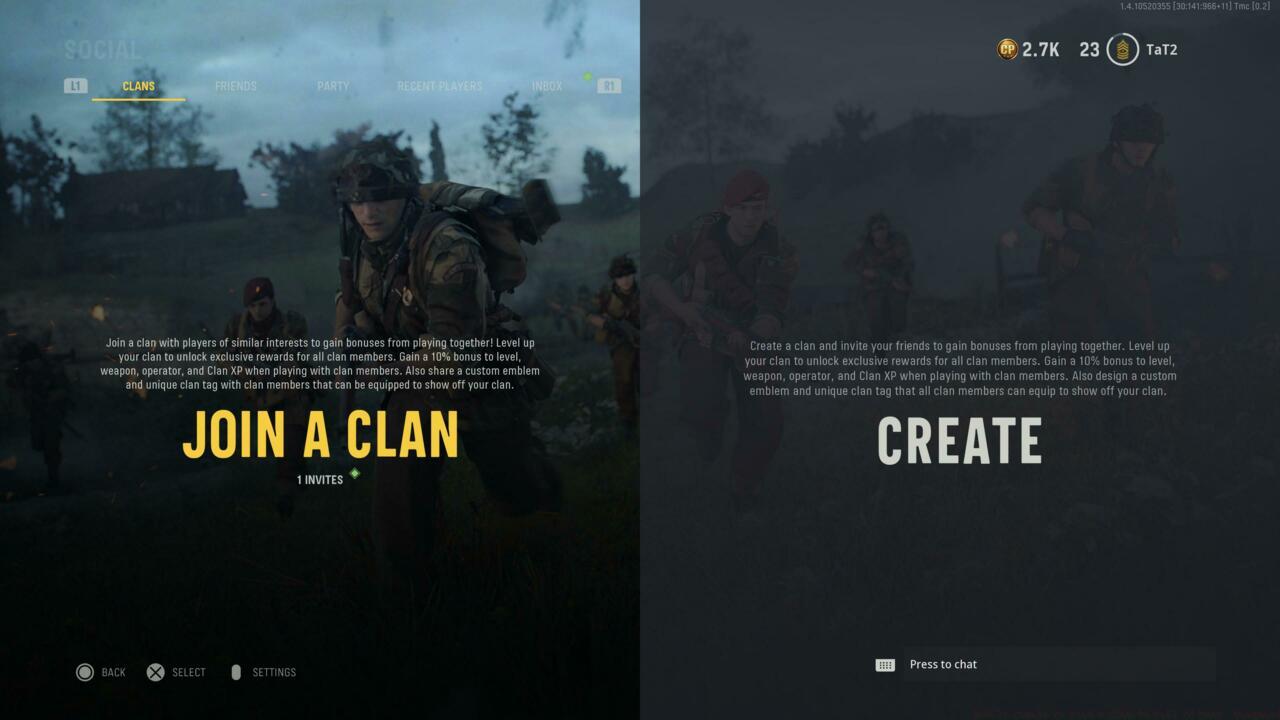
Clan options
The following sections detail comprehensive procedures for establishing or becoming part of a Vanguard clan community.
Establishing your own clan begins by accessing Vanguard’s Social interface using the Triangle or Y button on gaming consoles. Proceed to the Clan section and select the Create function to define organizational parameters including nomenclature and member identification tags.
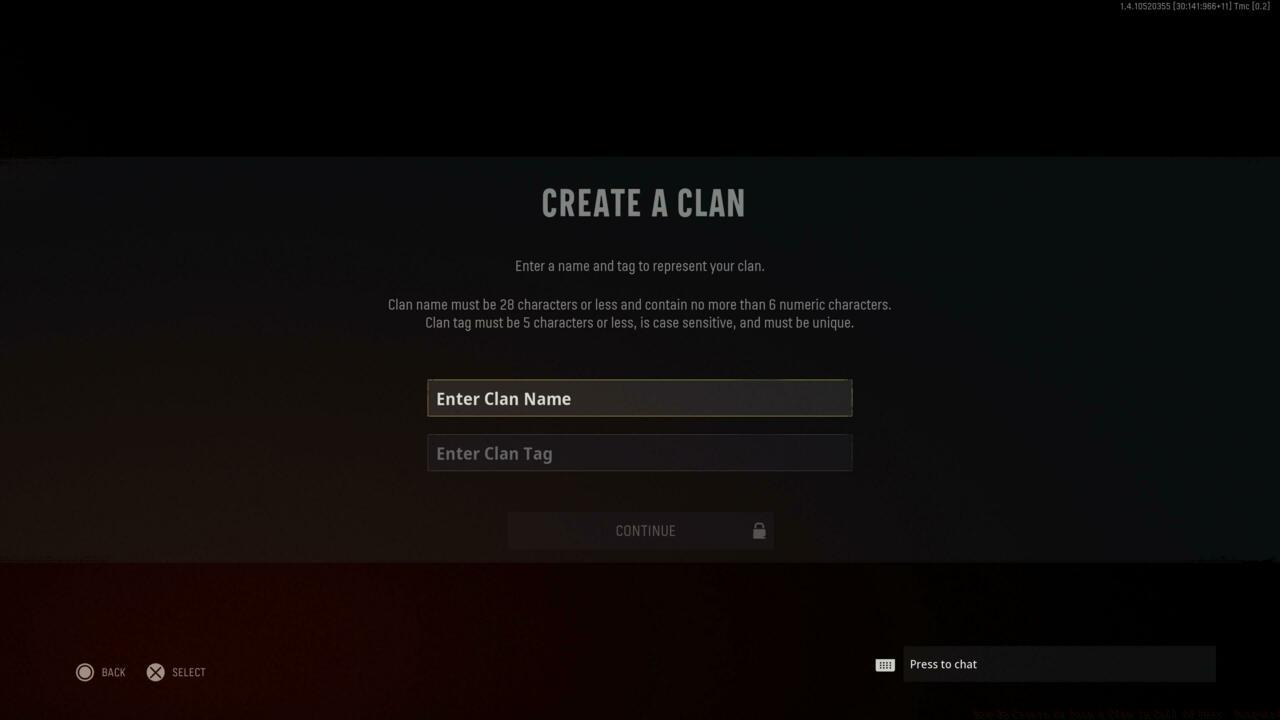
Create A Clan feature
Follow the interface prompts to configure your clan foundation, which encompasses assigning a maximum 5-character identification tag, designing personalized emblems, and establishing privacy configurations. Four distinct access levels are available: completely private, invitation-only, request-based entry, or fully public membership.
Pro Tip: When selecting your clan tag, consider memorable abbreviations that reflect your group’s identity while remaining professional. Avoid offensive terms that might limit recruitment potential.
Clan leadership options and customization
Access the Setup Clan function located in the upper right corner of your display to incorporate supplementary details such as organizational descriptions or search categorization labels. These search parameters include designations like casual, friendly, competitive, multiplayer specialization, and Zombies enthusiasts.
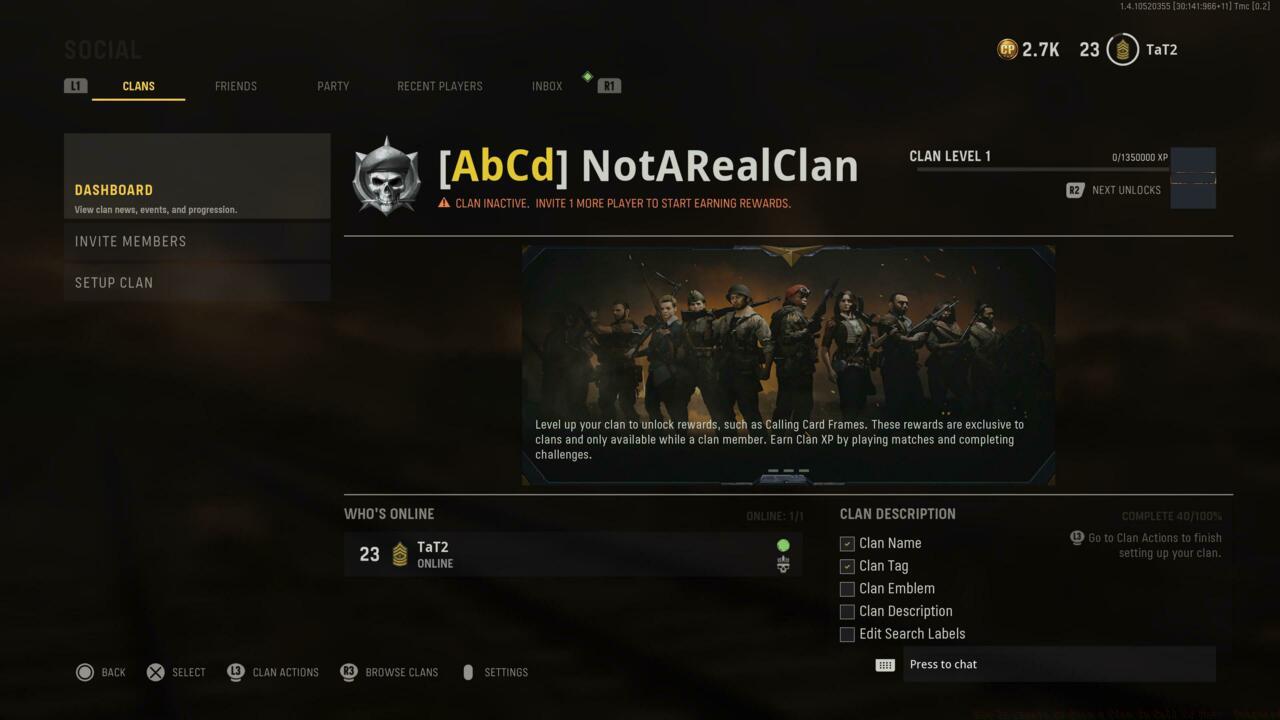
Clan options as the clan leader
Strategic Insight: Establish clear activity expectations during the setup phase to minimize member turnover. Competitive clans should specify minimum participation requirements, while casual groups might emphasize flexible attendance policies.
Common Mistake: Many new clan leaders underestimate the importance of detailed descriptions, resulting in slower recruitment. A well-crafted description can increase membership applications by up to 40%.
Enlisting in an existing clan follows a relatively simple procedure. From the Clan interface, select the Join A Clan alternative to view currently active organizations. You can either peruse the complete clan directory or apply sorting filters to identify communities matching your preferred playstyle.
These classification parameters include the same categorical descriptors: casual, friendly, competitive, multiplayer-focused, and Zombies-oriented. For those with specific clan targets, a dedicated search field allows direct name entry for precise location.
Evaluation Strategy: Before committing to a clan, review their activity levels and member counts. Established clans with 15+ active members typically provide more consistent team coordination opportunities and faster progression through collective challenge completion.
Time Investment: Researching and evaluating potential clans typically requires 10-15 minutes, but this preliminary investment prevents frequent clan hopping and ensures better long-term compatibility.
Action Checklist
- Access Social menu via Triangle/Y button and navigate to Clan tab
- Create custom 5-character clan tag and design unique emblem
- Configure privacy settings (private/invite-only/request/public)
- Add detailed clan description and relevant search labels for visibility
- Research potential clans using filters and activity metrics before joining
No reproduction without permission:SeeYouSoon Game Club » How To Create Or Join A Clan In Call Of Duty: Vanguard Master clan creation and recruitment in Call of Duty: Vanguard for maximum XP bonuses and exclusive rewards