
Battlefield 6 PC features, customization options, and Portal mode explained with performance optimization tips
PC Performance and Visual Features
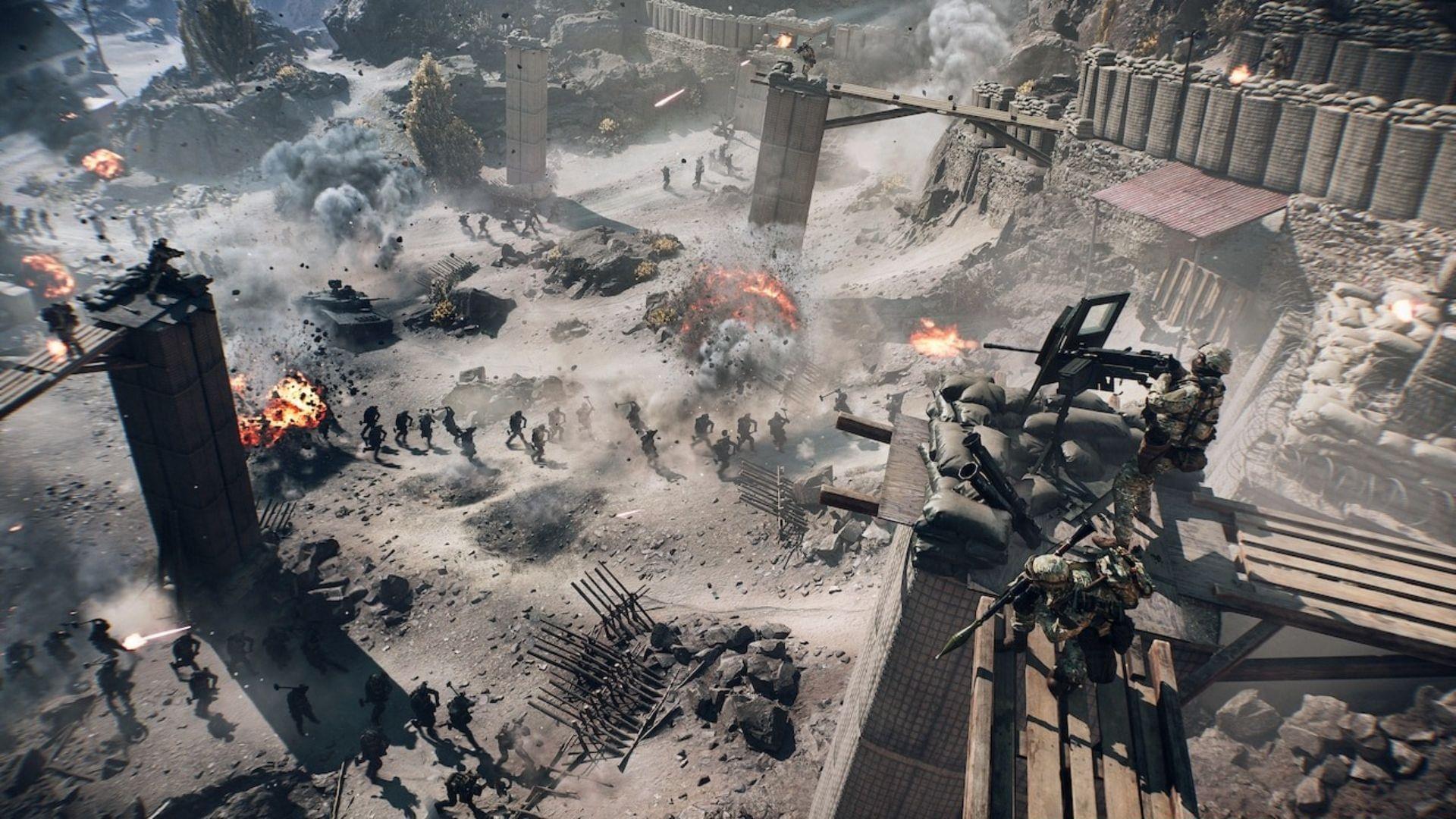
The Battlefield 6 official PC trailer debuted on August 28, 2025, offering gamers their first comprehensive look at the PC edition scheduled for October 10, 2025. This preview emphasized the game’s destructive environments while highlighting critical PC-specific enhancements including ultrawide monitor compatibility, unrestricted frame rates, and extensive graphical customization.
Battlefield 6 delivers an unprecedented level of PC customization, as demonstrated in the official trailer. Players gain access to comprehensive camera adjustments, HDR calibration, and complete HUD modification capabilities. The inclusion of specialized modes like “Streamer” and “Incognito” provides tailored experiences for different playstyles and content creation needs.
A sophisticated graphics configuration menu enables precise tuning of visual settings to match your system’s hardware capabilities. For optimal performance, prioritize texture quality and shadow resolution adjustments first, as these typically have the most significant impact on both visual fidelity and frame rates.
The game natively supports standard ultrawide monitors (21:9 aspect ratio) along with super ultrawide displays (32:9), ensuring full resolution compatibility for gamers seeking maximum immersion. For the best experience, ensure your graphics card can handle the increased pixel count—super ultrawide resolutions demand approximately 40% more GPU power than standard 16:9 displays.
4K visual quality combined with unlimited frame rates delivers exceptionally smooth gameplay. However, uncapped framerates can cause screen tearing without proper synchronization. Consider enabling NVIDIA G-SYNC or AMD FreeSync if your monitor supports these technologies for the optimal visual experience.
Also read: How to maximize FPS in Battlefield 6
Advanced graphics technologies showcased include AMD FidelityFX Super Resolution, Intel XeSS, DLSS 4, DLAA, and NVIDIA Reflex. Each technology serves distinct purposes: DLSS 4 provides maximum performance boost for RTX 40-series and newer cards, while AMD FSR works across all GPU brands. For competitive play, prioritize NVIDIA Reflex to minimize system latency.
Customization and Gameplay Modes
The integrated Javelin anti-cheat system operates at kernel level for maximum security effectiveness. While this provides robust protection against cheating software, it mandates Secure Boot activation on Windows systems. Ensure your PC’s UEFI/BIOS settings have Secure Boot enabled before installation to avoid launch issues.
Common configuration mistakes include overlooking HDR calibration and improper streaming mode setup. For content creators, the Streamer mode optimizes overlay compatibility and reduces system resource usage during broadcasting. Incognito mode minimizes personal data exposure when playing on public servers.
When adjusting visual settings, avoid the temptation to max out every option simultaneously. Instead, focus on maintaining a stable frame rate above 60 FPS during intense combat scenarios. Reduce environmental detail and post-processing effects first if experiencing performance drops.
Portal Creation System Deep Dive
Portal represents Battlefield 6’s most ambitious feature—a comprehensive sandbox environment that empowers players to design entirely original game modes. This creative toolkit includes NPC behavior scripting, object manipulation and duplication, along with extensive environmental editing capabilities.
The system enables direct modification of map geography and AI-controlled non-player characters. Additionally, users can completely redesign the user interface elements to match their created experiences. These powerful tools were briefly demonstrated in the official PC trailer, hinting at the creative possibilities.
Portal serves as the ultimate personalization platform, allowing gamers to craft unique Battlefield experiences. Progression remains fully functional, with XP earnings streamlined through Verified Community Experiences—curated custom modes developed using Portal’s creation tools.
For aspiring creators, start with simple modifications like adjusting weapon loadouts or victory conditions before attempting complex NPC scripting. The learning curve can be steep, but the community resources and official documentation provide excellent starting points. Remember that Verified Community Experiences undergo review to ensure balance and fairness while maintaining XP eligibility.
Advanced creators should explore the logic editor for creating complex game mode rules and conditional events. The object duplication system allows for building custom structures and defensive positions, dramatically altering gameplay dynamics on familiar maps.
Server Browser and Community Features
The server browser, a series staple beloved by longtime fans, returns in Battlefield 6 with enhanced functionality. This feature enables players to selectively join matches based on specific maps, game modes, and other preferences before committing to a session.
In this iteration, the server browser integrates directly with the Portal ecosystem, accessible through the main Portal interface. Navigating to the “Servers” tab reveals an organized collection of community-hosted servers and officially Verified Community Experiences, simplifying discovery of preferred content.
Players retain the ability to establish private servers for complete environmental control. When creating custom servers, consider implementing unique rule sets or rotational map cycles to attract consistent player bases. Monitor server performance metrics to ensure stable gameplay experiences for all participants.
Also read: How to turn on Compass in Battlefield 6
For optimal server browsing, utilize the filter system to narrow results by ping, player count, and game mode type. Community servers often feature unique gameplay variations not available in official playlists, providing fresh experiences beyond standard matchmaking.
No reproduction without permission:SeeYouSoon Game Club » Battlefield 6 official PC trailer shows new Portal, 4K graphics, 600+ customization options, and more Battlefield 6 PC features, customization options, and Portal mode explained with performance optimization tips