
TL;DR
- Arc Raiders supports full cross-play across all platforms with default activation
- Complete cross-progression allows seamless save transfer between different systems
- Embark ID system enables easy friend connections across platform boundaries
- Separate game purchases required for each platform despite shared progression
- Performance optimization varies significantly between console and PC versions
Wondering if you can join forces with friends regardless of their gaming platform? The answer is a definitive yes, and here’s everything you need to know about making it work effectively.
While Arc Raiders offers a compelling solo experience, its harsh post-apocalyptic environments become exponentially more dangerous when facing them alone. The game’s formidable robotic adversaries can eliminate unprepared players swiftly, while competing squads of rival raiders patrol the desolate zones, eager to ambush isolated operators and claim their hard-earned resources. Forming a reliable fireteam dramatically increases your extraction success rate. But what happens when your gaming companions use different hardware? Let’s examine how ARC Raiders implements cross-platform functionality and what it means for your gameplay experience.
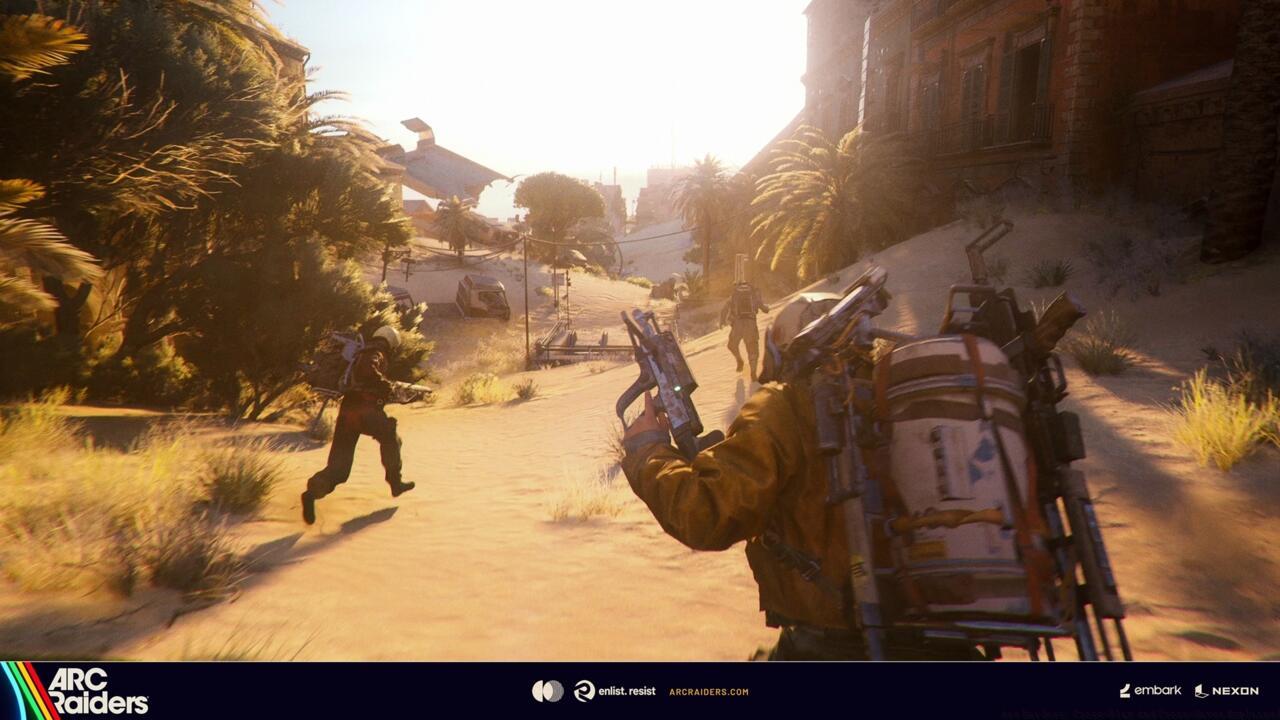
You can brave the conditions together using Arc Raiders cross-play.
For players seeking to unite with friends across different gaming ecosystems, the news is exceptionally positive. Arc Raiders delivers comprehensive cross-play compatibility across every supported platform, enabling seamless cooperation regardless of hardware differences. To initiate multiplayer sessions, navigate to the Friends interface and select Add Friend, then input your companion’s unique Embark ID credentials. This identifier incorporates four distinctive numerical digits at its conclusion, so ensure you capture the complete code sequence during entry.
Cross-platform matchmaking activates automatically upon installation, eliminating the need for manual configuration when assembling your squad. Should you prefer platform-exclusive sessions, access Settings > Gameplay > Cross-play and deactivate the feature. This restriction ensures matchmaking only includes participants from your specific platform environment. Remember to reactivate this setting when planning sessions with friends using alternative systems.
Once you’ve established your cross-platform fireteam, consider exploring our strategic Arc Raiders survival recommendations to maximize your operational effectiveness in the field.
Additional encouraging developments await adventurers venturing into Earth’s devastated landscapes: ARC Raiders implements complete cross-progression functionality. This sophisticated system permits uninterrupted preservation of your advancement across all compatible platforms. Beginning your journey on PlayStation 5, for example, enables subsequent continuation on personal computer or Xbox hardware, provided you authenticate with identical Embark account credentials.
However, a crucial consideration involves the economic aspect of multiplatform engagement. Experiencing the game across disparate systems necessitates individual purchases for each platform. Acquiring the title on PS5 then desiring access on computer or Xbox requires budgeting approximately $40 additionally to facilitate save data migration. Fortunately, transitioning between these environments occurs seamlessly without complications, eliminating concerns regarding progression loss during platform switches.
The cross-progression architecture operates through cloud-based save synchronization, automatically updating your profile following each completed session. This ensures your character development, inventory acquisitions, and mission accomplishments remain consistently current regardless of your active gaming device. The system typically processes updates within minutes of session conclusion, though peak traffic periods may slightly extend synchronization duration.
Platform-specific performance variations warrant attention when utilizing cross-progression. While your progression remains consistent, visual fidelity and performance metrics differ significantly between console and PC iterations. High-end gaming computers typically deliver superior frame rates and enhanced graphical settings compared to their console counterparts, though gameplay balance remains unaffected.
Maximizing your cross-platform experience requires understanding several technical considerations and optimization strategies. Network performance varies considerably between platforms, with wired connections consistently outperforming wireless configurations regardless of system type. For optimal performance, prioritize Ethernet connectivity when available, particularly during intense combat scenarios where latency directly impacts survival probability.
Common technical challenges include voice chat compatibility issues between platforms and occasional friend list synchronization delays. These typically resolve within minutes but can impact immediate squad formation. Restarting the game client often accelerates synchronization processes when encountering persistent issues.
Strategic team composition benefits from cross-platform diversity, as different platforms may offer unique player skill distributions and playstyle tendencies. PC players often demonstrate heightened precision with aiming mechanics, while console operators frequently excel in tactical positioning and team coordination. Balancing these complementary strengths creates formidable raiding parties capable of overcoming ARC’s most daunting challenges.
For players transitioning between platforms regularly, developing consistent control schemes across systems enhances muscle memory retention. While direct input method translation proves impossible between controller and mouse/keyboard setups, maintaining similar sensitivity settings and control layouts improves adaptability between sessions.
Action Checklist
- Locate your Embark ID in the Friends menu and share with cross-platform companions
- Verify cross-play activation in Settings > Gameplay (enabled by default)
- Establish consistent Embark account credentials across all platforms
- Test save synchronization by completing a minor objective on one platform and verifying on another
- Optimize network settings and consider wired connections for stable cross-platform performance
No reproduction without permission:SeeYouSoon Game Club » Arc Raiders: Cross-Play And Cross-Saves Explained Complete guide to Arc Raiders cross-play and cross-progression with practical setup tips