
TL;DR
- Celebrations trigger after touchdowns, interceptions, and first downs with limited timing windows
- 20 unique celebrations available with specific button combinations for each play type
- Master timing by watching for the bottom-left corner celebration icon
- Advanced techniques include contextual selection and team coordination moves
- Practice celebration controls during solo sessions to build muscle memory
Madden NFL 26 delivers an extensive celebration system that lets players express themselves after pivotal moments on the virtual gridiron. Understanding when and how to activate these animations significantly enhances your gaming experience and adds personality to your gameplay.
The celebration mechanics operate on a strict timing system that requires quick reflexes. Following significant plays like touchdown scores, pass interceptions, or crucial first down conversions, a distinctive “Celebrate” prompt materializes in the screen’s bottom-left quadrant. This visual cue serves as your gateway to performing celebratory animations, but it remains visible for only a brief duration.
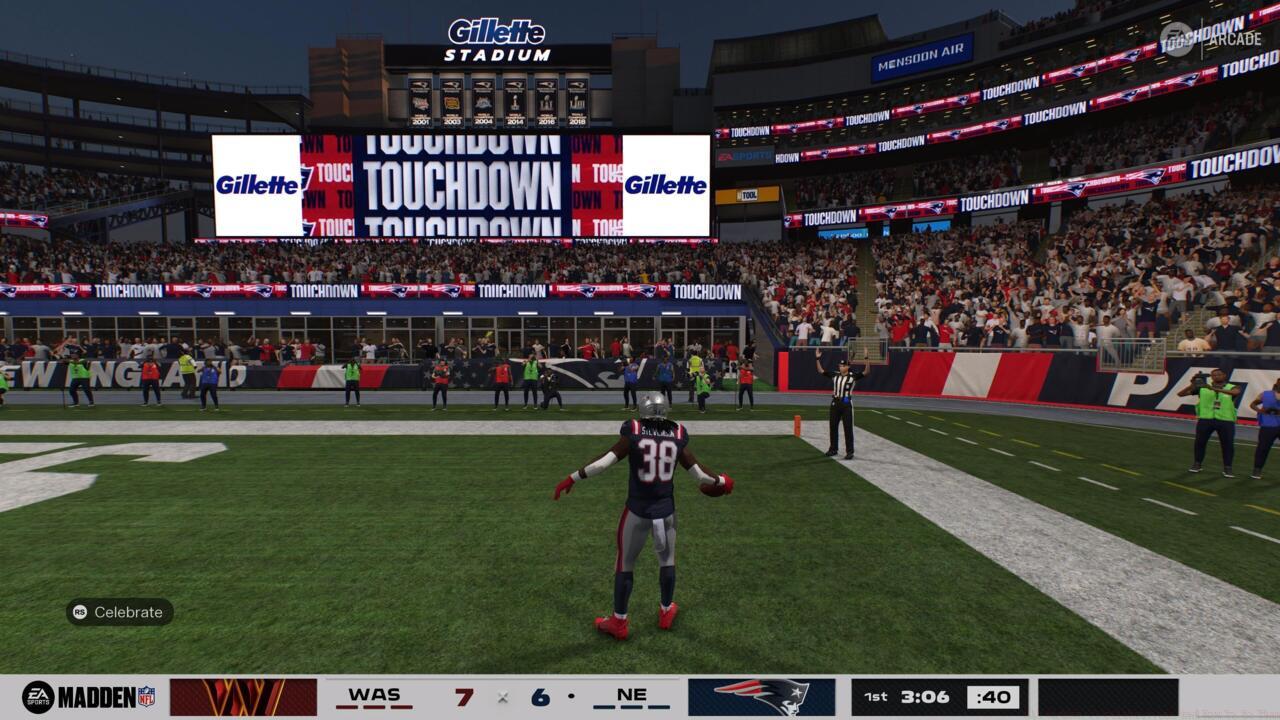
The Celebration icon appears in the bottom-left corner of the screen
Each category of significant play unlocks specific celebration options unavailable in other contexts. Touchdown celebrations represent the most extensive collection, while interception and first down celebrations offer more limited but situationally appropriate animations. This design ensures celebrations remain contextually relevant to the play’s significance.
Common timing mistakes include hesitation after the icon appears or attempting celebrations after the window closes. Optimal execution requires anticipating the celebration opportunity and having your button combinations prepared in advance.
Madden 26 organizes celebrations into three distinct categories based on play type, each with unique controller inputs. Mastering these controls allows for strategic celebration selection that matches the moment’s significance.
Touchdown Celebrations offer the most diverse selection, with 20 distinct animations available. These range from classic spikes to contemporary dance moves, providing ample opportunity for personal expression after crossing the goal line.
| Celebration | Button Combination |
|---|---|
| Point to Fans | Right Stick (RS) Up |
| Step Back on Em | RS Right |
| Griddy | RS Down |
| Salute | RS Left |
| Reach Low Flex | L2/LT + RS Up |
| Shake With It | L2/LT + RS Right |
| Wavy Walk | L2/LT + RS Down |
| He’s a Dawg |
L2/LT + RS Left |
| Stand on Biz | L1/LB + RS Up |
| Afterburners | L1/LB + RS Right |
| Spike | L1/LB + RS Down |
| Two-Step Shuffle | L1/LB + RS Left |
| Headstand | R2/RT + RS Up |
| Run Up Flex | R2/RT + RS Right |
| Fancy Flip |
R2/RT + RS Down |
| All Together Now | R2/RT + RS Left |
| Candy Karate | R1/RB + RS Up |
| Wait For It | R1/RB + RS Right |
| Shake Em Up | R1/RB + RS Down |
| At the Y | R1/RB + RS Left |
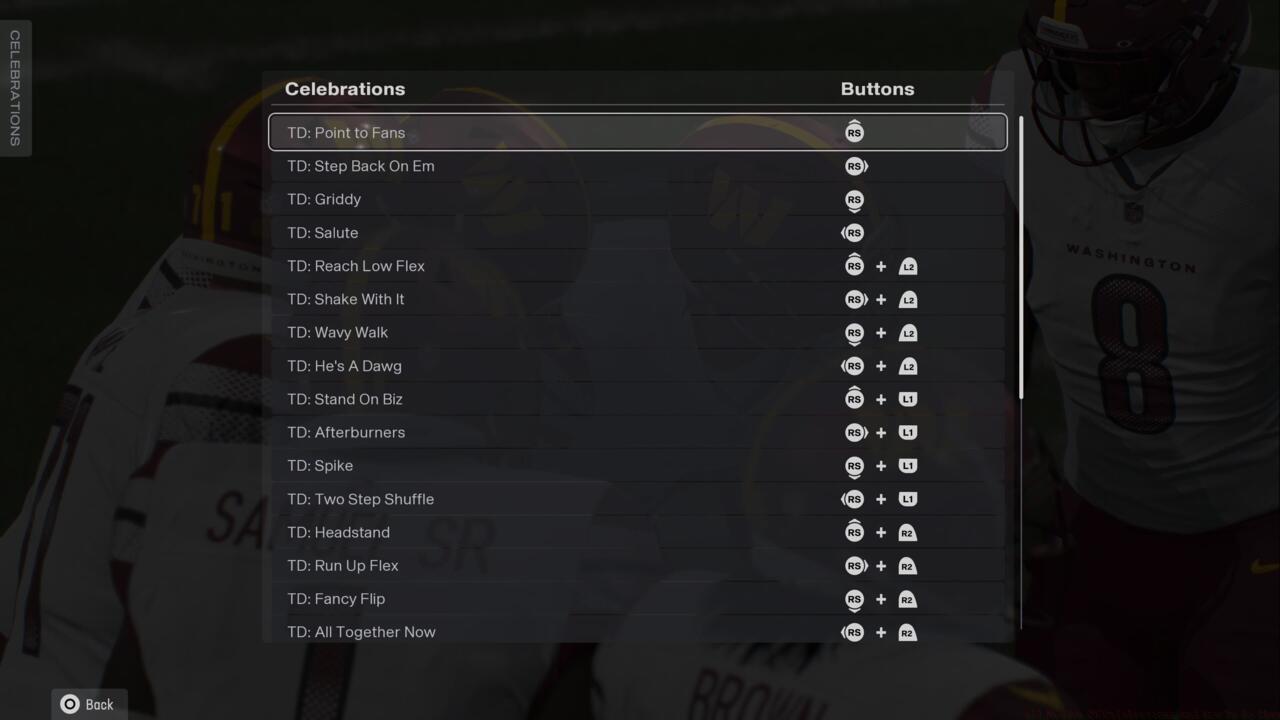
Some of the TD celebrations in Madden 26
Interception Celebrations provide four specialized animations perfect for defensive highlights. These moves emphasize dominance and psychological warfare against opposing quarterbacks.
| Celebration | Button Combination |
|---|---|
| Wave Goodbye | RS Up |
| Why You Throwing My Way | RS Right |
| Strapped | RS Down |
| Head Swag | RS Left |
First Down Celebrations include four subtle but effective animations for maintaining momentum. These celebrations work well for acknowledging crucial conversions without excessive showboating.
| Celebration | Button Combination |
|---|---|
| Signal It | RS Up |
| Touch Em Up | RS Right |
| Jacked | RS Down |
| Shake It Off | RS Left |
Performing a touchdown celebration
Beyond basic execution, elite Madden players employ sophisticated celebration strategies that enhance both style and psychological impact. These techniques transform celebrations from mere animations into strategic tools.
Timing optimization involves anticipating the celebration window before it appears. Position your thumbs over the anticipated button combinations during the play’s conclusion to ensure immediate activation when the prompt materializes.
Contextual selection means matching celebrations to game situations. Use subdued animations during close games and reserve extravagant celebrations for momentum-shifting plays or rivalry matchups.
Team coordination celebrations occur when multiple players activate synchronized animations. While not directly controllable, positioning players near each other during celebration windows can trigger unique group celebrations that amplify the moment’s impact.
Practice celebration controls during solo sessions or skill trainers to build muscle memory. This preparation ensures you can execute desired celebrations instinctively during competitive online matches without hesitation.
For comprehensive gameplay improvement, explore our Battlefield 6 Complete Guide for transferable skills. Additionally, mastering celebration timing can complement your strategic approach in other games, similar to understanding class dynamics in our BF6 Class Selection Guide.
Action Checklist
- Watch for celebration icon in bottom-left corner after big plays
- Practice basic celebration controls in solo mode sessions
- Memorize 3-4 favorite celebrations for each play type
- Learn advanced button combinations with trigger modifiers
- Develop contextual celebration selection based on game situation
No reproduction without permission:SeeYouSoon Game Club » All Madden 26 Celebrations And How To Do Them Master Madden 26 celebrations with complete controls guide, timing strategies, and advanced techniques