
TL;DR
- Autobuild unlocks after completing the Depths quest chain and defeating Master Kohga
- Access the system via L-button menu to instantly construct vehicles and devices
- Save favorite designs and manage your build history for rapid deployment
- Purple aura automatically gathers nearby components for instant assembly
- Combine Schema Stones with custom creations for maximum building efficiency
Transform your approach to construction in Hyrule with the revolutionary Autobuild feature. This game-changing mechanic dramatically accelerates your ability to craft vehicles, weapons platforms, and environmental solutions through automated assembly processes.
The Legend of Zelda: Tears of the Kingdom’s Autobuild represents a fundamental shift in how players approach creation. Rather than manually connecting each component, this system allows for instant deployment of complex designs. You can utilize pre-designed Schema Stone blueprints or leverage your own custom inventions, creating an unprecedented level of building flexibility. This guide delivers comprehensive strategies for both unlocking and mastering this powerful tool.
Acquiring the Autobuild ability requires substantial progression through the Depths exploration narrative. Follow this structured approach to secure this essential capability:
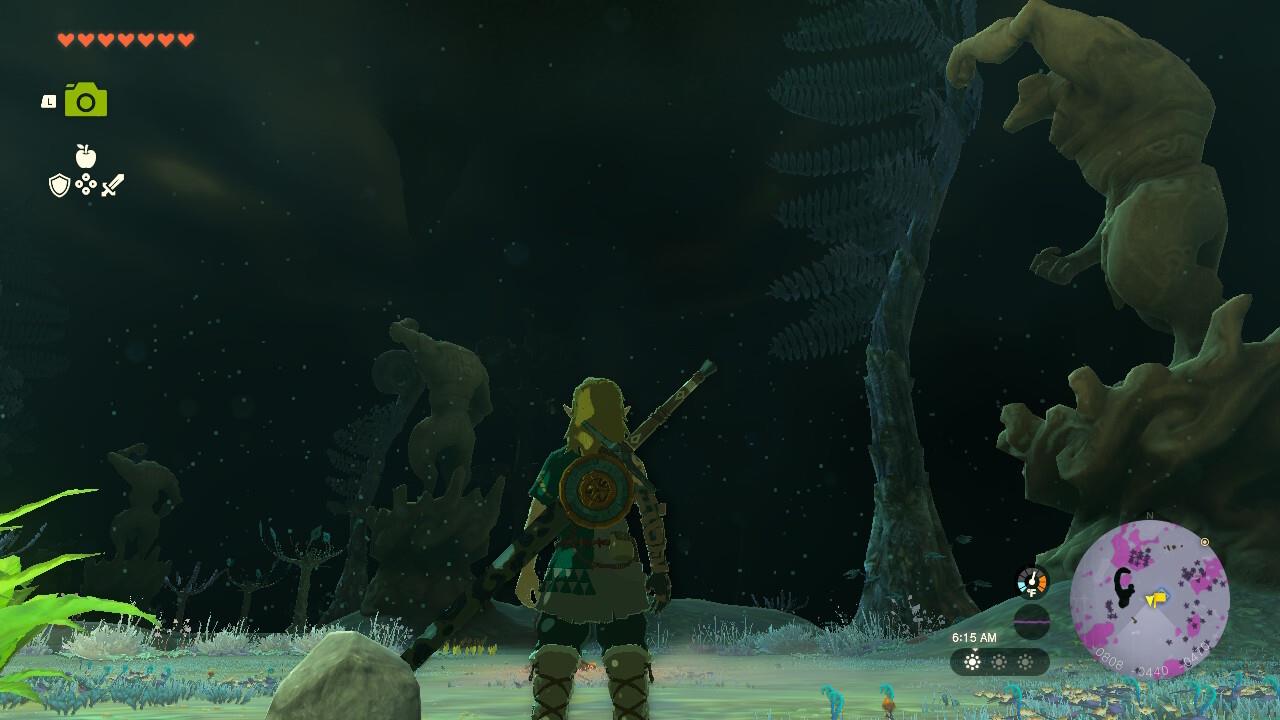
Follow the direction where these statues are pointing to reach the Great Abandoned Central Mine.
Pro Tip: Before venturing into the Depths, stockpile Brightbloom Seeds and ensure you have adequate weapon durability. The statue pathfinding sequence typically requires 45-60 minutes to complete, depending on your familiarity with underground navigation.
Activate the Zelda: Tears of the Kingdom Autobuild system by holding the L button and selecting it from the ability wheel. The interface displays both learned schematics (typically acquired after defeating Kohga in the Depths) and a comprehensive history of your previous Ultrahand creations.
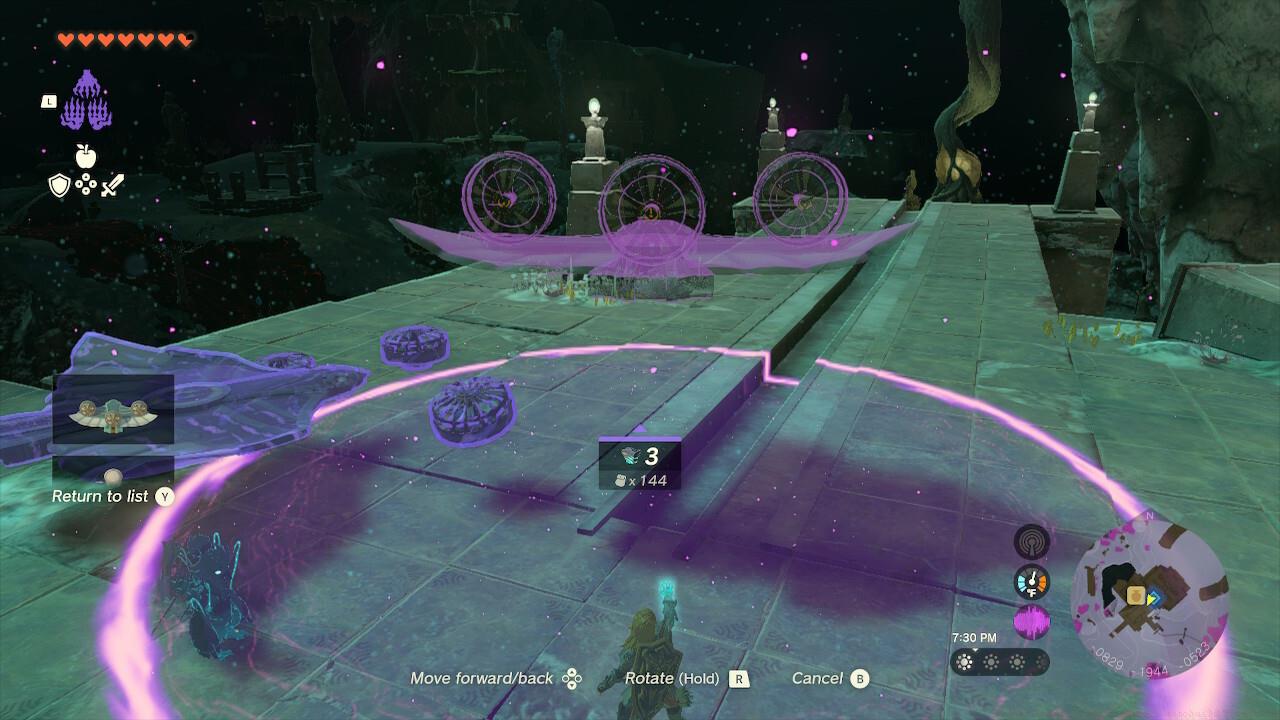
You’ll automatically grab the required items if they’re within the purple outline.
When you choose an Autobuild design, a distinctive purple energy field envelops Link. This aura automatically attracts and positions any compatible components within its radius that match the selected blueprint. The moment you press A, your complete vehicle, device, or structure materializes instantly with all elements perfectly connected.
Common Mistake: Players often forget that Autobuild consumes Zonai energy from your available reserves. Monitor your energy levels before attempting complex constructions to avoid mid-build failures.
Maximize your Autobuild efficiency with these professional techniques:
Like something that you made? Save it as a favorite.
Almost everything that created this ATV was made from scratch, except for the Battery which was recently attached to it.
Design Preservation: When you create an exceptionally effective vehicle or device, save it to your favorites for rapid redeployment. This eliminates the need to manually reconstruct complex designs during critical moments.
Resource Optimization: Autobuild automatically utilizes nearby components, but will consume Zonai energy to create missing parts. Strategic placement of construction zones near resource deposits can significantly reduce energy consumption.
Hybrid Construction: Combine Schema Stone templates with your custom modifications. Start with a basic blueprint then enhance it with additional weapons, armor, or functional elements to create superior hybrid designs.
For broader gameplay mastery that complements your building skills, explore our comprehensive Battlefield 6 Complete Guide for strategic fundamentals that translate well across gaming genres.
Action Checklist
- Complete Robbie’s Depths questline to obtain Purah Pad Camera
- Follow statue network from Hyrule Field Chasm to Great Abandoned Central Mine
- Defeat Master Kohga and activate the terminal to unlock Autobuild
- Practice Autobuild activation via L-button menu with simple designs
- Save 5-10 frequently used designs to favorites for quick access
No reproduction without permission:SeeYouSoon Game Club » Zelda: Tears Of The Kingdom – Autobuild Tips Guide Master the Autobuild system in Zelda: Tears of the Kingdom to accelerate your crafting and vehicle creation