
TL;DR
- Zero Hour starts November 29 at 2 PM EST with doors opening 40 minutes earlier
- Prepare by updating game, clearing storage, and joining 30+ minutes before start
- Event features epic Simpsons crossover with Godzilla, King Kong, and Kill Bill references
- Chapter 7 launches immediately after downtime following the event conclusion
- Strategic positioning and camera control maximize experience and reward collection
The Fortnite Zero Hour Chapter Finale represents the climactic conclusion to both the Simpsons mini-season and Chapter 6, serving as a transitional bridge to Chapter 7. This spectacular live event promises an unforgettable sendoff for Homer Simpson and other crossover characters before the next chapter begins.
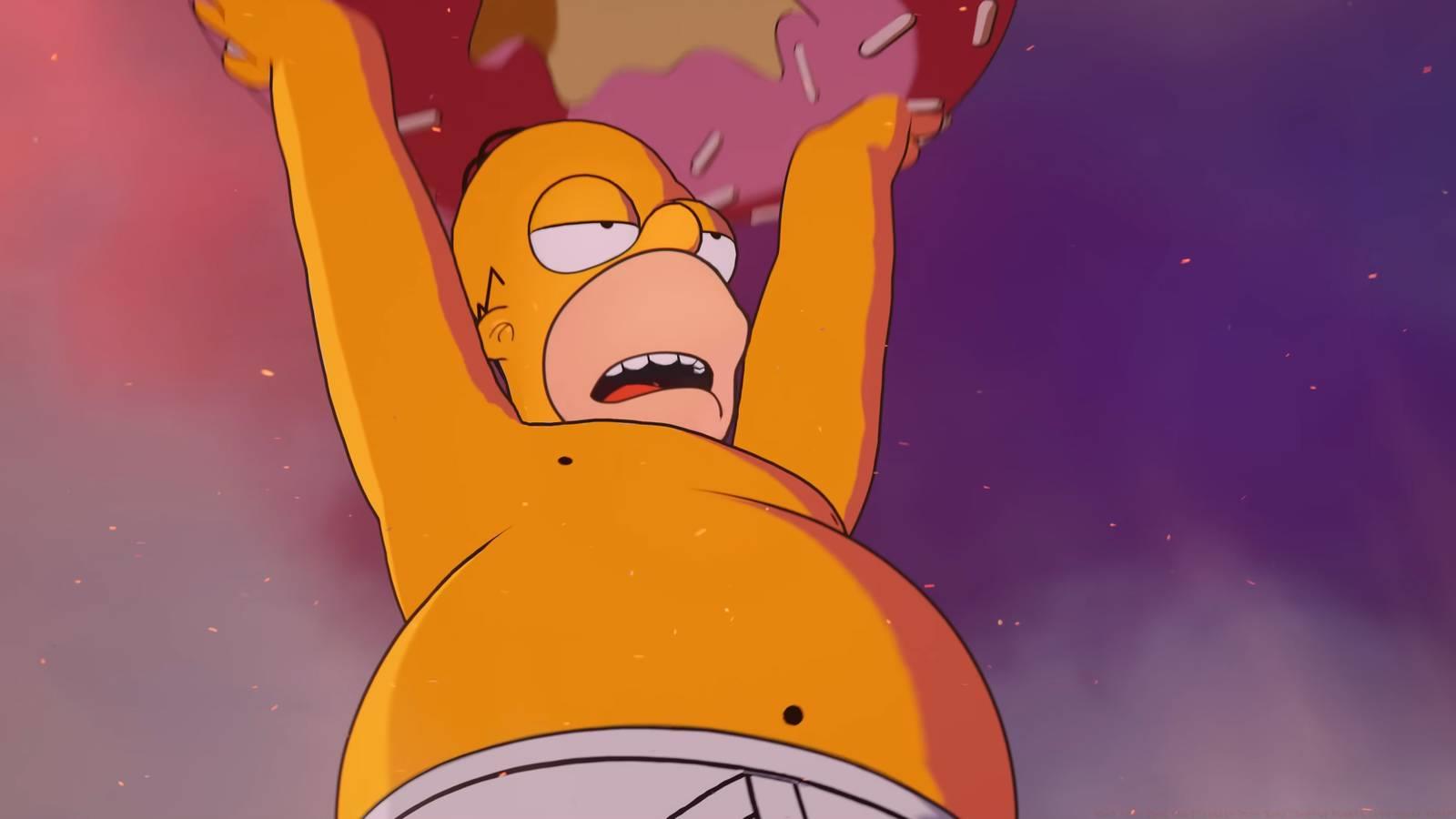
Epic Games has crafted an ambitious spectacle featuring colossal versions of pop culture icons, including a giant Homer Simpson potentially launching an enormous donut toward battling kaiju Godzilla and King Kong, while The Bride from Kill Bill makes a high-speed appearance. This convergence of multiple franchises creates a unique cinematic experience that transcends typical gameplay.
Following the event conclusion, servers will enter several hours of downtime to facilitate the technical transition to Chapter 7, bringing new mechanics, map changes, and gameplay systems. This pattern follows Epic’s established tradition of using live events to dramatically shift the game’s narrative and mechanical landscape.
The Zero Hour live event commences precisely at 2 p.m. EST on Saturday, November 29, with access beginning 40 minutes earlier at 1:20 p.m. ET when the virtual doors open. This pre-event window allows players to secure their spot in the instance and avoid last-minute connection issues.
Global timezone conversions ensure players worldwide can coordinate their schedules:
- 11 a.m. PST for the west coast of North America
- 2 p.m. EST for the east coast of North America
- 7 p.m. GMT for the U.K.
- 8 p.m. CET for western Europe
- 4 a.m. JST on Sunday, November 29 for Japan
- 6 a.m. AEDT on Sunday, November 29 for the east coast of Australia
International participants should note that the event occurs during peak gaming hours for North America and Europe, but requires early morning or late night scheduling for Asian and Australian players. Setting multiple alarms is recommended for those in timezones where the event occurs during sleeping hours.
Epic Games typically runs these events once without replays, making punctuality crucial. Historical data shows server queues begin forming 15-20 minutes before door opening, so early arrival significantly improves connection stability and visual quality.
Successfully participating in the Zero Hour event requires both technical preparation and strategic planning. Begin by ensuring your Fortnite client is fully updated at least 24 hours beforehand, as last-minute updates often cause missed opportunities during limited-time events.
Accessing the event follows a specific sequence: approximately 40 minutes before the main show, an special event playlist will appear in your game mode selection. Join this playlist immediately rather than waiting, as instances fill rapidly. Once inside, avoid exiting the game mode unless absolutely necessary, as reentry may be impossible once capacity limits are reached.
Technical preparation should include clearing temporary cache files, ensuring at least 10GB free storage space for potential emergency updates, and testing your internet connection stability. Wired connections dramatically reduce disconnection risks compared to wireless during high-traffic events.
Gameplay preparation involves selecting a balanced loadout with mobility options since live events often require rapid repositioning. However, note that weapons typically become disabled during cinematic sequences to ensure all players enjoy the narrative experience without disruption.
For comprehensive Battlefield 6 strategies that apply similar preparation principles, check our Complete Guide to event participation in major game updates.
Maximizing your Zero Hour experience involves both what to do and what to avoid. Position your character in elevated, centralized locations at least 10 minutes before the event begins, as these vantage points provide optimal viewing angles for the cinematic spectacle. Avoid crowding near obvious points of interest where visual obstruction is likely.
Common participant errors include arriving exactly at start time (too late), attempting to use weapons during narrative sequences (disabled), and panicking when controls are temporarily locked (intentional). The event automatically guides player cameras during key moments, so fighting this automation diminishes the experience.
Advanced players should disable streamer mode to enjoy the full audio landscape and enable high-resolution streaming in settings if bandwidth permits. Recording software should be tested beforehand, and having secondary recording devices running provides backup footage of this one-time experience.
Reward collection is typically automatic, but verify your locker afterwards for any missing items. If connection issues occur, support tickets should reference “Zero Hour Event” specifically for prioritized assistance. Understanding Weapons Unlock systems in other games can provide insight into Fortnite’s reward distribution patterns.
Post-event, immediately check for Chapter 7 download availability and consider our Class Guide for insights into adapting to new gameplay mechanics that often follow major updates.
Action Checklist
- Update Fortnite 24+ hours before event
- Clear cache and ensure 10GB free space
- Join event playlist 40+ minutes before start
- Secure elevated central positioning early
- Verify reward acquisition post-event
No reproduction without permission:SeeYouSoon Game Club » What time does the Fortnite Zero Hour Chapter Finale live event start? Complete guide to Fortnite Zero Hour event timing, preparation strategies, and gameplay tips for maximum rewards