
TL;DR
- Essential REPO mods transform basic horror gameplay into chaotic multiplayer fun
- Thunderstore mod manager simplifies installation but requires careful compatibility checks
- Gameplay mods enhance team coordination while cosmetic options add personalization
- Advanced mods provide strategic advantages through health bars and upgrade sharing
- Proper configuration prevents crashes and ensures stable multiplayer sessions
REPO has rapidly become the go-to multiplayer horror experience, offering budget-friendly thrills on Steam that have captured both streamers and gaming groups seeking hilarious cooperative scares. The best REPO modifications elevate this physics-based adventure beyond its core premise of exploring haunted locations with up to five companions. Your objective involves scavenging valuable items while evading terrifying creatures, then extracting these treasures to progress through increasingly challenging levels. Mid-run shops provide numerous upgrade paths to enhance your survival chances.
Installing REPO modifications requires the Thunderstore mod management platform for optimal results. This centralized tool streamlines the process but demands careful attention to dependency requirements. Always thoroughly review each mod’s description to identify prerequisite installations and potential conflicts. Many modifications rely on specific frameworks or complementary add-ons to function correctly.
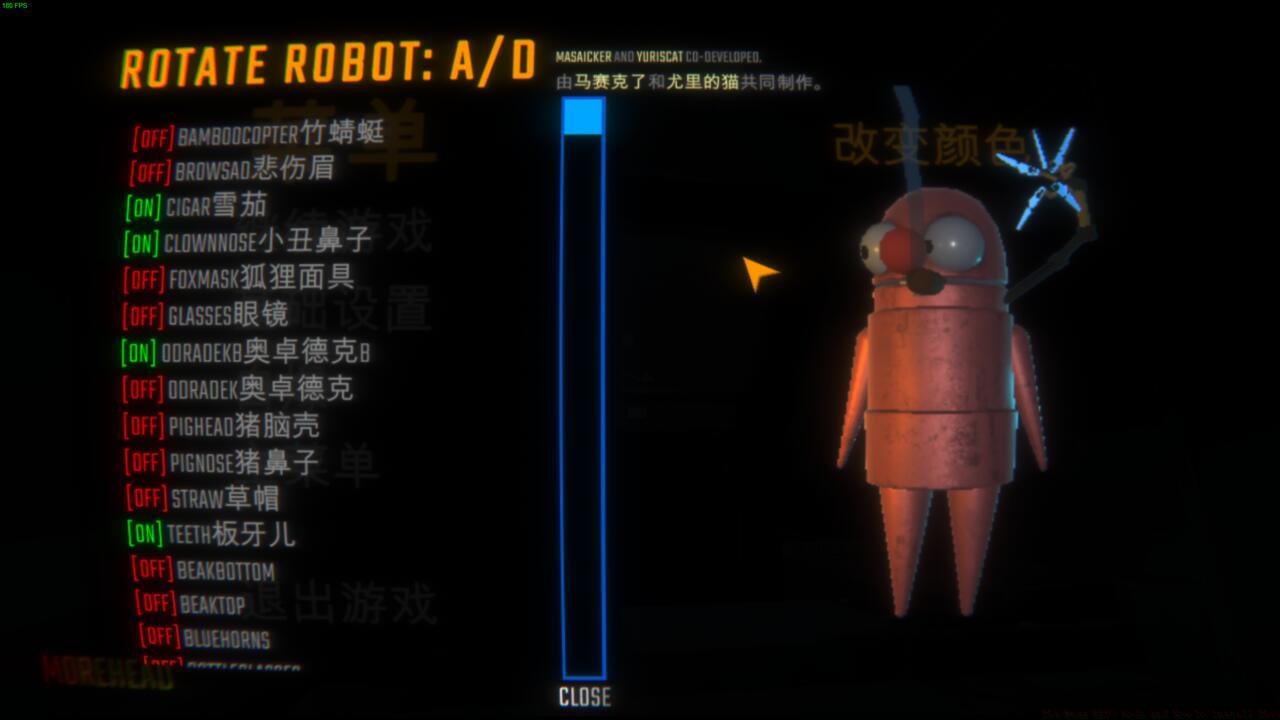
REPO cosmetics
The MorePlayers modification developed by Zelofi dramatically expands lobby capacity beyond the standard six-player limit. Based on extensive testing, this expansion typically results in delightful chaos and significantly reduced mission success rates. Despite the strategic disadvantages, the sheer entertainment value makes this modification highly recommended for casual sessions. After installation, navigate to your REPO directory and locate the moreplayers.cfg configuration file to adjust the “maxplayers” parameter according to your preferred group size.
Rebateman’s LateJoin modification solves the common problem of tardy teammates missing initial deployment. Without this enhancement, latecomers can only join during truck phases or require complete session restarts. The developer cautions that extensive code alterations necessary for this functionality may create incompatibility issues with other modifications.
EvilCheetah’s TeamUpgrades modification revolutionizes resource distribution by extending shop purchase benefits to all squad members. By default, upgrades only affect the purchasing player, creating potential for selfish behavior with critical enhancements like health boosts and stamina improvements. This modification ensures equitable access to vital survival tools.
XH DamageShow EnemyHealthBar provides crucial combat intelligence by displaying enemy vitality indicators. This visual feedback helps players make informed decisions about engaging threats versus tactical retreats. Knowing whether a monster has minimal health remaining can determine whether you stand your ground or flee to fight another day.
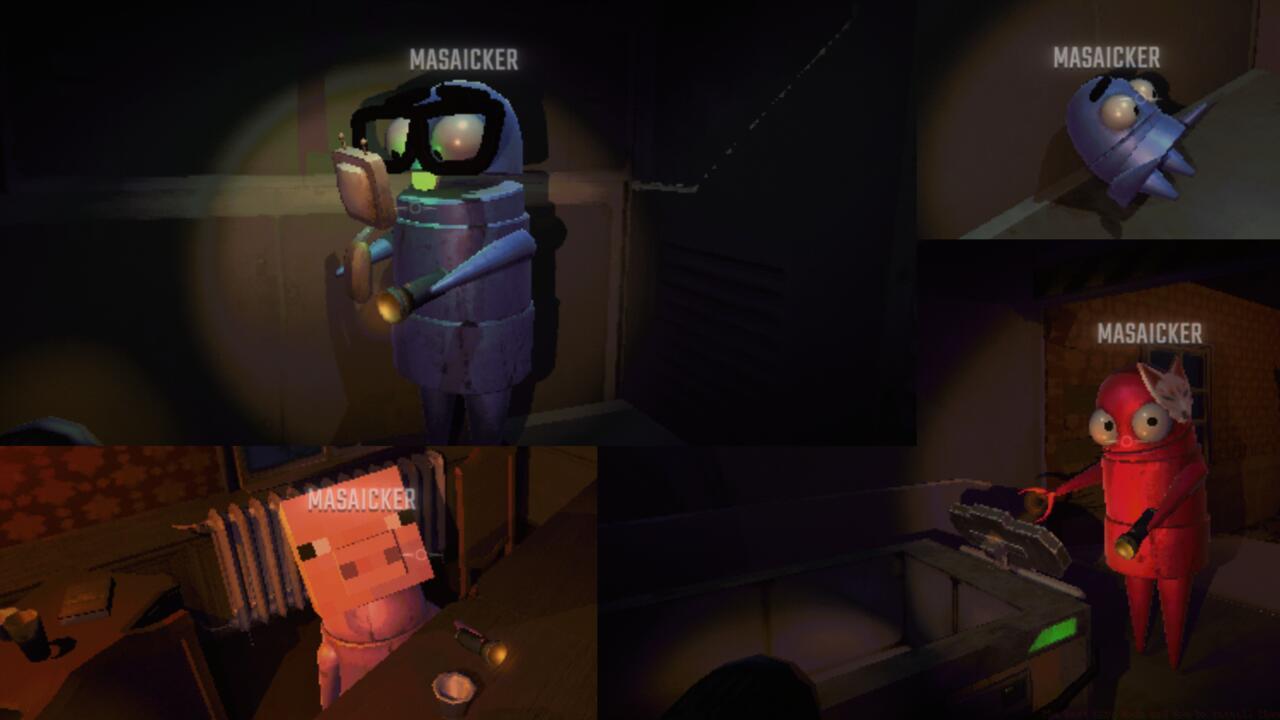
REPO cosmetics mods
REPO offers extensive cosmetic customization through multiple appearance modification packages. MoreHead, MoreHeadPlus, and EvenMoreHead provide diverse cranial accessories for your metallic bean-shaped character. BensCosmetics expands personalization options further with jacket variations and carried items, enabling truly absurd visual combinations that enhance the game’s comedic tone.
The DeadTTS modification enables spectral roleplaying by allowing deceased players to haunt surviving teammates through text-to-speech functionality. While directional by default, this can be reconfigured to play directly in allies’ audio streams. The humorous aspect is amplified by pitch modulation with each subsequent death. Living players needn’t worry about ghostly betrayals—the modification prevents dead companions from alerting hostile entities.
DeathHeadHopper straddles the line between modification and cheat code by permitting expired players to bounce around using their disembodied heads. Since cranial retrieval is necessary for inter-round resuscitation, this mobility allows forgotten teammates to hop toward extraction zones to remain in their companions’ memories.
Successful REPO modification requires strategic planning to avoid performance issues and gameplay instability. Begin with essential quality-of-life enhancements before introducing more complex gameplay alterations. Monitor frame rate impacts when adding visual modifications and test multiplayer compatibility before organized sessions. Many modification conflicts stem from overlapping code changes to core game mechanics.
For optimal stability, create modification loadouts based on playstyle preferences. Casual groups might prioritize cosmetic and social modifications, while serious teams may focus on tactical enhancements. Always backup your save files and configuration settings before introducing new modifications to prevent data loss.
Advanced users can customize configuration files beyond basic settings to fine-tune modification behavior. Parameters like player limits, audio settings, and visual effects can often be adjusted to personal preference. However, excessive customization may lead to unexpected behavior or game crashes during intense multiplayer moments.
Action Checklist
- Install Thunderstore mod manager and verify REPO game directory detection
- Download essential gameplay mods (MorePlayers, LateJoin, TeamUpgrades)
- Configure mod settings through respective .cfg files for optimal performance
- Test modifications in single-player mode before multiplayer sessions
- Create backup of save files and monitor for compatibility issues during gameplay
No reproduction without permission:SeeYouSoon Game Club » The Best REPO Mods And How To Install Them Essential REPO mods to transform your multiplayer horror experience with practical installation tips