
TL;DR
- The Anacrusis supports full crossplay across Xbox Series X|S, Xbox One, and PC platforms
- Six-digit Party Codes enable cross-platform invites but reset with each game session
- Direct platform invites work for same-platform friends, bypassing code requirements
- Streamers can hide Party Codes via Edit Party menu to prevent unwanted join requests
- Game Pass subscribers on both Xbox and PC can team up seamlessly with other platforms
Gather your crew from across different gaming ecosystems—The Anacrusis delivers comprehensive cross-platform functionality that bridges the gap between console and computer players. This feature ensures you never have to leave friends behind based on their preferred gaming hardware.
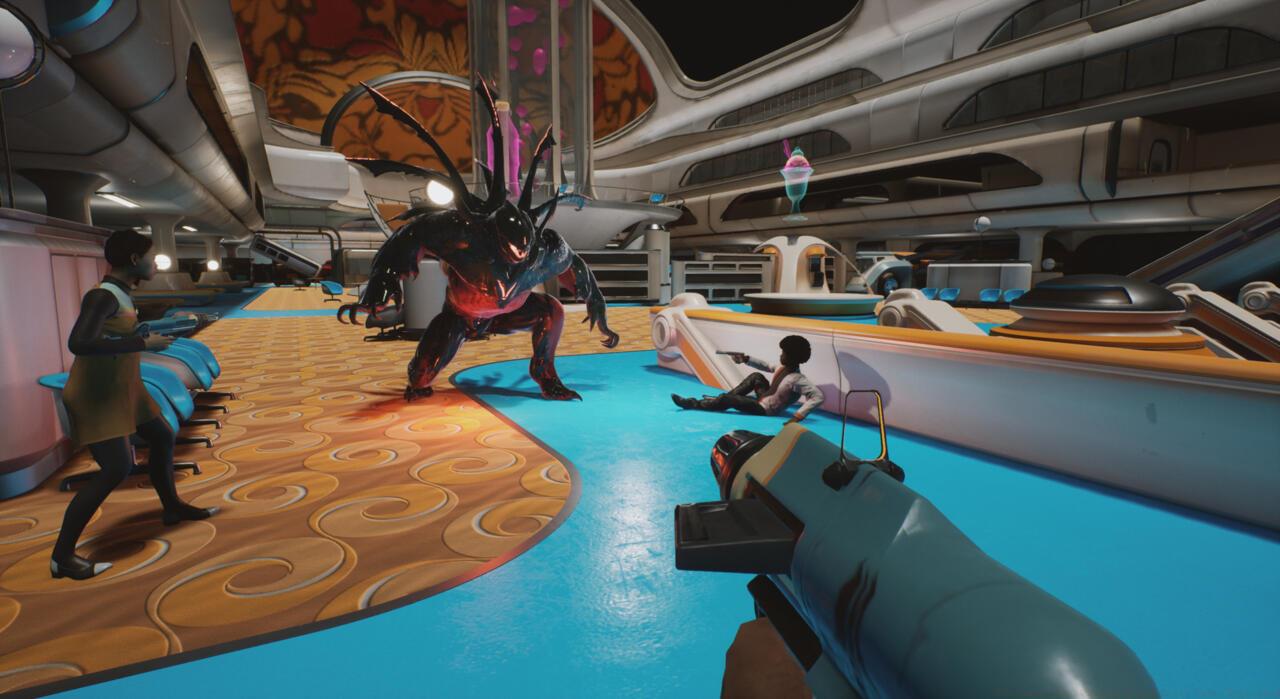
Crossplay means players of many platforms can team up to take on this beast.
Positioned as a spiritual successor to classic cooperative shooters, The Anacrusis brings retro-futuristic style to the horde shooter genre while solving the platform segregation problem. The game’s multiplayer infrastructure connects players across Xbox Series X|S, Xbox One, and PC versions—including both Steam and Epic Games Store distributions. Microsoft’s Game Pass subscription service further enhances accessibility, offering the title on both console and computer platforms within a single membership.
Cross-platform compatibility extends to all current distribution channels, allowing squads to form regardless of where players purchased the game. This four-player cooperative experience against alien threats naturally lends itself to additional platform support in the future, though developers haven’t announced specific timelines for PlayStation or other system releases. Currently, the unified voice chat system works flawlessly across all connected platforms, eliminating communication barriers between player bases.
The multiplayer framework incorporates a straightforward but essential Party Code mechanism that facilitates cross-platform team formation. While automatic matchmaking provides instant access to random groups, the code system gives players precise control over their squad composition.
Upon launching the game, your session automatically generates a unique six-digit Party Code displayed prominently on the interface. This alphanumeric identifier appears alongside visual slots indicating capacity for three additional players. You have two primary options: share your current code with prospective teammates or input someone else’s code to join their established session. Critical to understand—these codes function as temporary session keys rather than permanent friend identifiers. Each game launch produces a fresh code, unlike persistent friend systems seen on platforms like Nintendo Switch.
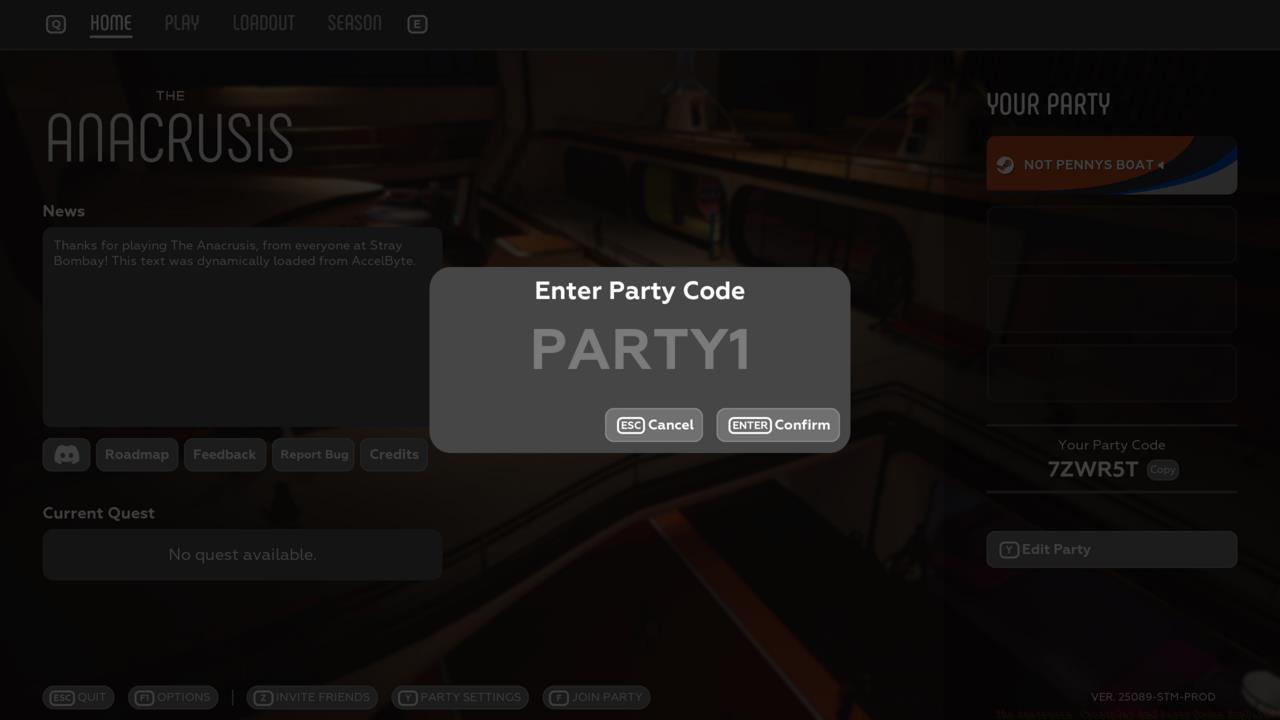
When playing with friends on the same platform family, you can completely bypass the code system. Xbox players can invite directly through system-level friend lists and invitation features, streamlining the process for platform-native squads. This dual-approach system accommodates both same-platform convenience and cross-platform flexibility.
Content creators and streamers will appreciate the privacy control option to conceal their Party Code during broadcasts. By navigating to the “Edit Party” section from the main menu interface, you can prevent your code from displaying publicly, avoiding unexpected join requests from viewers while maintaining your intended squad composition.
Mastering The Anacrusis’ crossplay mechanics requires understanding both technical functionality and strategic implementation. The Party Code approach represents a practical solution for smaller development teams implementing cross-platform functionality, balancing feature accessibility with development resources.
Communication Optimization: While voice chat works across platforms, consider establishing backup communication channels like Discord for clearer coordination during intense alien encounters. This becomes particularly important when playing with mixed input method groups (controller and keyboard/mouse).
Efficient Party Management: For regular play groups, establish a routine of sharing codes at the beginning of each session. Designate one player as the consistent host to simplify the joining process for other squad members.
Avoid Common Setup Errors: Many players mistakenly attempt to reuse old Party Codes from previous sessions. Always verify you’re using the current session’s code—visible on the host’s main menu screen. Additionally, ensure all players have the latest game version installed, as version mismatches can prevent successful cross-platform connections.
Platform Performance Considerations: When forming mixed-platform squads, acknowledge that performance may vary between hardware. PC players typically enjoy faster loading times, so allow extra moments for console teammates to load into missions completely before advancing.
The current Early Access status on PC and Game Preview designation on Xbox indicates ongoing development refinement. Players should anticipate occasional connectivity improvements and additional quality-of-life enhancements to the party system as the game evolves toward full release.
Action Checklist
- Locate your current six-digit Party Code on the main menu screen
- Share code with cross-platform teammates or enter host’s code to join
- Use direct platform invites for same-system friends to skip code entry
- Enable Party Code hiding via Edit Party menu when streaming to maintain privacy
- Verify all squad members have updated game versions to prevent connection issues
- Establish backup voice communication through Discord for mixed-input method groups
No reproduction without permission:SeeYouSoon Game Club » The Anacrusis: Crossplay And Party Codes Explained Complete guide to crossplay functionality and party codes in The Anacrusis co-op shooter