
TL;DR
- Cross-play enables seamless multiplayer across PC, PS5, and Xbox Series X|S platforms
- Cross-progression preserves your saves, purchases, and battle pass across all devices
- Three distinct lobby types offer flexible privacy and accessibility options
- Character flexibility allows switching heroes outside combat situations
- Mandatory online connectivity required for all gameplay modes
Suicide Squad: Kill The Justice League offers versatile gameplay experiences, allowing you to venture through Metropolis alone or assemble a four-person cooperative team. The game’s multiplayer functionality raises important questions about cross-platform compatibility that this comprehensive guide will address in detail.
While sharing the same narrative universe as the Batman Arkham series, Suicide Squad introduces fundamentally different cooperative mechanics. You can tackle missions independently or coordinate with friends, each selecting unique squad members. Establishing multiplayer sessions presents certain complexities, particularly regarding cross-platform functionality that we’ll thoroughly examine.
Let’s begin by exploring the cross-play infrastructure. The game features robust cross-platform capabilities, enabling seamless team formation regardless of hardware differences. Additionally, cross-progression ensures your account data, including mission completion status and character development, remains accessible across all supported systems.
The title is available on PC, PlayStation 5, and Xbox Series X|S platforms. This means you can transition from playing on computer to console while retaining all achievements and advancements. However, platform-specific licensing requires owning separate copies for each system you intend to use. Beyond preserving mission progress, your cosmetic acquisitions and seasonal battle pass advancements also transfer between platforms.
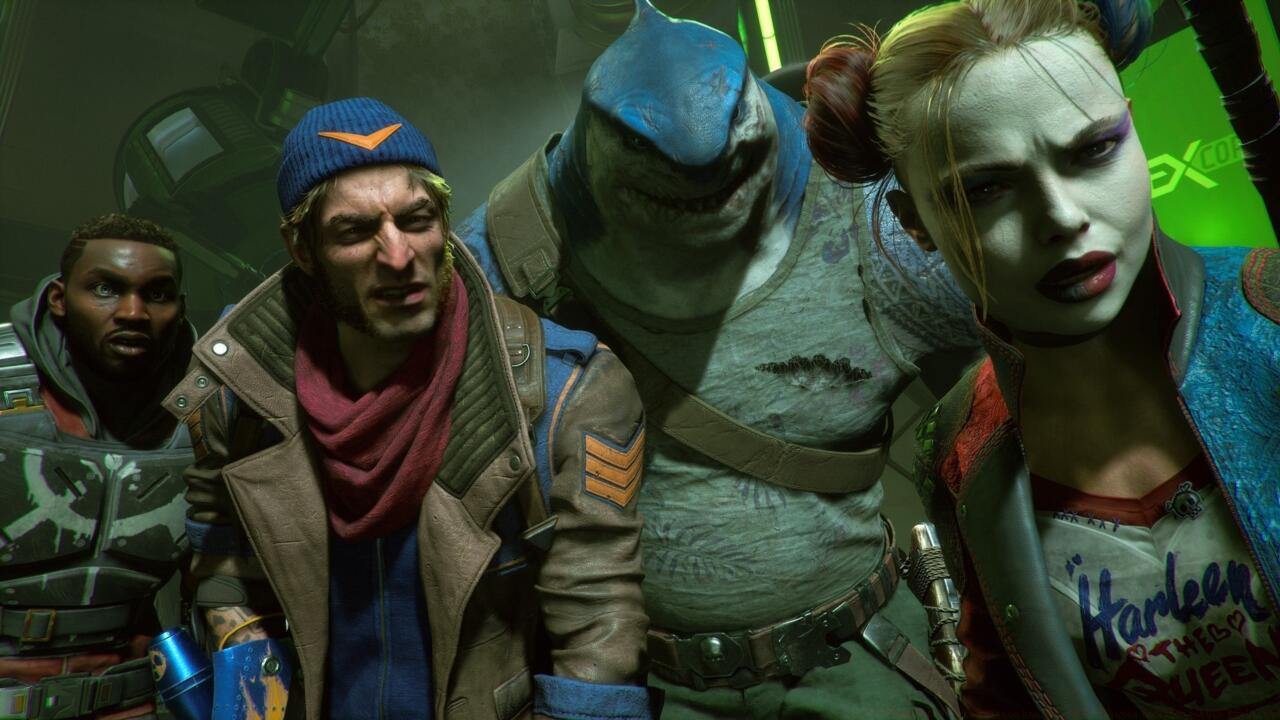
Squad up with up to three friends in Metropolis.
For cross-platform multiplayer functionality, you can extend invitations to or accept join requests from any player possessing internet connectivity and an active Kill The Justice League account. Account creation is mandatory before accessing gameplay features, ensuring all potential squad members have established profiles. These accounts facilitate friend list management and cooperative play across different hardware ecosystems. Before initiating or accepting cooperative invitations, however, you must complete the introductory tutorial segment. Afterwards, you can configure session permissions as “Open to Public,” “Open to Friends,” or “Invite Only” configurations.
Selecting the first two options permits friends on your contact list to freely enter your game session. Naturally, public accessibility settings allow any random participant to join your mission. The final option necessitates specifically inviting companions through your friends list interface. When allies or other participants enter your lobby, they can choose their preferred characters and commence exploring Metropolis alongside you.
Now that you understand cross-platform mechanics, let’s explore optimal multiplayer configuration. If you prefer playing with limited participants, I strongly recommend setting session permissions to “Invite Only.” This approach provides complete control over your squad composition and player count.
I additionally advise coordinating campaign progression synchronization with your teammates. Nevertheless, the game permits joining sessions regardless of individual story advancement levels. Consequently, even if you’ve nearly completed the narrative, friends with minimal playtime can still participate. Regardless of individual progression states, all participants must select characters. You maintain flexibility to switch heroes during non-combat situations, though you may retain a single character throughout your entire campaign if preferred.
The most critical consideration when organizing multiplayer sessions involves maintaining persistent internet connectivity for all participants. Kill The Justice League currently operates as an exclusively online experience, meaning even duo sessions require both players’ continuous connection, as local split-screen cooperative modes remain unavailable.
Strategic team composition significantly impacts mission success rates. Consider balancing your squad with complementary abilities rather than simply choosing favorite characters. For optimal performance, review our comprehensive Class Guide to understand how different roles contribute to team dynamics.
Common mistakes include neglecting communication protocols and failing to coordinate special ability usage. Advanced players should master character swapping to counter specific enemy types and mission objectives. Expect approximately 15-20 minutes for initial session setup, including friend list management and permission configuration.
Optimization techniques involve pre-mission coordination through external voice chat applications, as in-game communication options may prove limited. Additionally, regularly consulting our Weapons Unlock guide ensures your team maintains competitive armaments against Brainiac’s forces.
For comprehensive gameplay mastery beyond multiplayer mechanics, explore our extensive Complete Guide covering all aspects of the Metropolis campaign and endgame content strategies.
Multiplayer Setup Checklist
- Step 1: Complete introductory tutorial mission (15-20 minutes)
- Step 2: Establish Rocksteady Studios account and verify email
- Step 3: Add friends across platforms using their account IDs
- Step 4: Configure session privacy settings based on preference
- Step 5: Coordinate character selection with teammates for balanced abilities
- Step 6: Verify stable internet connection before initiating sessions
- Step 7: Utilize external communication tools for superior coordination
- Step 8: Monitor battle pass progression across different platform sessions
Action Checklist
- Complete introductory tutorial mission
- Establish Rocksteady Studios account and verify email
- Add friends across platforms using their account IDs
- Configure session privacy settings based on preference
- Coordinate character selection with teammates
No reproduction without permission:SeeYouSoon Game Club » Suicide Squad: Kill The Justice League – Multiplayer And Cross-Play Explained Master cross-play mechanics, multiplayer strategies, and account management in Suicide Squad: Kill The Justice League