
Master Sand Quarry activation in RoadCraft with detailed steps, troubleshooting tips, and advanced strategies for efficient gameplay
Understanding RoadCraft’s Sand Quarry System
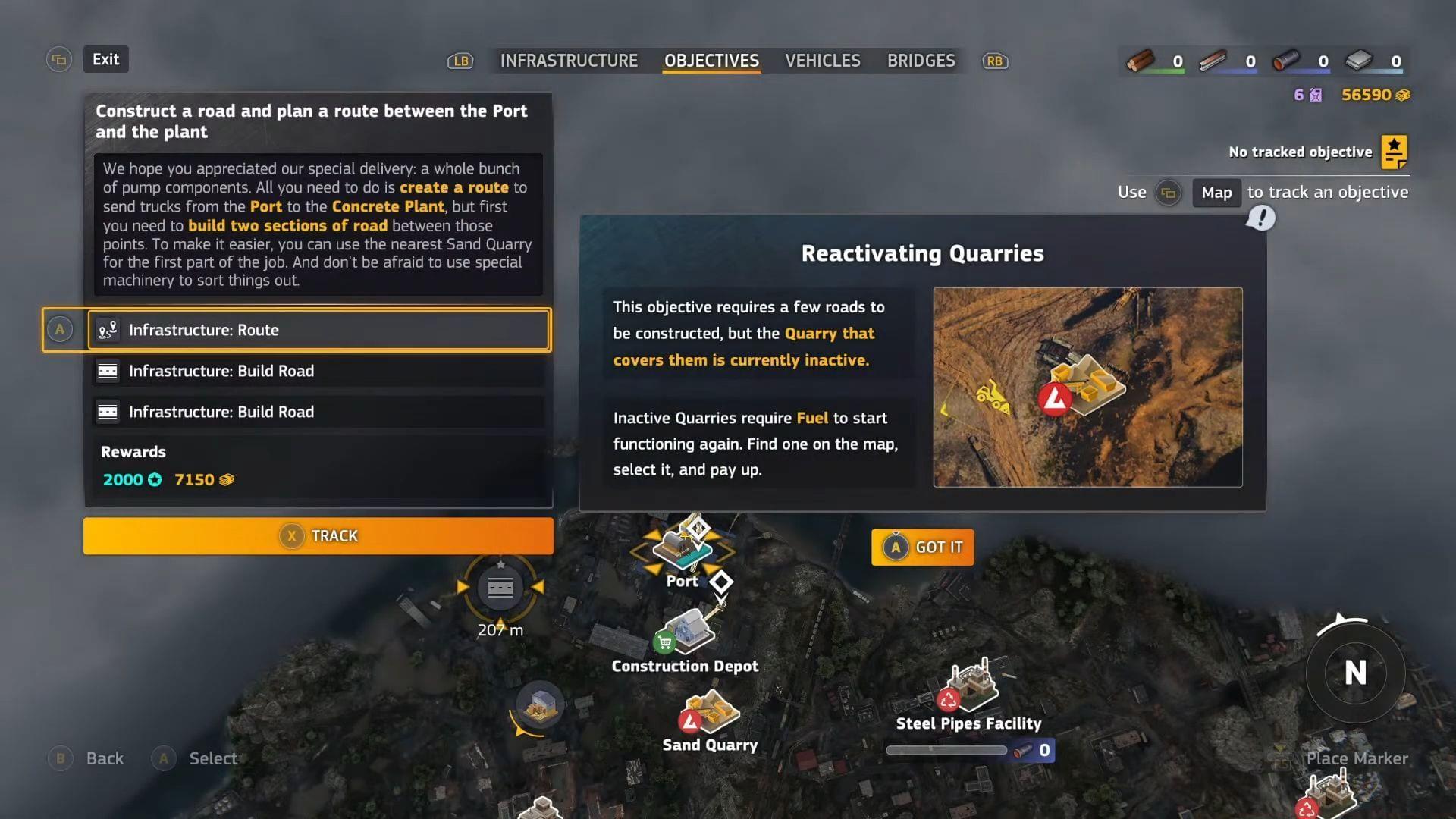
RoadCraft represents Saber Interactive’s latest innovation in the simulation genre, building upon their expertise from Snowrunner and Mudrunner. This driving and construction simulation challenges players to rebuild disaster-stricken regions using heavy machinery and strategic resource management. The Sand Quarry system serves as a critical resource hub where players extract essential materials needed for reconstruction projects throughout the game world.
Understanding quarry mechanics is fundamental to progression, as these locations provide the bulk of construction materials required for road building, structure repair, and infrastructure development. Each quarry activation consumes fuel resources, making efficient management crucial for maintaining steady progress in your reconstruction efforts.
Step-by-Step Activation Process
Navigating to the map interface provides access to all available quarry locations. The map screen features a stationary circular targeting reticle at its center that you’ll use for selection purposes. Begin by carefully positioning this cursor directly over the Sand Quarry icon—precision matters significantly here since the activation option only becomes visible when perfect alignment is achieved.
Once properly aligned, you’ll see the prompt “[keybind] Activate Quarry” appear. Selecting this reveals the cost requirement: “[keybind] (3 Fuel Points) to Activate“. This two-step verification prevents accidental activations and ensures you’re committing resources intentionally.
The most critical step involves targeting the command prompt itself rather than the quarry icon. Position your cursor over the activation text and maintain pressure on the designated keybind for several seconds. Many players mistakenly release too early—maintain the hold until you receive clear confirmation that the process has completed successfully.
Common Activation Issues and Solutions
Even with correct procedure execution, several factors can prevent Sand Quarry activation. Fuel management represents the most frequent obstacle—despite recent refills, quarries may still register insufficient fuel levels. Always verify tank capacity through the resource management interface before attempting activation, as visual indicators can sometimes be misleading.
Quest progression requirements create another common barrier. Many quarry sites remain locked until specific mission checkpoints are triggered. If activation fails despite correct procedure, review your current objectives to ensure you’ve reached the necessary story progression point. Some regions mandate completing preliminary reconstruction tasks before quarry access is granted.
Interface responsiveness can also impact success. The targeting system requires exact cursor placement, which may be affected by controller sensitivity settings or input lag. Adjust these settings if you consistently struggle with prompt recognition, and consider switching input methods if problems persist across multiple attempts.
Advanced Tips and Optimization Strategies
Successful activation triggers multiple confirmation signals: the “Quarry activated” notification appears prominently on your map screen, accompanied by distinctive mechanical sounds and visible dust clouds rising from the site. These multisensory indicators ensure you never doubt whether the process completed correctly.
For experienced players, strategic quarry management becomes essential. Plan activation sequences to minimize travel time between sites, and coordinate fuel deliveries to support multiple simultaneous operations. Consider establishing a rotation system that keeps high-yield quarries active during peak play sessions when you can maximize resource collection.
Advanced techniques include pre-positioning fuel trucks near upcoming quarry sites and synchronizing activation with co-op partners for efficient resource distribution. Monitoring quarry output rates helps identify the most productive locations for prioritizing maintenance and upgrades as you expand your reconstruction operations across the game world.
No reproduction without permission:SeeYouSoon Game Club » Sand Quarry: RoadCraft: How to activate Sand Quarry Master Sand Quarry activation in RoadCraft with detailed steps, troubleshooting tips, and advanced strategies for efficient gameplay