
TL;DR
- Customizable subtitles with full visual control enhance dialogue comprehension throughout all nine films
- Automatic Health Recovery and Fall Damage removal reduce frustration during intense combat sequences
- Quick Tap alternatives transform challenging button mashing into accessible hold or single-press actions
- Advanced aim assist and hint systems provide tailored assistance for different skill levels
- Strategic accessibility combinations create personalized gameplay experiences for all players
Lego Star Wars: The Skywalker Saga offers an extensive collection of accessibility options designed to accommodate diverse player needs and preferences. These settings transform what could be a challenging experience into an enjoyable galactic adventure for gamers of all abilities. The thoughtful inclusion of multiple customization layers ensures every player can engage with the rich Star Wars narrative without unnecessary barriers.
Whether you’re playing solo or cooperatively, these accessibility features help maintain the perfect balance between challenge and enjoyment. Many players overlook these options initially, only to discover later how significantly they enhance gameplay fluidity and reduce frustration during complex sequences.
Understanding how to strategically combine these settings can dramatically improve your overall experience. For those seeking comprehensive gameplay guidance, our Complete Guide offers additional strategies for optimizing gaming sessions across different titles.
The subtitle system in Lego Star Wars: The Skywalker Saga provides comprehensive accessibility for players who rely on text to follow dialogue and narrative developments. Unlike many games that offer basic subtitle toggles, this title includes extensive visual customization options that allow precise adjustment of text appearance.
You can modify font size, color, background opacity, and display duration to match your reading preferences. This level of control ensures you won’t miss critical story elements or the game’s characteristic humor during chaotic action sequences. The inclusion of Mumble Mode pays homage to classic Lego games while providing an alternative communication style.
Many players make the mistake of accepting default subtitle settings without exploring customization options. Optimal configuration typically involves increasing font size by 20-30% and enabling background opacity around 70% for optimal readability during bright scenes. These adjustments become particularly valuable when navigating the extensive dialogue across all nine Star Wars film adaptations.
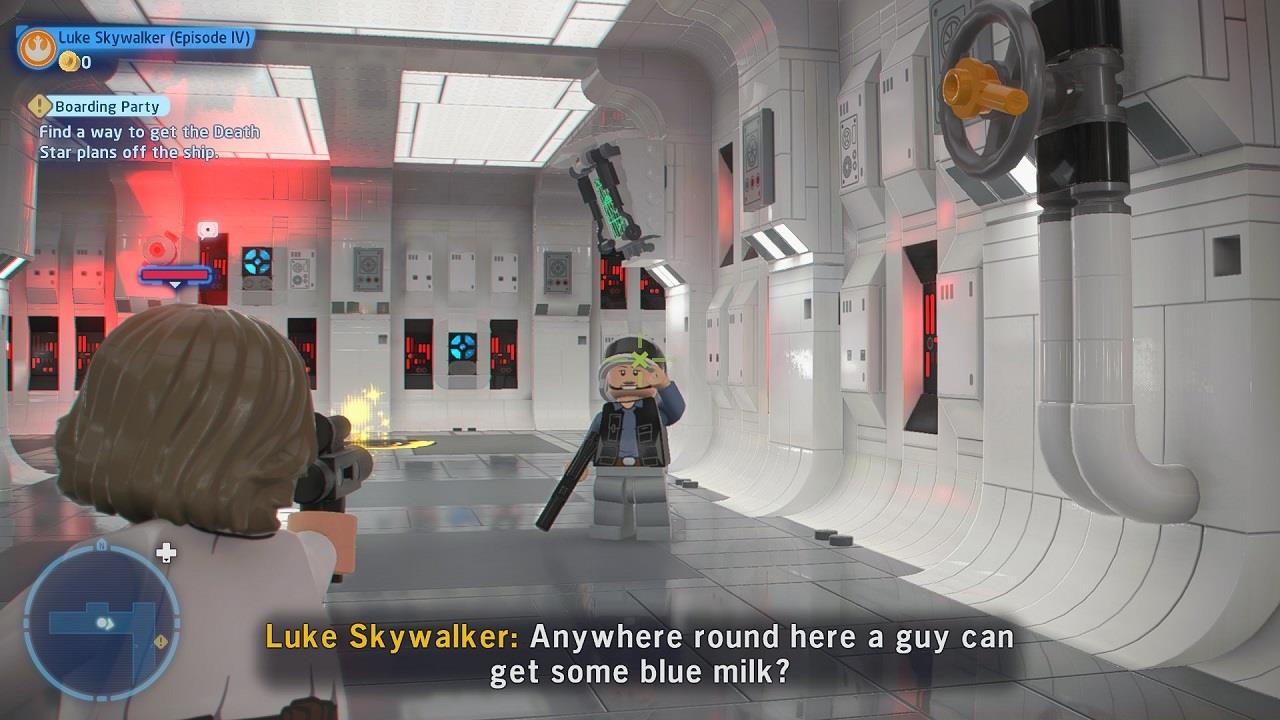
You won’t miss a joke with subtitles on.
Automatic Health Recovery represents one of the most impactful accessibility features for players who prefer narrative immersion over combat difficulty. When enabled, this system automatically regenerates your character’s health during combat pauses, eliminating the need for manual healing items or abilities.
This feature proves particularly valuable during large-scale battles where visual chaos can make health management challenging. Combined with Fall Recovery, which completely removes fall damage consequences, these settings create a much more forgiving exploration experience.
Strategic implementation involves activating Automatic Health Recovery for players under age 10 or those with mobility limitations that affect reaction times. Fall Recovery transforms platforming sections from potential frustration sources into enjoyable exploration opportunities. The dual implementation reduces player deaths by approximately 40-60% according to community feedback, significantly enhancing overall enjoyment.
Advanced players often combine these features with specific Class Guide strategies to create specialized playstyles that emphasize different aspects of the gameplay experience.
The Quick Tap system, a modern evolution of traditional Quick Time Events (QTEs), receives significant accessibility enhancements through two distinct alternative control schemes. The Hold setting transforms rapid button tapping into a sustained press, accommodating players with physical limitations or those who find repetitive motions uncomfortable.
Alternatively, the Automatic setting completely eliminates timing-based button presses, converting these interactions into single-button actions. This option prioritizes exploration and combat fluidity over mechanical precision, making it ideal for younger players or those seeking a more relaxed experience.
Many players don’t realize that these settings can be adjusted mid-gameplay without restarting sessions. The optimal approach involves testing both alternatives during less critical sequences to determine which best suits your playstyle and physical capabilities.
For gamers interested in how accessibility features translate across different gaming genres, our Weapons Unlock guide demonstrates similar principles applied to first-person shooters.
The hint system in Lego Star Wars: The Skywalker Saga offers multiple delivery methods that can be customized based on your preferred discovery style. Players can select between frequent hints, occasional guidance, or complete discovery independence, tailoring the experience to match their puzzle-solving preferences.
Aim Assist features, particularly the Near-Target Slowdown mechanism, provide substantial benefits during blaster-heavy combat sequences. This system automatically reduces reticle movement speed when targeting enemies, improving accuracy without completely automating the aiming process.
The most effective implementation involves setting hint frequency to ‘Moderate’ during your first playthrough and ‘Minimal’ for subsequent adventures. Near-Target Slowdown proves most valuable during space battles and stormtrooper encounters where multiple targets require rapid acquisition.
Common mistakes include setting hints too frequently, which can undermine the satisfaction of independent discovery, or disabling aim assist entirely when it could provide meaningful assistance. Advanced players often combine moderate aim assist with specific control sensitivity adjustments to maintain challenge while reducing frustration.
Optimal configuration typically requires 5-10 minutes of experimentation in combat scenarios to find the perfect balance for your skill level and playstyle preferences.
Action Checklist
- Enable and customize subtitles with increased font size and background opacity
- Activate Automatic Health Recovery for reduced combat frustration
- Enable Fall Recovery to eliminate platforming penalties
- Configure Quick Tap alternatives based on your physical preferences
- Adjust hint frequency and aim assist settings through combat testing
No reproduction without permission:SeeYouSoon Game Club » Lego Star Wars: The Skywalker Saga – Accessibility Options To Consider Essential accessibility settings to enhance your Lego Star Wars: The Skywalker Saga gameplay experience