
Essential guide to Killing Floor 3 system requirements, cross-platform features, and performance optimization tips
Game Overview and Release Details
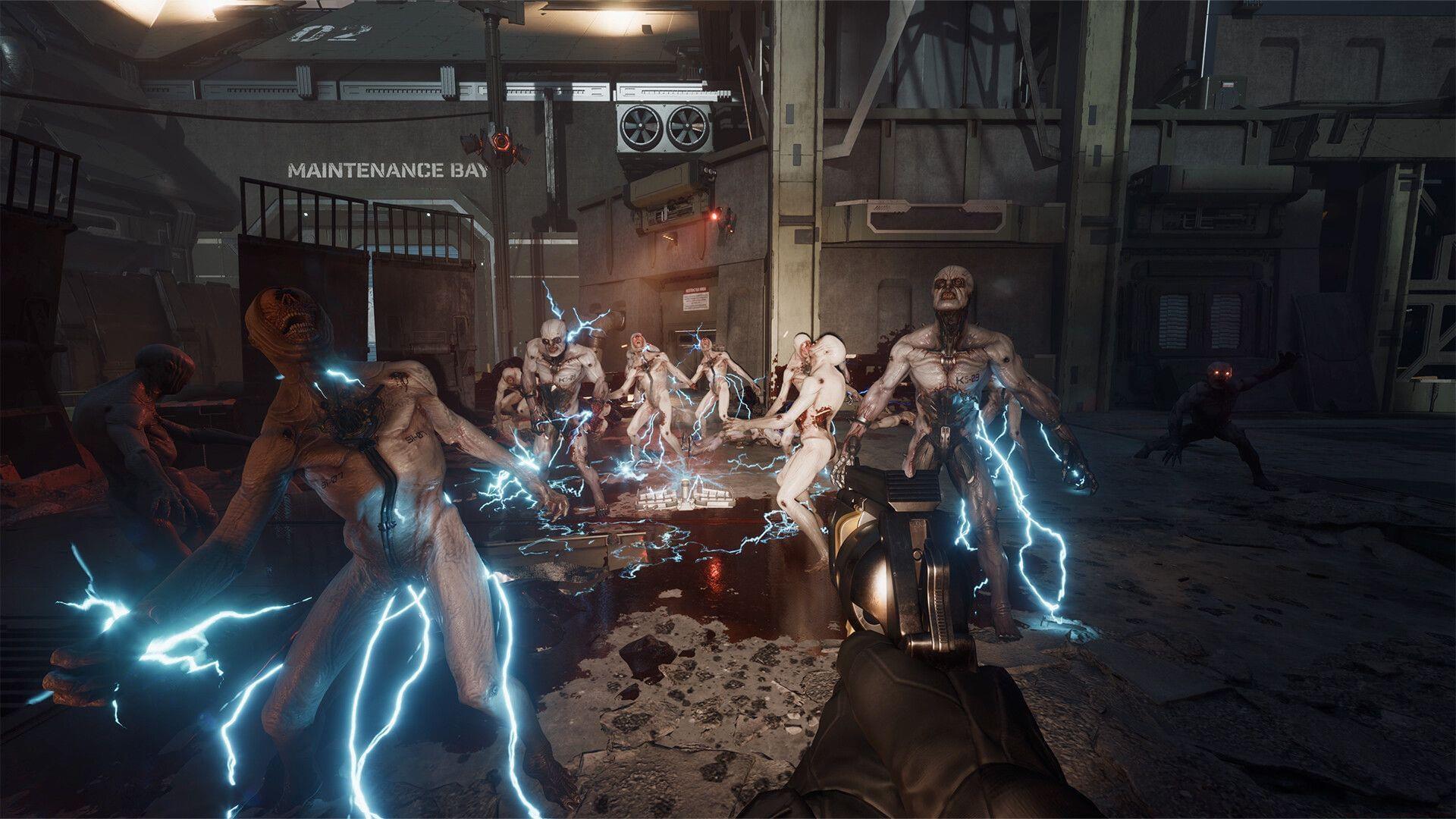
Killing Floor 3 launches worldwide on July 24, 2025, at 6 am PT/9 am ET, bringing the acclaimed co-op horror FPS series to next-generation platforms. As development concludes, players worldwide are preparing their systems for the intense zombie-slaying action that defines the franchise.
The narrative continues the corporate warfare theme, pitting players as operatives of rebel faction Nightfall against bio-engineered monstrosities created by the sinister Horzine Corporation. Each mission challenges squads to complete objectives while surviving escalating enemy assaults that grow progressively more difficult with each wave cleared.
Cross-Platform Play Features
Cross-platform functionality represents a major advancement for the series, enabling seamless multiplayer sessions regardless of hardware platform. This eliminates traditional barriers that often separated gaming communities across different ecosystems.
Platform compatibility spans PlayStation, Xbox, and PC systems, allowing friends to assemble squads without worrying about system compatibility. The feature supports both cooperative gameplay and competitive modes, ensuring complete multiplayer integration across all available platforms.
Accessing cross-platform options requires navigating to the Gameplay settings tab, then selecting Matchmaking preferences. Here you’ll find the crossplay toggle switch – simply activate it to enable matching with players on other platforms. Disabling the feature restricts matchmaking to your specific platform ecosystem only.
Common pitfall: Some players overlook that cross-platform saves aren’t supported – your progression remains tied to your primary platform account. Additionally, voice chat compatibility may vary depending on platform-specific communication systems.
System Requirements Breakdown
Here’s a comprehensive analysis of the hardware specifications needed to experience Killing Floor 3 optimally:
Minimum Specifications (Target: 1080p/60fps)
- CPU: AMD Ryzen 5 2600 or Intel Core i7-4790 – These quad-core processors handle basic enemy AI and physics calculations
- GPU: NVIDIA GeForce GTX 1060 or AMD Radeon RX 480 – 6GB VRAM models recommended for texture streaming
- Network: Broadband Internet connection – 5Mbps minimum for stable multiplayer
- Storage: 20 GB available space (SSD Required) – Mechanical drives cause significant loading delays
Recommended Specifications (Target: 1440p/144fps)
- CPU: AMD Ryzen 7 7700X or Intel Core i9-9700K – Additional cores manage complex enemy behaviors
- GPU: AMD Radeon RX 6750 XT or GeForce RTX 3060 – Ray tracing capabilities enhance atmospheric effects
- Network: Broadband Internet connection – 25Mbps ideal for host duties
- Storage: 20 GB available space (SSD Required) – NVMe drives provide fastest asset loading
Performance insight: The SSD requirement is non-negotiable for acceptable loading times during wave transitions. Enemy spawns and environmental assets stream continuously during gameplay, making storage speed crucial for maintaining framerate consistency.
Performance Optimization Guide
Maximizing your Killing Floor 3 experience requires strategic settings adjustments based on your hardware configuration:
Graphics Configuration Strategy
Begin with texture quality set to High, as this has minimal CPU impact while significantly enhancing visual clarity. Shadow quality should be your first reduction when targeting higher framerates – dropping from Ultra to High can yield 15-20% performance gains. Post-processing effects like motion blur and depth of field should be disabled for competitive play, improving target acquisition during intense combat scenarios.
Network Performance Optimization
Ensure your router’s QoS (Quality of Service) settings prioritize gaming traffic, especially if multiple devices share your connection. Wired Ethernet connections are strongly recommended over WiFi for host players, as packet loss during critical moments can cause synchronization issues across the entire squad.
Storage Management Techniques
Despite the 20GB installation size, maintain at least 50GB free space on your SSD to accommodate shader cache buildup and future updates. Regularly verify game file integrity through your platform’s client to prevent asset corruption that can cause performance degradation over time.
Also read — Killing Floor 3 release countdown: Start time for all regions
Also read — Can you play KF3 as a newcomer to the series?
Check out our other articles from Sportskeeda’s Esports and Gaming section:
- Time until Phrolova releases in Wuthering Waves
- EA FC 25 Iago Aspas FUTTIES SBC: All tasks and cheapest solutions
- Battlefield 6 reveal trailer countdown: Where to watch and start time for all regions
No reproduction without permission:SeeYouSoon Game Club » Is Killing Floor 3 cross-platform? Essential guide to Killing Floor 3 system requirements, cross-platform features, and performance optimization tips