
TL;DR
- Minecraft remains massively popular in 2024 with distinct purchasing processes for each platform
- Console players access through digital stores with Game Pass integration for Xbox users
- PC gamers must choose between Bedrock and Java editions with different performance characteristics
- Mobile versions offer touch-optimized gameplay with cross-platform compatibility options
- Account creation and edition selection are critical first steps for optimal gaming experience
As we move through 2024, Minecraft continues to dominate the gaming landscape with its enduring appeal across generations of players. The sandbox phenomenon maintains its position as one of the most-played titles worldwide, attracting both seasoned veterans and newcomers alike. Understanding the platform-specific installation processes is essential for maximizing your gaming experience from day one.
Many players encounter confusion when navigating the different purchasing and setup procedures across devices. This comprehensive guide eliminates the guesswork by providing clear, actionable steps for every major gaming platform. Whether you’re building your first shelter or constructing elaborate redstone contraptions, proper installation ensures seamless gameplay.
Below, I’ll walk you through the complete process for accessing Minecraft on console systems, personal computers, and mobile devices with expert insights for each platform.
Console enthusiasts will find the Minecraft acquisition process refreshingly straightforward across all major platforms. Each system features a dedicated digital marketplace where you can purchase and download the game instantly. Navigation varies slightly between storefronts but follows similar patterns for user convenience.
PlayStation users should access the PS Store through their console’s main menu, while Xbox owners can utilize either the Xbox Store or Microsoft Store interface. Nintendo Switch players need to visit the Nintendo eShop, which may require creating or linking a Nintendo Account first. Physical copies remain available at retail outlets, though digital downloads offer immediate access.
Pricing structures show platform variations that reflect market positioning. PlayStation and Xbox versions typically retail for $19.99 as standard pricing, while the Switch edition commands $29.99 due to Nintendo’s pricing strategy. All physical editions mirror their digital counterparts in cost, providing flexibility for collectors or those with limited internet bandwidth.
Xbox players enjoy significant value through Game Pass integration, where Minecraft is included at no extra charge with an active subscription. This represents substantial savings compared to outright purchase and includes automatic updates. PlayStation Plus doesn’t offer similar benefits, making the Xbox ecosystem particularly attractive for budget-conscious gamers.
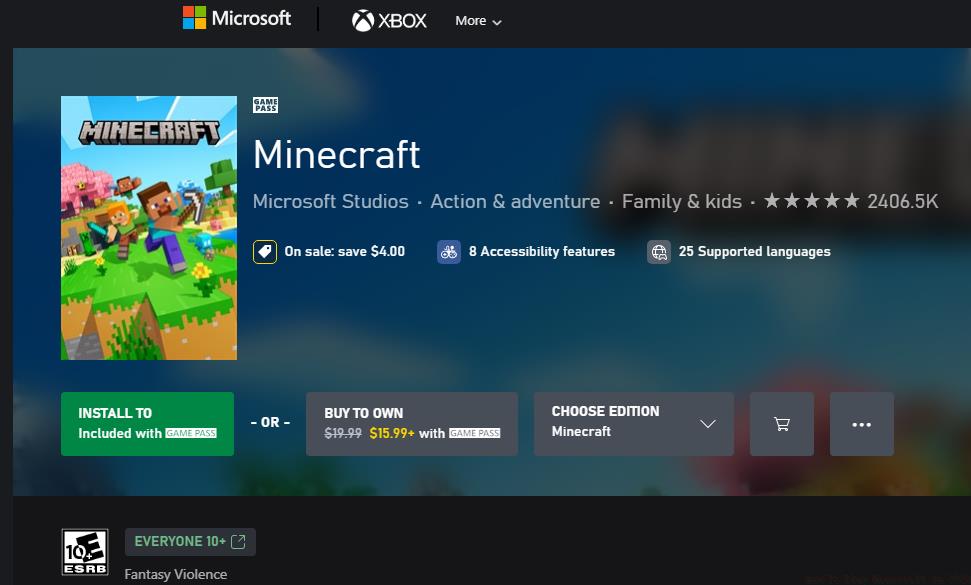
Buying Minecraft
PC gaming introduces additional complexity through the crucial decision between Minecraft’s two primary editions: Bedrock and Java. Understanding their differences before purchase prevents frustration and ensures you get the version that matches your playstyle and technical requirements.
Bedrock Edition (formerly Windows 10 Edition) offers superior performance optimization, cross-platform play capabilities, and access to the Minecraft Marketplace for additional content. Java Edition maintains the classic Minecraft experience with extensive modding support, snapshot access to upcoming features, and dedicated server flexibility. Most players benefit from purchasing the combined Bedrock & Java Edition bundle through the Microsoft Store.
When visiting the Microsoft Store interface, search specifically for “Minecraft” and select the dual-edition package. Authentication requires signing into your Microsoft account, which synchronizes purchases across compatible devices. The $29.99 price point provides exceptional value by including both editions, though Game Pass subscribers can download them without additional payment.
Purchase completion triggers installation of both the Minecraft Launcher utility and Minecraft for Windows application. Launch the Minecraft Launcher after installation completes to access your game libraries. The interface clearly displays both available editions, with selection prompting additional installation steps for your chosen version. Performance-conscious players should allocate sufficient storage space—Java Edition typically requires 2-4GB while Bedrock needs 1-2GB depending on added content.
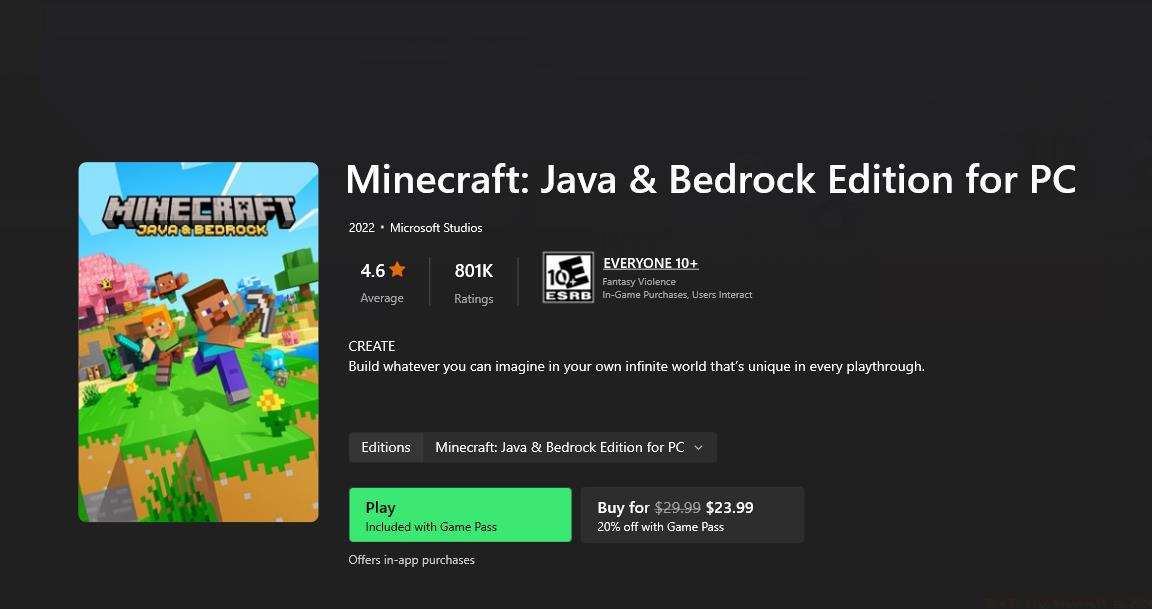
Buying Minecraft on PC
Mobile platforms deliver Minecraft’s creative experience directly to your pocket through optimized touch interfaces. Both iOS and Android versions are based on Bedrock Edition, ensuring feature parity and cross-platform compatibility with console and Windows 10 players.
Apple device owners should navigate to the App Store and search for “Minecraft.” The mobile version typically costs $6.99, representing the most affordable entry point into the Minecraft universe. Android users can access the game through the Google Play Store with identical pricing and functionality.
The installation process automatically handles account creation prompts and performance optimization for your specific device. Mobile players benefit from touch-optimized controls and interface elements designed for smaller screens. Performance may vary based on device specifications, with newer smartphones handling complex builds more effectively.
Cross-play functionality allows mobile users to join games with friends on Xbox, PlayStation, Switch, and Windows PCs. Setting up this feature requires signing into a Microsoft account within the game settings menu. Consider investing in a mobile gaming controller attachment for extended play sessions, as physical controls significantly improve building precision and combat effectiveness.
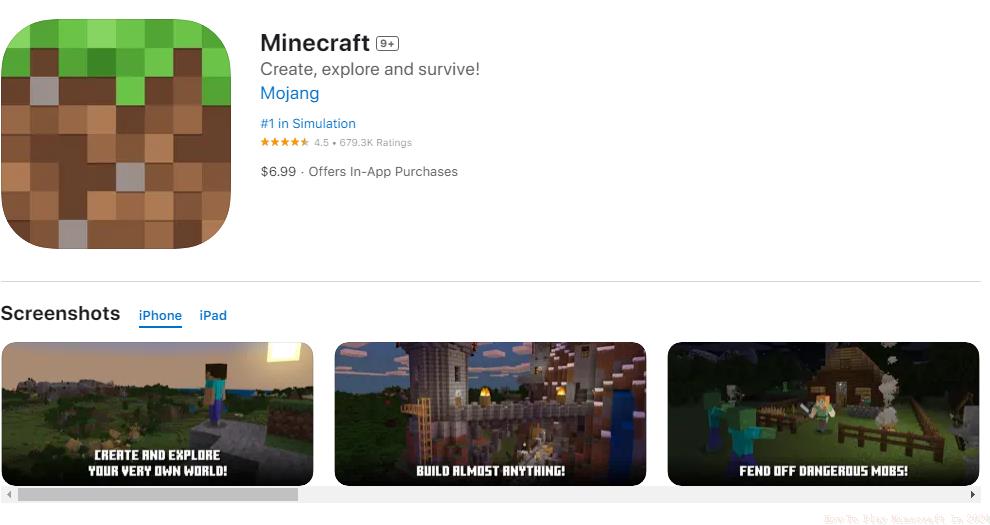
Buying Minecraft on an iOS mobile device
New players often underestimate the importance of proper edition selection across platforms. Taking time to understand each version’s strengths ensures you invest in the Minecraft experience that aligns with your gaming preferences and technical setup. Each platform offers unique advantages that cater to different playstyles and social gaming needs.
Action Checklist
- Determine your primary gaming platform and preferred edition (Bedrock vs Java for PC)
- Navigate to your platform’s official store and search for Minecraft
- Purchase the appropriate version or utilize Game Pass if available
- Download and install the game, ensuring sufficient storage space
- Create or sign into your Microsoft/Mojang account
- Configure cross-play settings if planning multiplayer sessions across platforms
No reproduction without permission:SeeYouSoon Game Club » How To Play Minecraft In 2024 Complete 2024 guide to downloading and playing Minecraft across all platforms with expert tips