
TL;DR
- Platform determines process: Bedrock uses system gamertags while Java uses Microsoft accounts
- Console changes affect all games and may involve fees after initial free changes
- Username availability is crucial – names must be unique across entire Minecraft ecosystem
- Plan changes strategically to minimize disruption to multiplayer sessions and server progress
- Verify platform-specific cooldown periods to avoid temporary username change restrictions
Ready to refresh your Minecraft identity? Your username serves as your digital fingerprint across servers and realms, making it the perfect starting point for a gameplay transformation.
While Minecraft offers extensive world customization through block placement and building, altering your core identity requires navigating platform-specific procedures. The method you’ll use depends entirely on whether you’re playing Bedrock Edition on consoles or Java Edition on PC – each with distinct account management systems.
The platform you choose dictates the username change process. Console players on PlayStation, Nintendo Switch, or Xbox must modify their system-level gamertag, which universally updates across all installed games. Meanwhile, Java Edition users operate through Microsoft accounts with dedicated Minecraft profile management.
Console gamers access gamertag modifications through their system settings menu rather than in-game options. This universal approach means your new identity will appear consistently across your entire gaming library, not just within Minecraft sessions.
Platform economics come into play here – most systems provide one or two complimentary gamertag changes, but subsequent modifications typically incur fees ranging from $5-10. Additionally, your selected gamertag must maintain uniqueness across the platform’s entire user base, preventing duplication of existing identities.
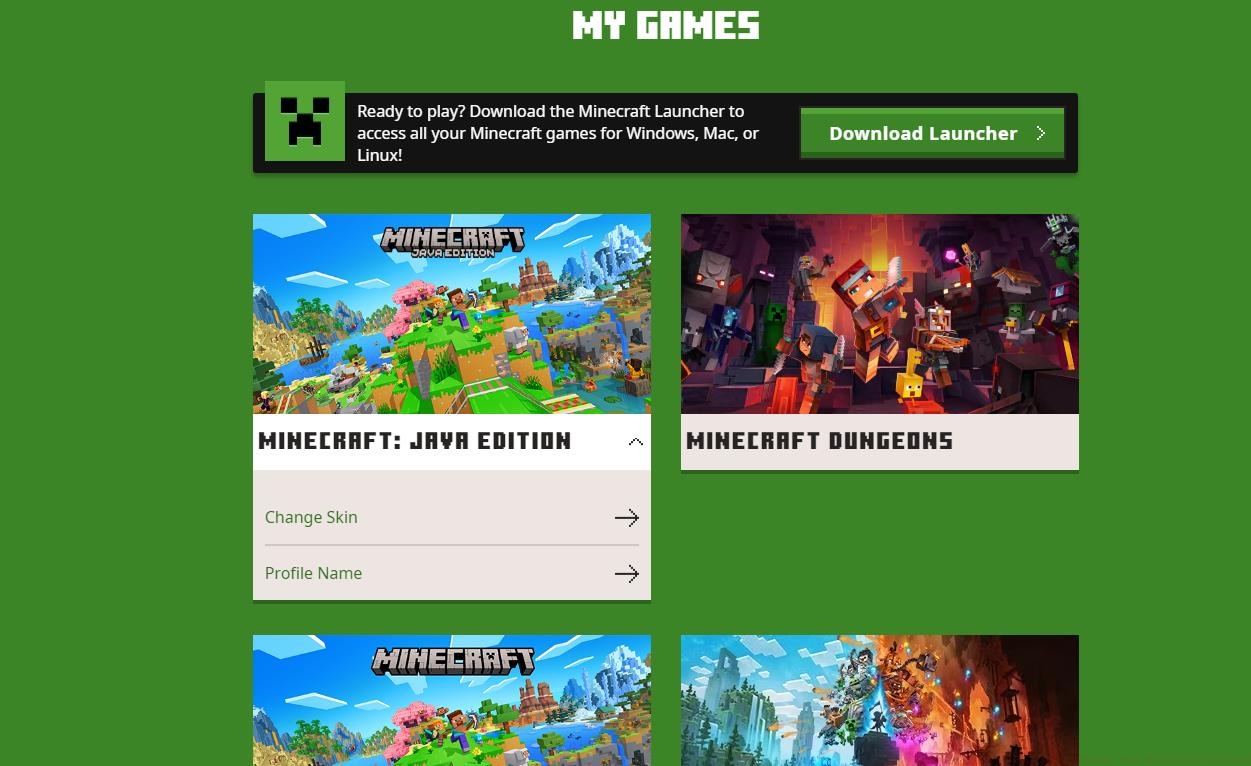
The Profile Name option allows you to change your username.
Strategic planning is essential: coordinate username changes during natural breaks in multiplayer campaigns to minimize confusion among your gaming companions. The transition period may temporarily affect friend invites and server recognition until systems fully propagate your new identity.
Microsoft account holders enjoy streamlined username modifications through dedicated profile management interfaces. The process involves accessing your Microsoft account settings, navigating to the Minecraft profile section, and selecting the rename option – typically completing within minutes.
Username availability follows strict uniqueness enforcement across the global Minecraft community. Before committing to a change, utilize the availability checker to verify your desired identity isn’t already claimed. Remember that recently freed usernames enter a 30-day reservation period before becoming available to other players.
For those seeking comprehensive gaming strategies beyond username management, our Complete Guide offers extensive tactical insights for modern warfare gameplay.
More Minecraft Guides:
Timing your username change requires strategic consideration. Avoid modifications during active multiplayer sessions or server events to prevent temporary disconnections or progress tracking issues. Most platforms enforce cooldown periods ranging from 30-90 days between changes, so select carefully.
Server-specific considerations are crucial – some custom servers track player data by username and may require manual administrator intervention to preserve your statistics and inventory after a change.
Common pitfalls include overlooking the platform-wide implications of console gamertag changes and underestimating the uniqueness requirements. Always have 2-3 backup username options prepared, as your first choice likely has 75% probability of being already claimed.
For players expanding their gaming expertise, our Weapons Unlock guide provides detailed armament progression strategies, while the Class Guide helps optimize your soldier specialization choices.
Action Checklist
- Identify your platform (Java Edition vs. Bedrock Console)
- Check username availability with 2-3 backup options
- Navigate to appropriate settings (system settings for consoles, Microsoft account for Java)
- Verify potential costs for console changes after free allocations
- Coordinate change during gameplay breaks and notify frequent multiplayer partners
No reproduction without permission:SeeYouSoon Game Club » How To Change Your Minecraft Username Complete guide to changing your Minecraft username across all platforms with expert tips and common pitfalls