
TL;DR
- Google’s Pokémon game works exclusively on mobile browsers with a Google account
- Search individual Pokémon names to trigger catch animations and build your collection
- Legendary Pokémon require Master Balls unlocked at specific catch milestones
- Use ‘Pokémon’ suffix for ambiguous searches like Ditto to ensure proper results
- Complete your Pokédex systematically by following the progression requirements
Time to search for them all! Google has integrated an exciting interactive feature into its search engine that lets users capture Pokémon directly from their mobile devices. This special feature focuses exclusively on the original 151 Pokémon from the classic Kanto region, offering nostalgic fun for longtime fans and new players alike.
Before you begin your Pokémon hunting adventure, it’s crucial to understand that this interactive experience functions solely on mobile browsers. Desktop computers and laptops cannot access this feature, so ensure you’re using your smartphone or tablet with an active internet connection.
This comprehensive guide will walk you through Google’s Pokémon search feature mechanics and provide detailed strategies for capturing all 151 available Pokémon efficiently.
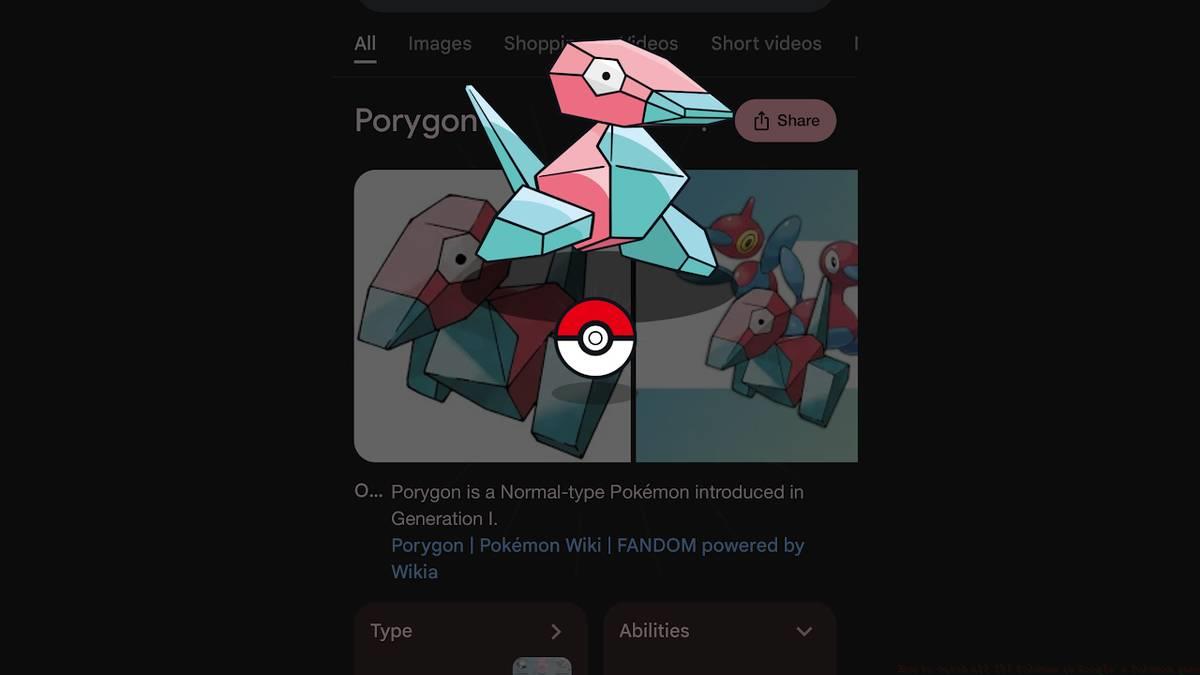
Initiating your Pokémon collection journey requires a simple process: sign into your Google account and conduct searches for different Kanto region Pokémon names. The mechanism is surprisingly straightforward – just type the Pokémon name into Google search on your mobile device.
When you perform a valid search, a distinctive Poké Ball icon will materialize in the lower right corner of your display. Tapping this icon activates a capture animation sequence that adds the Pokémon to your growing collection.
Certain search queries may present unexpected results. For instance, searching for “Ditto” might initially display dictionary definitions rather than the Pokémon character. Appending “Pokémon” to such searches (e.g., “Ditto Pokémon”) typically resolves this issue and triggers the proper catchable creature interface.
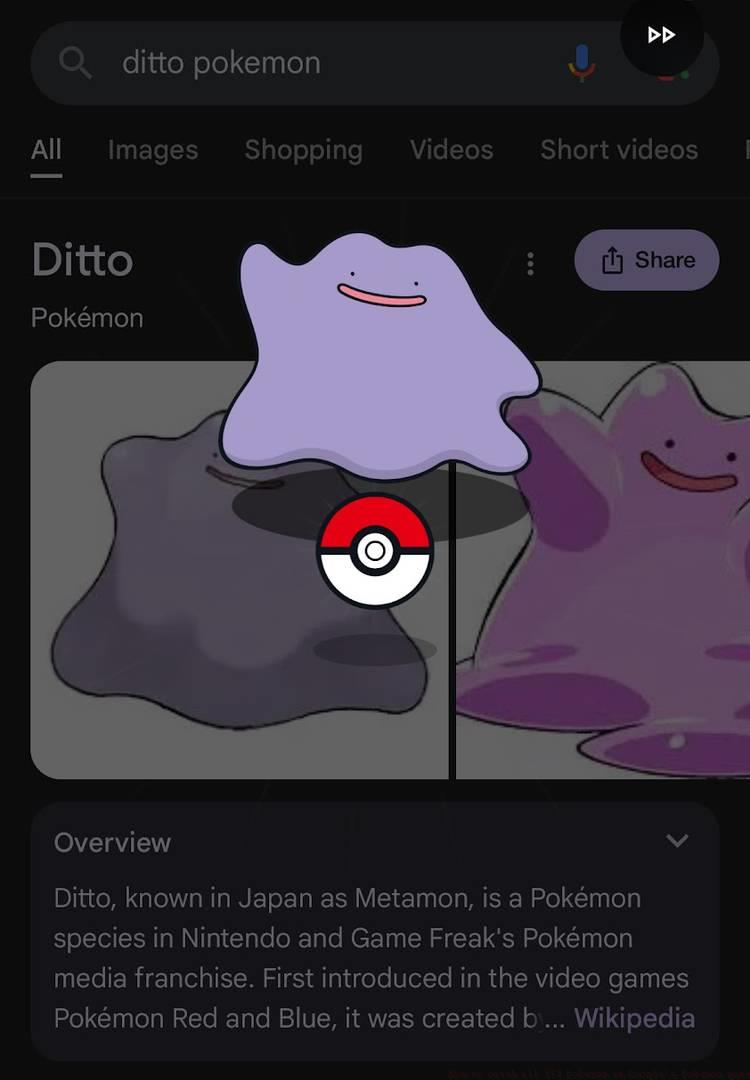
Image: Google, Game Freak/Nintendo, The Pokémon Company via Polygon
While capturing standard Pokémon involves straightforward searching, the legendary and mythical specimens (Articuno, Zapdos, Moltres, Mewtwo, and Mew) introduce additional complexity. These rare creatures demand special Master Balls for capture and follow a structured unlock sequence.
This progression system prevents players from immediately targeting the most powerful Pokémon. You cannot capture Mewtwo after only five catches; instead, you must demonstrate your Pokémon mastery by systematically building your collection according to Pokédex requirements.
The game rewards your collecting efforts with Master Balls at specific milestones: after capturing 5, 20, 50, 100, and 150 Pokémon. Each milestone achievement unlocks access to particular legendary or mythical Pokémon, creating a natural progression path through the game.
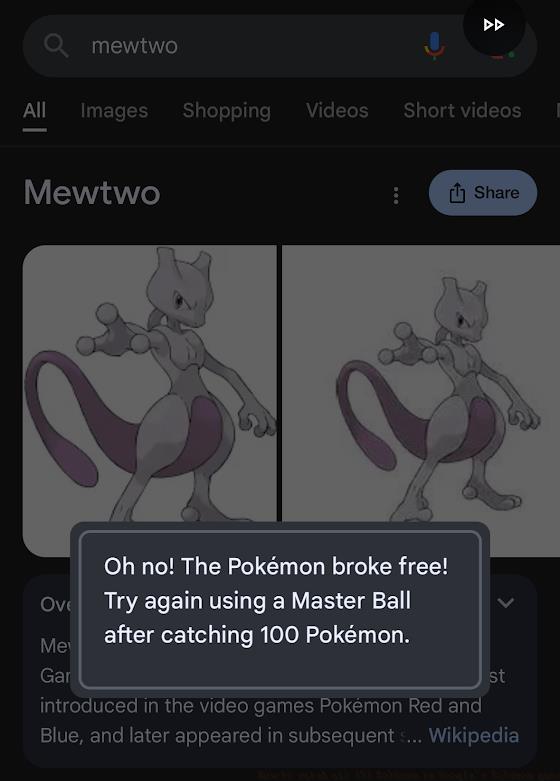
Image: Google, Game Freak/Nintendo, The Pokémon Company via Polygon
Pro Tip: Maintain a checklist of captured Pokémon to avoid redundant searches. Focus on evolving Pokémon families systematically, as some evolved forms might not appear until their pre-evolutions are captured. For players interested in other gaming strategies, check out our Class Guide for tactical approaches in different games.
Common Mistake: Many players waste time searching for legendary Pokémon before reaching the required milestones. Instead, concentrate on building your base collection first – the legendary encounters will naturally unlock as you progress.
Time Optimization: Dedicated players can complete the entire collection in 2-3 hours by using a systematic search approach. Group Pokémon by type or evolution family to minimize search redundancy and maximize efficiency.
Action Checklist
- Ensure mobile device with Google app or mobile browser
- Sign into Google account for progress tracking
- Search first 5 Pokémon names to unlock initial Master Ball
- Systematically search Pokémon families, using ‘Pokémon’ suffix when needed
- Capture legendary Pokémon as Master Balls unlock at milestones
No reproduction without permission:SeeYouSoon Game Club » How to catch all 151 Pokémon in Google’s Pokémon game Complete guide to catching all 151 Pokémon in Google's mobile search game with expert strategies