
Complete guide to Demon Slayer: Hinokami Chronicles 2 controls with optimization tips and platform-specific settings
Game Overview & Control Fundamentals
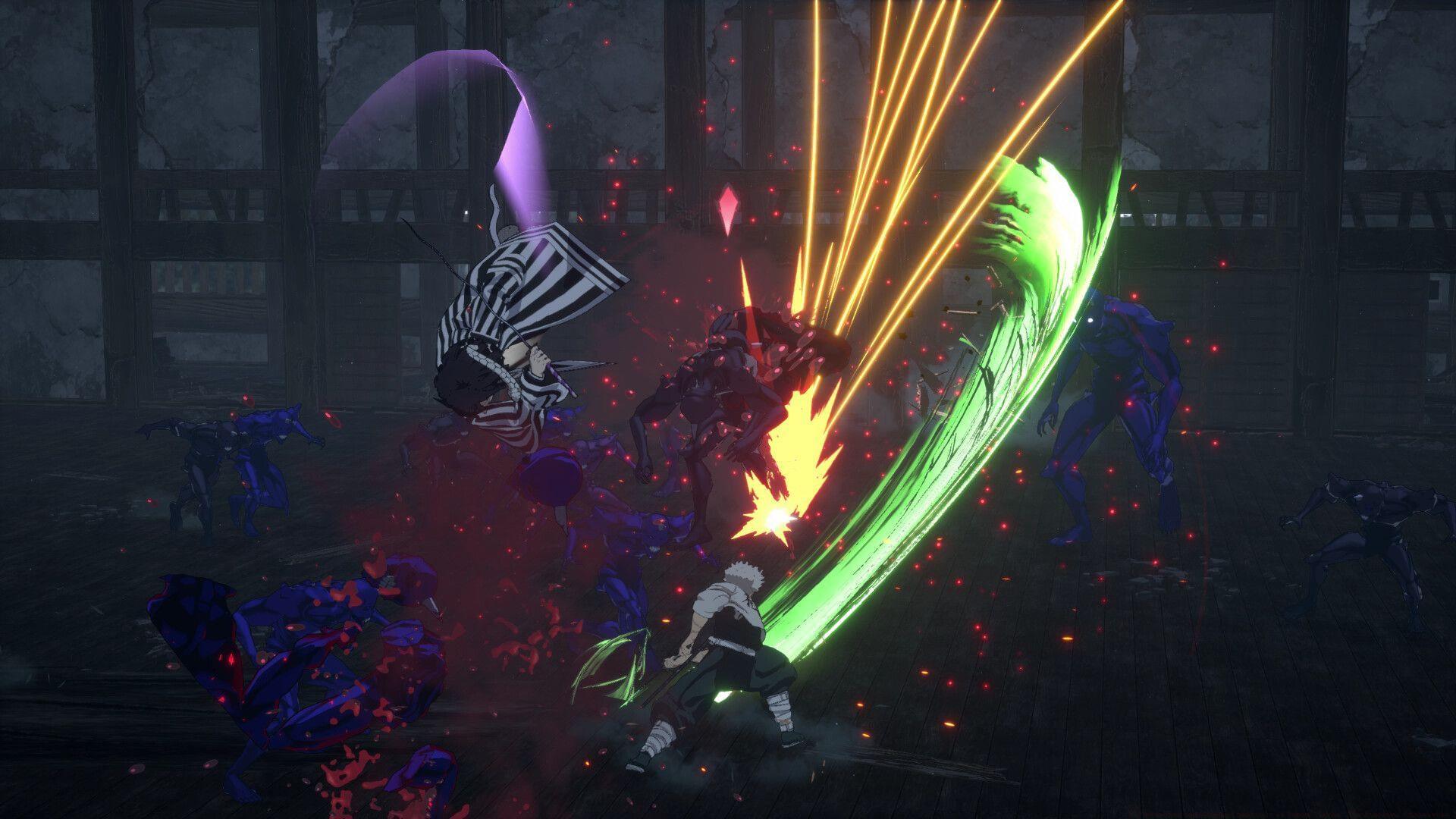
Demon Slayer: The Hinokami Chronicles 2 continues the immersive adaptation of Koyoharu Gotouge’s acclaimed manga and anime series into an engaging fighting game experience. This installment expands beyond the original story arcs to include content from the Entertainment District and Hashira Training arcs, offering both intense 1v1 battles and rich narrative content. Available across multiple platforms including PC, PlayStation, Xbox, and Nintendo Switch, the game provides different control schemes tailored to each system’s capabilities.
Graphics & Display Configuration
Optimizing your visual settings is essential for achieving the perfect balance between graphical fidelity and performance. For competitive players, maintaining stable frame rates often takes priority over maximum visual quality.
- Vertical Sync: On or Off – Enable to eliminate screen tearing but may introduce input lag; disable for competitive play
- Graphic Quality: Low, Medium, High, Max, or Custom – Start with High for balanced performance, adjust based on your hardware capabilities
- Anti-Aliasing: Off, Low, Medium, or High – Medium typically provides the best balance between visual clarity and performance impact
- Textures: Low, Medium, High, or Max – This setting primarily affects VRAM usage; higher settings require more graphics memory
- Shadows: Low, Medium, High, or Max – Shadow quality significantly impacts performance; consider lowering this first if experiencing frame drops
- Motion Blur: Low, Medium, High, or Max – Many competitive players disable motion blur entirely for clearer visual tracking during fast-paced combat
- Glare: Low, Medium, High, or Max – Light effects and bloom; reduce if finding bright effects distracting during gameplay
- Resolution: As per the monitor – Native resolution recommended for best visual quality
- Window Mode: Fullscreen, Borderless Windowed, or Windowed – Fullscreen typically offers best performance; Borderless Windowed convenient for multitasking
After configuring your preferred visual settings, always remember to apply changes by selecting the Complete Setup confirmation button to ensure all modifications take effect properly.
PC Keyboard Controls Mastery
PC players have access to comprehensive keyboard and mouse controls that can be customized to match personal preferences. Understanding the default layout provides a solid foundation for both casual and competitive gameplay.
Movement & Basic Actions
- Move Character Down: S – Essential for dodging and positioning
- Move Character Left: A – Lateral movement for evasion and spacing
- Move Character Right: D – Offensive positioning and approach tool
- Support/Demon Skill: U – Critical for combo extensions and defensive maneuvers
- Change Target Left: Left Arrow – Target switching during multi-opponent scenarios
- Change Target Right: Right Arrow – Quick target acquisition in chaotic battles
- Talk/Check: Left Mouse Click – Interaction with NPCs and environmental objects
Camera & Interface Control
- Move Camera Up: Up Arrow – Adjust viewing angle for better situational awareness
- Move Camera Down: Down Arrow – Ground-level observation and tracking
- Move Camera Left: Left Arrow – Environmental scanning and opponent tracking
- Move Camera Right: Right Arrow – Maintaining visual contact during lateral movements
- Move Cursor Up: Up Arrow – Menu navigation and interface control
- Move Cursor Down: Down Arrow – Selection navigation through game menus
- Move Cursor Left: Left Arrow – Horizontal menu traversal
- Move Cursor Right: Right Arrow – Menu option selection and navigation
- Press In Right Stick: O – Contextual action mapping
- Menu Button: Backspace – Quick access to pause and settings menus
Always confirm your control customizations by selecting the Complete Setup option at the menu bottom to ensure all keybindings are properly saved and applied.
Xbox Controller Setup
Console players and PC users preferring gamepad input will find the Xbox controller layout intuitively designed for fluid combat and navigation. The control scheme leverages standard fighting game conventions with Demon Slayer-specific adaptations.
Note that the following controls specifically apply to Xbox controller configurations. While not explicitly stated in the settings interface, fundamental character movement is handled through the left analog stick, while camera control is managed via the right analog stick – following conventional third-person action game standards.
- Support/Demon Skill: LB (Left Bumper) – Strategically positioned for quick access during combat sequences
Controller users should complete their configuration adjustments by activating the Complete Setup confirmation at the menu interface bottom to permanently save all control mapping changes.
Advanced Optimization Strategies
Performance Balancing Techniques
Achieving optimal performance requires understanding which settings impact frame rates most significantly. Shadow quality and anti-aliasing typically consume substantial resources – consider reducing these first if targeting 60 FPS gameplay. Texture quality mainly affects VRAM usage, so players with graphics cards featuring 6GB+ VRAM can typically maximize this setting without performance penalties.
Control Customization Recommendations
Advanced players often remap essential combat functions to more accessible positions. Consider moving the Support/Demon Skill to a easily reachable key or button for quicker activation during intense battles. Camera control sensitivity adjustments can significantly improve target tracking – experiment with different camera speeds to find your optimal configuration.
Demon Slayer: The Hinokami Chronicles 2 delivers its anime-inspired action across PC, PS4, PS5, Xbox One, Xbox Series X|S, and Nintendo Switch platforms, with each system offering tailored control experiences designed to maximize player engagement and competitive performance.
No reproduction without permission:SeeYouSoon Game Club » All graphics options and controls in Demon Slayer: The Hinokami Chronicles 2 Complete guide to Demon Slayer: Hinokami Chronicles 2 controls with optimization tips and platform-specific settings