
TL;DR
- Lego Fortnite combines survival-crafting gameplay with family-friendly content accessible across all major gaming platforms
- Download requires Fortnite installation with automatic safety features for underage accounts through Cabined Accounts
- Parental controls allow granular management of chat, purchases, and social interactions
- Multiplayer supports up to 8 players with customizable privacy settings
- Game modes range from creative sandbox to challenging survival with adjustable difficulty
The collaboration between Lego and Fortnite has created exciting new gaming opportunities for children, while also presenting important considerations for parents regarding safety and supervision.
Since its December 2023 debut, Lego Fortnite has rapidly gained popularity by merging two beloved entertainment brands into a single survival-crafting experience that competes with established titles like Minecraft. This free-to-play adventure incorporates Epic Games’ comprehensive parental control system, designed specifically for guardians who want to establish appropriate boundaries before their children dive into this expansive virtual world. Our comprehensive walkthrough covers everything from installation to configuring optimal safety measures.
As a completely cost-free experience, Lego Fortnite operates as a survival-crafting game similar to Minecraft but exists exclusively within the Fortnite ecosystem. Participants can adventure solo or team up with as many as seven companions to discover new territories, construct dwellings and tools, combat computer-controlled opponents including skeletons and wolves, and recruit NPC allies to enhance their settlements. Player objectives vary widely—some focus on aesthetic improvements to their islands, while others pursue treasure hunting expeditions, vehicle construction projects, or casual social interactions with friends.
Every saved Lego Fortnite session utilizes a distinctive procedurally generated island environment, ensuring each world possesses unique characteristics. Gamers can select survival mode, which incorporates mechanics like limited resources, environmental temperatures, hunger systems, and health management. Alternatively, sandbox mode eliminates these survival elements entirely, allowing unlimited creative construction. Even within survival mode, players can individually toggle specific challenges on or off, providing significant customization over their gameplay experience.
Since Lego Fortnite necessitates installing the core Fortnite application, it’s available on identical platforms: Xbox Series X|S, PlayStation 5, Nintendo Switch, Xbox One, PlayStation 4, mobile devices (through Android or cloud streaming), and personal computers (exclusively via the Epic Games Store).
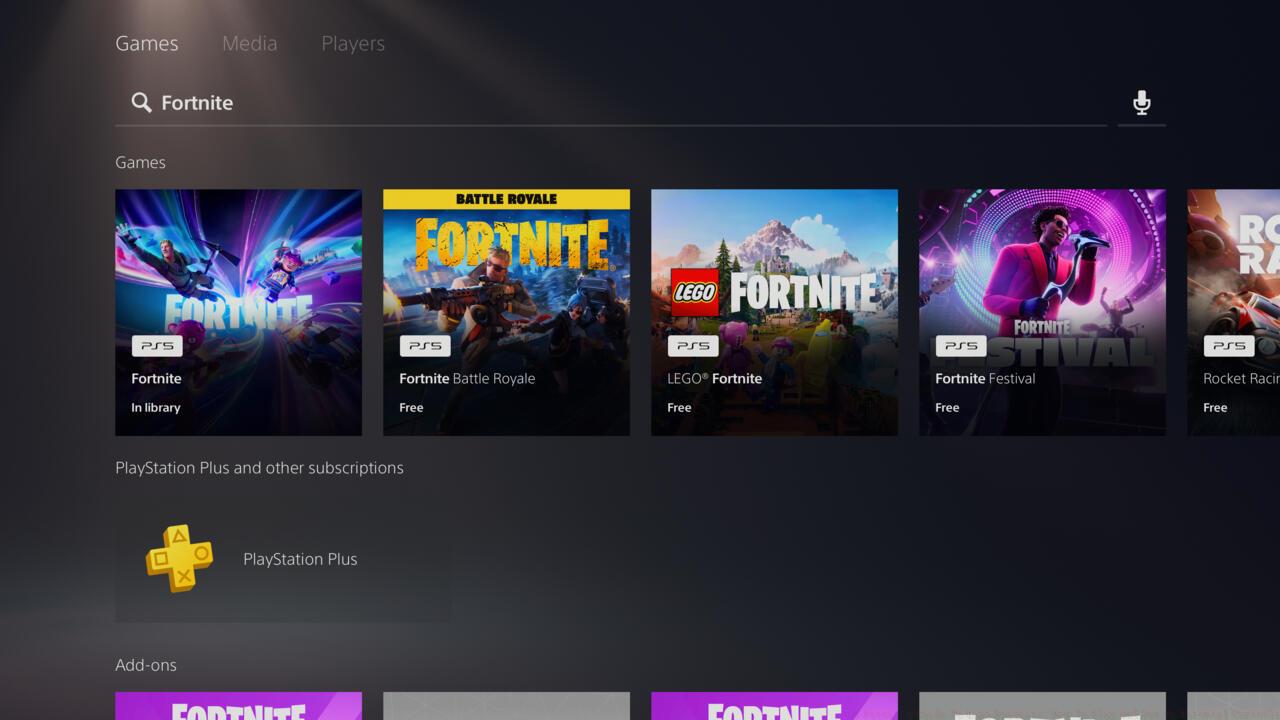
Lego Fortnite is found exclusively within Fortnite, so downloading either will do what you want if you’re seeking to play it.
Regardless of your chosen gaming system, the installation procedure for Lego Fortnite follows nearly identical steps. These instructions assume you haven’t previously installed Fortnite. Existing Fortnite players can bypass these steps and locate Lego Fortnite directly within the game’s interface.
- Search for Fortnite (Lego Fortnite features its own dedicated selection tile, though either option will suffice)
- Launch the application, then sign in to or establish an Epic Games account
- For accounts belonging to children under 13 years old (or the applicable digital age of consent in certain regions), the system will automatically implement a Cabined Account, specifically designed for younger users with integrated safety protocols already activated
Lego Fortnite remains accessible only through the Fortnite platform, meaning installing either application will grant access to the Lego experience.
Pro Tip: Create your Epic Games account before starting the download to streamline the process. Parental email verification typically takes 5-10 minutes, so plan accordingly to avoid frustration.
Common Mistake: Many parents mistakenly believe they need separate downloads for Lego Fortnite and standard Fortnite. In reality, both experiences are contained within the same application, saving valuable storage space on devices.
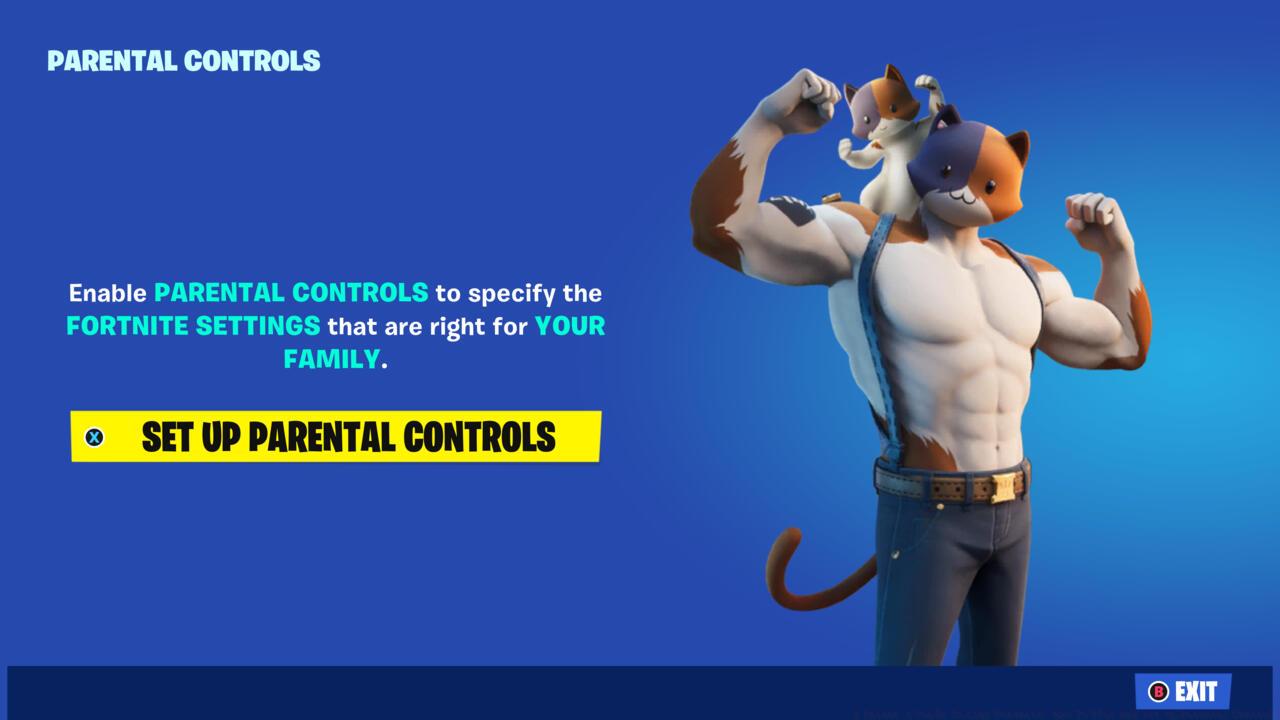
Fortnite’s parental controls can be easily accessed from the main menu as soon as you open the game.
Epic Games has implemented robust parental supervision tools that extend comprehensively to the Lego Fortnite experience. These controls become particularly crucial given the game’s social and multiplayer components.
Privacy Configuration: Through the parental dashboard, you can manage profile visibility, limit data collection, and control whether your child’s gameplay appears in public directories. These settings help maintain your family’s digital privacy while still allowing appropriate social interactions.
Communication Management: Parents can selectively enable or disable various chat options including voice communication, text chat, and quick chat emotes. We recommend starting with minimal communication permissions and gradually expanding as you become comfortable with the game’s social dynamics.
Purchase Restrictions: Even though Lego Fortnite itself is free, the broader Fortnite ecosystem includes purchasable content. Parental controls allow you to require a PIN for any transactions, preventing unexpected charges.
Advanced Strategy: For optimal safety, combine in-game controls with platform-level restrictions on consoles and devices. This layered approach creates multiple safety barriers rather than relying on a single point of control.
Time Management: While not directly built into Fortnite’s controls, you can use platform-specific features like Xbox Family Settings or PlayStation Parental Controls to establish daily time limits and scheduled play periods.
Lego Fortnite’s multiplayer functionality enables rich social experiences but requires careful configuration to ensure age-appropriate interactions.
Friend Invitation System: Players can send and receive friend requests, but parental controls determine whether these require approval. We strongly recommend enabling the “Require Permission” setting for friend requests to maintain oversight of your child’s social connections.
Session Privacy Options: When creating or joining multiplayer worlds, you can select from various privacy settings including public, friends-only, or private sessions. For younger children, private or friends-only sessions provide the safest environments.
Safety Best Practices: Regularly review your child’s friend list and recent players. Discuss appropriate online behavior and establish clear guidelines about interacting with strangers, even in seemingly safe gaming contexts.
Cross-Platform Considerations: Since Lego Fortnite supports cross-play across all platforms, ensure your safety settings accommodate this interoperability. Some communication features may behave differently across platforms.
Common Pitfall: Many parents overlook the distinction between platform-level friends and Epic Games friends. Understanding this difference is crucial for effective social management.
Setting up Lego Fortnite multiplayer for your child–or perhaps for both of you–is quite simple.
For parents interested in expanding their gaming knowledge beyond family titles, our Complete Guide to military shooters provides valuable insights into different gaming genres and their appropriate age suitability.
Action Checklist
- Download Fortnite from your platform’s store and create an Epic Games account
- Configure Cabined Account settings for underage players
- Set up parental controls for communication, purchases, and privacy
- Establish friend request permissions and session privacy levels
- Review and adjust settings monthly as your child’s experience grows
No reproduction without permission:SeeYouSoon Game Club » A Parent’s Guide To Lego Fortnite: How To Play And Set Up Parental Controls Complete parent's guide to downloading, setting up, and managing Lego Fortnite safely for kids