
TL;DR
- Game Pass Ultimate increased to $29.99/month but adds Fortnite Crew and enhanced cloud gaming
- All tiers now include PC game access, with Premium offering console and PC integration
- Essential tier replaces Core with basic multiplayer and curated game library
- Subscription changes take effect after pre-paid periods conclude
- Manage your tier through Xbox settings with step-by-step guidance
Microsoft’s October 1st announcement introduced significant modifications to the Xbox Game Pass ecosystem, affecting every subscription level with both enhancements and pricing adjustments. The restructuring merges Windows PC gaming access across all tiers while implementing a substantial price increase for the premium offering. These changes were detailed in an official Xbox Wire publication, though certain specifics regarding subscription modification procedures remained unclear.

Our comprehensive breakdown examines what these Game Pass alterations entail for subscribers, how they impact your gaming experience, and provides clear instructions for managing your subscription preferences. The revamped structure maintains three distinct tiers: Xbox Game Pass Ultimate, Xbox Game Pass Premium, and Xbox Game Pass Essential. The latter two categories effectively supersede the previous Standard and Core designations, streamlining the naming convention while expanding functionality.
The most substantial modifications target Game Pass Ultimate subscribers, who now face a 50% price increase from $19.99 to $29.99 monthly. This premium tier delivers exclusive benefits that justify the elevated cost for dedicated gamers. Subscribers receive day-one access to Xbox-published titles, eliminating wait times for highly anticipated releases.
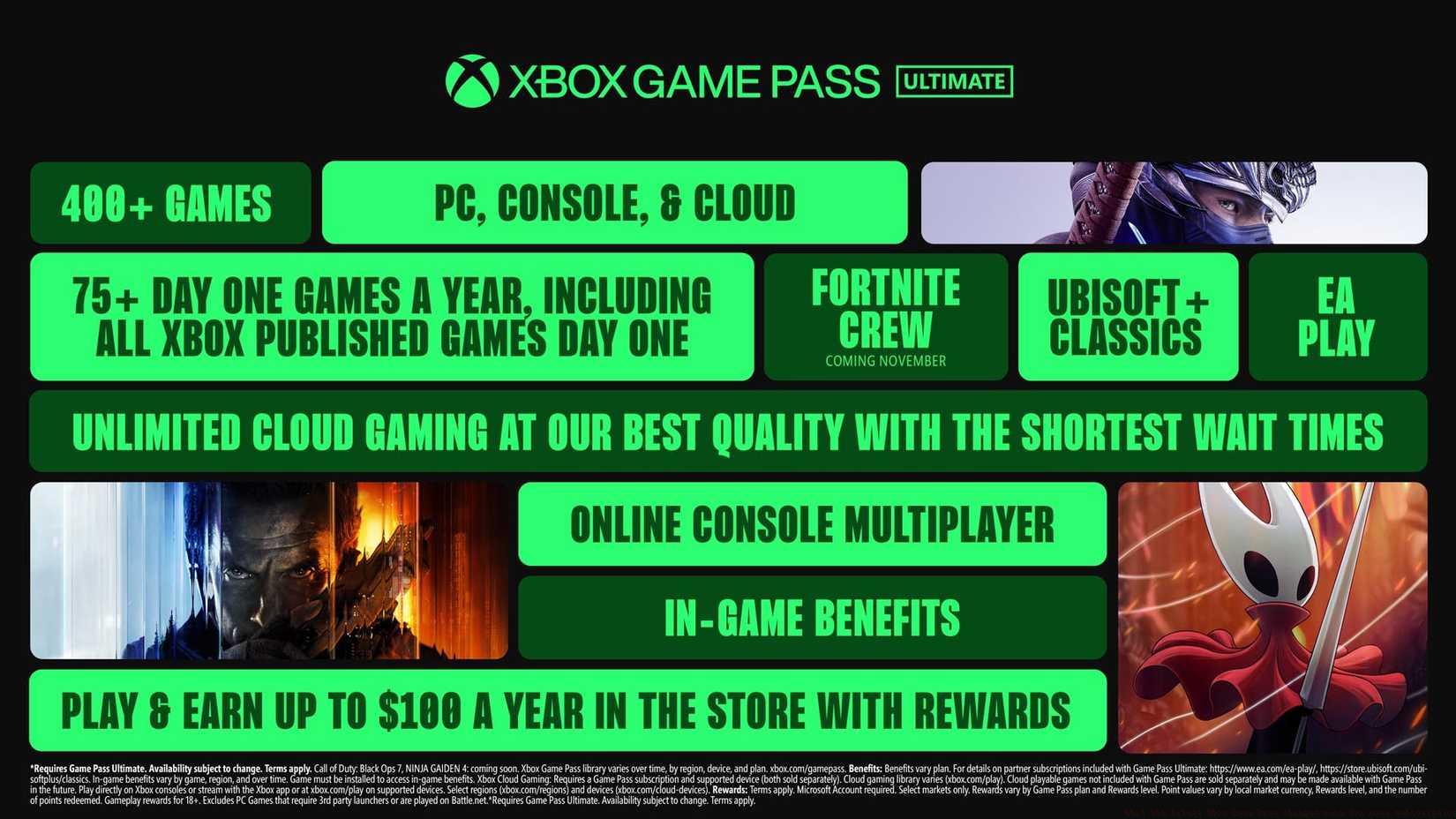
Image: Microsoft
Microsoft has bundled multiple gaming services into Ultimate, including Ubisoft+ Classics, EA Play, and beginning in November, Fortnite Crew membership. The Ubisoft+ Classics component provides entry to Ubisoft’s retrospective catalog featuring titles like The Prince of Persia and Assassin’s Creed 4: Black Flag. Microsoft values this Ubisoft integration at $15.98 monthly, calculated based on combined console and PC subscription costs. Fortnite Crew adds $11.99 in monthly value through 1,000 V-Bucks and exclusive cosmetic items.
Enhanced cloud gaming promises reduced queue times and superior streaming quality, though Microsoft hasn’t provided specific metrics for these improvements. Ultimate members can also accumulate up to $100 annually in Microsoft Store rewards. Current subscribers will maintain existing plans until pre-paid periods conclude, receiving notification emails before new pricing activates. This gradual implementation prevents immediate billing shocks while allowing users to evaluate the enhanced value proposition.
Previously known as Xbox Game Pass Standard, the Premium tier maintains its $14.99 monthly cost while significantly expanding its gaming library. The most notable enhancement incorporates PC game access to what was previously exclusively a console-focused subscription. This cross-platform integration represents Microsoft’s commitment to unifying the gaming ecosystem across devices.
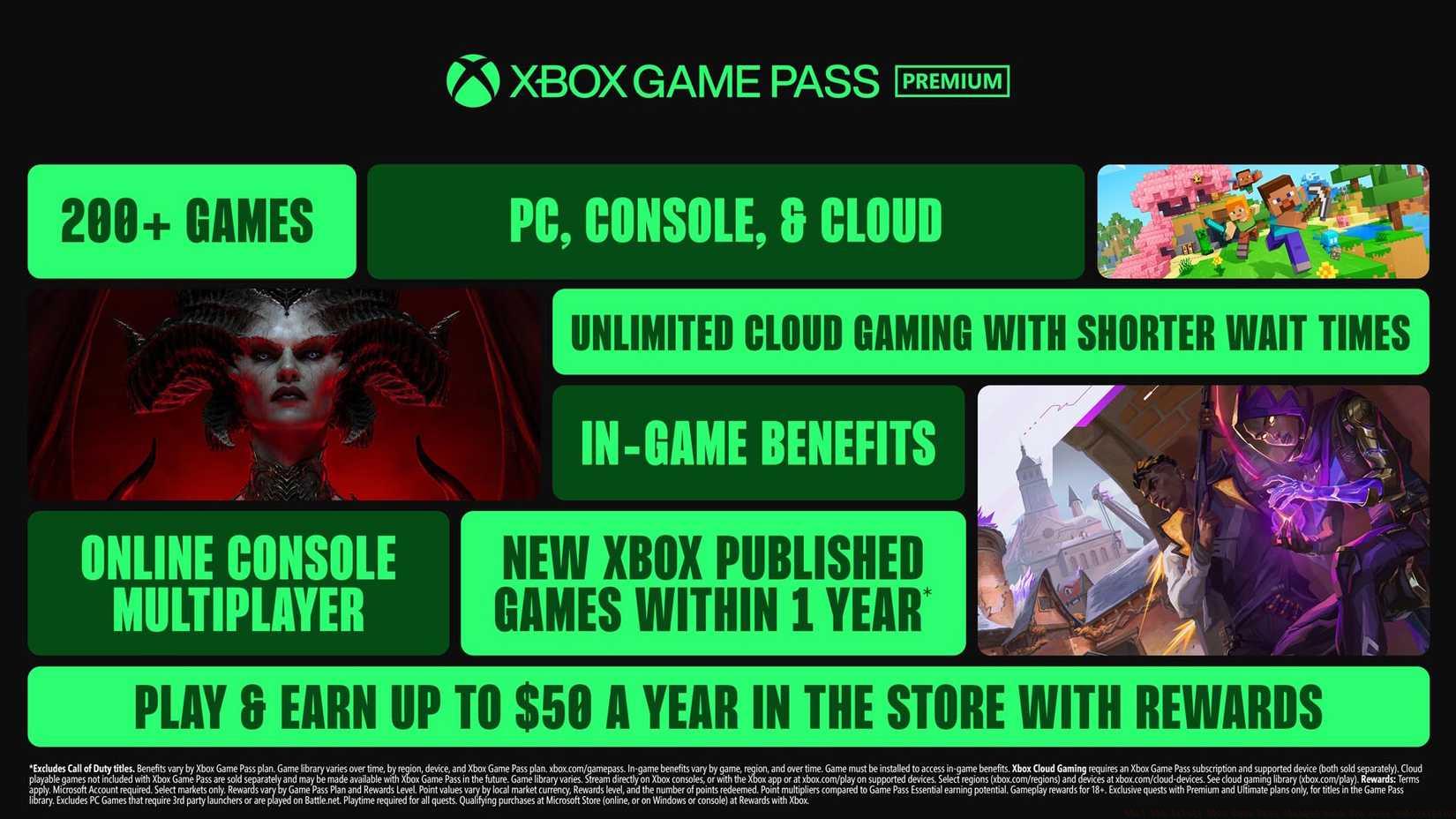
Image: Microsoft
Premium subscribers still cannot access Xbox-published titles on launch day, but Microsoft reaffirmed its commitment to delivering these games within twelve months of release. The tier includes unlimited Xbox Cloud Gaming access, though specific streaming quality and anticipated wait times remain unspecified. Members can earn up to $50 per year in store rewards, half the amount available to Ultimate subscribers.
This tier represents the optimal balance for gamers who play across both console and PC platforms without requiring day-one releases. The inclusion of PC titles dramatically increases the available game library without price adjustment, delivering substantial added value for existing subscribers. When considering our Class Guide for optimal gameplay across platforms, this tier provides excellent flexibility.
The entry-level Essential tier replaces the former Game Pass Core, providing basic online multiplayer capabilities alongside a curated selection of games. This budget-friendly option maintains accessibility for casual gamers or those primarily interested in online gameplay rather than extensive game libraries.
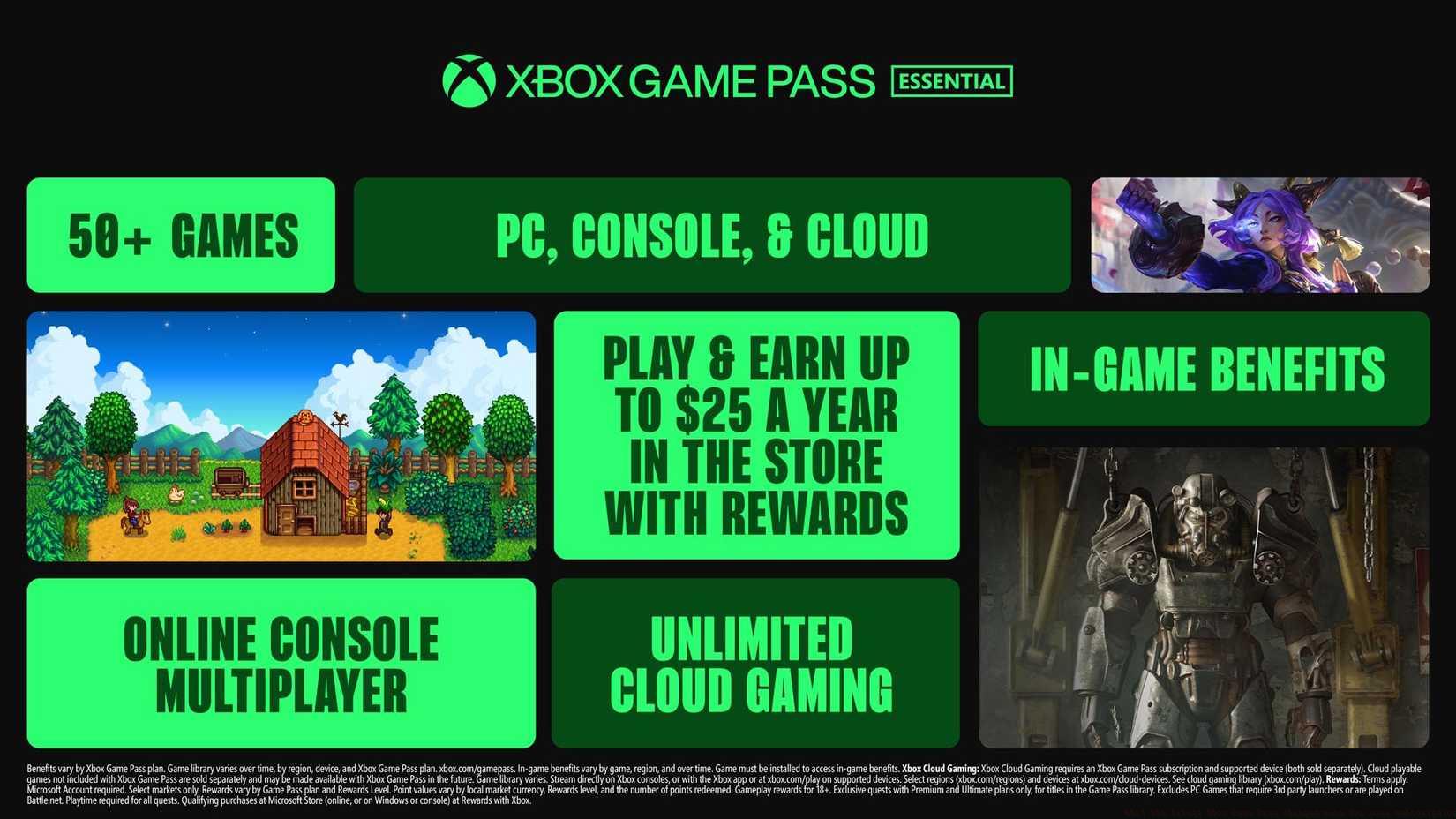
Image: Microsoft
Essential serves as the gateway to Xbox’s online ecosystem, offering the fundamental services required for multiplayer gaming while excluding the extensive library access and premium perks of higher tiers. For gamers focused specifically on titles like Complete Guide offerings that emphasize multiplayer components, this tier provides cost-effective access to essential online features.
The tier structure demonstrates Microsoft’s strategy to capture various gaming segments, from casual players to dedicated enthusiasts. Understanding which tier matches your playstyle and budget requires evaluating how frequently you access new releases versus established titles, and whether cloud gaming enhances your experience.
Navigating subscription changes requires understanding both the process and timing of modifications. Microsoft enables users to check their current tier, upgrade or downgrade between options, and cancel subscriptions entirely through straightforward procedures.
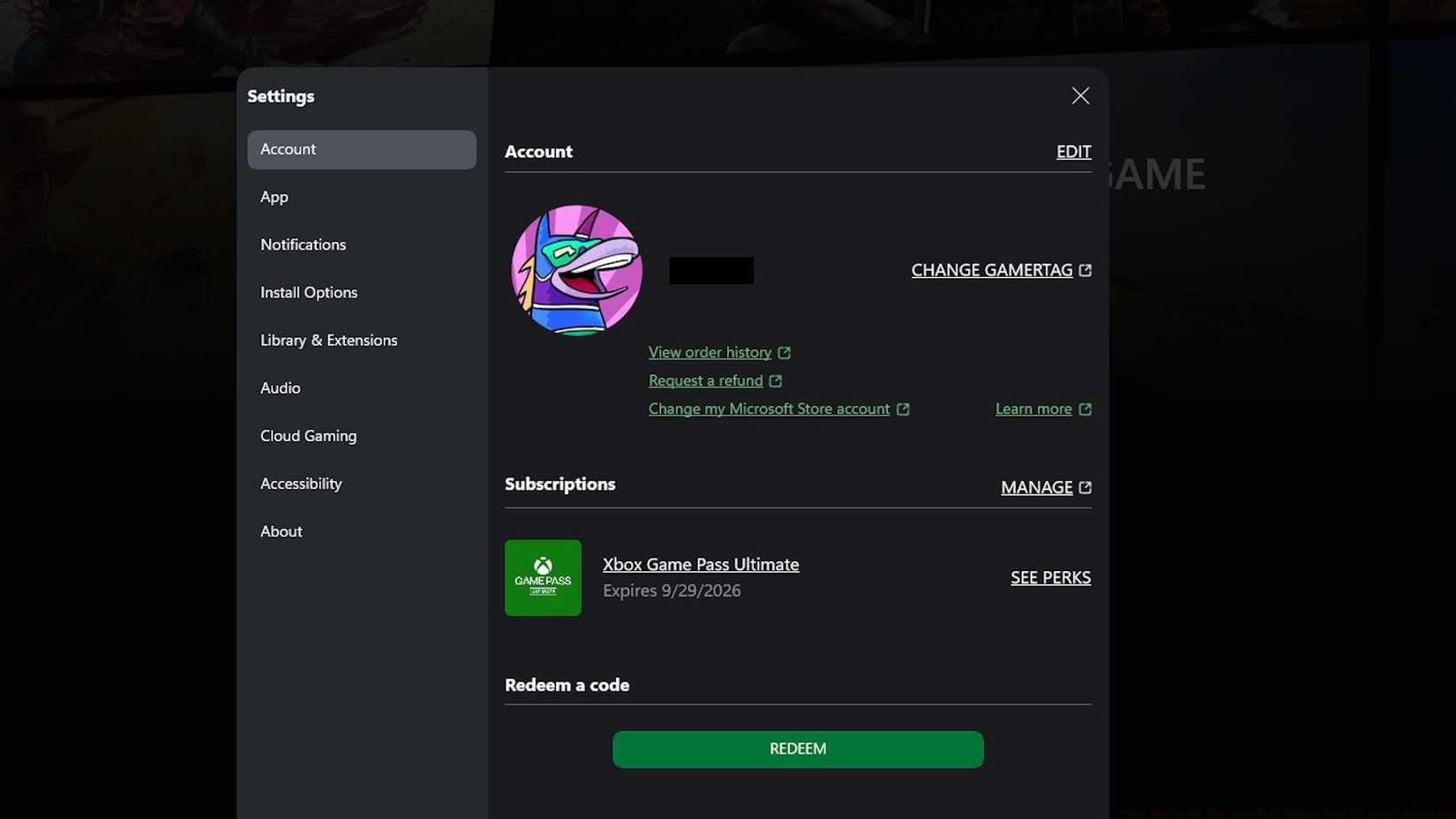
Image: Polygon
To verify your current Game Pass tier, access your account settings through the Xbox dashboard or Microsoft account portal. Your active subscription level displays alongside renewal dates and billing information. This visibility helps determine whether your current tier still matches your gaming needs following these structural changes.
Changing between tiers involves navigating to subscription management in your account settings. Select the desired tier and confirm the modification. Downgrades take effect at your next billing cycle, while upgrades may provide immediate access to enhanced features. Consider your gameplay patterns—if you frequently explore new Weapons Unlock systems across multiple titles, Premium or Ultimate may offer better value.
Cancellation follows similar pathways through account management interfaces. Subscriptions continue through paid periods before terminating, preventing immediate loss of access. Evaluate whether pausing or downgrading better serves your needs than complete cancellation, especially if you anticipate returning to gaming periodically.
Action Checklist
- Review current Game Pass tier and billing date through Xbox account settings
- Evaluate which new tier features align with your gaming habits and platform usage
- Initiate tier change before billing cycle if adjusting subscription level
- Calculate value comparison between tiers based on your actual game library usage
- Set calendar reminder for subscription review ahead of next billing cycle
No reproduction without permission:SeeYouSoon Game Club » What the latest Xbox Game Pass changes mean for your subscription Complete guide to Xbox Game Pass tier changes, pricing updates, and subscription management strategies