
Complete guide to DOOM: The Dark Ages system requirements, platform availability, and performance optimization tips
Game Overview and Setting
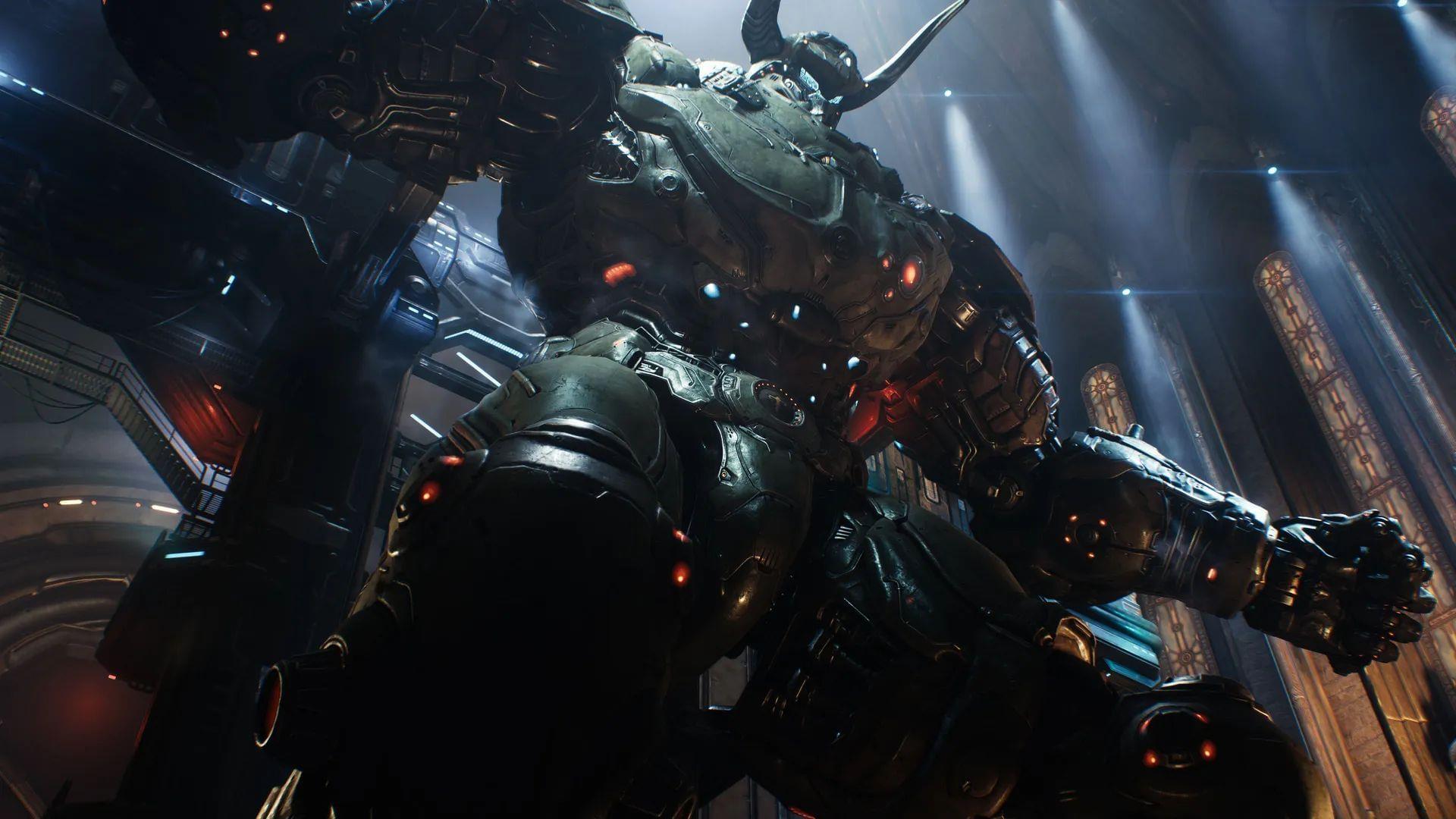
DOOM: The Dark Ages represents a significant chronological departure for the iconic franchise, serving as a cinematic prequel that establishes the foundational events preceding both DOOM (2016) and DOOM Eternal. This brutal installment, scheduled for May 15, 2025 release, reimagines the series’ signature high-velocity combat through a medieval lens, casting players as the legendary DOOM Slayer during humanity’s earliest encounters with Hell’s forces.
The combat experience undergoes a dramatic transformation with the introduction of period-appropriate weaponry that fundamentally alters gameplay dynamics. The Shield Saw operates as both defensive barrier and offensive tool, allowing strategic positioning during intense firefights, while the returning Super Shotgun receives medieval-era modifications that enhance its close-quarters effectiveness. Environmental design shifts toward gothic architecture and darker atmospheric elements, creating a more oppressive and haunting backdrop for the relentless demon-slaying action.
According to development insights from id Software, this chapter represents their most ambitious narrative undertaking yet, framing the Slayer’s origin story through a personal lens that explores the character’s motivations before becoming the iconic figure from later games. The medieval setting introduces new enemy types adapted to the era, alongside environmental puzzles that leverage period-appropriate mechanics, creating a fresh yet familiar experience for franchise veterans.
PC System Requirements Analysis
Before diving into the medieval mayhem, ensuring your gaming rig meets the technical demands is crucial for optimal performance. The system specifications reveal a substantial hardware requirement that aligns with modern AAA gaming standards, particularly emphasizing GPU capabilities to handle the game’s intensive visual presentation and fast-paced action sequences.
Minimum Specifications Breakdown
- Operating System: Windows 10 64-Bit or Windows 11 64-Bit – Ensure you’re running the latest major updates for compatibility
- Processor: Intel Core i7 10700K or AMD Ryzen 7 3700X – These mid-range CPUs provide adequate processing power for base gameplay
- Graphics Card: NVIDIA RTX 2060 Super or AMD RX 6600 – Target 1080p resolution at medium settings with 60 FPS
- Storage: 100 GB available space – SSD strongly recommended for faster loading times
Recommended Specifications Analysis
- Operating System: Windows 10 64-Bit or Windows 11 64-Bit – Latest versions with all security patches installed
- Processor: Intel Core i7 12700K or AMD Ryzen 7 5700X – High-performance CPUs for handling physics and AI calculations
- Graphics Card: NVIDIA RTX 3080 or AMD RX 6800 – Designed for 1440p/4K gaming at high-to-ultra settings with stable frame rates
- Storage: 100 GB available space – NVMe SSD preferred for optimal asset streaming
The 100GB storage allocation indicates substantial asset quality and potentially extensive game world design. Players should note that while the minimum specifications will run the game, the recommended specifications target the smooth high-frame-rate experience essential for DOOM’s signature fast-paced combat. Those with hardware between these tiers can expect variable performance depending on specific settings adjustments.
Platform Availability and Accessibility
DOOM: The Dark Ages maintains broad platform support while introducing significant accessibility improvements through subscription services. The game will launch simultaneously across all major current-generation platforms, ensuring no player base receives preferential treatment or delayed access.
Supported Platforms
- PC: Available through Steam, Epic Games Store, and Microsoft Store with full feature parity
- Xbox Series X/S: Optimized for both consoles with potential resolution and performance differences
- PlayStation 5: Full feature implementation leveraging DualSense controller capabilities
The day-one Xbox Game Pass inclusion represents a major accessibility win, allowing subscribers immediate access without additional purchase. This strategy follows Microsoft’s pattern of making first-party titles available through their subscription service, potentially introducing the franchise to new audiences who might otherwise hesitate at the premium price point.
Cross-platform considerations remain unclear, though historical patterns suggest separate multiplayer ecosystems if such modes are included. Players should anticipate platform-exclusive features, particularly regarding the PS5’s DualSense implementation, which could provide enhanced haptic feedback during combat sequences. The simultaneous release schedule prevents platform fragmentation and ensures community discussions remain unified across all player bases.
Performance Optimization Guide
Maximizing your DOOM: The Dark Ages experience requires thoughtful hardware configuration and settings adjustment. Based on the system requirements and franchise history, several optimization strategies can enhance performance regardless of your hardware tier.
Graphics Settings Prioritization
- Texture Quality: High impact on VRAM usage – match to your GPU’s capabilities
- Shadow Resolution: Medium-to-high recommended – crucial for atmospheric presentation
- Anti-Aliasing: TAA typically provides best performance/quality balance for fast motion
- Effects Quality: High recommended for visual feedback during combat
Storage and System Optimization
- SSD Installation: Mandatory for reducing loading screens and texture pop-in
- Background Applications: Close resource-intensive applications before launching
- Driver Updates: Ensure latest GPU drivers installed pre-launch for optimal compatibility
- System Monitoring: Use performance overlays to identify bottlenecks during gameplay
For players with hardware exceeding recommended specifications, consider enabling higher refresh rate capabilities if your display supports them. The DOOM franchise has historically benefited significantly from frame rates exceeding 100 FPS, providing smoother targeting and movement response. Those with minimum-spec systems should prioritize frame rate stability over visual fidelity, reducing shadow quality and post-processing effects first when adjustments are necessary.
Anticipate potential day-one patches and driver updates that may improve performance further. The 100GB installation size suggests substantial post-launch support potential, so maintaining adequate free space beyond the initial installation is advisable for future updates and potential content expansions.
No reproduction without permission:SeeYouSoon Game Club » What is the newest DOOM game? Complete guide to DOOM: The Dark Ages system requirements, platform availability, and performance optimization tips