
TL;DR
- Palia supports full cross-platform progression between PC, Steam, Epic Games Store, and Nintendo Switch
- Account linking enables seamless transfer of characters, farms, and progression data
- Cross-play functionality allows multiplayer across all supported platforms
- Friends list management provides easy server joining and cooperative play
- Performance optimization ensures smooth gameplay across different hardware configurations
Experience Palia’s serene MMO world across multiple platforms with comprehensive cross-platform support that enables gaming sessions whether you’re on the move or relaxing at home. The recent Steam integration expands accessibility, allowing players to choose their preferred gaming environment without sacrificing progress or social connections.
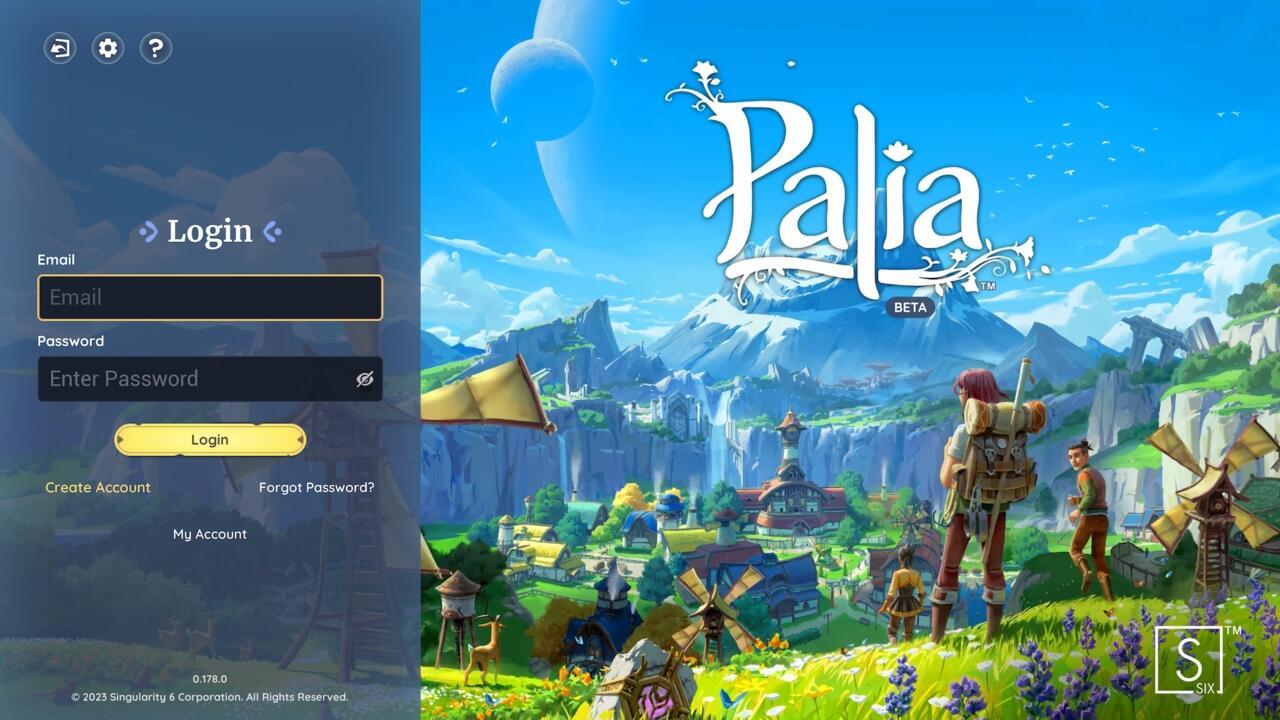
Palia login interface showing account management options
With Palia now available through multiple distribution channels including direct download, Epic Games Store, Steam, and Nintendo Switch, understanding cross-platform mechanics becomes essential for maximizing your gaming experience. Each platform maintains identical core gameplay while offering unique interface adaptations tailored to specific hardware capabilities.
Cross-platform progression represents a significant quality-of-life feature that preserves your investment in character development, farm cultivation, and relationship building across all supported systems. This eliminates the frustration of platform-locked progress that often plagues multiplayer games, ensuring your accomplishments remain accessible regardless of your chosen gaming device.
Palia delivers robust cross-platform progression that seamlessly transfers your entire gaming profile—including character customization, farm layouts, inventory collections, and relationship progress—between any supported platform. The account linking system serves as the foundation for this functionality, requiring simple configuration to enable data synchronization.
To activate cross-progression capabilities, navigate to your account management settings and establish connections between your gaming platforms. For example, linking your existing Epic Games Store or Steam account with your Nintendo Switch profile ensures all previously earned achievements, unlocked recipes, and developed skills transfer intact to your new gaming environment.
The linking mechanism operates bidirectionally, allowing migration from any starting platform to any destination platform without data loss or corruption. This flexibility supports diverse gaming lifestyles, whether you prefer handheld convenience or desktop immersion, while maintaining consistent progression tracking.
Practical implementation tip: Always verify successful account linkage by checking that key progression markers like friendship levels with NPCs, completed quests, and crafting recipe unlocks appear correctly after switching platforms. Common mistakes include incomplete linking procedures or attempting to play on multiple platforms simultaneously before synchronization completes.
Palia’s cross-play functionality eliminates platform barriers, enabling cooperative gameplay with friends regardless of their chosen gaming system. You can visit a friend’s homestead, participate in group activities, and share resources even when they’re playing on Nintendo Switch while you access through PC or Steam.
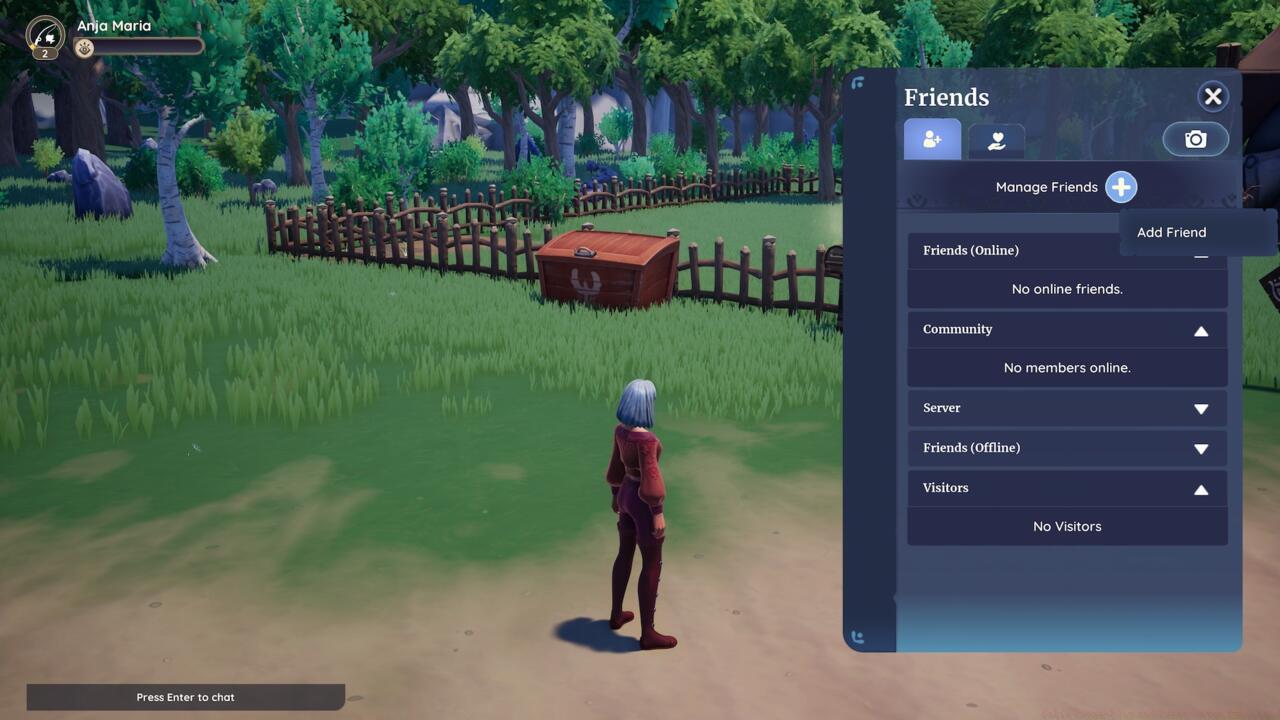
The Palia in-game friends tab displaying cross-platform connection options
Multiplayer engagement encompasses numerous cooperative activities including synchronized crafting sessions, collaborative cooking endeavors, communal farming projects, group fishing expeditions, resource foraging parties, and coordinated hunting missions. These shared experiences enhance social connectivity while providing gameplay efficiency benefits through task specialization and resource pooling.
Navigation of the friends list interface provides the gateway to cross-platform social features. On PC systems, access this menu by pressing the “O” key, then select the addition symbol to input your companion’s display name for connection establishment. Advanced optimization: Create nickname labels for frequently played friends to streamline the invitation process during peak gaming sessions.
Once friendship connections are established, you can form parties, teleport to each other’s housing plots, and share server instances regardless of platform disparities. This seamless integration mirrors the cooperative spirit central to Palia’s community-focused design philosophy while eliminating technical barriers to social gameplay.
Performance optimization across platforms requires understanding hardware-specific considerations. PC and Steam versions typically support higher graphical fidelity and faster loading times, while Nintendo Switch offers portability advantages. For optimal experience, adjust performance settings based on your primary platform and expected play patterns.
Common technical issues include temporary synchronization delays during peak server hours, occasional friend list display inconsistencies, and rare progression transfer hiccups. Most resolution requires simple account relinking or temporary platform switching to trigger data refresh cycles.
Advanced strategy: Schedule platform transitions during low-traffic periods to minimize synchronization conflicts. Additionally, maintain regular manual saves before switching devices as an extra precaution against rare data loss scenarios, though the automatic cloud save system generally provides reliable protection.
For players seeking comprehensive mastery of game mechanics beyond cross-platform functionality, our Complete Guide offers extensive strategic insights. Weapon enthusiasts should consult the detailed Weapons Unlock resource, while class specialization guidance is available in our dedicated Class Guide for specialized build optimization.
Time investment estimates: Account linking typically completes within 2-5 minutes, while full data synchronization may require 10-15 minutes during high-traffic periods. Planning your platform transitions accordingly ensures uninterrupted gaming enjoyment.
Action Checklist
- Access account management settings and link all gaming platforms
- Verify progression transfer by checking key milestones on new platform
- Navigate friends list (O key on PC) and add cross-platform companions
- Test cooperative activities by visiting friends’ homesteads across platforms
- Optimize performance settings based on primary platform hardware capabilities
No reproduction without permission:SeeYouSoon Game Club » Palia Cross-Play And Cross-Saves Explained Master Palia's cross-platform features with account linking strategies and multiplayer optimization tips