
Master the Corvette Autopilot system to efficiently scan planetary resources while maintaining automated flight paths
Understanding Corvette Autopilot Capabilities
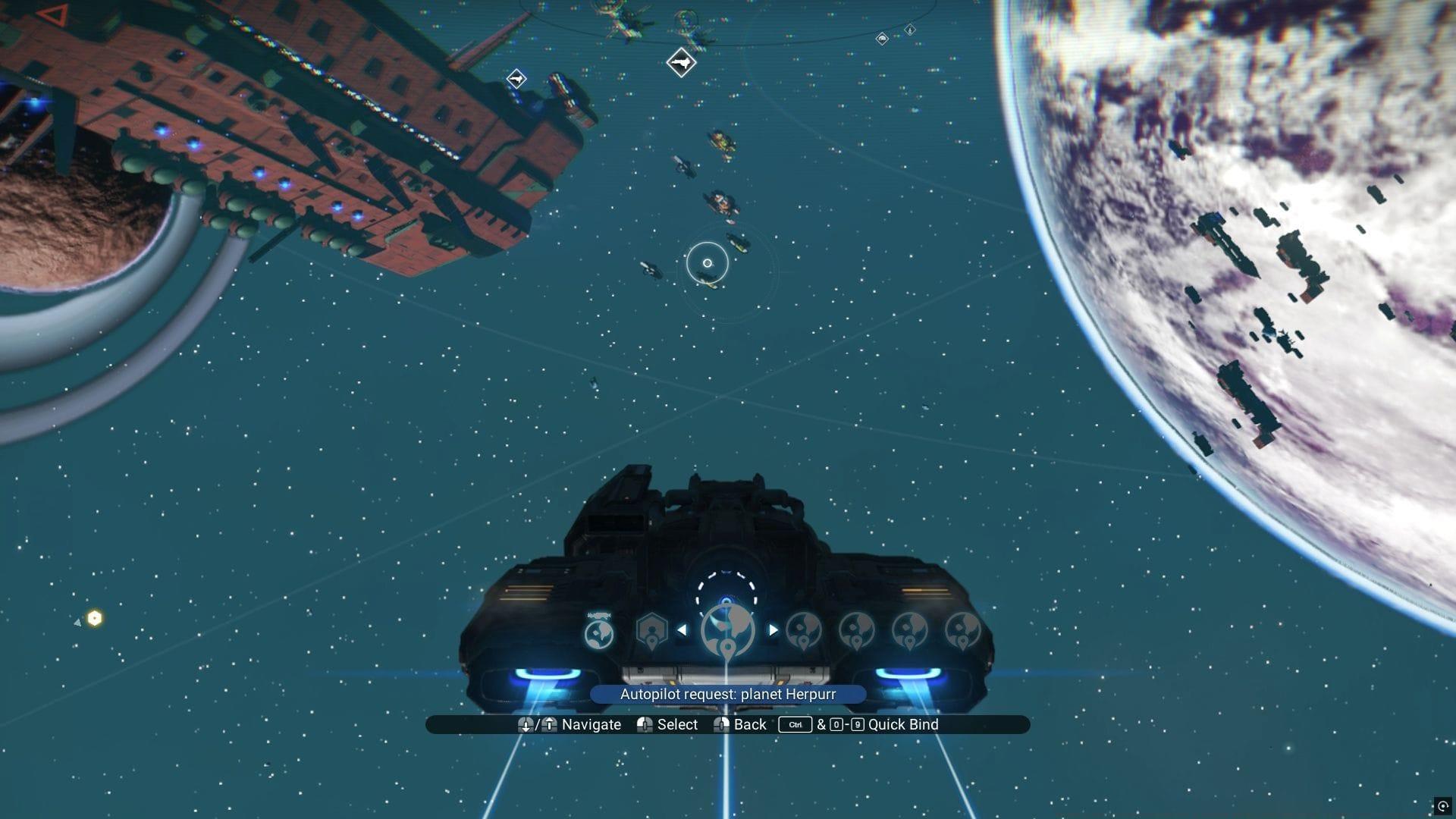
The Corvette Autopilot functionality in No Man’s Sky revolutionizes interstellar travel by enabling captains to temporarily step away from direct control. This advanced system permits multitasking during transit—whether customizing your vessel’s interior layout, managing inventory systems, or simply admiring the cosmic scenery as you traverse solar systems. Many explorers initially overlook this feature’s potential, but mastering it significantly enhances planetary exploration efficiency.
This sophisticated navigation aid provides two primary operational modes: maintaining your current trajectory or programming automated courses to celestial bodies and orbital stations within your present star system. Understanding both functions is crucial for optimizing exploration workflows.
Efficient Planetary Resource Scanning Technique
Activate the Corvette Autopilot to sustain your starship’s current trajectory within No Man’s Sky’s atmospheric or orbital environments, then securely exit the command chair. Proceed to the vessel’s rear section and operate the hatch mechanism. Position yourself strategically in the opening and deploy your analysis visor to conduct comprehensive resource surveys. This methodology enables rapid reconnaissance across extensive territorial expanses with unprecedented time efficiency.
When identifying valuable resource deposits or points of interest, execute a controlled descent from the Corvette. Crucially, activate your propulsion jets before reaching ground level to ensure safe landing. After securing materials, recall your Corvette to your current position. Access the quick menu using X, navigate to summoning options, select your starship, and designate an appropriate landing zone.
Pro Tip: For optimal scanning coverage, position your Corvette at medium altitude (approximately 200-300 units) and maintain a consistent speed. This creates the ideal scanning window while ensuring you don’t miss valuable resources hidden in terrain variations.
Advanced Strategies and Pro Tips
The Corvette Autopilot system functions identically during planetary atmospheric navigation as it does in vacuum environments. This consistency allows for seamless transition between space and planetary operations without system reconfiguration.
Should you disembark while the Corvette is navigating automated routes through space, you’ll require emergency retrieval protocols. Utilize X to access the system interface and dispatch a rescue craft to transport you back to your primary vessel. This safety measure prevents permanent stranding scenarios.
Extensive testing confirms the Corvette Autopilot mechanism operates without consumable resource expenditure. This energy-efficient design ensures prolonged operational capability during extended exploration missions.
Advanced Technique: Combine autopilot with waypoint markers to create systematic scanning patterns. This method ensures complete planetary coverage without overlapping search areas, maximizing resource discovery efficiency.
Common Questions and Expert Solutions
Navigation Access: Press X to open the command interface, then locate and select the ‘Vacate Pilot Station’ option. The system automatically triggers seat evacuation when engaging autopilot management protocols.
Common Mistake Avoidance: Novice pilots frequently forget to activate their jetpack during descent, resulting in preventable damage. Always monitor your altitude indicator and engage thrusters at approximately 50 units above terrain.
Optimization Strategy: Schedule scanning operations during planetary daylight cycles for improved visibility. The analysis visor provides enhanced detection capabilities in well-lit conditions, reducing missed resource nodes.
Recovery Preparedness: Always ensure your multitool contains adequate launch fuel reserves before disembarking. This precaution guarantees Corvette recall capability regardless of planetary conditions.
No reproduction without permission:SeeYouSoon Game Club » No Man’s Sky Corvette Autopilot ultimate guide (and one trick to help scan resources quickly) Master the Corvette Autopilot system to efficiently scan planetary resources while maintaining automated flight paths