
TL;DR
- Connect Zelda Notes via QR code scanning for enhanced gameplay tracking and sharing capabilities
- Master item sharing with strategic timing and resource management for maximum efficiency
- Leverage amiibo features and photo studio tools for creative expression and rewards
- Utilize navigation aids to streamline exploration and progression in Hyrule
- Optimize daily bonuses and understand when the app provides genuine value versus basic functionality
The Zelda Notes companion application transforms your gaming experience by offering sophisticated tracking, sharing, and enhancement tools that extend beyond simple gameplay monitoring. This powerful mobile companion enables seamless item distribution, creative photo opportunities, and strategic navigation assistance that can significantly impact your journey through Hyrule.
Ensure stable internet connectivity before initiating the linking process to prevent synchronization errors.
With the launch of Nintendo Switch 2, Zelda Notes serves as an integrated companion service specifically designed for both Breath of the Wild and Tears of the Kingdom. It provides comprehensive navigation support, randomized daily rewards, and multiple utility features that enhance gameplay efficiency. Understanding how to properly implement these tools and when they deliver meaningful advantages requires strategic insight.
We’ve compiled detailed instructions for connecting Zelda Notes to your gaming sessions, along with expert analysis of each major function and guidance on optimal usage scenarios.
Before beginning the setup process, verify your internet connection stability to ensure smooth synchronization between your mobile device and gaming console.
When launching the Nintendo Switch application and accessing Zelda Notes, you’ll encounter an introductory overview explaining the app’s purpose alongside a notification indicating no active game connections. The interface initially provides minimal guidance on establishing these crucial links.
The foundational requirement involves possessing the Nintendo Switch 2 edition of either Tears of the Kingdom or Breath of the Wild. Nintendo Switch Online + Expansion Pack members can access these enhanced versions without additional charges. Alternative upgrade packages incorporating Switch 2 enhancements cost approximately $10 per title, while first-time purchases of the Switch 2 editions are priced at $80 each.
Additionally, you must install the complimentary Nintendo Switch mobile application, available through Google Play Store and Apple’s App Store. Once both the mobile app and your preferred Zelda game’s Switch 2 version are secured through your chosen method, proceed with these implementation steps.
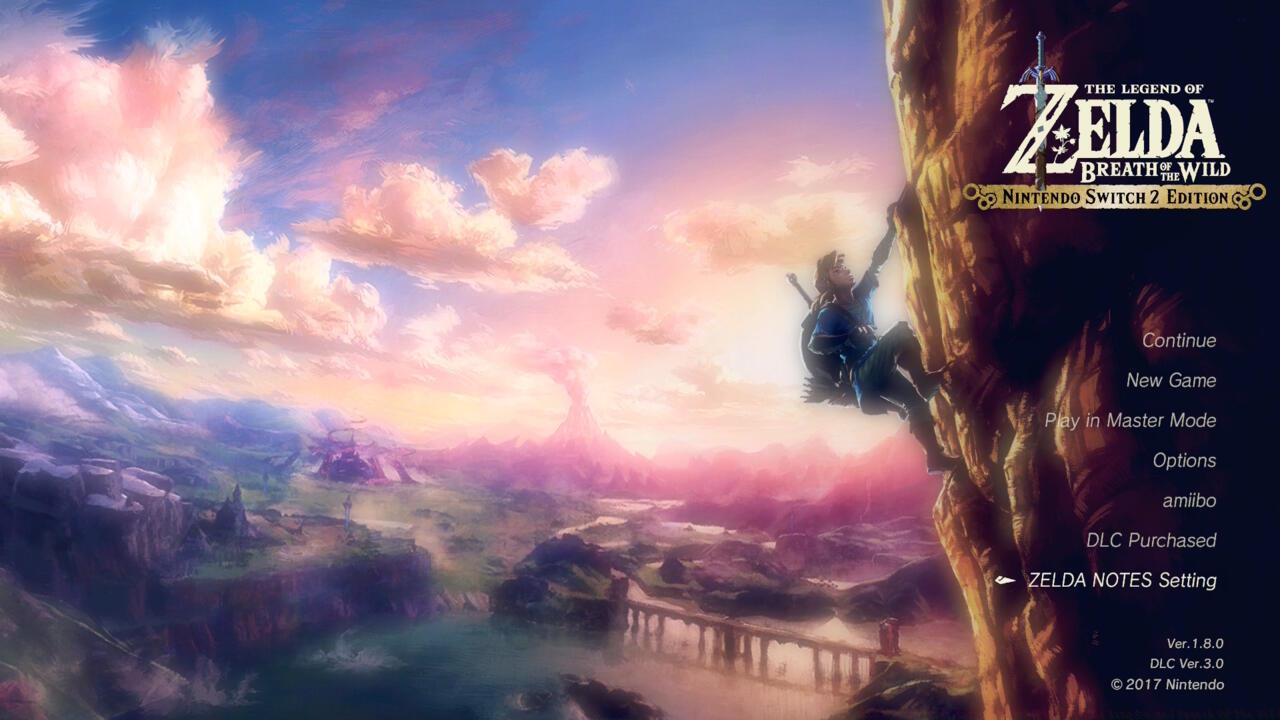
- Access your Zelda game and navigate to the main menu, then choose “Zelda Notes Setting” from the available options.
- Utilize your smartphone’s camera functionality to scan the presented QR code, then select the hyperlink that appears following recognition.
This straightforward procedure applies identically to both Breath of the Wild and Tears of the Kingdom, as do the available tools and benefits, with one notable distinction between titles.
Zelda Notes transforms item management through its sophisticated sharing system and storage capabilities. The item box functionality allows strategic resource distribution and backup options that can dramatically alter your gameplay approach.
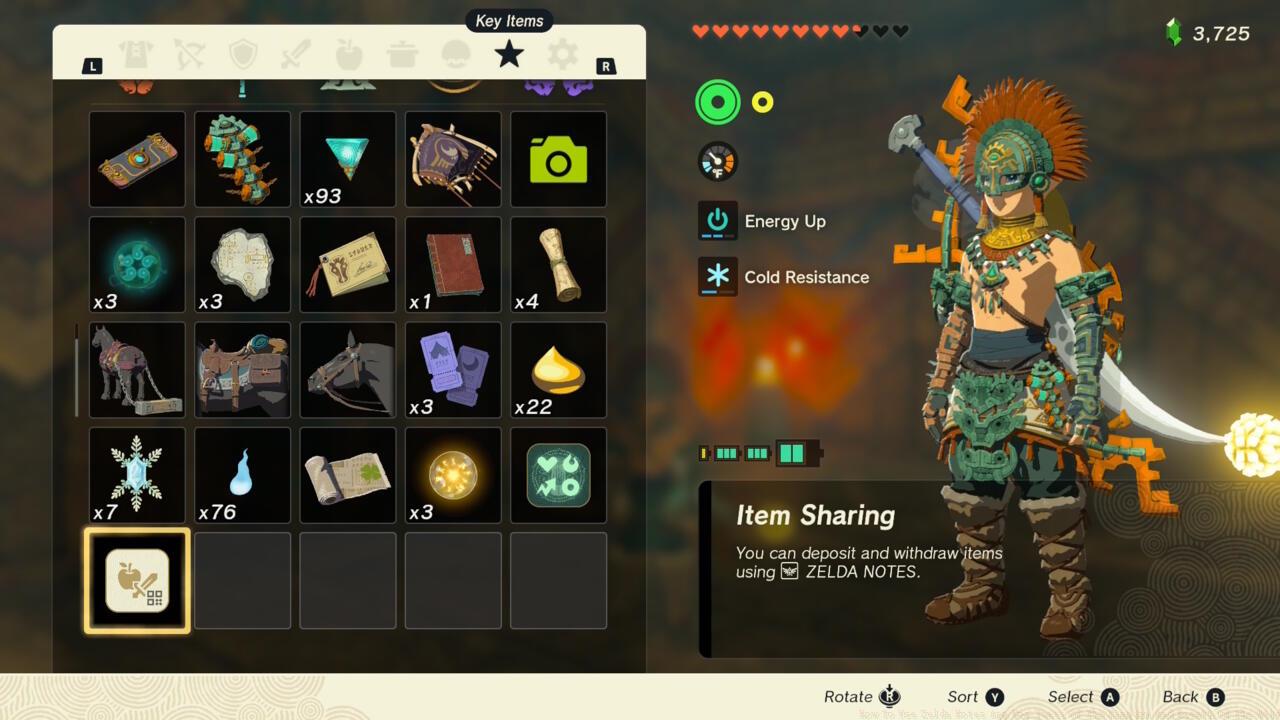
Strategic planning around the 10-item daily limit can optimize your resource management and progression speed.
Pro Tip: Schedule your item transfers during evening gameplay sessions to maximize the 24-hour cooldown period. This ensures fresh transfer availability aligns with your next major play session.
Amiibo integration within Zelda Notes provides enhanced functionality beyond standard figure scanning. The application offers unique rewards and customization options exclusive to this feature set.
Daily free scans provide consistent value without additional hardware investment requirements.
The photo studio represents one of Zelda Notes’ most creative components, enabling detailed scene composition and character positioning for capturing perfect moments from your adventures.
Customizable frame colors and background options allow personalized photographic compositions that reflect your unique journey.
Daily bonuses introduce an element of randomized rewards that can provide unexpected advantages during critical gameplay moments.
The bonus wheel mechanism delivers varied rewards ranging from common materials to rare items that can significantly impact gameplay progression.
Common Mistake: Players often forget to claim daily bonuses, missing out on cumulative rewards that can amount to significant resource advantages over extended play periods.
Zelda Notes revolutionizes exploration through its comprehensive navigation systems that extend beyond basic map functionality. These tools provide detailed tracking and discovery assistance tailored to both novice and experienced adventurers.
The navigation interface mirrors your in-game map while highlighting undiscovered locations, shrines, and points of interest.
Navigation features integrate seamlessly with your gameplay, offering real-time position tracking and customized waypoint setting that adapts to your exploration patterns and objectives.
Optimization Strategy: Use the navigation system during extended exploration sessions to systematically uncover hidden areas while minimizing backtracking and missed opportunities.
The application’s progression tracking capabilities provide valuable insights into completion percentages, remaining objectives, and optimal routing through Hyrule’s diverse landscapes.
Strategic item sharing requires coordination with active players to maximize the utility of transferred resources and equipment.
Advanced navigation tools include historical path tracking, which visualizes your previous routes and identifies patterns that might reveal overlooked areas or efficient travel corridors.
Determining whether Zelda Notes justifies your investment requires careful consideration of your gameplay style, progression goals, and interaction preferences. The application delivers maximum value to players engaged in systematic completion or those coordinating resources with active gaming partners.
Critical Insight: The app’s utility diminishes significantly if your friends have moved on from their Zelda adventures, as many social features depend on reciprocal participation.
For solo adventurers focused on completionist goals, the navigation and tracking features provide substantial time savings and organizational benefits that can enhance the overall experience.
The photo studio and daily bonus systems offer consistent entertainment value regardless of social engagement levels, making them universally beneficial components.
Implementation Priority: Begin with the navigation and daily bonus features, then gradually incorporate item sharing as you identify active collaborators within your gaming community.
Zelda Notes represents Nintendo’s evolving approach to companion applications, blending practical utility with creative expression in ways that complement rather than complicate the core gaming experience.
Action Checklist
- Verify Nintendo Switch 2 game version and stable internet connection
- Download Nintendo Switch mobile app and access Zelda Notes section
- Scan QR code from game menu to establish connection
- Configure daily bonus notifications and explore navigation features
- Establish item sharing schedule with active players for maximum efficiency
No reproduction without permission:SeeYouSoon Game Club » How To Use Zelda Notes App For Tears Of The Kingdom And Breath Of The Wild Master the Zelda Notes companion app with advanced strategies for item sharing, navigation, and daily bonuses