
TL;DR
- Use Steam’s ‘Friends That Play’ feature to instantly see who has CS2 beta access
- Access via browser link or Steam client using the steam://openurl protocol
- Beta invitations appear random despite Valve’s stated prioritization criteria
- Some recipients may be unaware they’ve been selected for the limited test
- Share discovery with friends who might not know about their beta status
Games and Esports Articles CS 2
Curious about which of your Steam gaming companions have secured early entry to the highly anticipated Counter-Strike 2 limited beta? The selection process has generated significant community interest, with many players wondering about the distribution methodology. Fortunately, Valve provides a straightforward mechanism to monitor your friends’ beta participation status. This visibility tool helps you track the rollout and understand the invitation patterns as they develop across the player base.
The beta access system represents a crucial testing phase for Valve’s Source 2 engine transition, making participant selection particularly important for development feedback. Understanding who among your network gained entry can provide insights into the selection algorithm and help you anticipate potential future invitations.
For the fastest verification method, navigate directly to Steam’s specialized ‘Friends That Play’ portal using this dedicated link. This approach requires you to be authenticated within your Steam account through a web browser session. The interface will display a comprehensive list showing exactly which contacts from your friends roster currently have active Counter-Strike 2 beta privileges.
Browser access offers immediate results without additional software requirements, making it ideal for quick checks. Ensure your Steam credentials are current and that you’ve authorized the community site access to prevent authentication issues that might block the friend list retrieval process.
For users preferring integrated platform access, the Steam client provides an alternative approach through its protocol handler system. This method leverages the steam:// URL scheme to directly interface with the client’s internal browser functionality.
- Initiate the Steam application on your desktop system
- Activate the Run dialog using the Windows+R keyboard combination
- Insert the following specialized command string:
- steam://openurl/https://steamcommunity.com/my/friendsthatplay/2279720
- Execute the command by pressing Enter or selecting the confirmation option
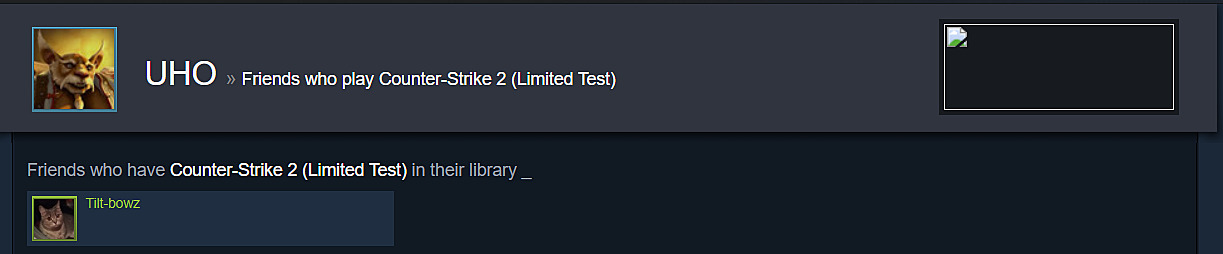
The client method typically provides faster loading times and better integration with your existing Steam session. If you encounter protocol errors, verify that Steam is running with administrative privileges or try launching the client before executing the command sequence.
Community discussions on platforms like Reddit indicate the invitation distribution appears somewhat unpredictable. While Valve officially stated they would prioritize accounts demonstrating recent Counter-Strike: Global Offensive activity coupled with high Steam trust metrics, the actual implementation reveals interesting anomalies. Numerous reports surface of players receiving access despite never having launched CS:GO, though maintaining the game within their library.
Additional observations note some selected participants show zero hours recorded in both titles, occasionally on secondary accounts, with certain recipients completely unaware of their selection status. This distribution pattern suggests Valve may be testing various player segments beyond their stated criteria, potentially including hardware configuration diversity or geographical distribution factors.
If you identify friends who’ve gained beta access without their knowledge, consider notifying them about their fortunate selection. Many players miss the subtle notification indicators, and your alert could help them participate in this significant testing phase. The limited test represents a valuable opportunity for early Source 2 engine experience and feedback contribution to the development process.
Action Checklist
- Access the Steam ‘Friends That Play’ portal via browser while logged in
- Use steam://openurl protocol through Steam client for integrated access
- Check for friends with unexpected access and notify unaware recipients
- Monitor invitation patterns over time to identify selection trends
No reproduction without permission:SeeYouSoon Game Club » How to see who got Counter-Strike Source 2 beta access on Steam? Discover which Steam friends received Counter-Strike 2 beta access and learn the invitation selection process