
TL;DR
- Access the calendar via bottom-left UI button to edit or create holidays
- Customize five key elements: name, traditions, decorations, icon, and work status
- Balance holiday frequency to avoid career and academic stagnation
- Random holidays like Talk Like a Pirate Day cannot be edited or replicated
- Strategic tradition combinations create unique holiday experiences and moodlet bonuses
The calendar functionality stands as one of The Sims 4’s most impactful features for player engagement and world-building.
Although weather patterns and seasonal changes represent the primary attraction of the Seasons expansion pack, the integrated holiday calendar has become an indispensable component of gameplay. While the basic calendar framework was integrated into the core game alongside Cottage Living’s release, comprehensive holiday features remain exclusive to Seasons DLC ownership.
By default, your calendar automatically populates with four major annual celebrations mirroring real-world counterparts: Love Day (Valentine’s equivalent), Harvestfest (Thanksgiving alternative), Winterfest (Christmas parallel), and New Year’s Eve festivities. However, you maintain complete creative control to modify these defaults, establish entirely new celebrations, or eliminate existing ones entirely based on your preferences.
The holiday customization system operates through five manageable components: celebration naming conventions, tradition selections, decorative themes, calendar iconography, and employment status designation. You can implement up to five distinct traditions per holiday, with no requirement for thematic consistency between selected activities.
All holiday management occurs within The Sims 4’s calendar interface, accessible through the bottom-left navigation button adjacent to your active household’s portrait display.
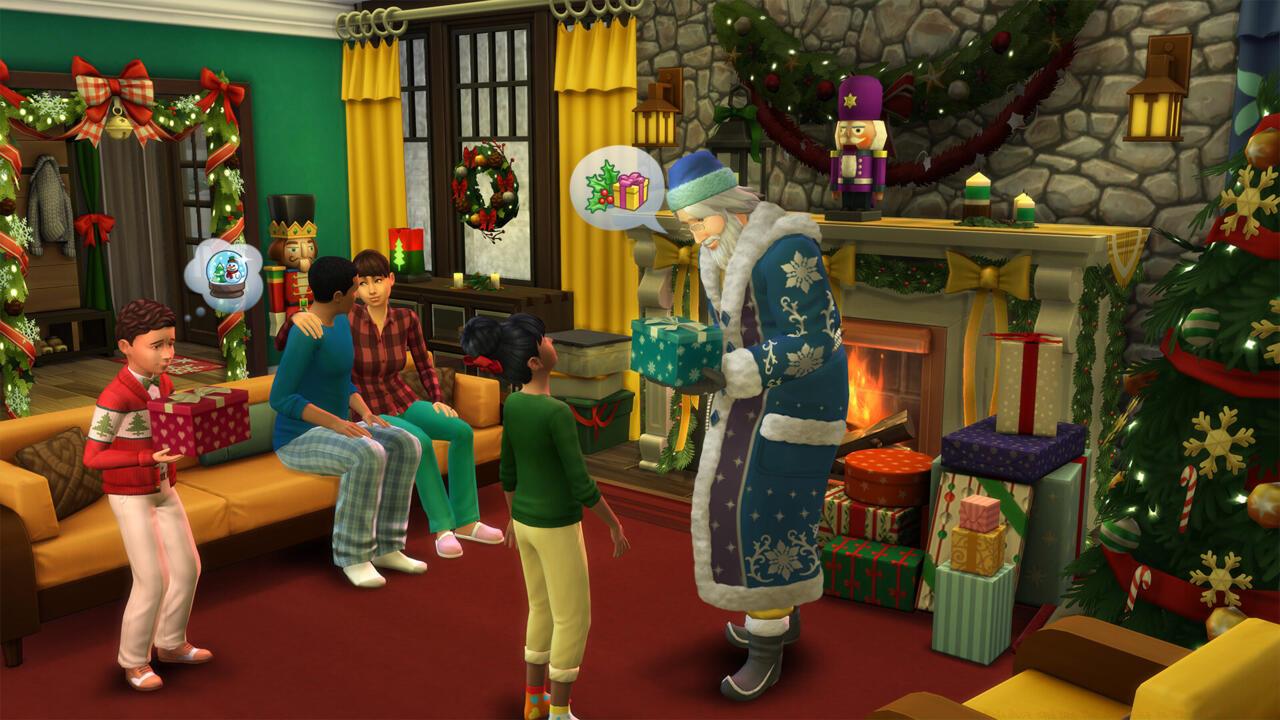
The Sims 4 has its own versions of every holiday.
Pro Tip: Access the calendar during gameplay pauses to prevent missing important seasonal events while managing multiple Sim households.
Modifying pre-existing holidays requires locating the specific date within your calendar interface and selecting that day. A detailed holiday summary panel appears to the left, where clicking the pencil icon transitions you to the Edit Holiday interface. This screen enables comprehensive modification of all holiday attributes through intuitive controls.
Within the editing interface, you can alter the holiday’s visual representation by selecting the thumbnail in the upper-left corner. Simultaneously, the top-right section manages decorative themes and work exemption status. The remaining interface space dedicates itself entirely to tradition management and selection.
For players preferring alternative winter celebrations instead of Christmas-inspired Winterfest, you can substitute the Festive Spirit tradition (involving holiday tree activities) with Lighting a Menorah or Lighting a Kinara traditions. Alternatively, you might completely reimagine the holiday’s purpose or simply remove it from your calendar entirely.
Establishing completely new holidays follows similar procedures to editing existing ones, with the key distinction of beginning from a blank template rather than modifying established parameters. Initiate the process by opening your calendar and choosing any unoccupied date (each calendar day supports only one holiday event).
On the left panel, beneath your household’s work schedule display, locate the holiday addition option indicated by a plus symbol. Selecting this icon launches the new holiday creation workflow.
Advanced Strategy: Combine complementary traditions like ‘Giving Gifts’ with ‘Decorating’ to create powerful positive moodlet combinations that significantly boost your Sims’ emotional states.
Common Mistake: Avoid selecting conflicting traditions such as ‘Fight’ and ‘Be Thankful’ simultaneously, as these create contradictory moodlets that cancel each other’s effects.
Beyond the four primary seasonal celebrations, the Seasons expansion incorporates numerous minor holidays featuring single traditions that appear randomly throughout the year. Examples include Talk Like a Pirate Day and Prank Day, which the game schedules spontaneously with advance notification to players.
These spontaneous celebrations differ significantly from customizable holidays in several key aspects. They cannot be modified through standard editing procedures, nor can players create new holidays following this random occurrence pattern.
The system automatically positions these events on your calendar when selected for occurrence, providing appropriate warnings about their impending arrival. This design creates unexpected variety throughout the Sim year while maintaining developer-curated experiences.
Technical Insight: Random holidays operate through separate game systems from player-created events, explaining their distinct behavioral patterns and customization limitations.
When expanding your calendar with numerous custom holidays, strategic considerations become essential for maintaining balanced gameplay progression. Excessive implementation of work-exempt holidays can severely impact career advancement and academic performance.
While perpetual vacation might seem appealing for your Sims’ quality of life, constant absence from workplaces prevents professional promotions and salary increases. Similarly, teenage Sims consistently missing school days will achieve mediocre academic performance and develop significant skill deficiencies.
Optimization Strategy: Limit work-exempt holidays to 6-8 annually while supplementing with tradition-only celebrations that maintain normal daily routines.
Time Management: Plan holiday creation sessions during loading screens or natural gameplay breaks to avoid disrupting your immersion in ongoing household narratives.
Performance Tip: Excessive holiday decorations across multiple lots may impact game performance; consider limiting elaborate decorations to 2-3 key celebration properties.
For comprehensive gameplay guidance beyond holiday systems, explore our Complete Guide to master all aspects of modern gaming experiences.
Weapon customization enthusiasts should consult our detailed Weapons Unlock resource, while strategic players will benefit from the advanced Class Guide for optimal character development strategies.
Action Checklist
- Access calendar via bottom-left UI button next to household portraits
- Edit existing holidays by selecting date and clicking pencil icon
- Create new holidays using plus button on empty calendar dates
- Balance work-exempt holidays (max 6-8 annually) to maintain career progression
- Combine complementary traditions for enhanced moodlet effects
No reproduction without permission:SeeYouSoon Game Club » How To Make Your Own Holidays And Use The Calendar In The Sims 4: Seasons Master The Sims 4 holiday system with expert customization tips and strategic calendar management