
TL;DR
- Access Pick’Ems from any device using BLAST.tv or HLTV.org websites
- Requires Steam account authentication with CS2 Prime status verification
- BLAST offers official integration while HLTV provides community-focused alternative
- Mobile users should prepare authentication codes in advance for smoother experience
- Always verify predictions are locked before major tournament stages begin
Games and Esports Articles CS 2
Counter-Strike 2 enthusiasts frequently encounter situations where they need to submit Major Pick’Ems predictions while traveling or away from their primary gaming setup. The convenience of mobile access transforms how fans engage with premier tournaments like the BLAST Austin Major 2025. Through specialized third-party platforms, you can participate in prediction challenges using just your smartphone or any internet-connected device. The fundamental prerequisites include maintaining an active Steam account and possessing verified Prime status within CS2, which ensures eligibility for official tournament participation.
Mobile Pick’Ems accessibility addresses a significant pain point for the global CS2 community. When major tournaments approach, fans often find themselves in locations without computer access during critical prediction windows. This guide demonstrates how to overcome geographical and technical limitations through streamlined web-based solutions.
The most straightforward approach involves navigating to the official BLAST television platform and locating their dedicated Major Pick’Ems portal. This method provides direct integration with tournament organizers and typically offers the most reliable user experience. Follow this comprehensive procedure to establish your prediction credentials.
- Establish a new BLAST television account or access your existing profile credentials. Consider saving login information for future tournament cycles.
- Select the “Link Steam Account” option to initiate the verification process.
- Choose “Get” when prompted for Authentication credentials. This action will automatically redirect your browser to the Steam platform.
- Click “Create Authentication code” to generate temporary access credentials. Precisely transfer this code into the designated field on BLAST’s interface. The Viewer Pass registration can be bypassed if you don’t possess this optional feature.

Following successful authentication, proceed to the appropriate tournament phase and select your preferred competing teams. Utilize the question mark icon for additional team statistics and historical performance data. Crucially, finalize your selections using the “Lock Em’ In” confirmation button to ensure prediction submission.
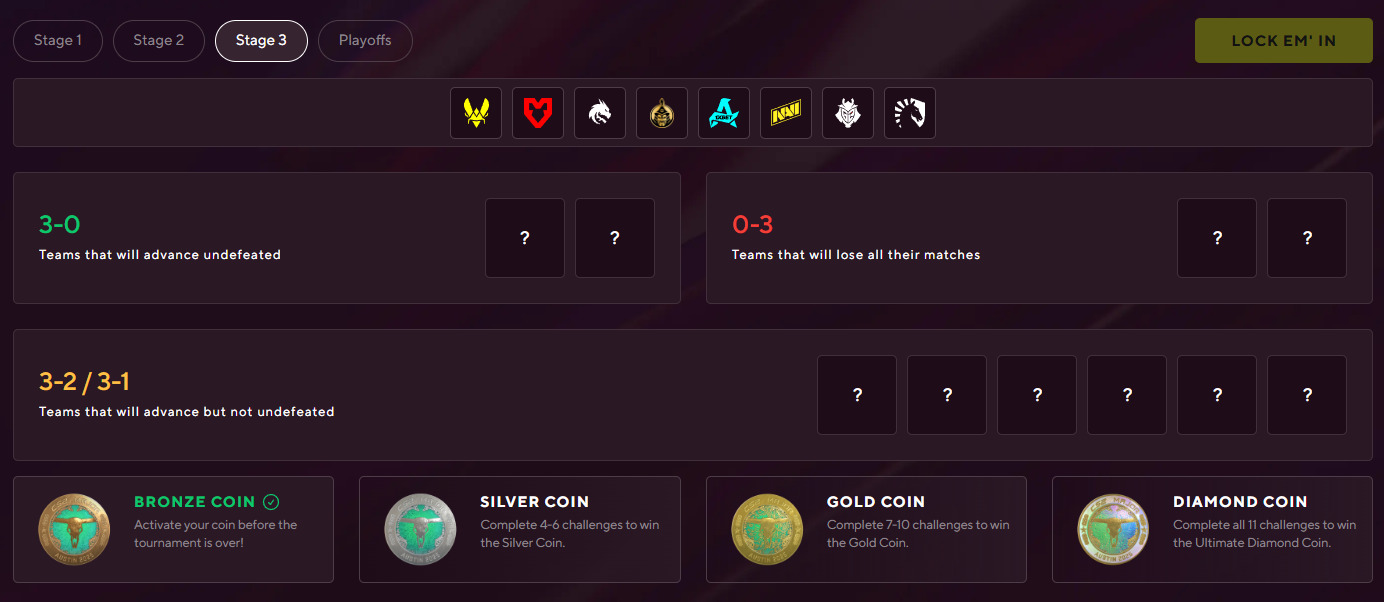
This established community platform provides a reliable secondary option for Pick’Ems management. The procedural framework closely mirrors the BLAST methodology while offering distinct interface advantages for seasoned CS2 followers. You’ll need to either create a new HLTV profile or access your current account, then complete the authentication code acquisition process.
Navigate directly to the HLTV Pick’Ems page to commence your tournament predictions. The platform excels at providing deep statistical analysis and community voting trends that can inform strategic selection decisions.
HLTV’s prediction system integrates community insights with professional analyst perspectives, creating a uniquely informed decision-making environment. Their interface typically includes additional data points like head-to-head records, map preferences, and recent form indicators that surpass basic tournament organizer offerings.
Mobile Pick’Ems participants should prepare authentication codes during stable internet conditions to avoid last-minute connectivity issues. Tournament prediction windows often close abruptly when stages commence, making advance preparation essential for comprehensive participation.
A frequent error involves neglecting the final confirmation step, leaving predictions unsubmitted despite completing team selections. Always verify that the “Lock Em’ In” button has been activated and confirmation messages received. Another common oversight involves forgetting Steam Guard mobile authentication requirements, which can delay the verification process during critical prediction periods.
For optimal mobile experience, consider using browsers with desktop mode options to better navigate prediction interfaces. The condensed mobile layouts sometimes obscure critical information or make team comparison more challenging than desktop experiences.
Advanced participants should cross-reference both BLAST and HLTV platforms before finalizing predictions, as community sentiment and official data can provide complementary strategic advantages. Understanding each platform’s unique scoring system and bonus point opportunities can significantly impact overall tournament standing and reward eligibility.
Action Checklist
- Verify CS2 Prime status and Steam account accessibility
- Bookmark BLAST.tv and HLTV Pick’Ems pages for quick access
- Generate Steam authentication code during stable internet connection
- Complete platform registration and account linking procedures
- Research team statistics and cross-reference both platforms before predictions
- Finalize all predictions with ‘Lock Em’ In’ confirmation
No reproduction without permission:SeeYouSoon Game Club » How to make Major Pick’Ems without access to PC or CS2. How to make BLAST Austin Major pickems, using smartphone Complete mobile guide for CS2 Major Pick'Ems using BLAST and HLTV platforms with authentication tips