
TL;DR
- Start with preset 4 and face shape 3 for optimal Harry Potter foundation
- Use brown-black hair color option 4 and specific eyebrow selections for authentic appearance
- Navigate customization limitations by using alternative scar options and strategic slider adjustments
- Complete your character with voice selection and proper naming conventions
- Apply these techniques to recreate other characters like Hermione, Ron, and Draco
Games and Esports Articles
When Hogwarts Legacy launched on February 10, it immediately captured the imagination of Harry Potter enthusiasts worldwide. Players quickly began experimenting with the character creation system to bring their favorite wizarding world personalities to life within the game’s immersive environment.
The character customization tools offer substantial flexibility, though they present certain limitations for exact recreations. Notably absent is the iconic lightning bolt scar that defines Harry Potter’s appearance, despite the inclusion of various scar options in the editing interface. Additionally, the available facial shape selections provide a foundation for resemblance rather than perfect duplication of specific actors’ features.
Begin your character creation journey by selecting the fourth preset option from the available choices. This foundation provides the closest starting point for achieving Harry’s distinctive look while minimizing subsequent adjustment requirements.
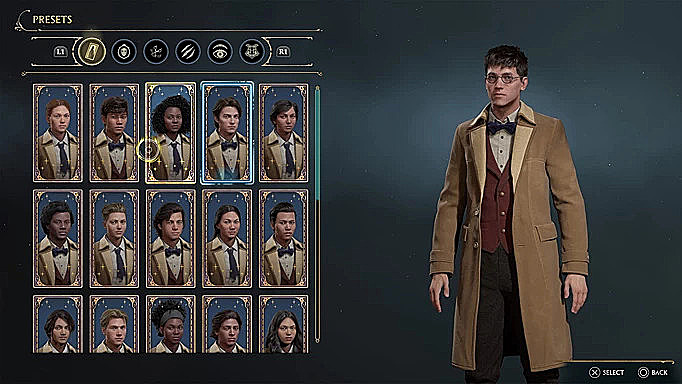
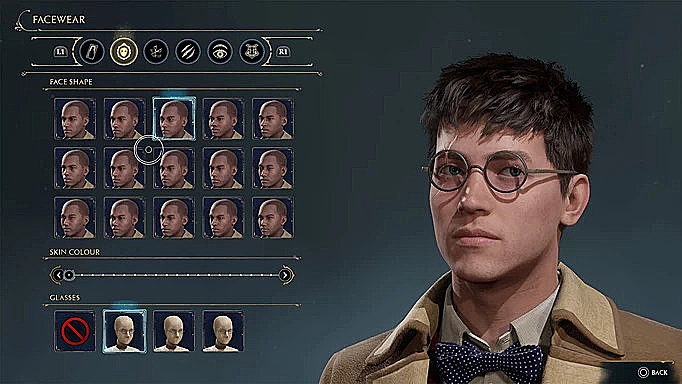
For facial structure, choose the third face shape option and adjust the skin tone slider toward the lighter end of the spectrum. This combination creates the angular yet youthful appearance reminiscent of Daniel Radcliffe’s portrayal. Don’t forget to equip Harry’s signature circular glasses at this stage for immediate recognizability.
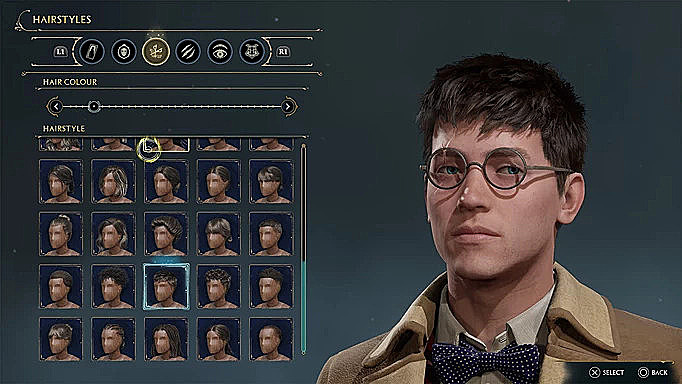
Hair customization requires selecting the fourth color option from the brown-black palette. While this doesn’t perfectly match the book descriptions of “jet-black” hair, it provides the closest approximation to the cinematic representation. For the hairstyle itself, navigate to the second row from the bottom and pick the third selection for that authentic messy Potter look.
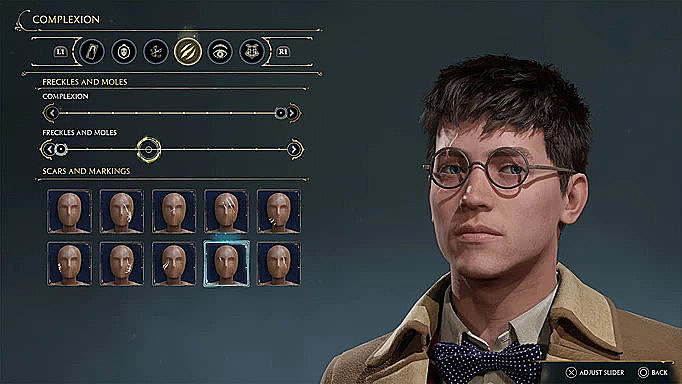
Within the complexion settings, move the first slider toward the right while adjusting the second slider leftward. To simulate Harry’s famous scar, choose the fourth option from the second row of available scars—this provides the best visual substitute for the missing lightning bolt marking.
Eyebrow selection plays a crucial role in achieving character authenticity. The optimal choice is the fourth option from the right side, complemented by bright blue eyes that capture Harry’s cinematic appearance. Literary purists may prefer green eyes to align with J.K. Rowling’s original descriptions. Choose the fourth eyebrow color from the left and select the second eyebrow type from the top row for perfect framing.
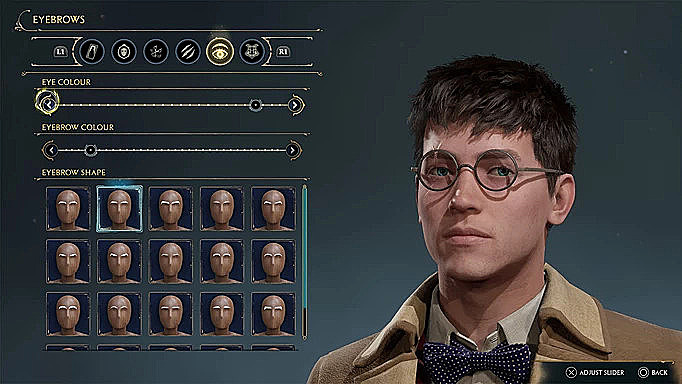
The final customization phase involves voice selection and character naming. Pick a voice that matches your vision of Harry’s personality, then officially name your character “Harry Potter” to complete the transformation. These finishing touches significantly enhance the immersive experience of playing as the beloved character.
Beyond Harry Potter, the character creation system enables recreations of numerous other iconic figures from the wizarding universe. Following similar customization principles, you can craft convincing versions of Hermione Granger, Ron Weasley, Draco Malfoy, and even Professor Severus Snape. Each character requires specific attention to their unique facial features, hair characteristics, and distinctive accessories.
Advanced players should consider these optimization strategies: Always preview your changes in different lighting conditions within the character creator, as some selections appear differently during actual gameplay. Consider creating multiple save files to experiment with variations without losing your progress.
Avoid these common pitfalls: Don’t oversaturate skin tones—Harry’s complexion is naturally pale rather than artificially colored. Avoid selecting hairstyles that are too neat or styled, as his characteristic messy hair is an essential visual element.
For those interested in broader gaming customization, our Class Guide provides similar detailed approaches for character optimization in other titles. The principles of strategic preset selection and careful feature adjustment translate well across different gaming platforms and character creation systems.
Time investment for perfecting your character creation typically ranges from 15-30 minutes, depending on how closely you want to match the original character appearances. Patience during the customization process yields significantly better results than rushing through the options.
If you’re new to character customization systems, our Complete Guide offers foundational knowledge that applies to Hogwarts Legacy’s system as well. Understanding basic principles of facial structure, color theory, and proportion will enhance your ability to recreate any character effectively.
Action Checklist
- Select preset option 4 as your foundation
- Choose face shape 3 and adjust skin tone lighter
- Apply hair color option 4 and specific messy hairstyle
- Configure complexion sliders and select alternative scar option
- Choose eyebrow style 4 and appropriate eye color
- Select voice and name character ‘Harry Potter’
No reproduction without permission:SeeYouSoon Game Club » How to make Harry Potter in Hogwarts Legacy? Create Hermione Granger, Ron Weasley, Draco Malfoy, or Severus Snape Complete character creation guide for recreating iconic Harry Potter characters in Hogwarts Legacy with expert customization tips