
TL;DR
- Two reliable methods exist for remote Pick’Ems: HLTV and BLAST platforms
- Both require Steam account access and an active Viewer Pass purchase
- HLTV offers direct bracket integration while BLAST provides enhanced tracking
- Mobile compatibility ensures predictions from any device with internet
- Timing is critical as prediction windows are typically 24-48 hours
Games and Esports Articles CS 2
Counter-Strike 2’s Shanghai Major 2024 Pick’Em challenge presents a common accessibility hurdle for competitive followers. The requirement to launch the game client for prediction submissions creates significant barriers for enthusiasts traveling, working remotely, or experiencing technical limitations during the brief submission periods. Fortunately, two established third-party platforms provide legitimate alternatives that bypass the in-game requirement entirely.
The core prerequisite for remote Pick’Em participation remains possessing an activated Viewer Pass linked to your Steam account. This verification ensures only legitimate participants engage with the prediction system while maintaining competitive integrity. Both HLTV and BLAST.tv platforms interface directly with Steam’s authentication system, creating secure bridges for your selections.
Platform Comparison: HLTV delivers direct tournament bracket integration with familiar competitive esports interface design, while BLAST offers a more polished user experience with enhanced progress tracking features. Understanding these distinctions helps optimize your remote prediction workflow based on personal preferences and technical circumstances.
Making CS2 Major Pick’Ems on HLTV
Executing predictions through HLTV’s platform requires minimal setup for experienced esports followers. Begin by ensuring your Steam credentials are accessible and your Viewer Pass activation is confirmed. Navigate to HLTV’s dedicated tournament portal for the Shanghai Major, where you’ll locate the distinctive “Pick’Em” control interface positioned strategically above the competitive bracket visualization.
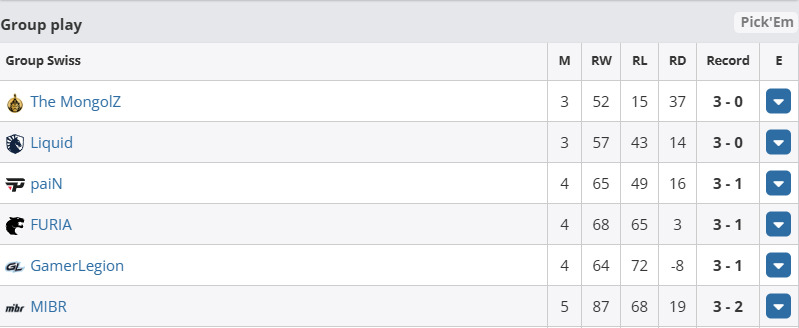
Navigation Tip: If the Pick’Em button appears absent or inactive, this typically indicates the prediction window hasn’t yet commenced or has already concluded. Major tournaments typically open selection periods 24-48 hours before stage transitions, requiring vigilant timing awareness.
After finalizing your competitive predictions across all tournament phases, the crucial synchronization step involves clicking “Sync with Steam” to transmit your selections to Valve’s official tracking system. This action creates the permanent record that determines your coin progression and potential rewards.
Best Pick’Ems for Shanghai Major 2024 to get Diamond Coin. Pro players and talent predictions for Chinese CS2 Major
Go get that coin!
Making CS2 Major Pick’Ems on BLAST website
The BLAST Premier platform delivers an alternative methodology with enhanced user experience considerations. Access their specialized Pick’Em interface through any modern web browser, where the streamlined design prioritizes intuitive navigation and clarity for competitive predictors.
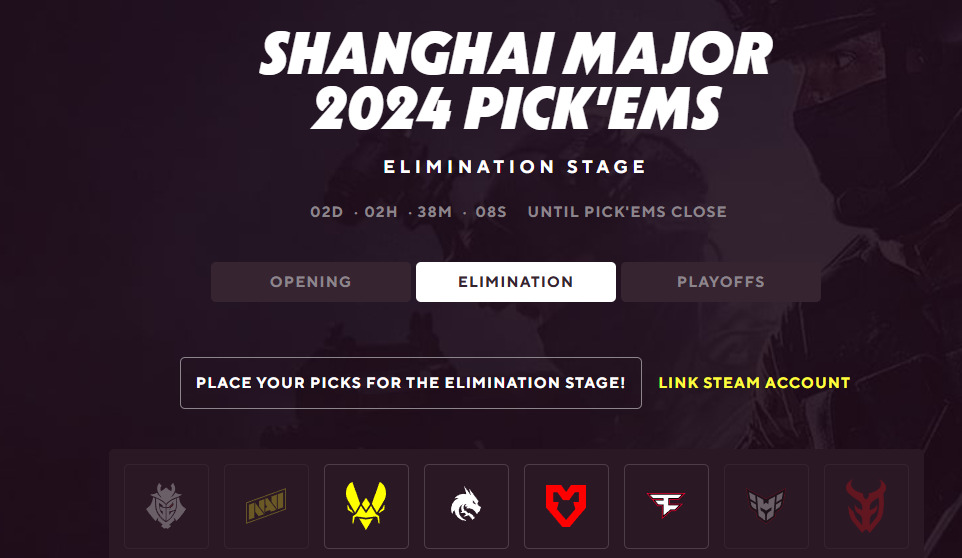
New users must complete brief account registration while returning participants can immediately authenticate through existing credentials. The critical integration step involves selecting “Link Steam Account” to establish the secure connection between platforms, enabling prediction validation and progress synchronization.
Interface Advantage: BLAST’s platform uniquely displays your Major challenge progression metrics alongside prediction options, providing comprehensive tracking unavailable through HLTV’s more minimalist approach. This real-time feedback proves invaluable for strategic adjustments throughout the tournament lifecycle.
S1mple picks Wildcard as 3-0 team at Shanghai Major, will make Elimination Stage Pick’Em
Timing Strategy: Professional predictors consistently emphasize the critical importance of submission timing. Tournament stages typically feature prediction windows lasting merely 24-48 hours between match conclusions and subsequent phase commencements. Setting calendar reminders prevents missed opportunities during these compressed timeframes.
Mobile Optimization: Both HLTV and BLAST platforms maintain excellent mobile browser compatibility, enabling seamless predictions from smartphones or tablets. This flexibility ensures continuous participation regardless of location or device availability constraints.
Common Errors: Frequent submission failures stem from expired Viewer Passes, Steam authentication issues, or attempting predictions outside active windows. Verifying pass status and platform connectivity before critical periods prevents last-minute complications.
For enthusiasts seeking comprehensive strategic guidance, our Complete Guide provides detailed frameworks for competitive prediction strategies. Additionally, understanding Weapons Unlock mechanics and Class Guide principles can enhance your overall tournament understanding.
Verification Protocol: Always confirm successful synchronization by checking your Pick’Em status in-game when possible, or through Steam’s integrated tracking systems. This confirmation ensures your predictions register correctly for challenge progression and potential rewards.
Action Checklist
- Verify Steam account accessibility and Viewer Pass activation status
- Bookmark HLTV tournament page and BLAST Pick’Em portal for quick access
- Set calendar reminders for prediction window openings (typically 24-48 hours)
- Test both platforms during non-critical periods to familiarize with interfaces
- Complete predictions and execute sync process well before window closure
- Verify submission through in-game check or alternative confirmation method
No reproduction without permission:SeeYouSoon Game Club » How to make CS2 Major Pick’Ems from mobile or PC without game installed? How to make Shanghai Major pickems without access to CS2 Complete guide to making CS2 Major Pick'Ems remotely using HLTV and BLAST platforms without game access